تعارف
This manual provides essential information for setting up, operating, maintaining, and troubleshooting your Thunderobot Zero 18 Pro 5070 Ti Gaming Laptop. Please read this guide thoroughly to ensure optimal performance and longevity of your device.
باکس میں کیا ہے۔
پیک کھولنے پر، تصدیق کریں کہ نیچے دی گئی تمام اشیاء موجود ہیں:
- THUNDEROBOT Zero Laptop
- پاور اڈاپٹر
- صارف دستی (یہ دستاویز)
- وارنٹی کارڈ
If any items are missing or damaged, contact your retailer or Thunderobot customer support immediately.
سیٹ اپ
ابتدائی پاور آن
- Connect the power adapter to the laptop's power input port and then to a wall outlet.
- لیپ ٹاپ کا ڈھکن کھولیں۔
- لیپ ٹاپ کو آن کرنے کے لیے پاور بٹن دبائیں۔
- ونڈوز 11 ہوم سیٹ اپ مکمل کرنے کے لیے آن اسکرین ہدایات پر عمل کریں۔
منسلک پیری فیرلز
Utilize the available ports to connect external devices such as a mouse, keyboard, external display, or other accessories. Refer to the "Connectivity (Ports)" section for port details.
آپریٹنگ ہدایات
پاور آن/آف
- To power on: Press the power button located on the keyboard deck.
- To shut down: Click the Start button, then Power, and select "Shut down".
- To restart: Click the Start button, then Power, and select "Restart".
- To sleep: Close the laptop lid or click the Start button, then Power, and select "Sleep".
Keyboard and RGB Lighting
The laptop features a full-size keyboard with per-key customizable RGB backlighting and a dedicated numeric keypad.
- Per-Key RGB Backlight: Customize individual key lighting through the AI Intelligent Control Center software.
- فنکشن کیز: استعمال کریں۔ Fn key in combination with other keys for various functions (e.g., volume control, screen brightness, keyboard backlight adjustment).
- Performance Mode Switching: Dedicated keys (Fn+Space) allow for quick toggling between performance profiles.
- One-Click Cooling: A dedicated key (often near the numeric keypad) can activate maximum cooling. Ensure cooling mode is exited before using the first three keys to switch modes.
ڈسپلے کی خصوصیات
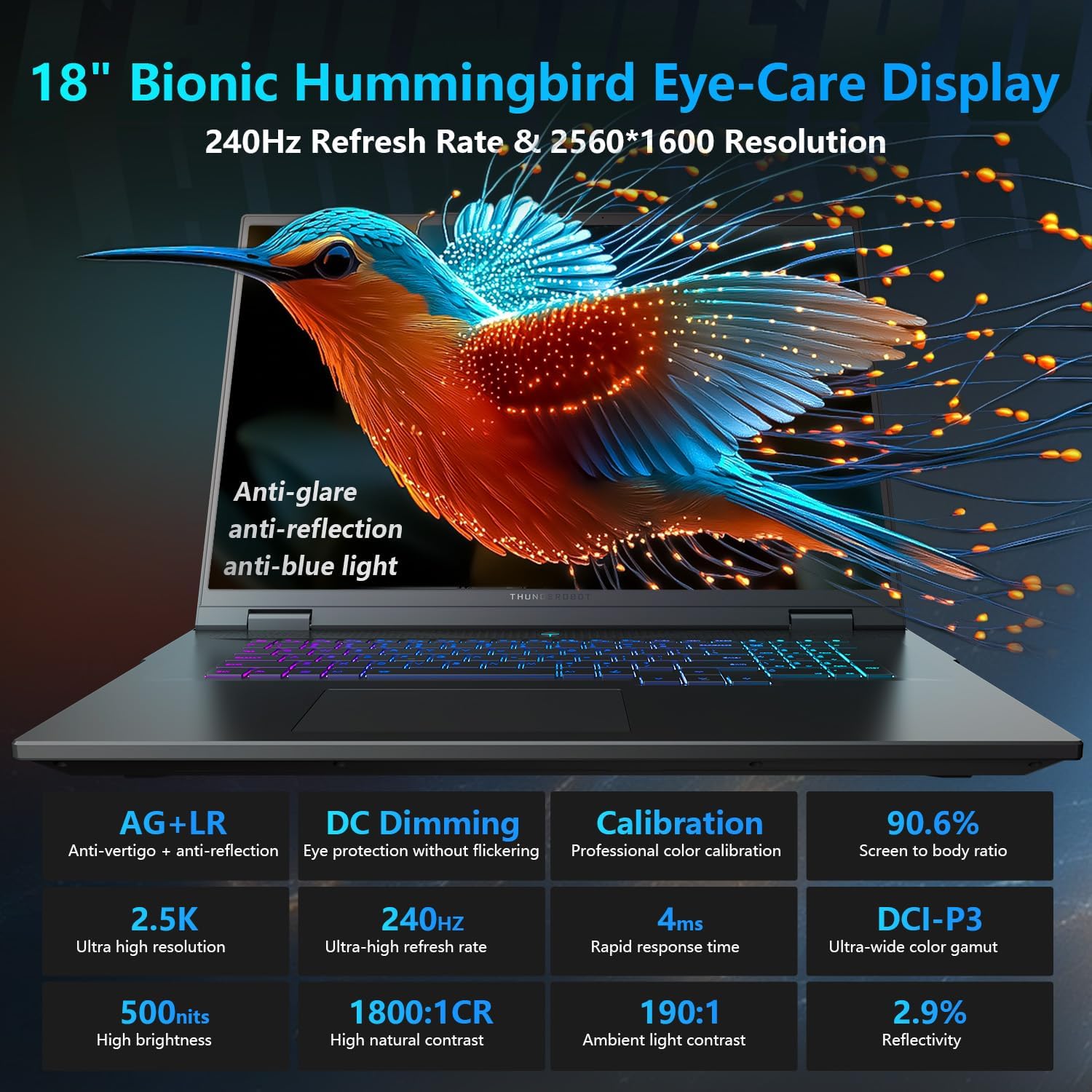
The 18-inch QHD+ (2560x1600) Bionic Hummingbird Eye-Care display offers a 240Hz refresh rate and 4ms response time for clear and fluid visuals. It includes anti-glare, anti-reflection, and anti-blue light technologies for eye comfort.

Connectivity (Ports)
The laptop is equipped with various ports for extensive connectivity:
- 3 ایکس سپر اسپیڈ USB ٹائپ-اے پورٹس
- 2 x Superspeed USB Type-C ports (including Thunderbolt 5 support)
- 1 x HDMI port (HDMI 2.1)
- 1 x RJ-45 ایتھرنیٹ پورٹ
- 1 x Audio Port (3.5mm)
- UHS-II SD کارڈ ریڈر
- Wi-Fi 6E for high-speed wireless internet
- Bluetooth for wireless peripheral connections

کولنگ سسٹم
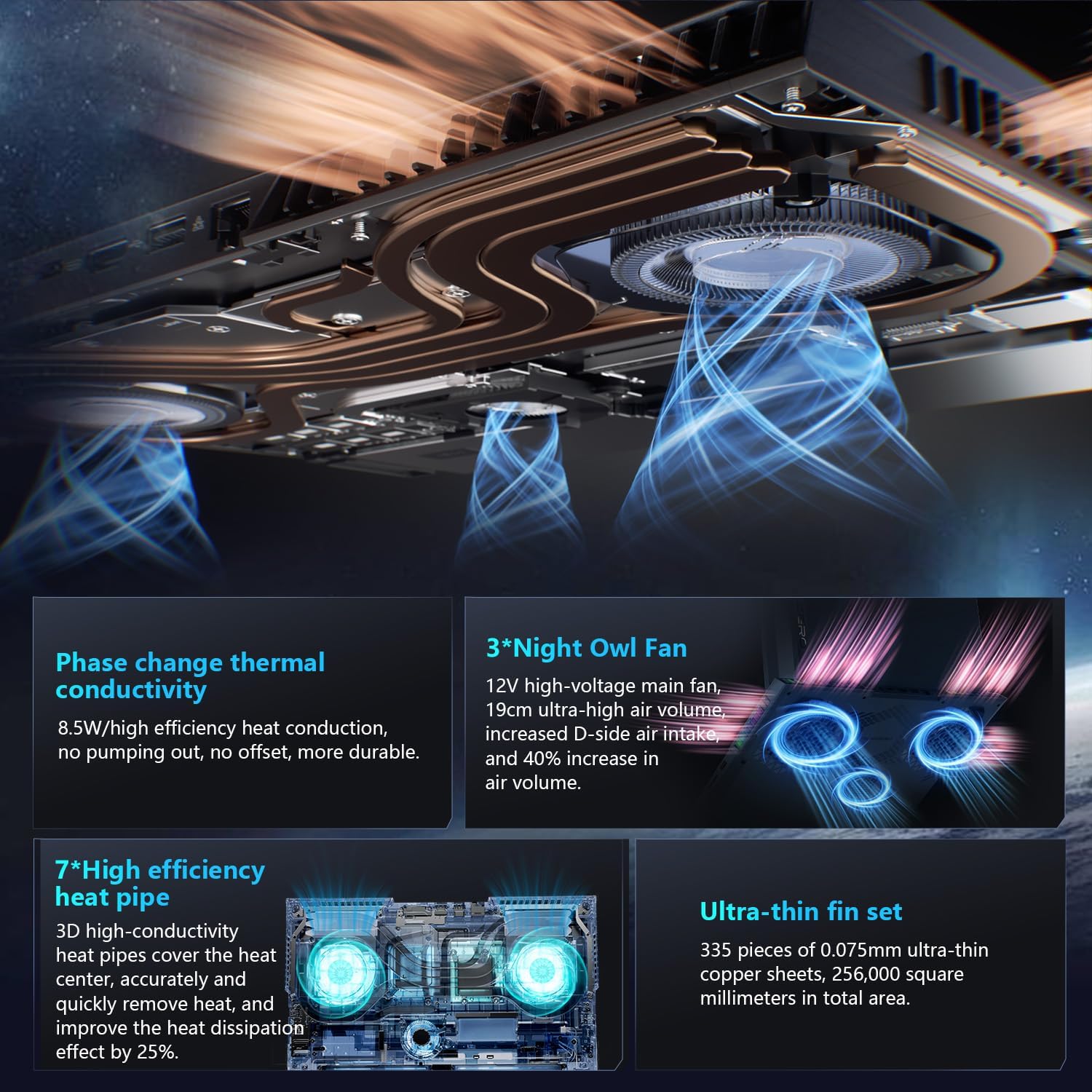
The advanced cooling system features 3 Night Owl fans, 7 high-efficiency heat pipes, and 338 ultra-thin copper fins to ensure optimal thermal management during intensive use, allowing for 270W super performance release.
AI Intelligent Control Center
The AI Intelligent Control Center software allows for comprehensive system management, including performance tuning, intelligent light adjustment, and personalized customization. This includes monitoring CPU/GPU temperatures and fan speeds.
- Performance Tuning: Adjust power settings for quiet, balanced, or turbo modes.
- Intelligent Light Adjustment: Customize keyboard, strip, and logo RGB lighting effects.
- نظام کی نگرانی: View real-time CPU and GPU status.
Note: System mode switching in Control Center requires the device to be connected to a power source.
دیکھ بھال
اپنے لیپ ٹاپ کی صفائی
- سکرین: ہلکے سے نرم، لنٹ سے پاک کپڑا استعمال کریں۔ampپانی یا اسکرین کلینر کے ساتھ ختم کریں۔ سخت کیمیکلز سے پرہیز کریں۔
- کی بورڈ اور چیسس: سطحوں کو صاف کرنے کے لیے نرم کپڑا استعمال کریں۔ دراڑوں میں دھول کے لیے، کمپریسڈ ہوا کا استعمال کریں۔
- وینٹس: Periodically clean the cooling vents with compressed air to prevent dust buildup, which can affect performance.
بیٹری کی دیکھ بھال
- بیٹری کو بار بار مکمل طور پر خارج کرنے سے گریز کریں۔
- لیپ ٹاپ کو ٹھنڈی، خشک جگہ پر ذخیرہ کریں اگر طویل مدت تک استعمال نہ کیا جائے۔
- بیٹری کی بہترین صحت کے لیے، انتہائی درجہ حرارت سے بچیں۔
سافٹ ویئر اپڈیٹس
Regularly check for and install operating system updates (Windows Update) and driver updates (via Thunderobot's official website or the AI Intelligent Control Center) to ensure system stability and performance.
خرابی کا سراغ لگانا
| مسئلہ | ممکنہ وجہ | حل |
|---|---|---|
| لیپ ٹاپ آن نہیں ہوتا۔ | کوئی بجلی، خارج ہونے والی بیٹری، یا ہارڈ ویئر کا مسئلہ نہیں۔ |
|
| اسکرین خالی یا سیاہ ہے۔ | Display settings, external monitor connected, or hardware issue. |
|
| استعمال کے دوران زیادہ گرم ہونا۔ | Blocked vents, high performance settings, or dust buildup. |
|
| وائی فائی کنکشن کے مسائل۔ | Wi-Fi disabled, driver issues, or router problems. |
|
For further assistance, please contact Thunderobot customer support.
وضاحتیں
| فیچر | تفصیل |
|---|---|
| ماڈل کا نام | Zero 18 Pro |
| پروسیسر | Intel Core Ultra 9 275HX (24 کور، 24 تھریڈز، 5.40GHz تک) |
| گرافکس | NVIDIA GeForce RTX 5070 Ti (8 GB GDDR6 Dedicated) |
| رام | 32 GB DDR5 (4800 MHz) |
| ذخیرہ | 2 TB PCIe M.2 SSD |
| ڈسپلے | 18-inch QHD+ (2560x1600) 240Hz Bionic Hummingbird Eye-Care Display |
| آپریٹنگ سسٹم | ونڈوز 11 ہوم |
| کنیکٹوٹی | Wi-Fi 6E, Bluetooth, 3x USB-A, 2x USB-C (Thunderbolt 5), HDMI 2.1, RJ-45, Audio Port |
| کی بورڈ | Per-Key RGB Backlit, Numeric Keypad |
| طول و عرض (LxWxH) | 16.04 x 11.78 x 1.41 انچ |
| شے کا وزن | 15 پاؤنڈ |
| طاقت کا منبع | AC اور بیٹری |
وارنٹی اور سپورٹ
ہر تھنڈربوٹ لیپ ٹاپ میں شامل ہوتا ہے۔ 12 ماہ کی وارنٹیاگر مرمت کی ضرورت ہو تو ماہر کی مدد، مکمل تشخیص، اور حقیقی حصوں کی پیشکش۔ اس کے علاوہ، اے 90 دن کی وارنٹی تمام وارنٹی متبادل حصوں پر فراہم کیا جاتا ہے، پریشانی سے پاک مرمت کو یقینی بناتے ہوئے آپ کا مکمل اطمینان ہمارا عزم ہے۔
For technical support, warranty claims, or service inquiries, please visit the official Thunderobot website or contact their customer service department. Keep your purchase receipt and serial number handy for faster service.