
1. سیٹ اپ اور ابتدائی کنفیگریشن
The OBDMATE OM201 Car Scanner is designed for ease of use with its plug-and-play functionality. Follow these steps for initial setup.
1.1 ڈیوائس کو جوڑنا
Locate the 16-pin OBDII diagnostic link connector (DLC) in your vehicle. This port is typically found under the dashboard on the driver's side. Connect the OM201 scanner's cable to the vehicle's DLC. The device will power on automatically upon successful connection.

Image: The OBDMATE OM201 Car Scanner connected to a vehicle's OBDII port, ready for use.
1.2 Ignition Requirements
For the scanner to communicate with your vehicle's systems, ensure the vehicle's ignition is turned to the 'ON' position. The engine does not need to be running unless performing specific live data tests.
1.3 ابتدائی ترتیبات
Upon powering on, you may access the 'Settings' menu to configure language and units of measure. The OM201 supports 8 languages: English, French, Spanish, German, Russian, Italian, Dutch, and Portuguese.
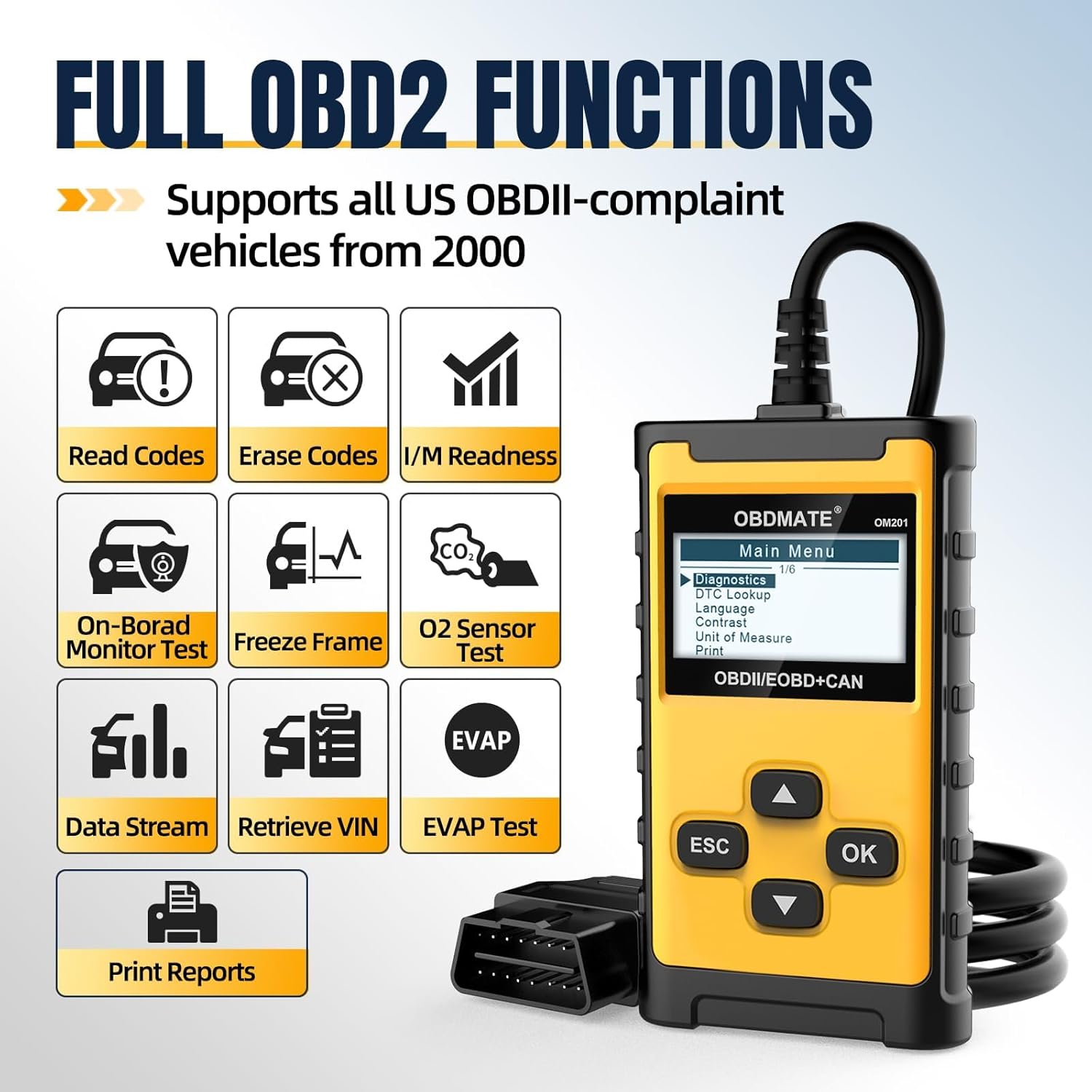
Image: The main menu of the OM201 Car Scanner, displaying options like Diagnostics, DTC Lookup, Language, Contrast, Unit of Measure, and Print.
2. Operating the OM201 Car Scanner
The OBDMATE OM201 provides a range of OBDII functions to help diagnose and monitor your vehicle's health.
2.1 تشخیصی ٹربل کوڈز (DTCs) کو پڑھنا اور صاف کرنا
The primary function of the OM201 is to read and clear DTCs. This allows you to identify why your check engine light (MIL) is illuminated and to turn it off after addressing the issue.
- کوڈز پڑھیں: Select 'Read DTC' from the main menu to retrieve current, pending, and permanent trouble codes stored in the vehicle's computer.
- کوڈز صاف کریں: Select 'Clear DTC' to erase trouble codes and turn off the Malfunction Indicator Lamp (MIL). Ensure the underlying issue is resolved before clearing codes to prevent immediate re-illumination.
- DTC تلاش: The device has over 40,000 built-in code definitions. Use the 'DTC Lookup' function to understand the meaning of a specific code without needing external resources.

Image: The OM201 Car Scanner displaying the 'Erase Codes' prompt, asking for confirmation to clear trouble codes.
2.2 لائیو ڈیٹا سٹریم
Monitor real-time engine data, including RPM, vehicle speed, coolant temperature, O2 sensor readings, and more. This data can be viewed numerically or graphically for easier analysis.

Image: The OM201 Car Scanner showing live graphic data for various engine parameters, providing real-time monitoring.
2.3 I / M تیاری
Check the readiness status of your vehicle's emission monitoring systems. This function is crucial for determining if your vehicle is ready for an emissions inspection.

Image: The OM201 Car Scanner displaying the I/M Readiness status, indicating whether the vehicle's emission systems are ready for testing.
2.4 EVAP Test
Perform the Evaporative Emission Control System (EVAP) test to check for leaks in the fuel system. This helps identify issues that could trigger the check engine light.
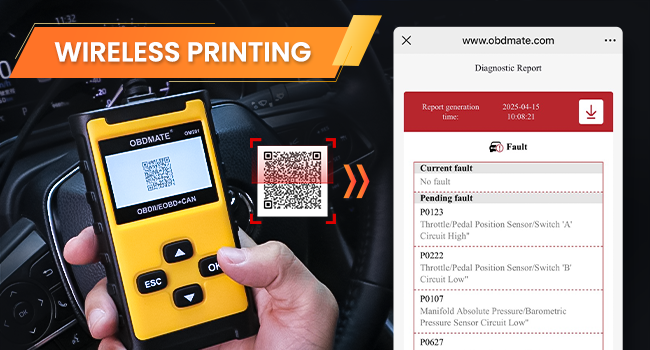
Image: The OM201 Car Scanner displaying the EVAP Test function, used to check for leaks in the evaporative emission system.
2.5 Wireless Printing
After a diagnostic scan, the OM201 can generate a detailed report. Scan the QR code displayed on the screen with your smartphone to instantly view and share the report. This report includes DTCs, VIN, live data, and freeze frame information.
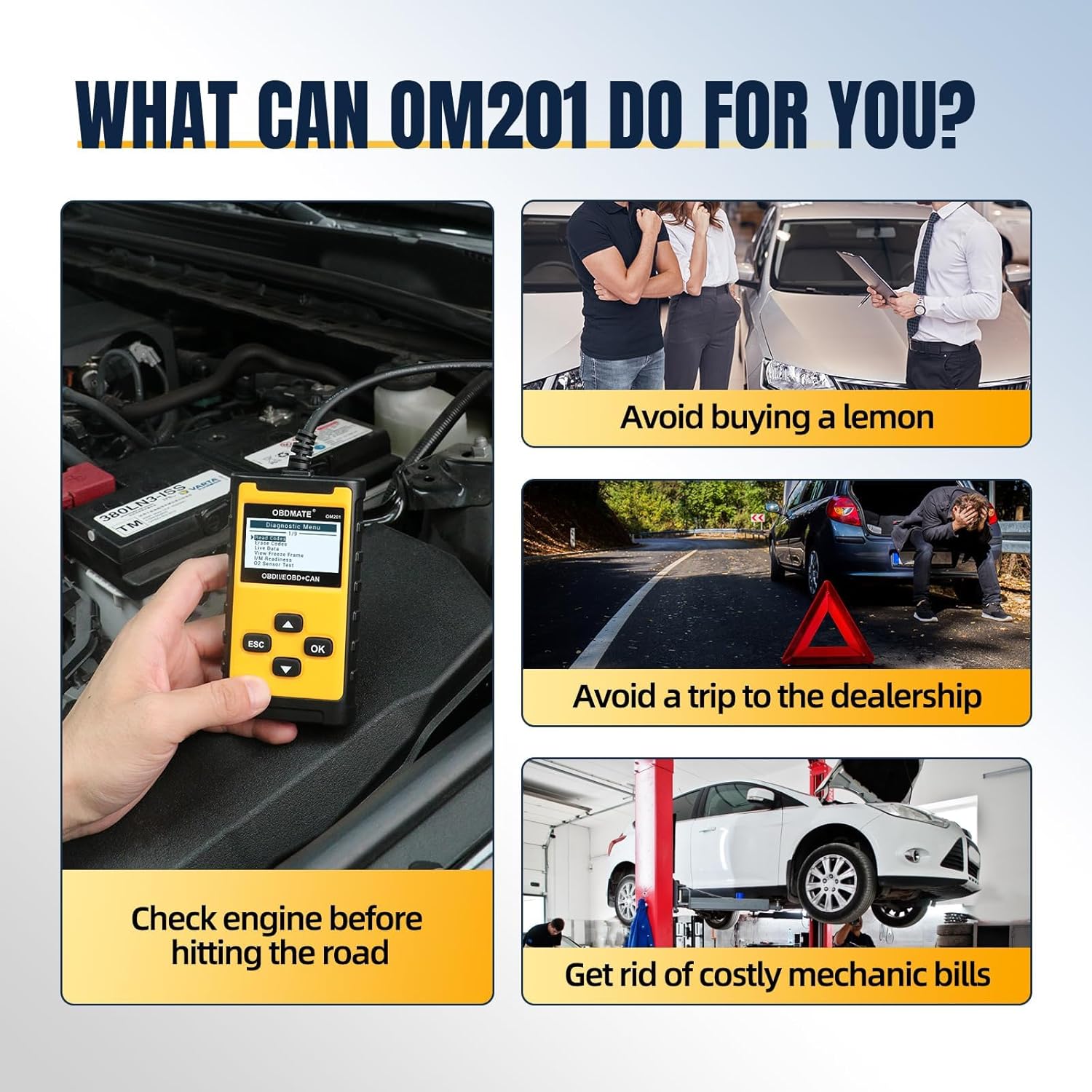
Image: The OM201 Car Scanner displaying a QR code on its screen, which can be scanned by a smartphone to access a diagnostic report for wireless printing.
2.6 Retrieve Vehicle Information
Access important vehicle information such as the Vehicle Identification Number (VIN), Calibration ID (CID), and Calibration Verification Numbers (CVN).
3 خرابیوں کا سراغ لگانا
If you encounter issues while using your OBDMATE OM201 Car Scanner, refer to the following common problems and solutions.
- Device Does Not Power Up:
- Verify the OBDII cable connector is securely connected to the vehicle's DLC.
- Ensure the vehicle's ignition is in the 'ON' position.
- گاڑی کی بیٹری والیوم چیک کریں۔tage. A low battery may prevent the scanner from powering on.
- رابطے میں خرابی:
- Ensure the vehicle is OBDII compliant (most vehicles manufactured after 2000 in USA, 2002 in EU, and 2008 in Asia).
- Try connecting the scanner to another OBDII compliant vehicle to rule out a device malfunction.
- غلط پڑھنا:
- Ensure the correct unit of measure is selected in the 'Settings' menu.
- Verify the vehicle's VIN matches the vehicle being scanned.
For specific Diagnostic Trouble Codes (DTCs), use the built-in 'DTC Lookup' function to understand the code's meaning and potential causes.
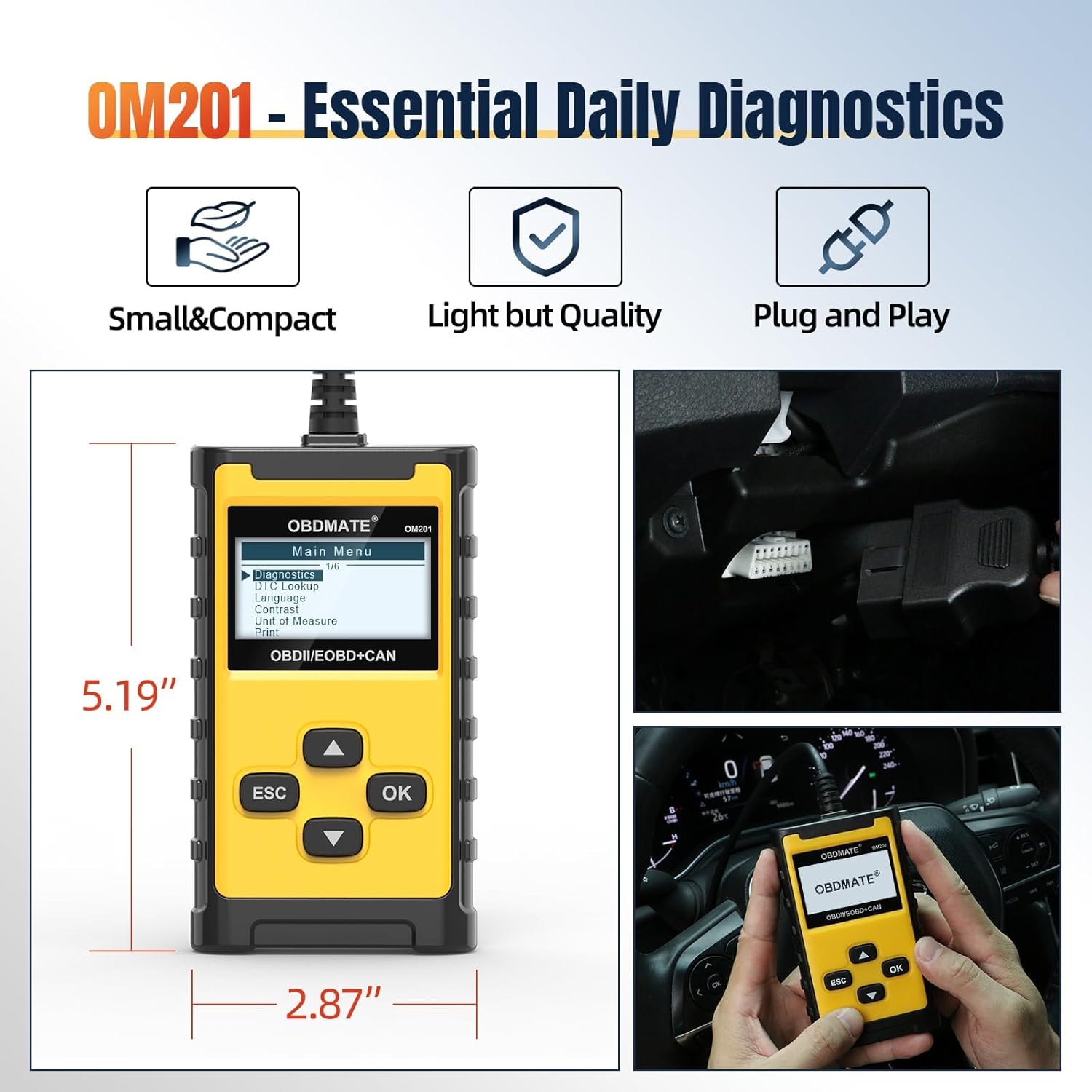
Image: The OM201 Car Scanner displaying the DTC Lookup function, allowing users to search for code definitions directly on the device.
4. وضاحتیں
- ماڈل: OM201
- برانڈ: OBDMATE
- آئٹم کا وزن: 9.1 اونس
- مصنوعات کے طول و عرض: 2.87"L x 0.95"W x 5.19"H
- سکرین کا سائز: 2.4 انچ
- طاقت کا منبع: Corded Electric (powered by vehicle OBDII port)
- آپریٹنگ سسٹم: پلگ اینڈ پلے
- تعاون یافتہ پروٹوکول: All 9 standard OBDII protocols (CAN, KWP2000, J1850 VPW, J1850 PWM, ISO9141)
- تعاون یافتہ زبانیں: English, French, Spanish, German, Russian, Italian, Dutch, Portuguese
5 دیکھ بھال
To ensure the longevity and optimal performance of your OBDMATE OM201 Car Scanner, follow these maintenance guidelines:
- صفائی: آلے کو صاف کرنے کے لیے نرم، خشک کپڑا استعمال کریں۔ کھرچنے والے کلینر یا سالوینٹس کے استعمال سے پرہیز کریں۔
- ذخیرہ: Store the scanner in a cool, dry place away from direct sunlight and extreme temperatures. Keep it in its original packaging or a protective case when not in use.
- کیبل کی دیکھ بھال: OBDII کیبل کو ضرورت سے زیادہ موڑنے یا موڑنے سے گریز کریں۔ نقصان کے کسی بھی نشان کے لیے باقاعدگی سے کیبل کا معائنہ کریں۔
- سافٹ ویئر اپ ڈیٹس: وقتا فوقتا کارخانہ دار کی جانچ کریں۔ website for any available software or firmware updates to ensure compatibility with the latest vehicle models and diagnostic protocols.
6 آفیشل پروڈکٹ ویڈیوز
Watch these official videos from OBDMATE for visual demonstrations of the OM201 Car Scanner's features and usage.
OBDMATE OM201 OBD2 Code Reader - Check Engine Light
ویڈیو: یہ ویڈیو ایک اوور فراہم کرتا ہے۔view of the OBDMATE OM201 OBD2 Code Reader, demonstrating how it can be used to check and understand engine light codes.
Quick Start: OBDMATE OM201 Car Scanner
Video: A quick start guide for the OBDMATE OM201 Car Scanner, showing basic setup and initial use.
OBDMATE OM201 Car Scanner Read&Clear Codes
Video: This video demonstrates the process of reading and clearing diagnostic trouble codes using the OBDMATE OM201 Car Scanner.
7. وارنٹی اور سپورٹ
For warranty information, technical support, or any inquiries regarding your OBDMATE OM201 Car Scanner, please refer to the manufacturer's official website or contact their customer service directly. The user manual included in the product packaging also contains detailed contact information.