
1. تعارف
The Gens ace iMars D300 Plus is an advanced dual-channel smart charger, building upon the core features of the G-Tech system. This enhanced version integrates Bluetooth remote control, allowing RC enthusiasts to manage and monitor real-time data and historical records directly from the Gens Ace mobile application. This integration simplifies the charging experience, improves efficiency, and enhances safety during operation.
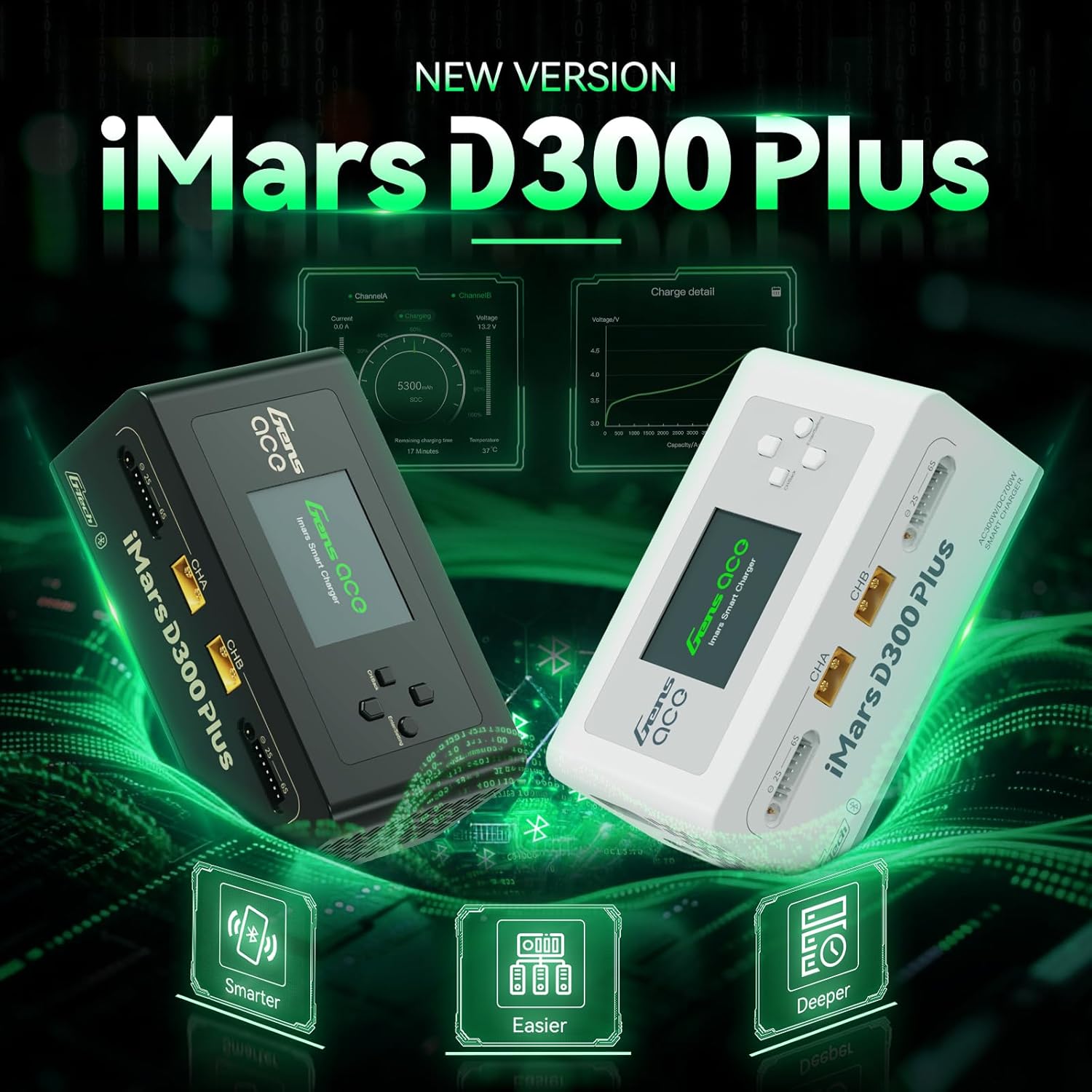
Figure 1.1: Gens ace iMars D300 Plus Lipo Charger, showcasing both black and white models.
2. حفاظتی معلومات
Always prioritize safety when operating the Gens ace iMars D300 Plus charger. Improper use can lead to property damage or personal injury. Adhere to the following safety guidelines:
- دستی پڑھیں: Thoroughly read and understand this entire instruction manual before using the charger.
- وینٹیلیشن: Operate the charger in a well-ventilated area, away from flammable materials.
- طاقت کا منبع: صرف مخصوص ان پٹ والیوم کا استعمال کریں۔tage (AC100-240V or DC7-30V).
- بیٹری کی مطابقت: Ensure the battery type and cell count match the charger settings. Incorrect settings can cause severe damage.
- نگرانی: آپریشن کے دوران چارجر کو کبھی بھی بغیر توجہ کے نہ چھوڑیں۔
- کنکشن: Always connect the balance lead and main power lead correctly. Incorrect polarity can cause damage.
- نقصان: Do not use the charger if it or any connected components appear damaged.
2.1. 8-Level Protection System
The iMars D300 Plus is equipped with an 8-level protection system to ensure safe charging:
- زیادہ گرمی سے تحفظ: ضرورت سے زیادہ درجہ حرارت سے ہونے والے نقصان کو روکتا ہے۔
- Current Limiting Protection: Regulates current to prevent overcurrent conditions.
- جلد سے زیادہtagای تحفظ: جلد کے خلاف حفاظتی تدابیرtagای بڑھتا ہے
- Wire Break Protection: Detects and alerts for broken charging wires.
- ریورس پولرائٹی پروٹیکشن: Prevents damage from incorrect battery connection.
- شارٹ سرکٹ تحفظ: شارٹ سرکٹ کی صورت میں خود بخود بند ہوجاتا ہے۔
- Cell Count Mismatch Alert: Warns if the detected cell count does not match the setting.
- غیر معمولی جلدtagای الرٹ: Notifies of unusual voltagای ریڈنگز
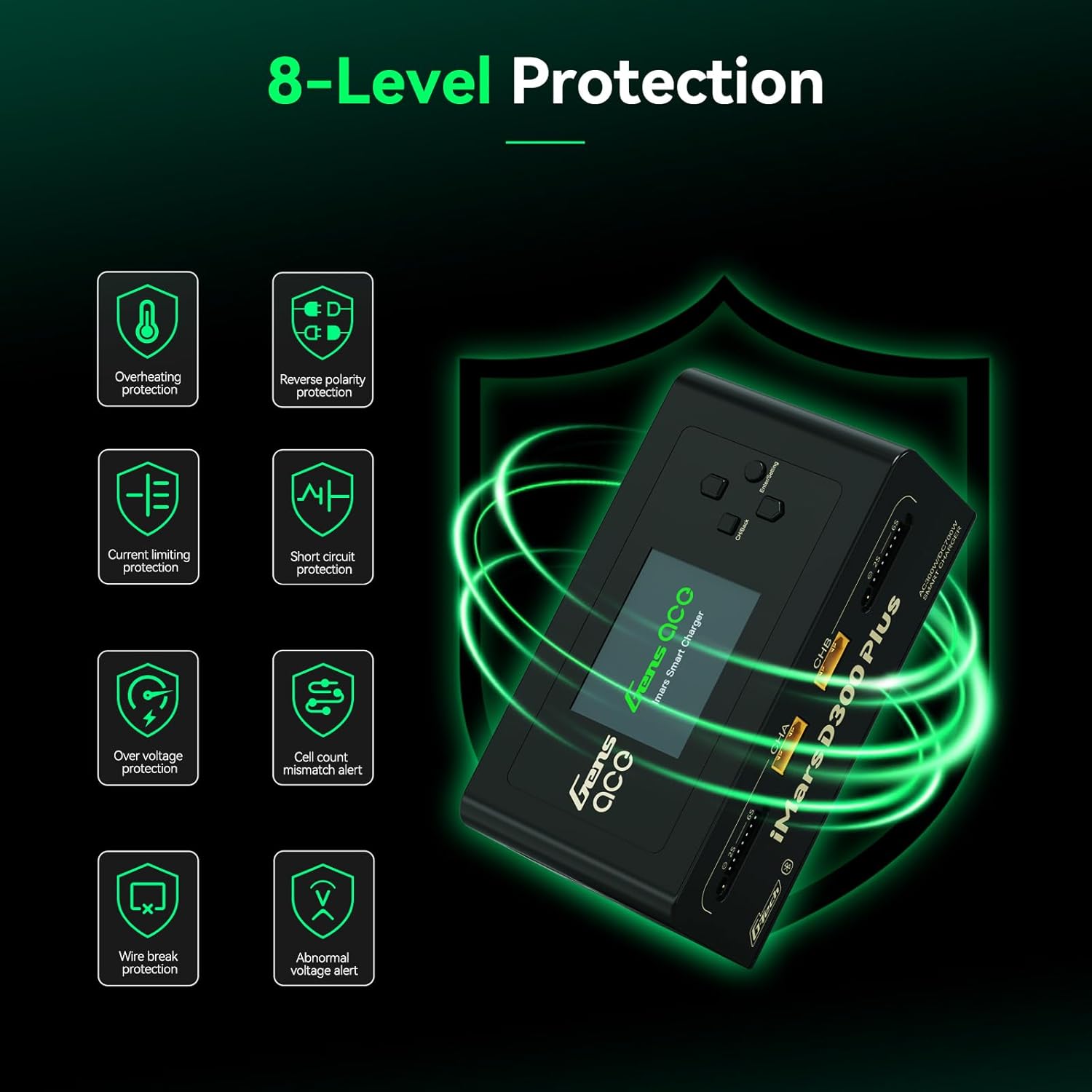
Figure 2.1: Visual representation of the 8-level protection system integrated into the iMars D300 Plus charger.
3. پیکیج کے مشمولات
تصدیق کریں کہ نیچے دی گئی تمام اشیاء آپ کے پیکیج میں شامل ہیں:
- Gens ace iMars D300 Plus Lipo Charger
- اے سی ان پٹ کیبل۔
- XT60-T Adapter (x2)
- XT60-EC5 Adapter (x2)
- XT60-EC3 Adapter (x2)
- صارف دستی

Figure 3.1: All components included in the Gens ace iMars D300 Plus product package.
3.1 ان باکسنگ ویڈیو
Video 3.1: An official unboxing video demonstrating the contents and initial presentation of the iMars D300 Plus charger.
4. مصنوعات کی خصوصیات
The Gens ace iMars D300 Plus charger offers a range of features designed for convenience, efficiency, and safety:
- Dual-Channel Charging: Simultaneously charge two batteries independently.
- بلوٹوتھ کنیکٹیویٹی: Remote control and monitoring via the Gens Ace mobile app.
- G-Tech System: Automatic parameter detection for G-Tech batteries, simplifying setup.
- ریئل ٹائم مانیٹرنگ: View charging status, cell data, and battery information in real-time.
- History Record: Access past charging and discharging data for analysis.
- کومپیکٹ ڈیزائن: Built-in power supply for portability and ease of travel.
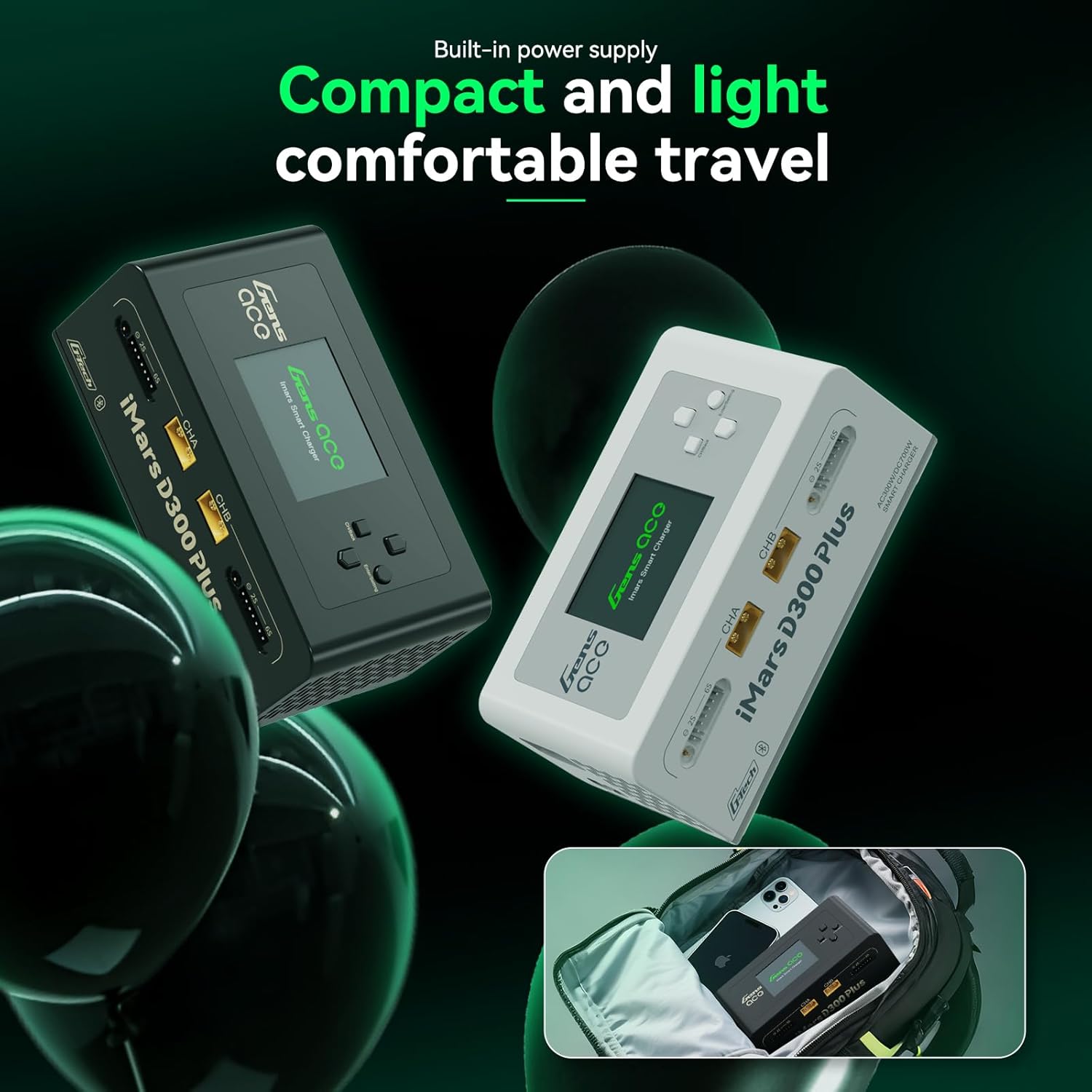
Figure 4.1: The compact and lightweight design of the iMars D300 Plus, ideal for portability.
4.1. Product Introduction Video
Video 4.1: An official introduction video showcasing the key features and functionalities of the iMars D300 Plus charger.
5. سیٹ اپ
Follow these steps for initial setup of your Gens ace iMars D300 Plus charger:
- پاور سے رابطہ کریں: Plug the AC input cable into the charger and then into a suitable power outlet (AC100-240V). Alternatively, connect a DC power source (DC7-30V) to the DC input port.
- پاور آن: The charger will power on automatically.
- بیٹری کو جوڑیں: Connect your battery's main power lead to the appropriate XT60 port (CHA or CHB) and the balance lead to the corresponding balance port (2S-6S). Use the provided adapters if necessary.
- Automatic Detection (G-Tech): For Gens Ace G-Tech batteries, the charger will automatically detect battery parameters.
- Manual Setup (Non-G-Tech): For non-G-Tech batteries, you will need to manually set the battery type, target voltage, cell count, and target current.

Figure 5.1: The 'Plug and Play' functionality of the iMars D300 Plus, showing battery connections.
6. آپریٹنگ ہدایات
The iMars D300 Plus offers intuitive operation through its onboard interface and the Gens Ace mobile app.
6.1. Onboard Operation
- چینل منتخب کریں: Use the navigation buttons to select Channel A (CHA) or Channel B (CHB).
- Task Setting: Press the 'Enter/Setting' button to access the task settings.
- پیرامیٹرز کو ایڈجسٹ کریں: Navigate through options like 'Select Task' (Charge, Discharge, Storage), 'Battery Type' (LiPo, Li-ion, LiHV, LiFe, NiMH/Cd), 'Target Voltage', 'Cell Count', and 'Target Current'. Adjust values using the up/down buttons.
- کام شروع کریں: Once all parameters are set, select 'Start Task' and confirm to begin the operation.
- پیشرفت کی نگرانی کریں: The display will show real-time charging/discharging status, current, voltagای، اور صلاحیت.
6.2 ایپ کنٹرول (بلوٹوتھ)
The Gens Ace app provides enhanced control and monitoring capabilities:
- اپلی کیشن ڈاؤن لوڈ کریں: Download the official Gens Ace app from your device's app store.
- بلوٹوتھ کے ذریعے جڑیں: Enable Bluetooth on your mobile device and pair with the iMars D300 Plus charger.
- ریموٹ کنٹرول: From the app, you can remotely start, stop, and adjust charging/discharging tasks for both channels.
- ریئل ٹائم ڈیٹا: View detailed real-time data, including individual cell voltages, temperature, charging percentage, and remaining time.
- تاریخ کا ریکارڈ: Access a comprehensive history log of all charging and discharging cycles, including detailed graphs and parameters.

Figure 6.1: The Gens Ace mobile application interface for controlling and monitoring the charger.
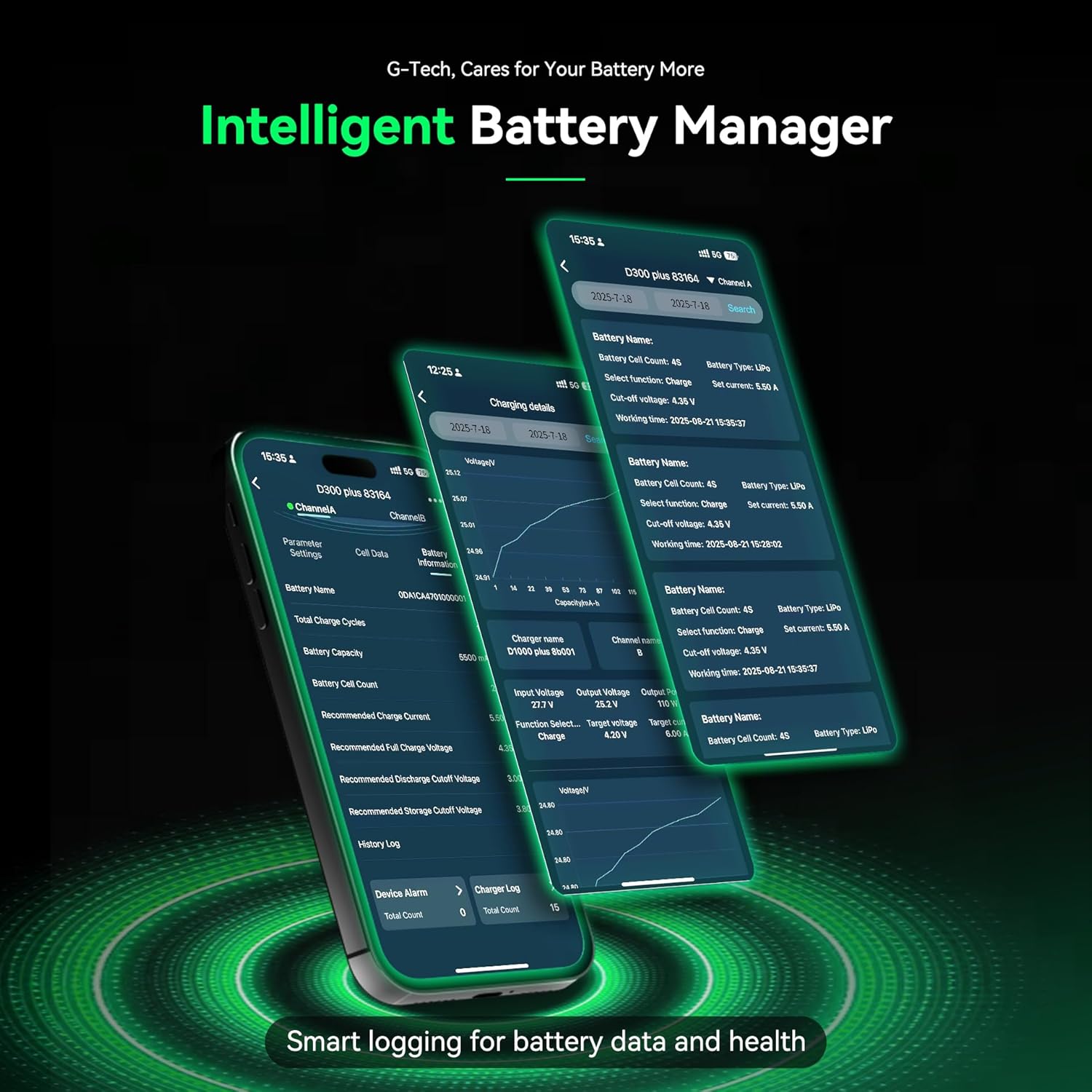
Figure 6.2: Detailed battery management and history logs available through the Gens Ace app.
7 دیکھ بھال
Proper maintenance ensures the longevity and optimal performance of your iMars D300 Plus charger:
- صفائی: Regularly clean the charger's exterior with a soft, dry cloth. Avoid using solvents or abrasive cleaners.
- وینٹیلیشن: اس بات کو یقینی بنائیں کہ زیادہ گرمی سے بچنے کے لیے وینٹیلیشن کے سوراخ دھول اور ملبے سے پاک ہوں۔
- ذخیرہ: چارجر کو ٹھنڈی، خشک جگہ پر براہ راست سورج کی روشنی اور انتہائی درجہ حرارت سے دور رکھیں جب استعمال میں نہ ہوں۔
- کیبل معائنہ: Periodically inspect all cables and connectors for signs of wear or damage. Replace any damaged components immediately.
8 خرابیوں کا سراغ لگانا
If you encounter issues with your iMars D300 Plus charger, refer to the following common troubleshooting steps:
- چارجر آن نہیں ہو رہا ہے:
- Check if the AC input cable or DC power source is securely connected.
- تصدیق کریں کہ پاور آؤٹ لیٹ فعال ہے۔
- بیٹری چارج نہیں ہو رہی:
- Ensure the battery's main power lead and balance lead are correctly connected.
- Check if the battery type, cell count, and charging parameters are correctly set on the charger or app.
- Inspect battery and charger connectors for damage.
- Verify the battery is not over-discharged or severely damaged.
- خرابی کے پیغامات:
- Refer to the 8-level protection system in Section 2.1. The error message on the screen will often indicate the specific protection triggered (e.g., 'Over Voltage', 'Cell Count Mismatch').
- Address the underlying cause of the alert before resuming operation.
- بلوٹوتھ کنیکٹیویٹی کے مسائل:
- Ensure Bluetooth is enabled on your mobile device and the charger.
- Make sure the device is within the effective Bluetooth range.
- Try restarting both the charger and your mobile device.
9. وضاحتیں
Detailed technical specifications for the Gens ace iMars D300 Plus Lipo Charger:
| آئٹم | تفصیلات |
|---|---|
| ان پٹ جلدtage | AC 100-240V; DC 7-30V |
| آؤٹ پٹ والیمtage | DC 1-30V |
| زیادہ سے زیادہ ان پٹ کرنٹ | ڈی سی 34 اے |
| زیادہ سے زیادہ خارج ہونے والی طاقت | 15W x 2 |
| زیادہ سے زیادہ چارجنگ پاور | AC 300W x 2; DC 350W x 2 |
| چارج کرنٹ | 0.1-16A x 2 |
| ڈسچارج کرنٹ | 0.1-3A x 2 |
| سیل بیلنسنگ۔ | 1-6S |
| USB آؤٹ پٹ | 5V/2.4A |
| ڈسپلے کی قسم | 2.4 inch IPS LCD Display |
| تائید شدہ بیٹری کیمسٹری | LiPo / Li-ion / LIHV / LiFe 1-6S; NiMH 1-16S |
| طول و عرض (L x W x H) | 145 x 76 x 62 mm (5.7"W x 3"D x 2.4"H) |
| مصنوعات کا خالص وزن | 530 گرام |

Figure 9.1: Visual representation of the product specifications and dimensions.
10. وارنٹی
The Gens ace iMars D300 Plus Lipo Charger comes with a 180 دن کی وارنٹی from the date of purchase. This warranty covers manufacturing defects and malfunctions under normal use. Please retain your proof of purchase for warranty claims. The warranty does not cover damage caused by misuse, accident, modification, or unauthorized repair.
11. سپورٹ
For technical assistance, troubleshooting beyond this manual, or warranty inquiries, please contact Gens ace customer support through their official website or the contact information provided with your product packaging. Ensure you have your product model number and proof of purchase ready when contacting support.