
1. تعارف
This manual provides essential information for the safe operation and maintenance of your SuperRC V666 Drone with Camera. Please read it thoroughly before first use to ensure proper setup and to maximize your flying experience. The V666 drone features a brushless motor, optical flow positioning, and an HD 180° adjustable camera, designed for both beginner and adult users.
2. حفاظتی احتیاطی تدابیر
- پرواز کا ماحول: Fly in open areas, away from people, animals, buildings, and power lines. Avoid flying in strong winds or adverse weather conditions.
- بیٹری کی حفاظت: صرف فراہم کردہ بیٹریاں اور چارجنگ کیبل استعمال کریں۔ بیٹریوں کو زیادہ چارج یا پنکچر نہ کریں۔ اگر بیٹریاں نقصان یا سوجن کے آثار دکھاتی ہیں تو استعمال بند کریں۔
- پروپیلر کی حفاظت: Keep hands, face, and loose clothing away from rotating propellers. Ensure propellers are securely attached before flight.
- نظر کی حد: پرواز کے دوران ڈرون کے ساتھ بصری لائن کو ہمیشہ برقرار رکھیں۔
- عمر کی سفارش: This product is suitable for users aged 14 and above.
- مداخلت: Avoid flying near strong electromagnetic interference sources.
- متعدد ڈرونز: When operating multiple drones simultaneously, power on and pair each drone and its remote control separately to prevent frequency conflicts.
3. پیکیج کے مشمولات
تصدیق کریں کہ نیچے دی گئی تمام اشیاء آپ کے پیکیج میں شامل ہیں:
تصویر: ختمview of the SuperRC V666 Drone package contents, showing the drone, remote control with screen, two batteries, spare propellers, screwdriver, USB charging cable, card reader, and memory card.
- SuperRC V666 Drone
- Remote Control with Integrated Screen
- 2 x Lithium Ion Batteries (1000mAh each)
- اسپیئر پروپیلرز۔
- پروپیلر گارڈز
- ہینڈ بیگ
- مائیکرو USB کیبل
- سکریو ڈرایور
- کارڈ ریڈر
- میموری کارڈ
4. اجزاء کی شناخت
4.1 Drone Overview
تصویر: تفصیلی view of the SuperRC V666 Drone, showing the main body, camera, and protected propellers.
Familiarize yourself with the drone's key components:
- کیمرہ: Front-mounted, 180° manually adjustable HD camera.
- پروپیلرز: Four propellers with protective guards.
- برش لیس موٹرز: Provide stable and powerful flight.
- بیٹری ٹوکری: Located on the drone's body.
- پاور بٹن: For turning the drone on/off.
- Body Light: Integrated lighting for visibility.
4.2 ریموٹ کنٹرول اوورview
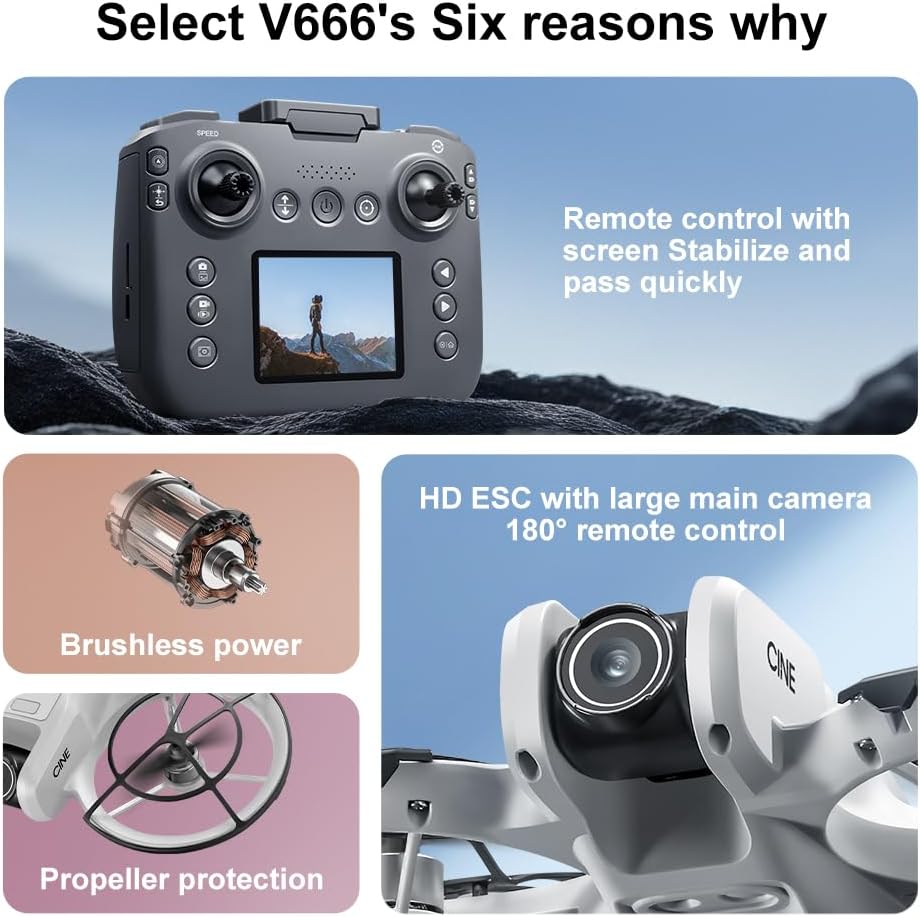
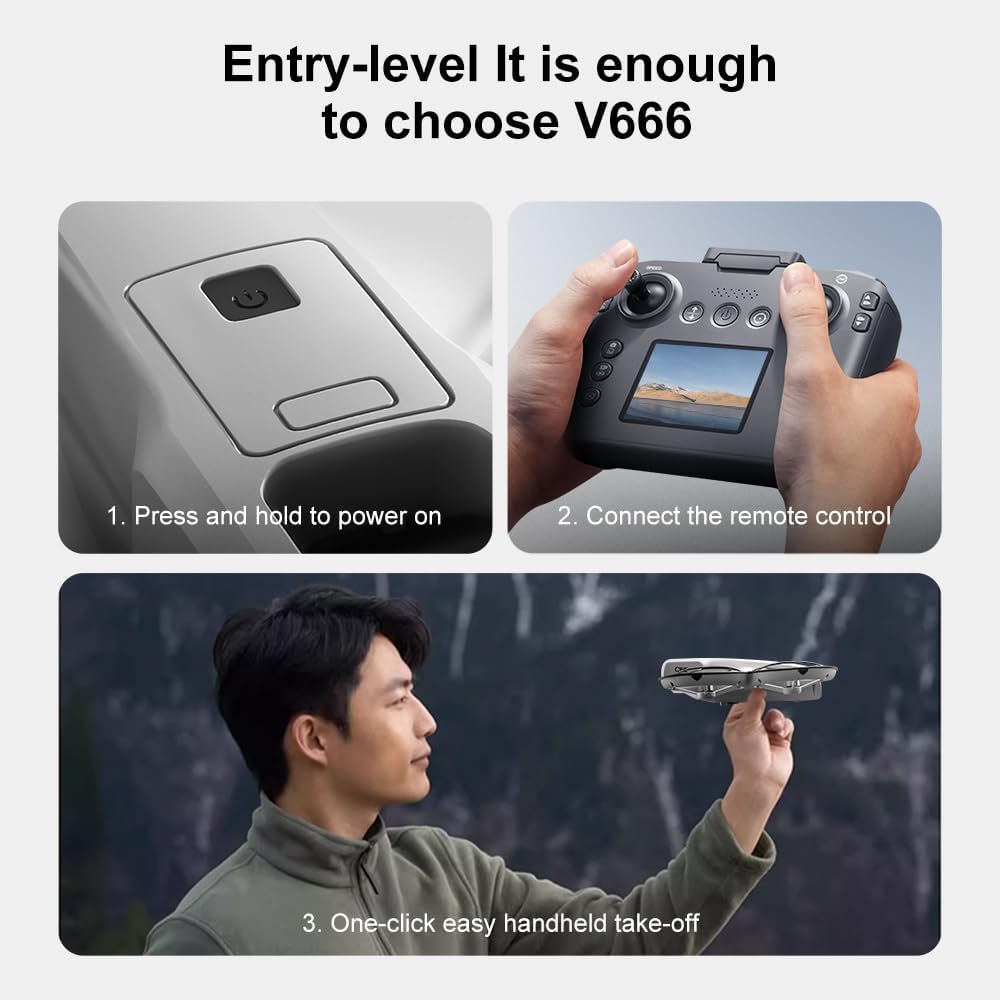
Image: The remote control for the SuperRC V666 Drone, featuring a central display screen, dual joysticks, and multiple control buttons.
ریموٹ کنٹرول کی خصوصیات:
- جوائس اسٹکس: Left for throttle/yaw, right for pitch/roll.
- Integrated Screen: Displays flight information and live camera feed.
- پاور بٹن: ریموٹ کنٹرول کو آن/آف کرنے کے لیے۔
- ایک کلیدی ٹیک آف/لینڈنگ بٹن: خودکار ٹیک آف یا لینڈنگ شروع کرتا ہے۔
- رفتار ایڈجسٹمنٹ بٹن: پرواز کی مختلف رفتاروں کے درمیان ٹوگل کرتا ہے۔
- Photo/Video Buttons: For capturing images and recording video.
- ٹرم بٹن: For fine-tuning drone stability.
5. سیٹ اپ
5.1 بیٹری کی تنصیب اور چارجنگ
- Insert the fully charged Lithium Ion battery into the drone's battery compartment. Ensure it clicks into place securely.
- To charge the battery, connect it to the Micro-USB cable and then to a USB power source (e.g., computer, USB wall adapter). The charging indicator will show the charging status.
- Charge the remote control battery using its dedicated charging port and cable.
5.2 پروپیلر کی تنصیب
The drone comes with propeller guards pre-installed. If you need to replace propellers:
- Identify the correct propeller type (A or B) for each motor. Propellers are typically marked.
- Align the propeller with the motor shaft and press down firmly until it is secure.
- Ensure all propellers rotate freely without obstruction.
5.3 ڈرون اور ریموٹ کنٹرول کا جوڑا بنانا

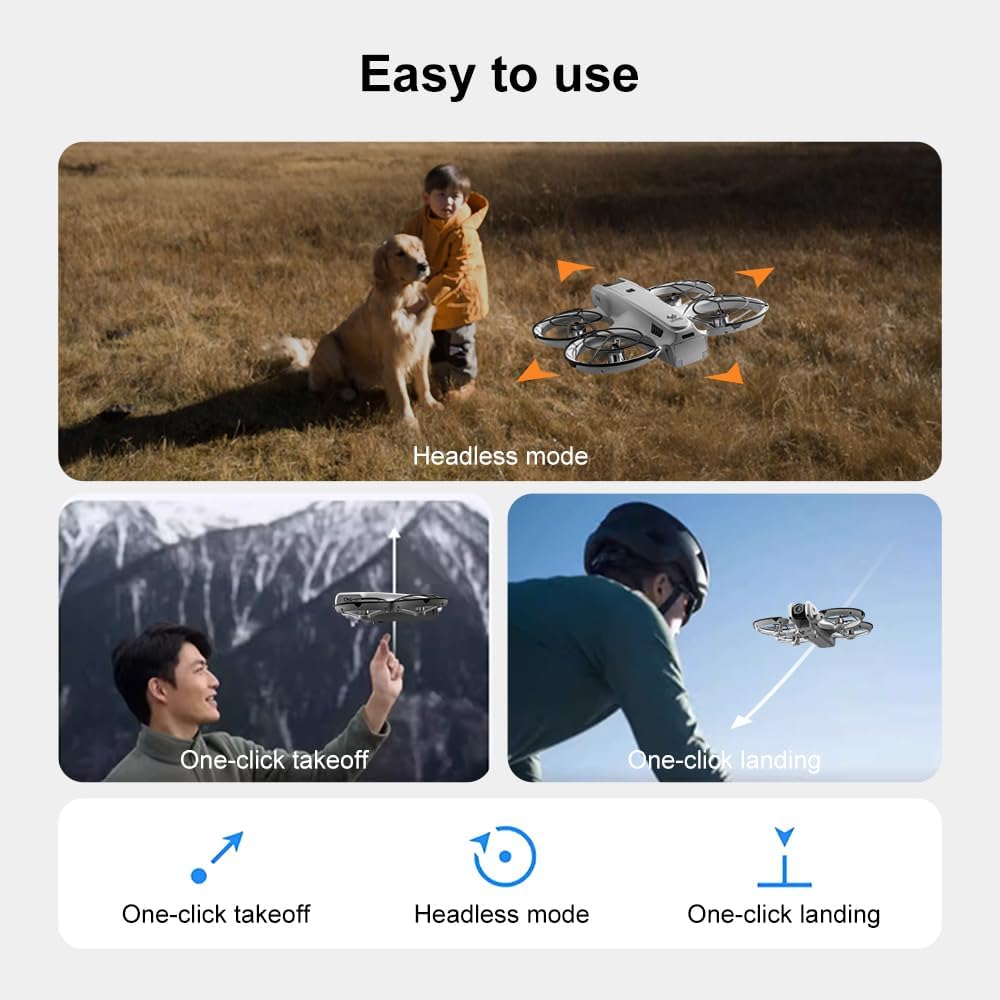
Image: Visual guide demonstrating the steps for powering on the drone, connecting the remote control, and initiating a one-click handheld take-off.
- ڈرون کو فلیٹ ، سطح کی سطح پر رکھیں۔
- Press and hold the power button on the drone until its indicator lights turn on.
- ریموٹ کنٹرول آن کریں۔
- The drone and remote control will automatically attempt to pair. Once paired, the drone's indicator lights will become solid.
- نوٹ: If operating multiple drones, power on and pair each drone and its remote control individually to avoid signal interference.
6. آپریٹنگ ہدایات
6.1 بنیادی فلائٹ کنٹرولز
- بائیں جوائس اسٹک (تھروٹل/یا):
- Push up/down: Increase/decrease altitude (Throttle).
- Push left/right: Rotate drone left/right (Yaw).
- دائیں جوائس اسٹک (پچ/رول):
- Push up/down: Move drone forward/backward (Pitch).
- Push left/right: Move drone left/right (Roll).
- سپیڈ ایڈجسٹمنٹ: Press the speed button on the remote to cycle through different flight speeds (e.g., low, medium, high).
6.2 One-Key Functions
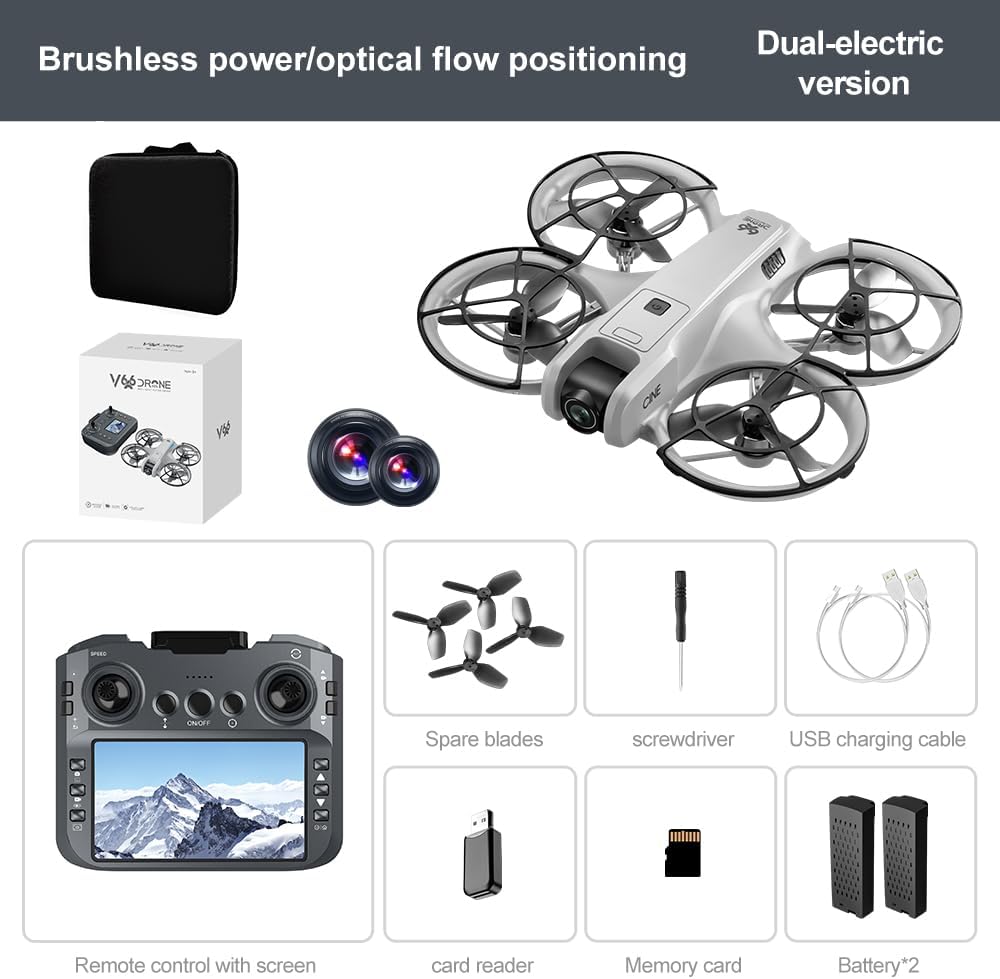
Image: Visual representation of the drone's Headless Mode, One-Click Take-off, and One-Click Landing functionalities.
- ایک کلیدی ٹیک آف: Press the designated button once, and the drone will automatically ascend to a stable hovering height.
- ایک کلیدی لینڈنگ: Press the designated button once, and the drone will automatically descend and land gently.
- ایک کلیدی واپسی: Activates the drone's return-to-home function. The drone will attempt to return to its take-off point.
6.3 ہیڈ لیس موڈ
In Headless Mode, the drone's orientation is relative to the pilot, regardless of which way the drone's front is facing. This simplifies control for beginners.
6.4 اشارہ کنٹرول
The drone supports gesture-based photo and video capture. Perform specific hand gestures in front of the camera to trigger these functions during flight.
6.5 کیمرہ آپریشن
- کیمرے کے زاویہ کو ایڈجسٹ کرنا: The camera lens can be manually adjusted 180° before flight to achieve the desired viewING زاویہ
- تصویر/ویڈیو کیپچر: فوٹو لینے یا ویڈیو ریکارڈنگ شروع/روکنے کے لیے ریموٹ کنٹرول پر مخصوص بٹنوں کا استعمال کریں۔
- براھراست: The integrated screen on the remote control provides a real-time view from the drone's camera via Wi-Fi connectivity.
- ذخیرہ: Captured photos and videos are saved to the inserted memory card.
7 دیکھ بھال
- صفائی: ڈرون اور ریموٹ کنٹرول کو صاف کرنے کے لیے نرم، خشک کپڑا استعمال کریں۔ سالوینٹس یا سخت کیمیکل استعمال کرنے سے گریز کریں۔
- پروپیلر کی تبدیلی: If propellers are damaged, replace them with spare parts using the provided screwdriver. Ensure correct propeller type (A or B) is used for each motor.
- ذخیرہ: Store the drone and its components in a cool, dry place, away from direct sunlight and extreme temperatures. Remove batteries if storing for extended periods.
8 خرابیوں کا سراغ لگانا
| مسئلہ | ممکنہ وجہ | حل |
|---|---|---|
| ڈرون پاور آن نہیں ہوتا | بیٹری چارج نہیں ہوئی یا غلط طریقے سے انسٹال ہوئی ہے۔ | اس بات کو یقینی بنائیں کہ بیٹری پوری طرح سے چارج ہوئی ہے اور مناسب طریقے سے ڈالی گئی ہے۔ |
| Drone fails to pair with remote control | Remote control not powered on, or pairing sequence incorrect. | Ensure both devices are powered on. Follow pairing steps (Section 5.3). Avoid multiple drones pairing simultaneously. |
| ڈرون پرواز کے دوران اڑتا ہے۔ | Not calibrated on a flat surface, or environmental factors. | Ensure drone is placed on a flat surface before take-off. Perform calibration if available (refer to remote control instructions). Avoid strong winds. |
| Poor camera image quality or no live feed | Weak Wi-Fi signal, camera lens dirty, or memory card issue. | Ensure drone is within Wi-Fi range. Clean camera lens. Check memory card for proper insertion and sufficient space. |
| مختصر پرواز کا وقت | Battery not fully charged, or battery degradation. | Fully charge batteries before each flight. Consider replacing old batteries if performance significantly degrades. |
9. وضاحتیں
| فیچر | تفصیل |
|---|---|
| برانڈ | سپر آر سی |
| ماڈل کا نام | V666 |
| رنگ | گرے |
| شے کا وزن | 0.2 کلوگرام (تقریباً 7 اونس) |
| مصنوعات کے طول و عرض | 7"L x 6"W x 2"H |
| مہارت کی سطح | مبتدی |
| موٹر کی قسم | برش لیس موٹر |
| کیمرہ | HD 180° Manually Adjustable |
| ویڈیو کیپچر ریزولوشن | 720ص |
| ویڈیو کیپچر فارمیٹ | MP4 |
| کنیکٹوٹی ٹیکنالوجی | Wi-Fi, Radio Frequency |
| آپٹیکل سینسر ٹیکنالوجی | آپٹیکل فلو، CMOS |
| بیٹری کی قسم | لیتھیم آئن |
| بیٹری کی صلاحیت | 1000 ایم اے ایچ |
| کنٹرول کی قسم | ریموٹ کنٹرول |
| خصوصی خصوصیات | Adjustable Camera, One Button Return, One Key Rotation, Rechargeable, Speed Adjustment, Optical Flow Positioning |
10. وارنٹی اور سپورٹ
For warranty information or technical support, please refer to the documentation included with your purchase or contact SuperRC customer service directly. Keep your proof of purchase for any warranty claims.
مزید مدد کے لیے، آپ ملاحظہ کر سکتے ہیں۔ SuperRC Store on Amazon.