
تھرمو پرو TP110
ThermoPro TP110 Refrigerator Thermometer User Manual
ماڈل: TP110 | برانڈ: تھرمو پرو
تعارف
خریداری کے لیے آپ کا شکریہasing the ThermoPro TP110 Refrigerator Thermometer. This device is designed to accurately monitor temperatures in refrigerators, freezers, and other environments, ensuring optimal conditions for food storage and other applications. Please read this manual thoroughly before use to ensure proper operation and longevity of your device.
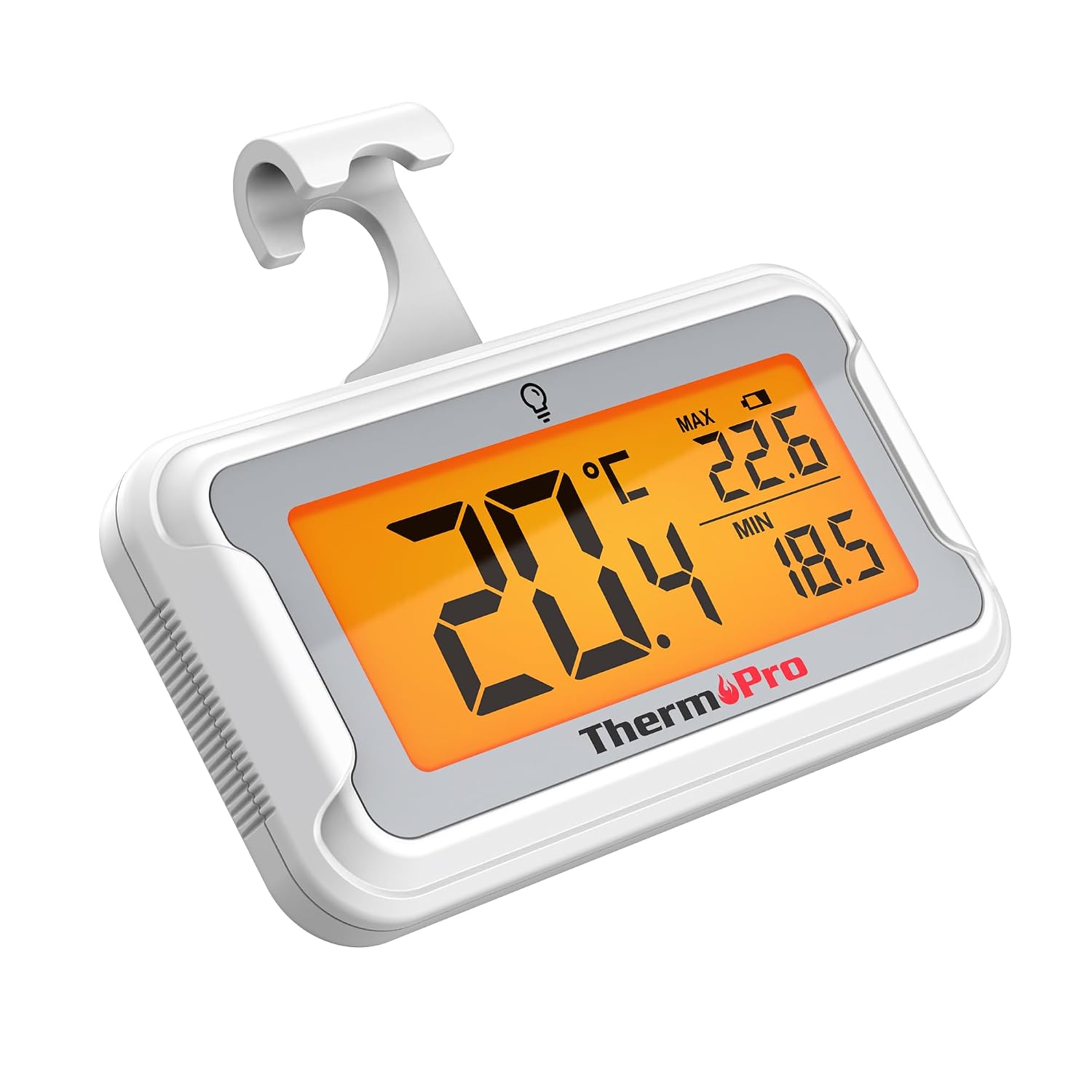
Image: The ThermoPro TP110 Refrigerator Thermometer, a compact white device with a large digital display showing temperature readings.
کلیدی خصوصیات
- Wide Temperature Range & High Accuracy: Measures from -30°C to 50°C (-22°F to 122°F) with an accuracy of ±0.5°C (±1°F).
- زیادہ سے زیادہ پڑھنے کی اہلیت: Features an oversized LCD screen with a bright backlight for easy reading, even in low-light conditions.
- Superior Waterproofing: IPX6 rated design ensures reliable operation in humid and cold environments.
- زیادہ سے زیادہ/کم سے کم درجہ حرارت کی ریکارڈنگ: Tracks and displays the maximum and minimum temperatures over the last 24 hours, allowing you to monitor temperature fluctuations.
- متعدد جگہ کے اختیارات: Equipped with a magnet, a hanging hook, and a kickstand for versatile placement.
- آسان بیٹری کی تبدیلی: Designed with a rotating battery compartment for quick and tool-free battery changes.

Image: A comparison chart highlighting the ThermoPro TP110's features such as backlight, easy battery change, ±0.5°C precision, full screen, waterproof design, and MAX/MIN temperature tracking, contrasting it with other thermometers.
پیکیج کے مشمولات
- 1 x ThermoPro TP110 Refrigerator Thermometer
- 1 x CR2032 بیٹری (پہلے سے نصب)
- 1 ایکس صارف دستی
سیٹ اپ
1. بیٹری کی تنصیب
The ThermoPro TP110 comes with a CR2032 battery pre-installed. If the display is not active or shows a low battery indicator, please replace the battery:
- تھرمامیٹر کے پچھلے حصے میں بیٹری کے ٹوکرے کا پتہ لگائیں۔
- Rotate the battery cover counter-clockwise to the "OPEN" position.
- پرانی CR2032 بیٹری کو ہٹا دیں۔
- ایک نئی CR2032 بیٹری داخل کریں جس کا مثبت (+) رخ اوپر ہو۔
- Rotate the battery cover clockwise to the "LOCK" position to secure it.

Image: A three-step visual guide demonstrating how to easily replace the battery by rotating the cover to open, inserting a new battery, and rotating to lock.
2. تعیناتی کے اختیارات
The thermometer offers three convenient placement options:
- مقناطیسی پیچھے: Attach the thermometer to any metallic surface, such as a refrigerator door.
- ہینگنگ ہک: Use the integrated hook to hang the thermometer from a shelf or rack.
- فولڈ آؤٹ اسٹینڈ: Utilize the stand on the back to place the thermometer upright on a flat surface.

Image: Illustrations showing the thermometer used in different environments: a domestic refrigerator, a portable cooler, a car refrigerator, a refrigerated truck, and a wine cellar, demonstrating its versatility.
آپریٹنگ ہدایات
1. پاور آن/آف
The thermometer automatically powers on when the battery is installed. To turn it off, press and hold the power button (if available, otherwise it's always on). It features an automatic shutdown after 10 seconds of inactivity to conserve battery life, but will reactivate upon temperature change or button press.
2۔ درجہ حرارت یونٹ کا انتخاب
Press the "°C/°F" button to switch between Celsius and Fahrenheit temperature displays.
3. بیک لائٹ ایکٹیویشن
Touch the light bulb icon on the screen to activate the backlight for 10 seconds, improving visibility in dark conditions.
4. Max/Min Temperature Records
The thermometer automatically records the maximum and minimum temperatures over a 24-hour period. These values are displayed on the screen alongside the current temperature. The records reset every 24 hours or when the battery is replaced.

Image: The thermometer placed near raw meat in a refrigerator, showing current, maximum, and minimum temperatures. An accompanying graph illustrates the 24-hour temperature history, highlighting the highest and lowest points.
دیکھ بھال
- صفائی: اشتہار کے ساتھ تھرمامیٹر صاف کریں۔amp کپڑا اسے پانی میں نہ ڈوبیں یا کھرچنے والے کلینر کا استعمال نہ کریں۔
- بیٹری کی تبدیلی: Replace the CR2032 battery when the low battery indicator appears on the display. Refer to the "Battery Installation" section for instructions.
- ذخیرہ: If storing for an extended period, remove the battery to prevent leakage. Store in a dry place away from extreme temperatures.

Image: The ThermoPro TP110 thermometer partially submerged in water, with water droplets splashing around it, illustrating its IPX6 waterproof rating.
خرابی کا سراغ لگانا
| مسئلہ | ممکنہ وجہ | حل |
|---|---|---|
| کوئی ڈسپلے یا بیہوش ڈسپلے نہیں۔ | Low or dead battery; battery inserted incorrectly. | درست قطبیت کو یقینی بناتے ہوئے CR2032 بیٹری کو تبدیل کریں۔ |
| درجہ حرارت کی غلط ریڈنگ | Thermometer placed too close to a heat source or vent; sensor obstruction. | Relocate the thermometer to a central area of the refrigerator/freezer, away from direct airflow or heat sources. |
| بیک لائٹ کام نہیں کر رہی | Battery low; temporary malfunction. | Replace battery. If problem persists, contact customer support. |
وضاحتیں
| فیچر | تفصیل |
|---|---|
| درجہ حرارت کی حد | -30 ° C سے 50 ° C (-22 ° F سے 122 ° F) |
| درستگی | ±0.5°C (±1°F) |
| ڈسپلے کی قسم | بیک لائٹ کے ساتھ ڈیجیٹل LCD |
| واٹر پروف ریٹنگ | IPX6 |
| طاقت کا منبع | 1 x CR2032 بیٹری (شامل) |
| مواد | پلاسٹک |
| طول و عرض (تقریباً) | 8 سینٹی میٹر (لمبائی) |
| خصوصی خصوصیات | Large screen, High precision, Low battery indicator, Backlit, Waterproof, Max/Min record |

Image: A visual representation of the ThermoPro TP110's large LCD screen, showing its approximate dimensions of 8cm by 6cm, and highlighting the backlight feature.
وارنٹی اور سپورٹ
ThermoPro provides a warranty for this product against defects in materials and workmanship. For detailed warranty information, product registration, or technical support, please visit the official ThermoPro webسائٹ یا ان کی کسٹمر سروس سے رابطہ کریں۔ خریداری کے ثبوت کے طور پر اپنی خریداری کی رسید اپنے پاس رکھیں۔
مینوفیکچرر: ThermoPro
اصل ملک: چین
For further assistance, please refer to the contact information provided on the ThermoPro official webسائٹ
Ask a question about this manual
Ask about setup, troubleshooting, compatibility, parts, safety, or missing instructions. Manuals+ will review the question and use this page’s manual context to help answer it.