
مضبوط SRT427
STRONG 4K UHD Box SRT 427 User Manual
تعارف
This manual provides comprehensive instructions for the installation, operation, and maintenance of your STRONG 4K UHD Box SRT 427. Please read this manual carefully before using the device to ensure proper functionality and to prevent damage. Keep this manual for future reference.
پیکیج کے مشمولات
سیٹ اپ کے ساتھ آگے بڑھنے سے پہلے، براہ کرم تصدیق کریں کہ تمام اشیاء پیکیج میں موجود ہیں:
- STRONG 4K UHD Box SRT 427
- ریموٹ کنٹرول (بیٹریاں شامل نہیں)
- پاور اڈاپٹر
- HDMI کیبل
- فوری انسٹالیشن گائیڈ
سیٹ اپ
Follow these steps to set up your STRONG 4K UHD Box SRT 427:
- TV سے جڑیں: Connect one end of the HDMI cable to the HDMI OUT port on the SRT 427 and the other end to an available HDMI IN port on your television.
- پاور سے جڑیں: Plug the power adapter into the DC IN port on the SRT 427, then plug the adapter into a wall outlet.
- انٹرنیٹ سے جڑیں (اختیاری): For internet-based features, connect an Ethernet cable to the LAN port on the SRT 427, or configure Wi-Fi settings after initial boot-up.
- ریموٹ میں بیٹریاں داخل کریں: Open the battery compartment on the remote control and insert 2x AAA batteries (not included), ensuring correct polarity.
- پاور آن: Turn on your TV and select the correct HDMI input source. The SRT 427 should power on automatically. If not, press the power button on the remote control.
- ابتدائی سیٹ اپ مددگار: Follow the on-screen instructions to complete the initial setup, including language selection, network configuration, and channel scanning.
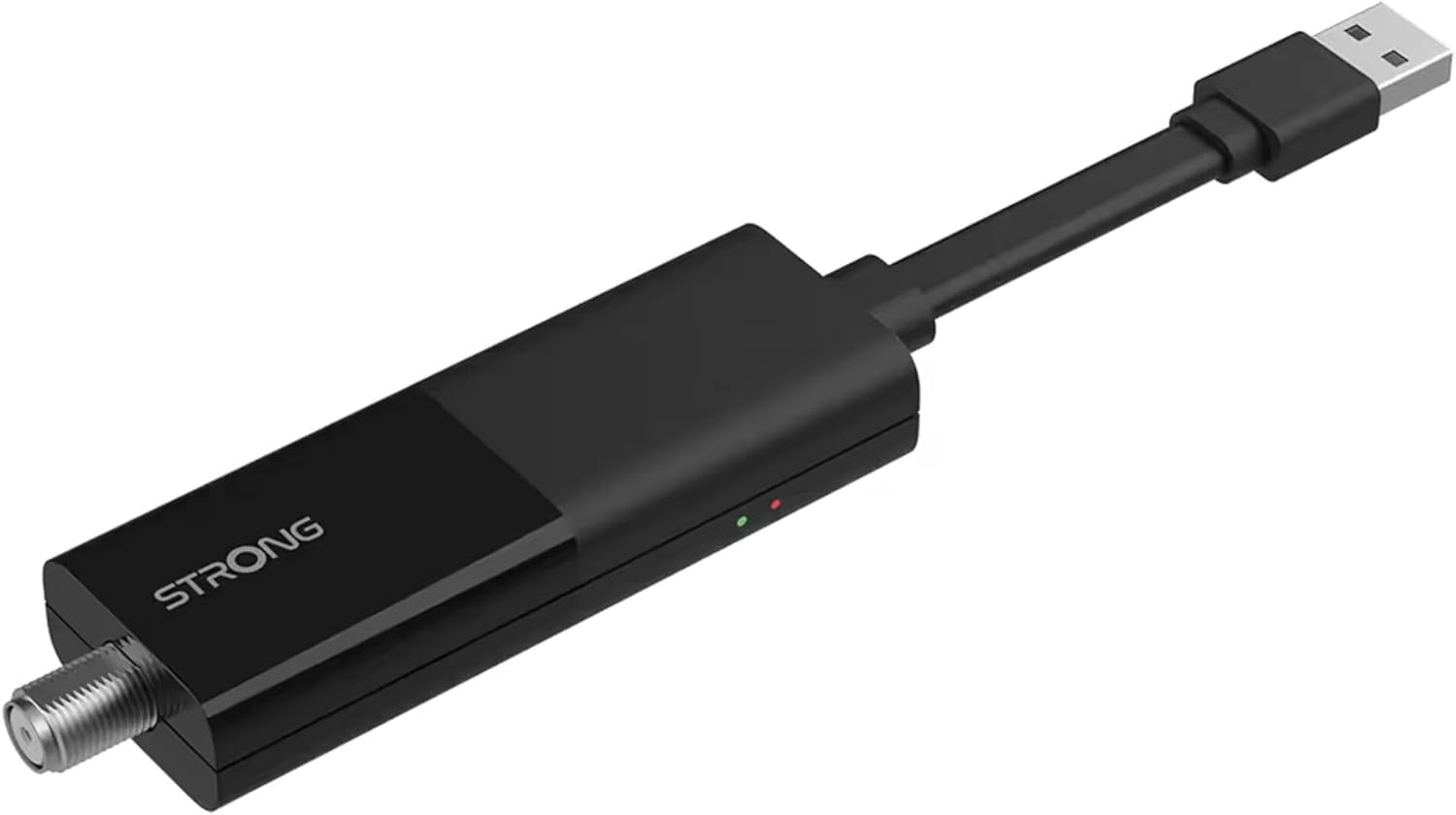
Image: The STRONG 4K UHD Box SRT 427, a compact black USB dongle-style device with a USB connector on one end and an F-type coaxial antenna input on the other, featuring the 'STRONG' logo and small indicator lights.
آپریٹنگ ہدایات
Once the initial setup is complete, you can begin using your SRT 427. Use the remote control to navigate the user interface.
- ہوم اسکرین: دبائیں گھر button to access the main menu, where you can find applications, settings, and media options.
- نیویگیشن: تیر والے بٹنوں کا استعمال کریں (اوپر ، نیچے ، بائیں ، دائیں۔) to move through menus and options. Press OK ایک انتخاب کی تصدیق کرنے کے لئے.
- حجم کنٹرول: استعمال کریں۔ VOL+ اور والیوم- آڈیو والیوم کو ایڈجسٹ کرنے کے لیے بٹن۔
- چینل کا انتخاب: If connected to an antenna, use the CH+ اور CH- buttons to change channels, or enter channel numbers directly using the numeric keypad.
- ترتیبات: Access the settings menu to customize display, audio, network, and system preferences.
- میڈیا پلے بیک: Connect a USB storage device to the USB port to play media files (photos, videos, music) through the built-in media player.
دیکھ بھال
Proper maintenance ensures the longevity and optimal performance of your SRT 427.
- صفائی: Disconnect the device from power before cleaning. Use a soft, dry cloth to wipe the exterior. Do not use liquid cleaners or abrasive materials.
- وینٹیلیشن: Ensure the device is placed in a well-ventilated area. Do not block ventilation openings.
- درجہ حرارت: ڈیوائس کو انتہائی درجہ حرارت، براہ راست سورج کی روشنی، یا زیادہ نمی کے سامنے لانے سے گریز کریں۔
- فرم ویئر اپ ڈیٹس: Periodically check for firmware updates through the system settings to ensure you have the latest features and bug fixes.
خرابی کا سراغ لگانا
If you encounter issues with your SRT 427, refer to the following common problems and solutions:
| مسئلہ | حل |
|---|---|
| کوئی طاقت نہیں۔ | Check if the power adapter is securely connected to the device and the wall outlet. Ensure the outlet is functional. |
| ٹی وی پر کوئی تصویر نہیں۔ | Verify the HDMI cable is correctly connected to both the SRT 427 and the TV. Ensure the TV is set to the correct HDMI input source. |
| کوئی آواز نہیں۔ | Check the volume level on both the SRT 427 and your TV. Ensure audio settings in the SRT 427 menu are correct. |
| ریموٹ کنٹرول کام نہیں کر رہا ہے۔ | Check and replace the batteries. Ensure there are no obstructions between the remote and the device's IR sensor. |
| Wi-Fi سے منسلک نہیں ہو سکتا | Ensure your Wi-Fi router is on and within range. Re-enter the Wi-Fi password in the network settings. Try restarting both the SRT 427 and your router. |
وضاحتیں
Technical specifications for the STRONG 4K UHD Box SRT 427:
- ماڈل نمبر: ایس آر ٹی 427
- مصنوعات کے طول و عرض: 5.91 x 7.87 x 5.91 انچ
- آئٹم کا وزن: 1.76 پاؤنڈ
- بیٹریاں: 1 AAAA batteries required (for remote control, typically)
- مینوفیکچرر: مضبوط
- Language (Default): Italian (may vary by region, user configurable)
- ASIN: B0FDPX7PRQ
- تاریخ پہلی دستیابی: 21 اگست 2025
وارنٹی اور سپورٹ
For warranty information and technical support, please refer to the warranty card included in your product packaging or visit the official Strong webسائٹ ڈیوائس کو خود ٹھیک کرنے کی کوشش نہ کریں، کیونکہ اس سے آپ کی وارنٹی ختم ہو سکتی ہے۔
سرکاری Webسائٹ: www.strong.tv
Ask a question about this manual
Ask about setup, troubleshooting, compatibility, parts, safety, or missing instructions. Manuals+ will review the question and use this page’s manual context to help answer it.