
تعارف
This manual provides detailed instructions for the setup, operation, and maintenance of your NiTHO NEXUS Wireless Controller. Please read this manual thoroughly before using the product to ensure proper functionality and to prevent damage.
پروڈکٹ ختمview
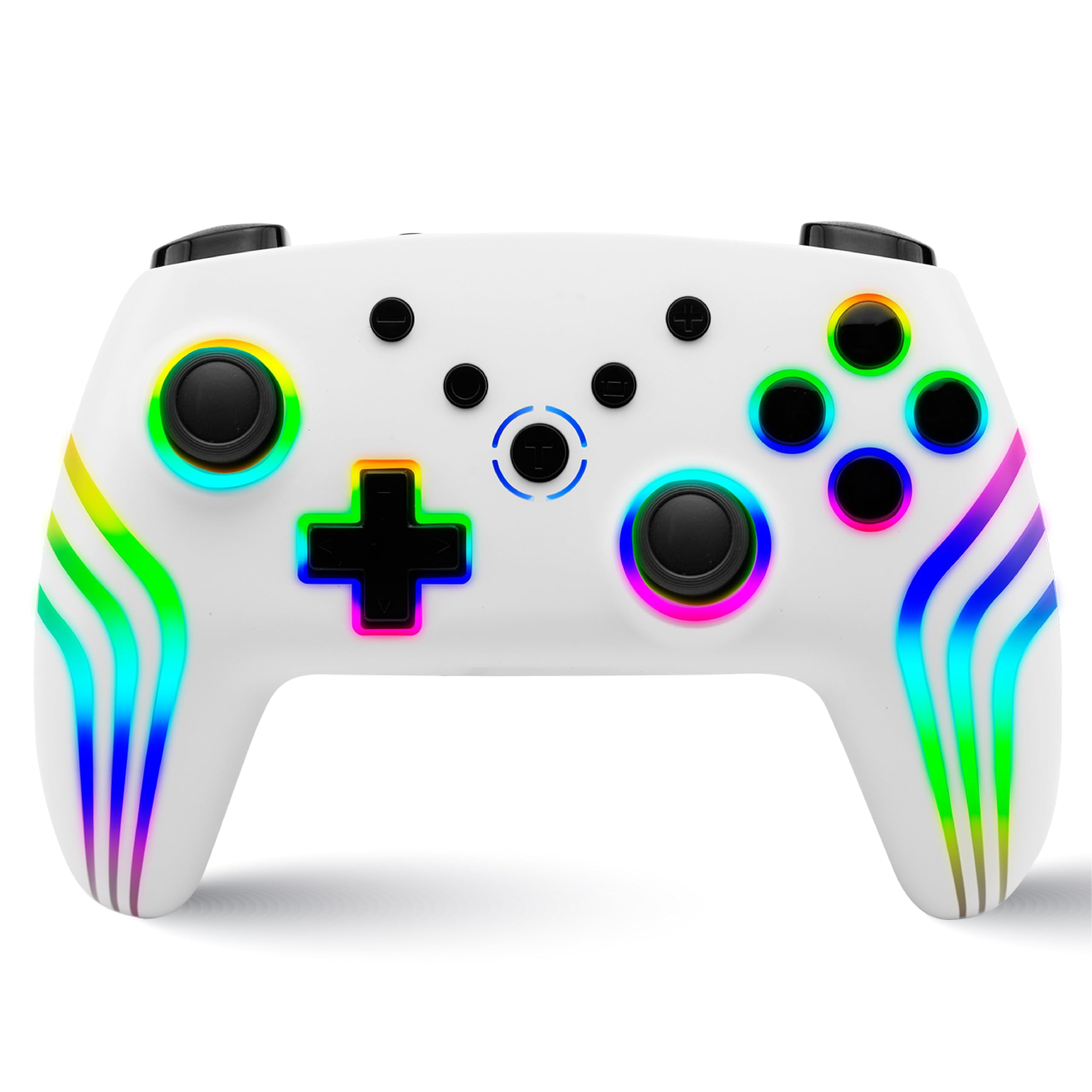
The NiTHO NEXUS Wireless Controller is designed for multi-platform gaming, offering compatibility with PC (Windows), Switch 2, Switch / Lite / OLED, Android, and iOS devices. It features Hall Effect triggers, a 6-axis gyro, adjustable vibration, and customizable RGB lighting.
کنٹرولر لے آؤٹ
تصویر: آگے اور پیچھے view of the NiTHO NEXUS Wireless Controller with all buttons and ports clearly labeled. Key labels include HOME button, Screenshot key, +/- keys, Pairing button, Left Rockers, Cross arrow key, TURBO button, Mode Indicator Light, A/B/X/Y Keys, Right Rockers, R1, R2, L1, L2, TYPE-C charging port, and Force Online button.
سیٹ اپ
کنٹرولر کو چارج کرنا
Before initial use, fully charge the controller. Connect the supplied USB Type-C cable to the controller's charging port and the other end to a USB power source (e.g., PC, USB wall adapter). The charging indicator will show the charging status and turn off when fully charged. A full charge takes approximately 2.5 hours and provides up to 9 hours of gameplay.

تصویر: Illustration showing the controller's 800mAh battery capacity, indicating up to 9 hours of gameplay and a 2.5-hour charging time.
آلات کے ساتھ جوڑا بنانا
The NiTHO NEXUS controller supports wireless connection via Bluetooth to various platforms.

تصویر: The NiTHO NEXUS controller highlighting its universal compatibility with Switch 1 & 2, PC, Android, and iOS devices.
- Nintendo Switch / Switch 2: Turn on your Switch console. Go to "Controllers" > "Change Grip/Order". Press and hold the Pairing button on the top of the NEXUS controller until the indicator lights flash rapidly. Once paired, the indicator light will become solid.
- پی سی (ونڈوز): Ensure your PC has Bluetooth enabled. Go to "Bluetooth & other devices" settings, click "Add Bluetooth or other device", then "Bluetooth". Press and hold the Pairing button on the controller. Select "Nitho NEXUS" from the list of available devices.
- Android / iOS: Enable Bluetooth on your mobile device. Press and hold the Pairing button on the controller. Select "Nitho NEXUS" from the list of available Bluetooth devices.
آپریٹنگ ہدایات
وائبریشن سیٹنگز
The controller features dual motor vibration with four adjustable levels: Off, Low, Medium, and High. These can be adjusted to suit your preference during gameplay.

تصویر: The controller with visual cues for dual motor vibration, showing 0%, 50%, 75%, and 100% intensity levels.
ٹربو فنکشن
The programmable turbo function allows for rapid, repeated button presses. It has three speed settings: 5, 10, or 15 shots per second.
- ٹربو کو چالو کرنے کے لیے: Press and hold the TURBO button, then press the desired action button (e.g., A, B, X, Y, L1, R1, L2, R2). The button will now continuously register presses when held.
- ٹربو کی رفتار کو ایڈجسٹ کرنے کے لیے: With Turbo active, press and hold the TURBO button, then move the Right Rocker (right analog stick) Up or Down to cycle through the speeds.
- To deactivate Turbo: Press and hold the TURBO button, then press the action button again.

تصویر: The controller highlighting the Turbo function, showing options for 5, 10, and 15 shots per second.
آر جی بی لائٹنگ موڈز
The controller features customizable RGB lighting with 7 vibrant colors and 4 dynamic lighting modes.
- Jumping Light Effect: رنگ تیزی سے بدلتے ہیں۔
- Colorful Constant Light Effect: A single color remains constant.
- Rainbow Color Mixing Light Effect: Colors blend and transition smoothly.
- سانس کی روشنی کا اثر: Colors fade in and out.
Refer to the controller's specific button combinations (usually a dedicated RGB button or a combination with the HOME button) to cycle through these modes and colors.

تصویر: The controller displaying various RGB LED light multi-effects, including Jumping Light, Colorful Constant Light, Rainbow Color Mixing Light, and Breathing Light.
6-Axis Gyro Motion Sensor
The integrated 6-axis gyro sensor allows for precise motion control in compatible games, capturing tilts and rotations for responsive gameplay, particularly in racing, action, and adventure titles.

تصویر: The controller with an overlay demonstrating its 6-axis motion sensing capabilities, showing rotational movement.
ہال ایفیکٹ ٹرگرز
The magnetic Hall Effect triggers provide smooth and accurate input, reducing wear and preventing common issues like stick drift, ensuring long-lasting precision.

تصویر: Close-up of the controller's trigger area, emphasizing the Hall Effect Trigger technology.
دیکھ بھال
- Keep the controller clean by wiping it with a soft, dry cloth.
- Avoid exposing the controller to extreme temperatures, direct sunlight, or moisture.
- کنٹرولر کو الگ کرنے کی کوشش نہ کریں، کیونکہ اس سے وارنٹی ختم ہو جائے گی۔
- Store the controller in a safe place when not in use to prevent physical damage.
خرابی کا سراغ لگانا
- کنٹرولر جوڑا نہیں بنا رہا ہے: Ensure the controller is charged. Make sure Bluetooth is enabled on your device and the controller is in pairing mode (indicator lights flashing). Try restarting both the controller and the device.
- ان پٹ وقفہ یا منقطع: Ensure there are no obstructions between the controller and the device. Move closer to the device. Reduce interference from other wireless devices.
- غیر جوابی بٹن: Check if the controller is charged. If specific buttons are unresponsive, try resetting the controller (refer to the "Force Online button" or a small reset pinhole if available, not explicitly mentioned but common).
- کمپن کام نہیں کر رہا ہے: Check in-game settings to ensure vibration is enabled. Verify the controller's vibration level is not set to "Off".
- Stick drift: The NiTHO NEXUS features Hall Effect triggers designed to prevent stick drift. If you experience this issue, ensure the controller's firmware is up to date (check manufacturer's website) or contact support.
وضاحتیں
| فیچر | تفصیل |
|---|---|
| ماڈل نمبر | NEXUS |
| مطابقت | PC (Windows), Switch 2, Switch / Lite / OLED, Android, iOS |
| کنیکٹوٹی | وائرلیس (بلوٹوتھ) |
| بیٹری | 800mAh غیر معیاری بیٹری (شامل) |
| بیٹری کی زندگی | 9 گھنٹے تک |
| چارج کرنے کا وقت | تقریبا 2.5 گھنٹے |
| محرکات | Magnetic Hall Effect Triggers |
| موشن سینسر | 6-ایکسس گائرو |
| کمپن | Dual Motor, 4 adjustable levels |
| ٹربو فنکشن | 3 speeds (5, 10, 15 shots/sec) |
| آر جی بی لائٹنگ | 7 colors, 4 dynamic modes |
| مصنوعات کے طول و عرض | 16.1 x 6.5 x 11.1 سینٹی میٹر |
| شے کا وزن | 270 گرام |
| اصل ملک | چین |
وارنٹی اور سپورٹ
For warranty information and technical support, please refer to the official Nitho website or contact their customer service directly. The manufacturer's contact email is: nithoamazonin@mtm-t.com.
For support in India, you may also contact the importer: Marketgate Technologies Private Limited, India, email: marketgateindia@gmail.com.
وارنٹی کے دعووں کے لیے براہ کرم اپنی خریداری کا ثبوت اپنے پاس رکھیں۔