
1. تعارف
This manual provides detailed instructions for the setup, operation, maintenance, and troubleshooting of your Tabwee T90 Android 16 Tablet. Please read this manual thoroughly before using your device to ensure proper functionality and to maximize your user experience.

Image: The Tabwee T90 tablet shown with its full suite of accessories, including a detachable keyboard, wireless mouse, stylus, protective case, charging adapter, and USB cable. This illustrates the complete package contents.
2. پیکیج کے مشمولات
تصدیق کریں کہ تمام اشیاء پیکیج میں موجود ہیں:
- Tabwee T90 Tablet
- بلوٹوتھ کی بورڈ
- وائرلیس ماؤس
- اسٹائلس قلم
- حفاظتی کیس
- اسکرین پروٹیکٹر فلم
- Power Adapter (Type-C)
- USB ڈیٹا کیبل (Type-C)
- صارف دستی

Image: A visual representation of the Tabwee T90 tablet's dimensions and all components included in the retail package, such as the tablet, keyboard, mouse, stylus, and various cables and covers.
3. ابتدائی سیٹ اپ
3.1 ٹیبلٹ چارج کرنا
Before first use, fully charge the tablet using the provided Type-C power adapter and USB cable. The charging port is located on the side of the tablet.

Image: The Tabwee T90 tablet being charged via its Type-C port, highlighting its 8000mAh battery and estimated usage times for various activities like web browsing, video playback, gaming, and music.
3.2 پاور آن/آف۔
- پاور آن کرنے کے لیے: اسکرین لائٹ ہونے تک پاور بٹن دبائیں اور تھامیں۔
- پاور آف کرنا: Press and hold the Power button, then select "Power Off" from the options.
3.3 ابتدائی کنفیگریشن
ابتدائی سیٹ اپ مکمل کرنے کے لیے آن اسکرین پرامپٹس پر عمل کریں، بشمول:
- زبان کا انتخاب
- Wi-Fi نیٹ ورک کنکشن
- گوگل اکاؤنٹ میں سائن ان کریں۔
- تاریخ اور وقت کی ترتیبات
- Security settings (PIN, pattern, password, or face recognition)

Image: A collage of screenshots demonstrating key Android 16 features such as real-time notifications, robust security measures, access to the Google Play Store for app downloads, and options for regional language optimization.
3.4 کنیکٹنگ لوازمات
The Tabwee T90 comes with a Bluetooth keyboard and mouse. To connect them:
- سیٹنگز > منسلک ڈیوائسز > بلوٹوتھ کے ذریعے اپنے ٹیبلیٹ پر بلوٹوتھ کو فعال کریں۔
- کی بورڈ/ماؤس کو پیئرنگ موڈ میں رکھیں (ضرورت پڑنے پر ان کے انفرادی دستورالعمل سے رجوع کریں)۔
- جوڑا بنانے کے لیے اپنے ٹیبلیٹ پر دستیاب آلات کی فہرست سے لوازمات منتخب کریں۔
The stylus pen does not require pairing.
4. اپنا ٹیبلٹ چلانا
4.1 اینڈرائیڈ 16 انٹرفیس
The Tabwee T90 runs on Android 16, offering an intuitive and enhanced user experience with improved security and performance. Features include real-time notifications, efficient multitasking, and smart operational capabilities.
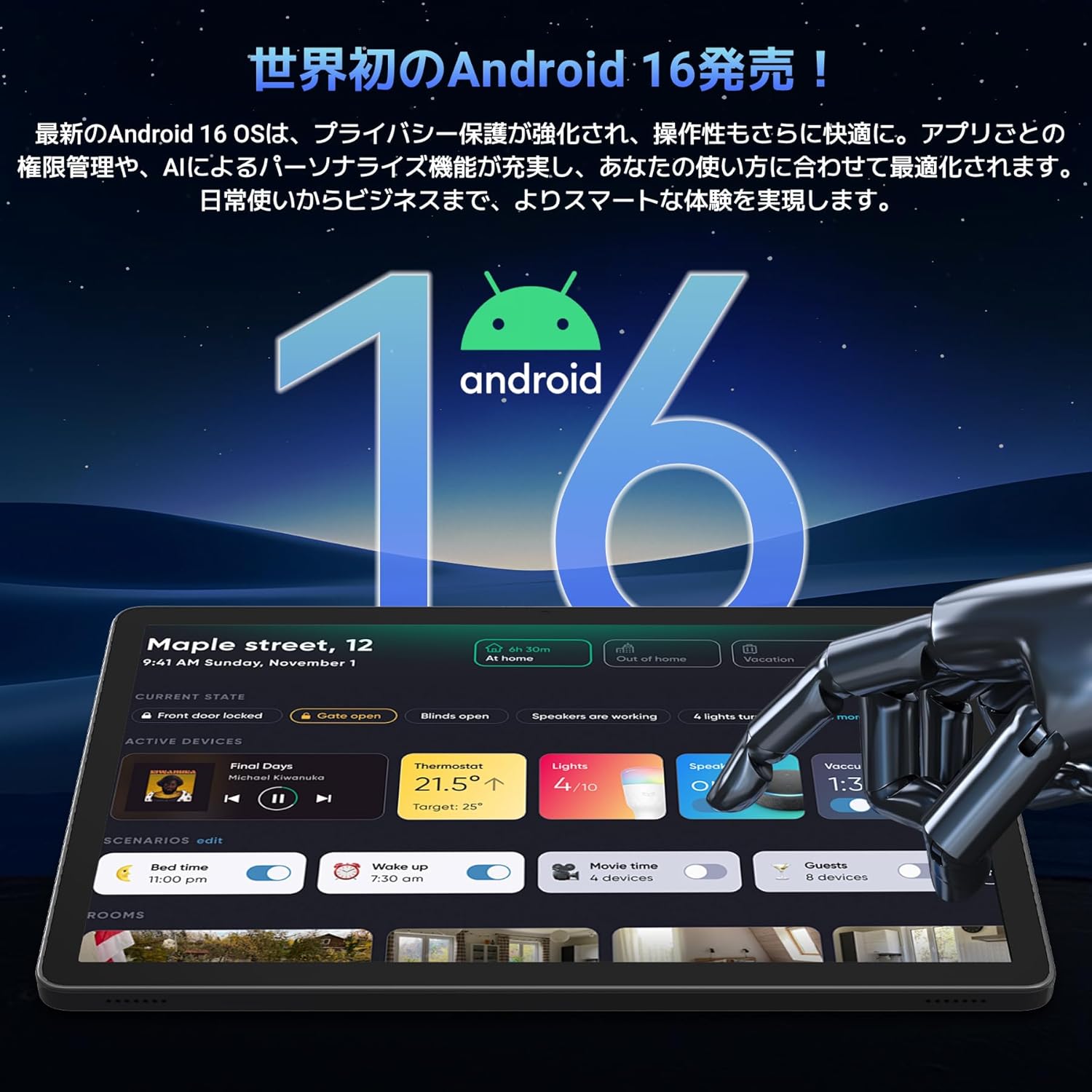
Image: A visual representation of the Android 16 operating system logo and its modern interface displayed on the Tabwee T90 tablet, emphasizing its new features and design.
4.2 Display and Media Playback
The 11-inch FHD IPS display (1920x1200 resolution) provides clear and vibrant visuals. With Widevine L1 support, you can stream high-definition content (1080p and above) from services like Netflix and Amazon Prime Video.

Image: The Tabwee T90 tablet showcasing a high-definition video of a baseball game, demonstrating its 11-inch FHD display and compatibility with streaming platforms like Netflix, YouTube, HBO, and Prime Video via Widevine L1.
4.3 Camera and Imaging
The tablet features a 5MP front camera for video calls and selfies, and a 13MP rear camera for capturing photos. Android 16's AI image processing enhances photo quality, and HEVC video encoding ensures stable editing and improved video quality. Google Lens integration allows for smart recognition, scanning, translation, and search functions.
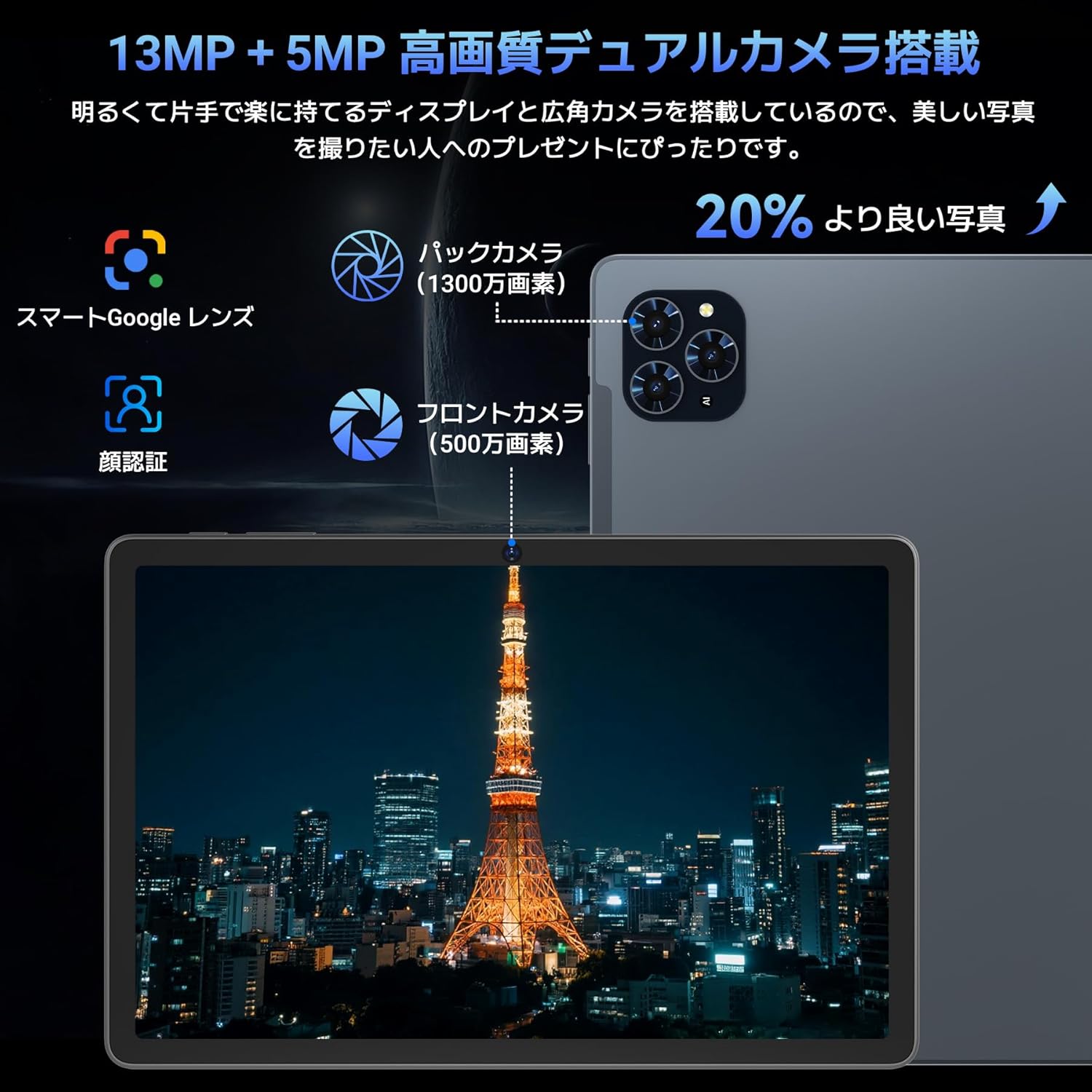
تصویر: ایک تفصیلی view of the Tabwee T90 tablet's camera system, indicating a 13MP rear camera and a 5MP front camera. An example photo of Tokyo Tower is displayed on the screen, illustrating image capture capabilities.
4.4 چہرے کی شناخت
Utilize the face recognition feature for quick and secure unlocking of your tablet. Set it up in Settings > Security & privacy > Face unlock.
4.5 Gemini AI Integration
The tablet integrates with Gemini AI, optimizing performance across various scenarios. This AI assists with content recommendations, image processing, and semantic understanding, enhancing daily operations.

Image: A conceptual image depicting Gemini AI as a robotic figure interacting with multiple tablet screens, symbolizing its ability to support various tasks like email composition, schedule management, and information retrieval, enhancing user productivity.
4.6 Custom Keyboard Shortcuts
After connecting a Bluetooth keyboard, you can set custom shortcut keys to launch frequently used applications with a single press. Navigate to Settings > System > Keyboard > Keyboard shortcuts to configure.
5 دیکھ بھال
5.1 صفائی
- ٹیبلٹ کی سکرین اور باڈی کو صاف کرنے کے لیے نرم، لنٹ سے پاک کپڑا استعمال کریں۔
- سخت کیمیکلز یا کھرچنے والے مواد کے استعمال سے پرہیز کریں۔
- ضدی smudges کے لئے، تھوڑا سا dampur پانی کے ساتھ کپڑا یا الیکٹرانکس کے لیے ڈیزائن کیا گیا سکرین کلینر۔
5.2 بیٹری کی دیکھ بھال
- ٹیبلٹ کو انتہائی درجہ حرارت پر بے نقاب کرنے سے گریز کریں۔
- بیٹری کو بار بار مکمل طور پر خارج ہونے کی اجازت نہ دیں۔
- صرف فراہم کردہ چارجر یا تصدیق شدہ ہم آہنگ چارجر استعمال کریں۔
5.3 سافٹ ویئر اپ ڈیٹس
زیادہ سے زیادہ کارکردگی اور سیکیورٹی کو یقینی بنانے کے لیے سسٹم اپ ڈیٹس کو باقاعدگی سے چیک کریں اور انسٹال کریں۔ ترتیبات > سسٹم > سسٹم اپ ڈیٹ پر جائیں۔
6 خرابیوں کا سراغ لگانا
6.1 ٹیبلیٹ آن نہیں ہو رہا ہے۔
- یقینی بنائیں کہ ٹیبلیٹ کافی چارج ہے۔ اسے چارجر سے کم از کم 30 منٹ تک جوڑیں۔
- زبردستی دوبارہ شروع کرنے کے لیے پاور بٹن کو 10-15 سیکنڈ تک دبائے رکھیں۔
6.2 وائی فائی کنکشن کے مسائل
- اپنے وائی فائی راؤٹر اور ٹیبلیٹ کو دوبارہ شروع کریں۔
- ٹیبلیٹ کی ترتیبات میں نیٹ ورک کو بھول جائیں اور دوبارہ جڑیں۔
- یقینی بنائیں کہ آپ Wi-Fi سگنل کی حد کے اندر ہیں۔
6.3 Accessories Not Connecting
- Ensure Bluetooth is enabled on the tablet.
- Check that the accessory is in pairing mode and has sufficient battery.
- Try restarting both the tablet and the accessory.
6.4 سست کارکردگی
- غیر ضروری پس منظر کی ایپلی کیشنز کو بند کریں۔
- Clear cache for frequently used apps (Settings > Apps > [App Name] > Storage & cache > Clear cache).
- یقینی بنائیں کہ کافی ذخیرہ کرنے کی جگہ دستیاب ہے۔
- گولی کو وقفے وقفے سے دوبارہ شروع کریں۔
7. وضاحتیں
| فیچر | تفصیل |
|---|---|
| برانڈ | TABWEE |
| ماڈل کا نام | T90 |
| آپریٹنگ سسٹم | اینڈرائیڈ 16 |
| سی پی یو | Unisoc T615 Octa-core (2x Cortex-A75 @ 2.0GHz, 6x Cortex-A55 @ 1.8GHz) |
| جی پی یو | مالی جی 57 |
| رام | 8GB (ورچوئل ریم کے ساتھ 24GB تک قابل توسیع) |
| اندرونی اسٹوریج | 128 جی بی |
| قابل توسیع اسٹوریج | Up to 2TB via microSD card (not included) |
| اسکرین کا سائز | 11 انچ |
| ڈسپلے کی قسم | آئی پی ایس ایف ایچ ڈی |
| قرارداد | 1920 x 1200 پکسلز |
| سامنے والا کیمرہ | 5MP |
| پیچھے والا کیمرہ | 13MP |
| بیٹری کی صلاحیت | 8000mAh |
| چارجنگ پورٹ | ٹائپ سی |
| کنیکٹوٹی | Wi-Fi (2.4G/5G, 802.11ac), Bluetooth 5.0 |
| وزن | 1.37 کلوگرام (تقریباً 3.02 پونڈ) |
| طول و عرض | 29.1 x 20 x 5.7 سینٹی میٹر (پیکیجنگ) |
| سرٹیفیکیشنز | PSE, GITEKI, GMS |

Image: A detailed diagram illustrating the Unisoc T615 Octa-core CPU, highlighting its architecture with Cortex-A75 and Cortex-A55 cores, Mali-G52 MP1 GPU, and 12nm low power consumption, indicating its high performance.

Image: The Tabwee T90 tablet's screen showing multiple applications, emphasizing its 128GB internal storage and support for up to 2TB external storage, with examples of how many photos, songs, and videos can be stored.
8. وارنٹی اور سپورٹ
The Tabwee T90 Tablet comes with a 2 سال کی وارنٹی. یہ وارنٹی مینوفیکچرنگ کے نقائص کا احاطہ کرتی ہے اور مصنوعات کے معیار کو یقینی بناتی ہے۔
8.1 سپورٹ سے رابطہ کرنا
If you encounter any issues or have questions, please contact customer support through your Amazon account:
- Go to your Amazon account > Order History > Select the relevant order.
- Click on the seller's name (TABWEE Official Store).
- Use the "Ask a question" option to send an email.
Support is available from 9:00 AM to 6:00 PM (excluding holidays). Inquiries will be responded to as quickly as possible.

Image: An illustration representing customer support, featuring a person wearing a headset and working on a laptop, symbolizing assistance for product inquiries and warranty claims.