
1. تعارف
This manual provides essential information for setting up, operating, and maintaining your Samsung QE43Q7FAAU 43-inch QLED 4K Smart TV. Please read this manual thoroughly to ensure safe and optimal use of your television.
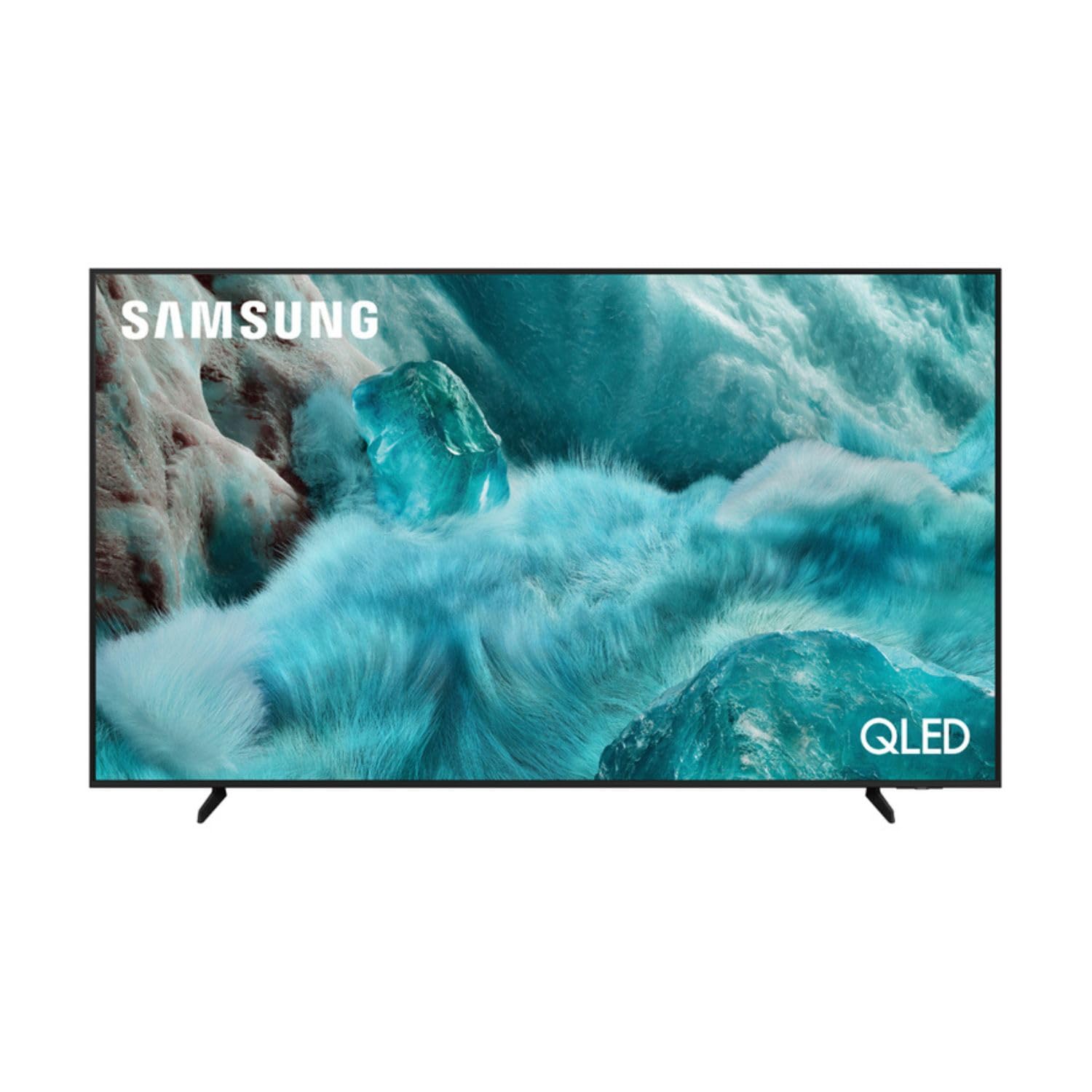
تصویر: سامنے view of the Samsung QE43Q7FAAU 43-inch QLED 4K Smart TV, showcasing اس کا پتلا ڈیزائن اور متحرک ڈسپلے۔
2. حفاظتی معلومات
آگ، برقی جھٹکا، اور چوٹ کے خطرے کو کم کرنے کے لیے اس ٹیلی ویژن کا استعمال کرتے وقت ہمیشہ بنیادی حفاظتی احتیاطی تدابیر پر عمل کریں۔
- ٹی وی کو بارش یا نمی کے سامنے نہ رکھیں۔
- وینٹیلیشن کے آغاز کو روکیں نہ۔
- اس بات کو یقینی بنائیں کہ بجلی کی تار چٹکی ہوئی نہیں ہے یا چل رہی ہے۔
- صرف مینوفیکچرر کی طرف سے مخصوص منسلکات/لوازمات استعمال کریں۔
- بجلی کے طوفان کے دوران یا طویل عرصے تک غیر استعمال ہونے پر ٹی وی کو ان پلگ کریں۔
3. باکس میں کیا ہے۔
Verify that the following items are included with your television:
- Samsung QE43Q7FAAU 43-inch QLED 4K Smart TV
- Remote Control (Bluetooth with solar energy technology)
- پاور کیبل
- Stand Components (if not wall-mounted)
- صارف دستی (یہ دستاویز)
4. سیٹ اپ
4.1 جسمانی تنصیب
Your TV can be placed on a stand or wall-mounted. Ensure proper ventilation around the TV.
- اسٹینڈ کی تنصیب: Attach the provided stand components securely to the TV base. Refer to the separate stand assembly guide for detailed instructions.
- دیوار چڑھانا: The TV supports a VESA standard mount of 200 x 200 mm. Use appropriate wall-mounting hardware (not included) and consult a professional for installation if unsure.

Image: Diagram showing the dimensions of the Samsung QE43Q7FAAU TV, including height, width, and depth.
4.2 Initial Power On and Connections
- پاور کیبل کو ٹی وی سے اور پھر وال آؤٹ لیٹ سے جوڑیں۔
- Connect your external devices (e.g., cable box, game console, Blu-ray player) to the HDMI ports. The TV has 3 HDMI 2.0 ports.
- For USB devices, use the USB 2.0 port.
- ٹی وی آن کرنے کے لیے ریموٹ کنٹرول پر پاور بٹن دبائیں۔
- Follow the on-screen instructions for initial setup, including language selection and channel scanning (DVB-T2/C/S2 tuner).
4.3 نیٹ ورک سیٹ اپ
To access Smart TV features, connect your TV to the internet.
- وائی فائی: Navigate to the TV's settings menu, select 'Network', then 'Network Settings'. Choose your Wi-Fi network and enter the password.
- بلوٹوتھ: The TV supports Bluetooth 5.3 for connecting compatible devices like soundbars or headphones. Pair devices through the TV's settings menu.
5. ٹی وی چلانا
5.1 بنیادی افعال
- طاقت: Use the remote control to turn the TV on or off.
- والیوم: ریموٹ پر والیوم بٹنوں کا استعمال کرتے ہوئے والیوم کو ایڈجسٹ کریں۔
- چینل: Change channels using the channel buttons.
- ماخذ: Select input sources (HDMI 1, HDMI 2, USB, etc.) using the 'Source' button.
5.2 Smart TV Features (One UI Tizen)
Your Samsung TV runs on the One UI Tizen operating system, offering a range of smart functionalities.
- وائس کنٹرول: Integrated voice assistants include Bixby, Amazon Alexa, and Google Assistant. Use the voice control button on your remote to activate.
- اسمارٹ چیزیں: Connect and control compatible smart home devices through the SmartThings app on your TV.
- کثیرView: Display multiple content sources simultaneously on the screen.
- سام سنگ ٹی وی پلس: Access a variety of free streaming channels.
- ایپل ایئر پلے: Share content from your Apple devices to the TV.
5.3 گیمنگ کی خصوصیات
The TV is equipped with features to enhance your gaming experience:
- AI آٹو گیم موڈ: گیمنگ کے لیے سیٹنگز کو خود بخود بہتر بناتا ہے۔
- موشن ایکسلریٹر: Reduces motion blur for smoother gameplay.
- سپر الٹرا وائیڈ گیمView: Provides an expanded view for compatible games.
5.4 تصویر اور آواز کی ترتیبات
اپنی مرضی کے مطابق بنائیں viewٹی وی کے سیٹنگ مینو کے ذریعے سننے اور سننے کا تجربہ۔
- تصویر: Adjust brightness, contrast, sharpness, and color. Utilize features like Quantum HDR, HDR10+, HDR10+ Adaptive, HLG, Filmmaker Mode, and Eye Comfort Mode for optimized visuals.
- آواز: The TV features a 2.0 channel, 2x10W audio system with Dolby Atmos support. Enhance audio with Q-Symphony (when paired with compatible Samsung soundbars) and Adaptive Sound.
6 دیکھ بھال
Proper maintenance ensures the longevity and performance of your TV.
- سکرین کی صفائی: نرم، خشک مائکرو فائبر کپڑے سے اسکرین کو آہستہ سے صاف کریں۔ ضدی نشانات کے لیے، تھوڑا سا ڈیampur پانی یا ایک خصوصی سکرین کلینر کے ساتھ کپڑے. مائع کو براہ راست اسکرین پر نہ چھڑکیں۔
- فریم کی صفائی: ٹی وی فریم کو صاف کرنے کے لیے نرم، خشک کپڑا استعمال کریں۔
- وینٹیلیشن: یقینی بنائیں کہ وینٹیلیشن کے سوراخ دھول اور رکاوٹوں سے پاک ہیں۔
7 خرابیوں کا سراغ لگانا
اگر آپ کو اپنے ٹی وی کے ساتھ مسائل درپیش ہیں، تو درج ذیل عام حل سے رجوع کریں:
- کوئی طاقت نہیں: چیک کریں کہ آیا پاور کیبل محفوظ طریقے سے TV اور وال آؤٹ لیٹ دونوں سے منسلک ہے۔ یقینی بنائیں کہ آؤٹ لیٹ فعال ہے۔
- کوئی تصویر/آواز نہیں: تصدیق کریں کہ صحیح ان پٹ ذریعہ منتخب کیا گیا ہے۔ بیرونی آلات سے کیبل کنکشن چیک کریں۔
- ریموٹ کنٹرول کام نہیں کر رہا: Ensure the remote is charged (solar charging) or replace batteries if applicable. Check for obstructions between the remote and the TV.
- نیٹ ورک کنکشن کے مسائل: Restart your router and modem. Re-enter your Wi-Fi password in the TV's network settings.
- تصویر کے معیار کے مسائل: Adjust picture settings. Ensure your content source is providing a high-quality signal.
For more complex issues, consult the Samsung support webسائٹ یا کسٹمر سروس سے رابطہ کریں۔
8. وضاحتیں
| فیچر | تفصیلات |
|---|---|
| اسکرین کا سائز | 43 انچ (108 سینٹی میٹر) |
| ڈسپلے ٹیکنالوجی | QLED, Edge-LED Backlighting |
| قرارداد | 4K الٹرا ایچ ڈی (3840 x 2160 پکسلز) |
| ریفریش ریٹ | 120 Hz |
| ایچ ڈی آر سپورٹ | HDR10, HDR10+, HDR10+ Adaptive, HLG |
| آپریٹنگ سسٹم | ایک UI Tizen |
| وائس کنٹرول | Bixby, Alexa, Google Assistant |
| کنیکٹوٹی | Wi-Fi, Bluetooth 5.3, 3x HDMI 2.0 (eARC), 1x USB 2.0, Ethernet |
| آڈیو آؤٹ پٹ | 2 x 10 W (2.0 Channel), Dolby Atmos |
| بجلی کی کھپت (SDR) | 53 ڈبلیو |
| بجلی کی کھپت (HDR) | 102 ڈبلیو |
| طول و عرض (W x H x D) | 97 x 59.2 x 19.7 سینٹی میٹر (اسٹینڈ کے ساتھ) |
| وزن | 8.9 کلوگرام (اسٹینڈ کے ساتھ)، 8.6 کلوگرام (اسٹینڈ کے بغیر) |
| VESA ماؤنٹ سٹینڈرڈ | 200 x 200 ملی میٹر |
| رنگ | سیاہ |

Image: EU Energy Label for the Samsung QE43Q7FAAU TV, showing energy efficiency class G for SDR and HDR.
9. وارنٹی اور سپورٹ
Your Samsung QE43Q7FAAU TV comes with a 2 سال کی محدود وارنٹی. Spare parts are available for 7 years from the end of product availability.
For technical support, warranty claims, or further information, please visit the official Samsung support website or refer to the product information on the EPREL database:
- آفیشل سیمسنگ سپورٹ: Visit the Samsung Store
- EPREL مصنوعات کی معلومات: EPREL ڈیٹا بیس لنک