
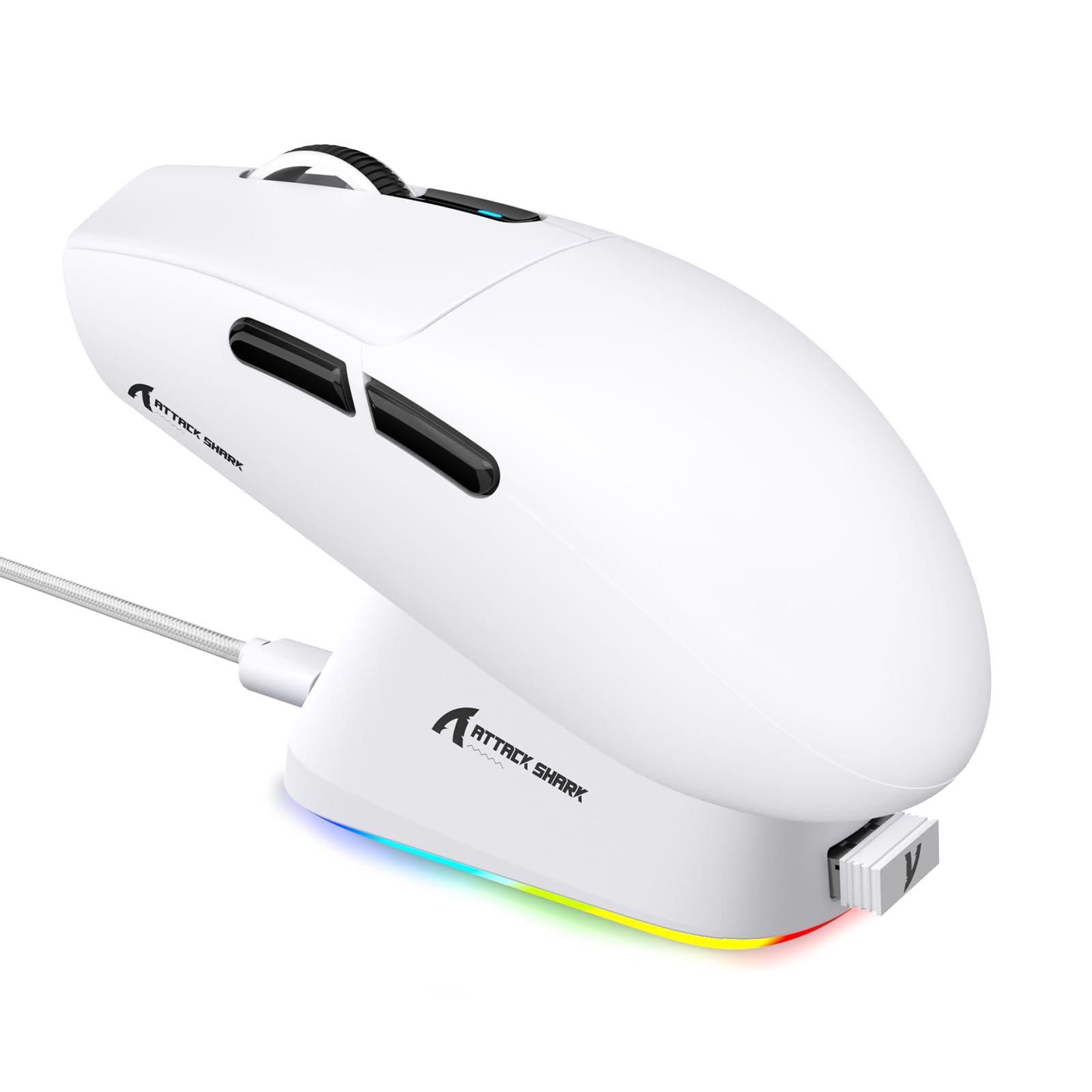
1. تعارف
This manual provides detailed instructions for the setup, operation, maintenance, and troubleshooting of your ATTACK SHARK G3PRO Wireless Gaming Mouse. Please read this manual thoroughly to ensure proper use and to maximize your gaming experience.

تصویر: ایک اوورview of the ATTACK SHARK G3PRO mouse and its features, including magnetic fast charging, PAW3311 sensor, web cloud drive, RGB rapid charging dock, and lightweight design.
2. پیکیج کے مشمولات
تصدیق کریں کہ تمام اشیاء آپ کے پیکیج میں موجود ہیں:
- ATTACK SHARK G3PRO Wireless Gaming Mouse
- آر جی بی میگنیٹک چارجنگ ڈاک
- 2.4G USB وصول کنندہ
- USB-C سے USB-A چارجنگ/ڈیٹا کیبل
- صارف دستی
3. سیٹ اپ
3.1 ابتدائی چارجنگ
Before first use, it is recommended to fully charge the mouse. Connect the USB-C cable to the charging dock and a power source. Place the mouse onto the magnetic charging dock. The RGB lighting on the dock will indicate charging status.
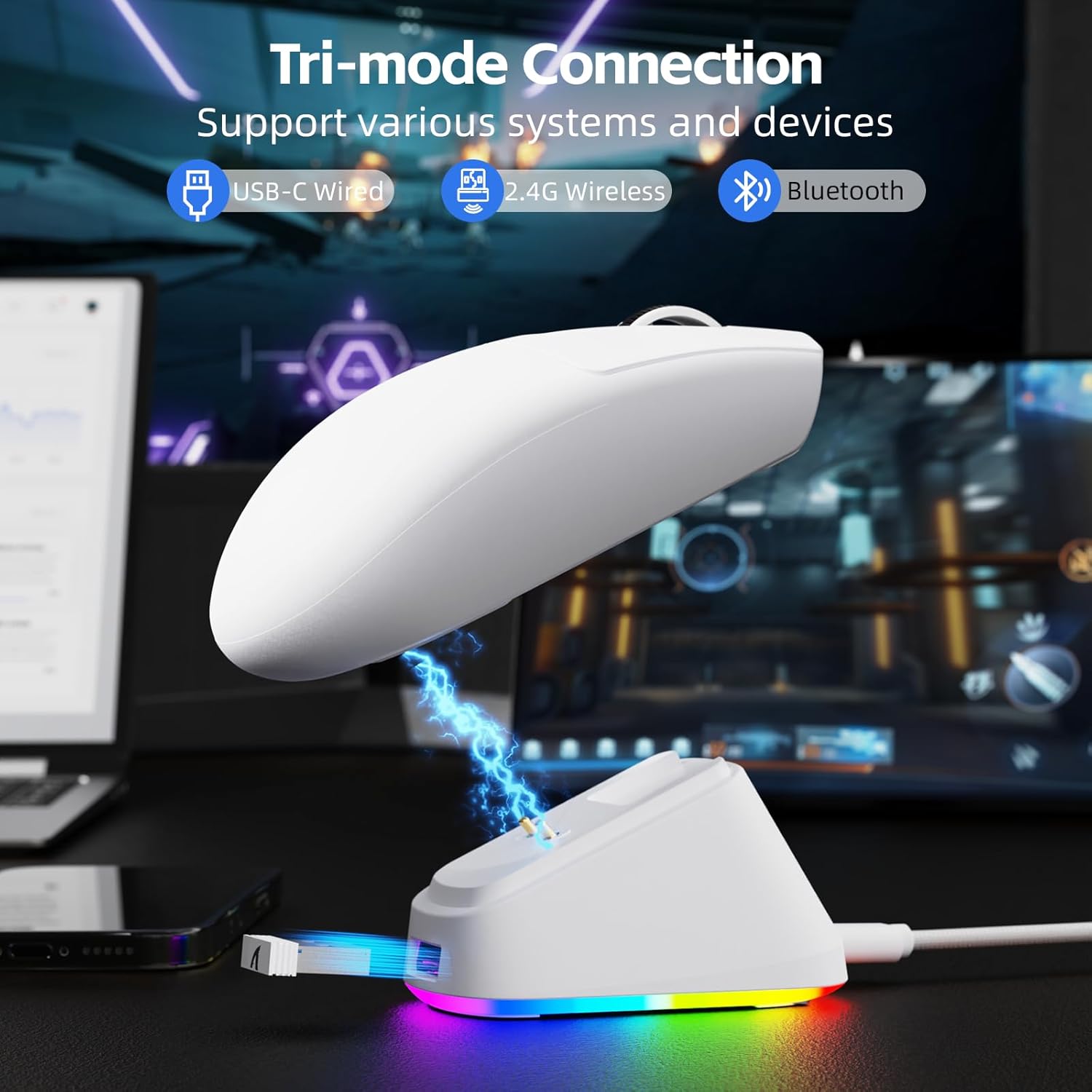
Image: The ATTACK SHARK G3PRO mouse magnetically attached to its RGB charging dock, showing the charging thimbles and USB-C port.
For a visual guide on charging, please watch the following video:
Video: This video demonstrates the magnetic charging dock and its features for the ATTACK SHARK G3PRO Wireless Gaming Mouse.
3.2 ماؤس کو جوڑنا
The G3PRO supports three connection modes: 2.4GHz Wireless, Bluetooth, and USB-C Wired. A switch on the bottom of the mouse allows you to select the desired mode.

Image: The ATTACK SHARK G3PRO mouse with visual indicators for Wired, 2.4G, and Bluetooth connectivity modes.
2.4GHz وائرلیس موڈ:
- Locate the 2.4G USB receiver, typically stored within the charging dock or the mouse itself.
- USB ریسیور کو اپنے کمپیوٹر پر دستیاب USB پورٹ میں لگائیں۔
- Set the switch on the bottom of the mouse to "2.4G".
- ماؤس کو خود بخود جڑنا چاہیے۔
بلوٹوت وضع:
- Set the switch on the bottom of the mouse to "BT".
- On your computer or device, navigate to Bluetooth settings and enable Bluetooth.
- تلاش کریں۔ new devices and select "ATTACK SHARK G3PRO" to pair.
USB-C وائرڈ موڈ:
- Connect the USB-C cable directly from the mouse to your computer.
- ماؤس ایک وائرڈ ماؤس کے طور پر کام کرے گا اور بیک وقت چارج کرے گا۔
For a visual guide on product features and connectivity, please watch the following video:
Video: This video demonstrates the various color options and the magnetic charging feature of the ATTACK SHARK G3PRO Wireless Gaming Mouse, showcasing اس کا ڈیزائن اور فعالیت۔
4. ماؤس کو آپریٹ کرنا
4.1 بٹن کے افعال
The ATTACK SHARK G3PRO features 5 programmable buttons:
- بائیں کلک: بنیادی کارروائی۔
- دائیں کلک کریں: ثانوی کارروائی/سیاق و سباق کا مینو۔
- درمیانی کلک/اسکرول وہیل: Scroll up/down, middle click for universal scroll or other functions.
- فارورڈ بٹن: میں آگے نیویگیٹ کرنے کے لیے ڈیفالٹ web browsers/folders.
- پسماندہ بٹن: پیچھے کی طرف نیویگیٹ کرنے کے لیے پہلے سے طے شدہ web browsers/folders.
- DPI سوئچ: پہلے سے سیٹ ڈی پی آئی لیولز کے ذریعے سائیکل۔

Image: A detailed diagram illustrating the location and default functions of the multi-functional buttons on the ATTACK SHARK G3PRO mouse.

تصویر: ایک دھماکہ view and labeled diagram of the G3PRO mouse components, including buttons, switches, charging points, and the 2.4G/OFF/BT mode switch.
4.2 ڈی پی آئی ایڈجسٹمنٹ
The mouse features a dedicated DPI switch to cycle through various sensitivity levels, ranging from 800 to 25,000 DPI. The current DPI setting is indicated by an LED light.

Image: A visual representation of the 25,000 DPI optical sensor's precision and how mouse movement trajectory sensitivity scales with DPI settings.
4.3 پولنگ کی شرح
The G3PRO supports a 1000Hz polling rate in both wired and 2.4GHz wireless modes, ensuring rapid response times for competitive gaming.

Image: A diagram illustrating the 1000Hz polling rate capability in both wired and wireless modes, highlighting millisecond response times.
5. سافٹ ویئر اور حسب ضرورت
Customize your G3PRO mouse settings using the intuitive web driver or downloadable software from ATTACK SHARK. This allows for personalization of DPI, polling rate, macros, and more.
- Web ڈرائیور: تک رسائی حاصل کریں۔ web-based configuration tool for quick adjustments without installation.
- Downloadable Software: For advanced customization and profile management, download the dedicated software.

Image: A screenshot of the ATTACK SHARK Hub software interface, showing options for mouse settings, DPI settings, parameter settings, macro editing, and personal center.

Image: The cloud-driven programming interface for the G3PRO mouse, displaying options for button settings, DPI adjustments, polling rate settings, and power management.
6 دیکھ بھال
6.1 صفائی
بہترین کارکردگی کو برقرار رکھنے کے لیے، اپنے ماؤس کو باقاعدگی سے صاف کریں۔ سطح کو صاف کرنے کے لیے نرم، خشک کپڑا استعمال کریں۔ ضدی گندگی کے لیے، تھوڑا سا ڈیamp کپڑا استعمال کیا جا سکتا ہے، اس بات کو یقینی بناتے ہوئے کہ اندرونی اجزاء میں نمی نہ آئے۔ سخت کیمیکلز یا کھرچنے والے مواد سے پرہیز کریں۔
6.2 اسٹوریج
When not in use for extended periods, store the mouse and charging dock in a cool, dry place. Ensure the USB receiver is securely stored, ideally within the charging dock's designated slot, to prevent loss.
7 خرابیوں کا سراغ لگانا
| مسئلہ | ممکنہ وجہ | حل |
|---|---|---|
| Mouse not responding (2.4G) | Low battery; Receiver not plugged in; Incorrect mode selected; Driver issue. | Charge the mouse; Ensure receiver is firmly plugged in; Set mouse to "2.4G" mode; Reinstall mouse drivers. |
| ماؤس جواب نہیں دے رہا ہے (بلوٹوتھ) | Low battery; Bluetooth not enabled on device; Not paired; Incorrect mode selected. | Charge the mouse; Enable Bluetooth on your device; Re-pair the mouse in Bluetooth settings; Set mouse to "BT" mode. |
| چارجنگ ڈاک آر جی بی لائٹ نہیں ہو رہی ہے۔ | Cable not connected; Power source issue. | Ensure USB-C cable is securely connected to dock and power source; Try a different USB port or power adapter. |
| Inconsistent tracking | Dirty sensor; Uneven surface; Interference (wireless). | Clean the optical sensor; Use a clean, even mouse pad; Reduce wireless interference by moving other devices or using wired mode. |
| بٹن جواب نہیں دے رہے ہیں۔ | Software conflict; Physical damage. | Check software settings for button remapping; Test on another computer; Contact support if physical damage is suspected. |
8. وضاحتیں
| فیچر | تفصیل |
|---|---|
| برانڈ | حملہ شارک |
| ماڈل | جی 3 پی آر او |
| رنگ | سفید |
| کنیکٹوٹی ٹیکنالوجی | 2.4Ghz وائرلیس، بلوٹوتھ، USB-C وائرڈ |
| موومنٹ ڈیٹیکشن ٹکنالوجی | آپٹیکل (PAW3311 سینسر) |
| زیادہ سے زیادہ ڈی پی آئی | 25,000 ڈی پی آئی |
| پولنگ کی شرح | 1000Hz |
| سرعت | 40 جی |
| ٹریکنگ سپیڈ | 400 آئی پی ایس |
| سوئچ کرتا ہے۔ | Mechanical (100 Million Clicks) |
| بیٹری کی صلاحیت | 500mAh |
| بیٹری کی زندگی | 200 گھنٹے تک |
| وزن | 59 گرام ± 3 گرام |
| بٹن | 5 |
| ہاتھ کی واقفیت | متضاد |
| ہم آہنگ آلات | لیپ ٹاپ، پرسنل کمپیوٹر، اسمارٹ فون، ٹیبلیٹ |
| آپریٹنگ سسٹم | ونڈوز، میک او ایس |
For a comparison of G3 and G3PRO models, refer to the image below:

Image: A table comparing the specifications of the ATTACK SHARK G3 and G3PRO models, highlighting differences in components and features.
9. حفاظتی معلومات
- آلہ کو انتہائی درجہ حرارت یا نمی کے سامنے نہ رکھیں۔
- آلے کو گرانے یا اسے سخت اثرات کے تابع کرنے سے گریز کریں۔
- بچوں کی پہنچ سے دور رکھیں۔
- ڈیوائس کو الگ کرنے یا اس میں ترمیم کرنے کی کوشش نہ کریں، کیونکہ اس سے وارنٹی ختم ہو جائے گی اور نقصان ہو سکتا ہے۔
- Use only the provided charging cable and dock.
10. وارنٹی اور سپورٹ
The ATTACK SHARK G3PRO Wireless Gaming Mouse comes with a standard manufacturer's warranty. For detailed warranty information, please refer to the warranty card included in your package or visit the official ATTACK SHARK webسائٹ
For technical support, troubleshooting assistance, or to inquire about replacement parts, please contact ATTACK SHARK customer service through their official webآپ کی مصنوعات کی پیکیجنگ میں فراہم کردہ سائٹ یا رابطے کی معلومات۔
سرکاری Webسائٹ: ATTACK SHARK Store on Amazon