
Xbox EP2-29563
Xbox Wireless Controller Storm Breaker Special Edition
ماڈل: EP2-29563
برانڈ: ایکس بکس
تعارف
The Xbox Wireless Controller Storm Breaker Special Edition is designed to provide an enhanced gaming experience across multiple platforms. This controller features a unique aesthetic with classic grays and blacks, offset with whites, along with textured grips for improved handling. It offers seamless connectivity and customizable controls to optimize your gameplay.
کلیدی خصوصیات
- Storm Breaker Special Edition Design: Features a distinctive gray, black, and white pattern.
- Textured Triggers: Provides enhanced grip and control during gameplay.
- Rubberized Grips: Located on the back cases for secure handling.
- Wireless & Bluetooth Connectivity: Easily pairs with Xbox consoles, PCs, and mobile devices.
- شیئر بٹن: Seamlessly capture and share screenshots and game recordings.
- حسب ضرورت بٹن میپنگ: Personalize controls using the Xbox Accessories app.
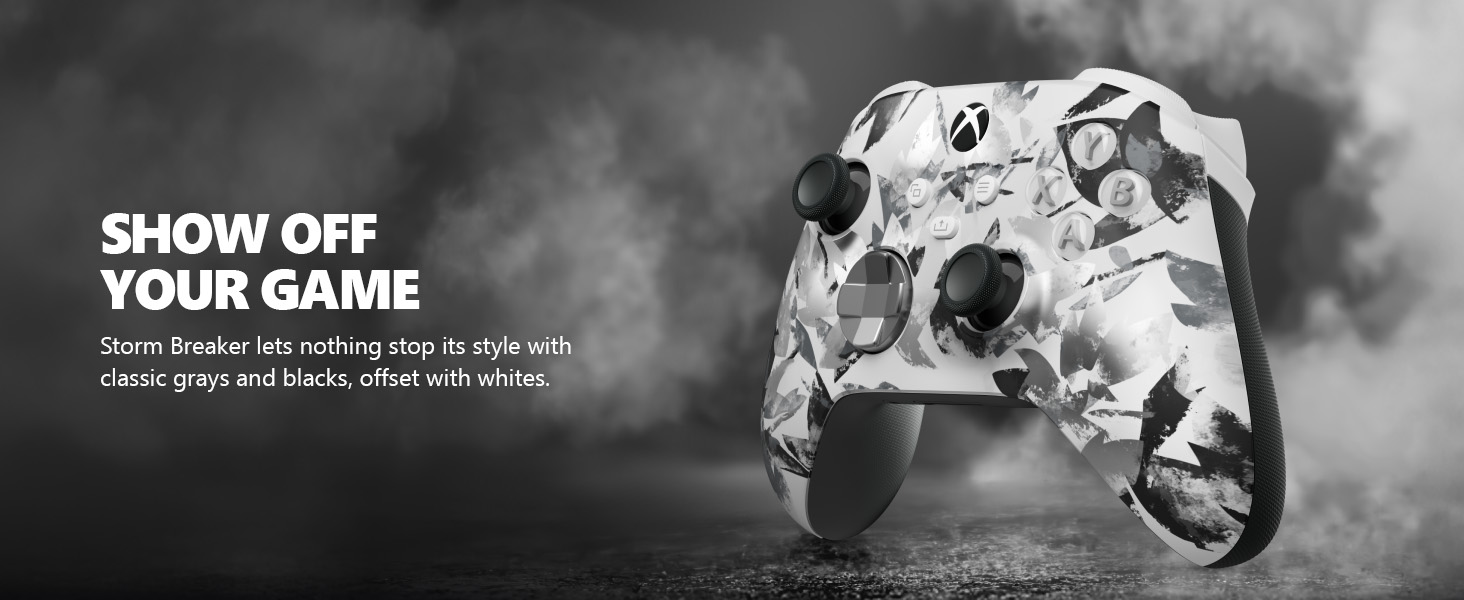
Image: The Xbox Wireless Controller Storm Breaker Special Edition showcasing its distinctive color scheme.
سیٹ اپ
1. بیٹری کی تنصیب
The controller requires two AA batteries (included). To install:
- کنٹرولر کے پیچھے بیٹری کے ٹوکری کو تلاش کریں۔
- Press the small tab and lift the battery cover.
- Insert the two AA batteries, ensuring correct polarity (+ and -).
- بیٹری کا احاطہ اس وقت تک تبدیل کریں جب تک کہ وہ جگہ میں نہ آجائے۔
2. آلات کے ساتھ جوڑا بنانا
The controller supports both Xbox Wireless and Bluetooth for versatile connectivity.
- For Xbox Console:
- Turn on your Xbox console.
- Press the Xbox button on your controller to turn it on.
- جوڑا بٹن دبائیں اور تھامیں (⏚) on the top of the controller until the Xbox button flashes rapidly.
- Press the Pair button on your Xbox console (usually near the USB port or on the front).
- The Xbox button on the controller will become solid when connected.
- For PC (Windows 10/11) via Bluetooth:
- Ensure your PC has Bluetooth enabled.
- Press the Xbox button on your controller to turn it on.
- جوڑا بٹن دبائیں اور تھامیں (⏚) on the top of the controller until the Xbox button flashes rapidly.
- اپنے پی سی پر، ترتیبات > آلات > بلوٹوتھ اور دیگر آلات پر جائیں۔
- Select "Add Bluetooth or other device" and then "Bluetooth".
- Choose "Xbox Wireless Controller" from the list and follow on-screen prompts.
- For Mobile Devices (Android/iOS):
- اپنے موبائل ڈیوائس پر بلوٹوتھ کو فعال کریں۔
- Press the Xbox button on your controller to turn it on.
- جوڑا بٹن دبائیں اور تھامیں (⏚) on the top of the controller until the Xbox button flashes rapidly.
- On your mobile device, search for Bluetooth devices and select "Xbox Wireless Controller" to pair.
ویڈیو: ایک اوورview of the Xbox Wireless Controller, demonstrating its physical features and ports, useful for understanding setup.
کنٹرولر کو چلانا
1۔ بنیادی کنٹرولز
- تھمبسٹکس: Use for movement and camera control.
- ڈی پیڈ: Ideal for precise directional input in games and menu navigation.
- A, B, X, Y بٹن: Primary action buttons for in-game commands.
- Triggers (LT/RT) & Bumpers (LB/RB): Used for various actions like shooting, accelerating, or menu selection.
2. Share Button
The dedicated Share button (⤓) allows you to quickly capture and share your gaming moments:
- Press once to take a screenshot.
- Press and hold to record the last 30 seconds of gameplay.
3. ہیڈسیٹ جیک
A 3.5mm audio jack is located at the bottom of the controller, allowing you to connect compatible headsets for in-game audio and chat.
4. Customization with Xbox Accessories App
Download the Xbox Accessories app on your Xbox console or Windows PC to customize button mapping and create personalized controller profiles.
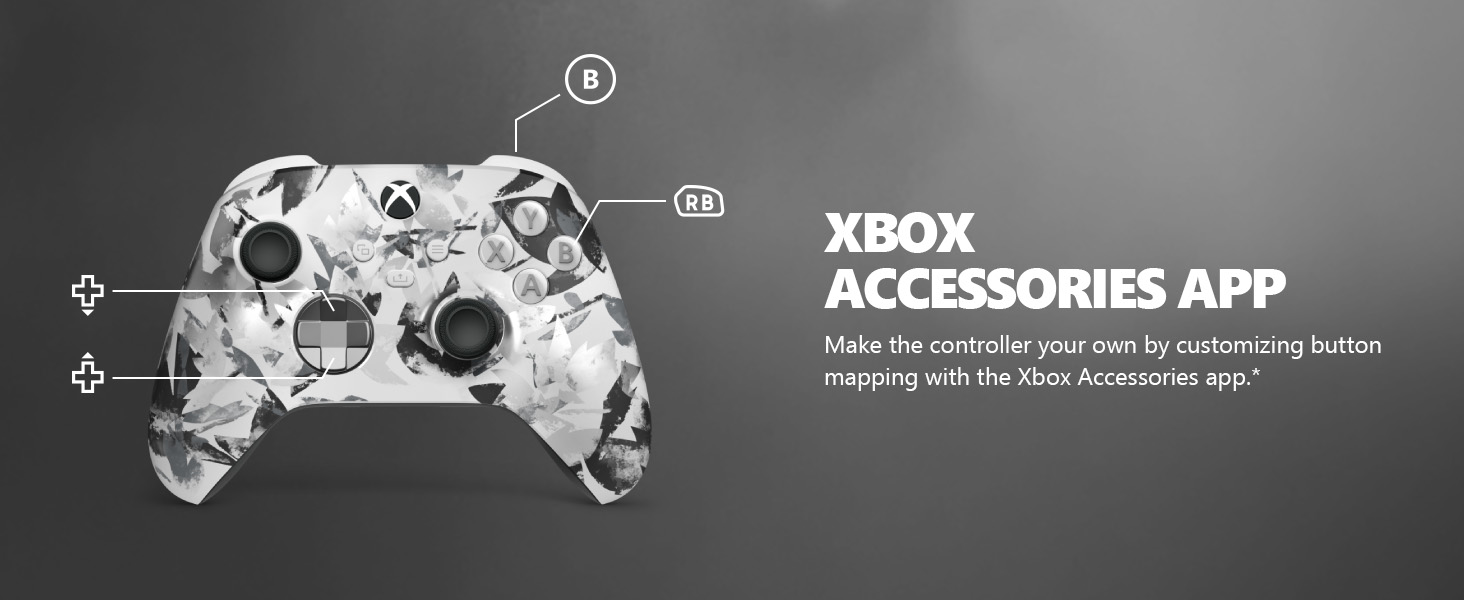
Image: The Share button and an illustration of button mapping customization via the Xbox Accessories app.
دیکھ بھال
- صفائی: کنٹرولر کو صاف کرنے کے لیے نرم، خشک کپڑا استعمال کریں۔ کھرچنے والے کلینر یا سالوینٹس سے پرہیز کریں۔
- بیٹری کی دیکھ بھال: Remove batteries if the controller will not be used for an extended period to prevent leakage.
- ذخیرہ: کنٹرولر کو کسی ٹھنڈی، خشک جگہ پر براہ راست سورج کی روشنی اور انتہائی درجہ حرارت سے دور رکھیں۔
خرابی کا سراغ لگانا
- کنٹرولر منسلک نہیں ہو رہا ہے:
- یقینی بنائیں کہ بیٹریاں درست طریقے سے انسٹال اور چارج کی گئی ہیں۔
- Re-attempt the pairing process as described in the Setup section.
- دوسرے وائرلیس آلات سے کسی مداخلت کی جانچ کریں۔
- Update controller firmware via the Xbox Accessories app.
- غیر جوابی بٹن:
- کسی بھی ملبے کو ہٹانے کے لیے بٹنوں کے ارد گرد صاف کریں۔
- Test the controller with another device or game to isolate the issue.
- مختصر بیٹری کی زندگی:
- تازہ، اعلیٰ معیار کی AA بیٹریاں استعمال کریں۔
- Consider using a rechargeable battery pack (sold separately) for extended play.
وضاحتیں
| فیچر | تفصیل |
|---|---|
| ماڈل نمبر | EP2-29563 |
| کنیکٹوٹی | Xbox Wireless, Bluetooth |
| مطابقت | Xbox Series X|S, Xbox One, Windows 10/11, Android, iOS |
| طاقت کا منبع | 2 اے اے بیٹریاں (شامل) |
| آڈیو پورٹ | 3.5 ملی میٹر ہیڈسیٹ جیک |
| طول و عرض | 6.91 x 5.61 x 2.76 انچ |
| وزن | 14.1 اونس |
| کارخانہ دار | مائیکروسافٹ |
وارنٹی اور سپورٹ
For warranty information and technical support, please refer to the documentation included with your product or visit the official Xbox support webسائٹ وارنٹی کے دعووں کے لیے اپنی خریداری کا ثبوت رکھیں۔
آن لائن مدد: support.xbox.com
Ask a question about this manual
Ask about setup, troubleshooting, compatibility, parts, safety, or missing instructions. Manuals+ will review the question and use this page’s manual context to help answer it.