
1. تعارف
Thank you for choosing the Ameta S50 Lite GPS Drone. This manual provides essential information for the safe operation, maintenance, and troubleshooting of your drone. Please read this manual thoroughly before operating the drone to ensure proper use and to prevent damage or injury.
حفاظتی رہنما خطوط
- Always operate the drone in open areas, away from people, buildings, and obstacles.
- Maintain a safe distance from the drone during operation.
- تیز ہواؤں، بارش، یا دیگر منفی موسمی حالات میں پرواز نہ کریں۔
- Ensure batteries are fully charged and propellers are securely attached before each flight.
- ڈرون آپریشن سے متعلق تمام مقامی قوانین اور ضوابط کی پابندی کریں۔
2. پیکیج کے مشمولات
تصدیق کریں کہ تمام اشیاء آپ کے پیکیج میں موجود ہیں:
- Ameta S50 Lite GPS Drone
- ریموٹ کنٹرولر
- Intelligent Flight Batteries (3 included for extended flight time)
- اسپیئر پروپیلرز۔
- USB چارجنگ کیبل
- کیرینگ بیگ
- صارف دستی (یہ دستاویز)

Image: Complete package contents of the Ameta S50 Lite GPS Drone, including the drone, remote controller, batteries, spare propellers, USB cable, and carrying bag.
3. سیٹ اپ
3.1 بیٹری چارجنگ اور انسٹالیشن
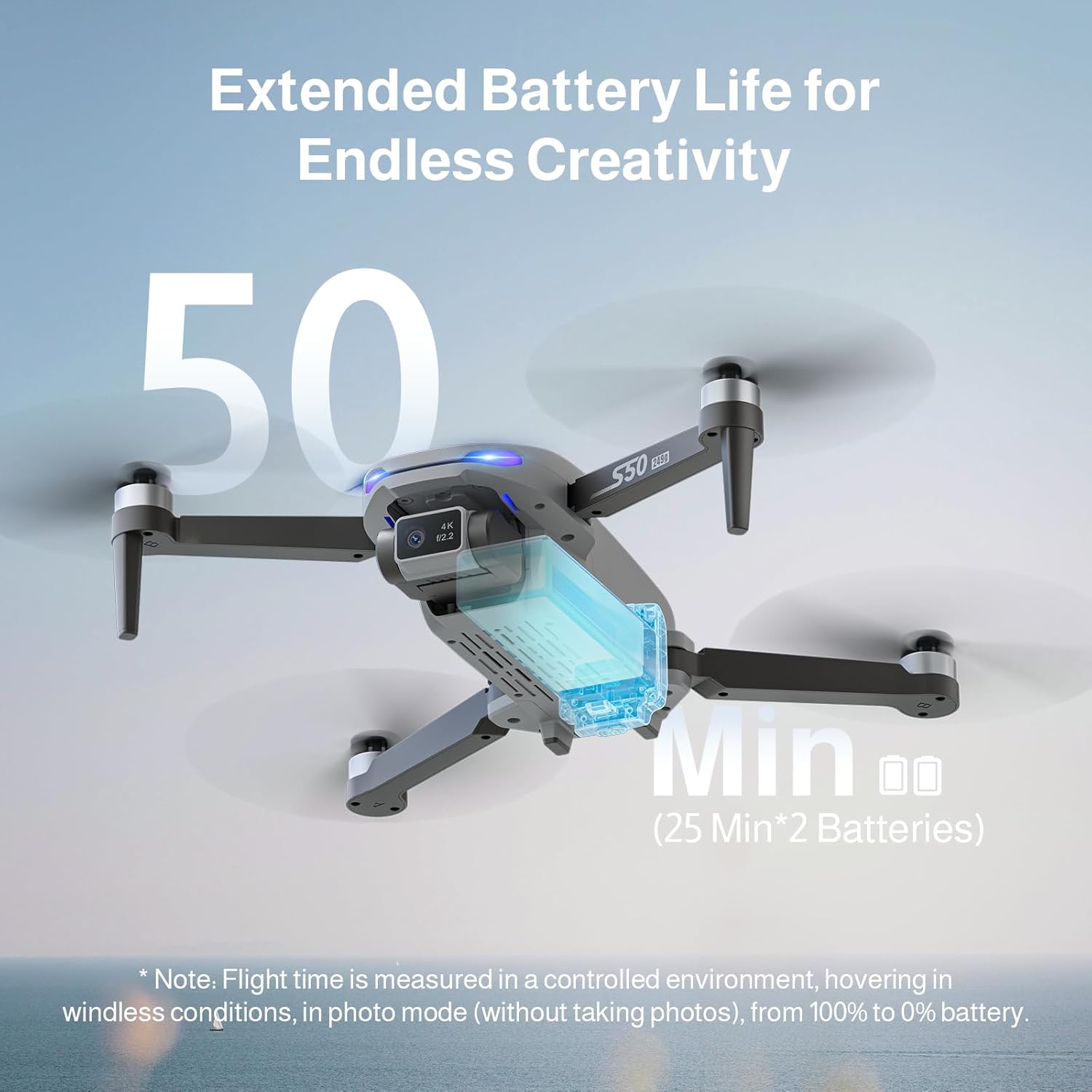
The Ameta S50 Lite drone is equipped with high-capacity 2000mAh batteries, providing up to 25 minutes of flight time per battery. Ensure all batteries are fully charged before flight.
- Connect the intelligent flight battery to the USB charging cable.
- USB چارجنگ کیبل کو ایک مناسب USB پاور اڈاپٹر (شامل نہیں) میں لگائیں۔
- The battery indicator lights will show charging status. Once fully charged, disconnect the battery.
- To install, slide the charged battery into the battery compartment on the rear of the drone until it clicks securely into place.

Image: Specifications of the Ameta S50 Lite drone battery, detailing its nominal voltage of 7.4V and rated capacity of 2000mAh.

Image: Illustration showing the proper method for inserting the high-performance battery into the Ameta S50 Lite drone's battery compartment.

Image: The Ameta S50 Lite drone with a battery partially inserted, demonstrating how the battery provides an additional 25 minutes of flight time.
3.2 پروپیلر اٹیچمنٹ
Ensure propellers are correctly attached to their respective motor shafts. Match the propeller type (A or B) with the corresponding motor arm.
3.3 ریموٹ کنٹرولر کی تیاری
Install batteries into the remote controller (if applicable) and ensure it is fully charged. Familiarize yourself with the control sticks and buttons.
3.4 ایپ ڈاؤن لوڈ اور کنکشن
Download the official Ameta drone application from your device's app store. Power on the drone and remote controller, then connect your smartphone to the drone's 5G WiFi network as displayed in your phone's Wi-Fi settings. Open the app to establish connection and view FPV فیڈ۔
4. آپریٹنگ ہدایات
4.1 پری فلائٹ چیک لسٹ
- Check battery levels of both drone and remote controller.
- Ensure propellers are securely attached and undamaged.
- Select an open, clear flying area.
- Calibrate the drone's compass and gyroscope as per app instructions.
4.2 بنیادی فلائٹ کنٹرولز
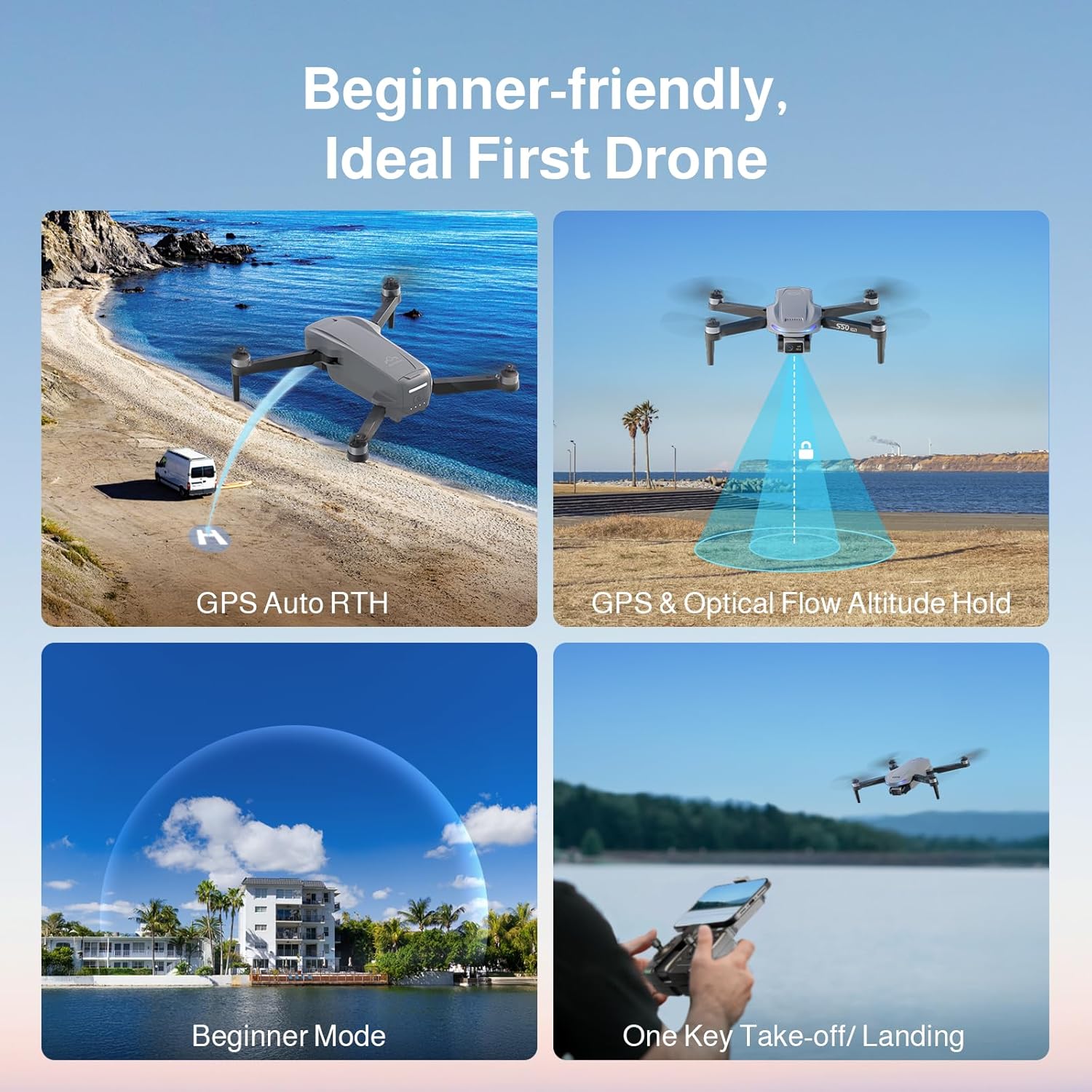
The Ameta S50 Lite features one-key take-off/landing and GPS/Optical Flow Altitude Hold for stable flight, making it suitable for all skill levels.
- ایک کلیدی ٹیک آف/لینڈنگ: Press the designated button on the remote or in the app to automatically take off or land.
- اونچائی ہولڈ: The drone will automatically maintain its altitude, allowing for easier control of horizontal movement.
- سایڈست رفتار کی سطح: Switch between three speed modes (low, medium, high) to match your flying environment and skill level.
- ابتدائی موڈ: Activates restricted flight parameters for new pilots, enhancing safety and ease of control.

Image: Visual representation of the Ameta S50 Lite's beginner-friendly features, including GPS Auto Return to Home, GPS & Optical Flow Altitude Hold, Beginner Mode, and One-Key Take-off/Landing.
4.3 انٹیلجنٹ فلائٹ موڈز
Leverage the drone's GPS positioning system and smart modes for advanced flight capabilities and cinematic shots.
- گھر پر واپسی (RTH): The drone can automatically return to its take-off point. This includes One-Key RTH, Low Battery RTH, and Lost Signal RTH.
- GPS Follow (Follow Me): The drone will automatically follow the remote controller or connected smartphone, capturing dynamic footage.
- Waypoints Flight: Plan a custom flight path by setting multiple waypoints on the map in the app, and the drone will fly along the designated route.
- سرکل فلائی: The drone will orbit a designated point or object, maintaining a set radius and altitude.
- راکٹ: The drone ascends vertically while recording, creating a dramatic reveal shot.
- بہت دور: The drone flies away from the pilot while ascending, capturing a wide landscape shot.
- پینورما: Captures multiple images to stitch together a wide panoramic photo.
- وقت گزر جانے کے: Records a series of photos over time to create a time-lapse video.
- اشارہ سیلفی: تصویر یا ویڈیو ریکارڈنگ کو متحرک کرنے کے لیے ہاتھ کے مخصوص اشارے کریں۔
تصویر: ختمview of the Ameta S50 Lite drone's reliable GPS features, including Return to Home, Waypoints Flight, Circle Fly, and GPS Follow.
4.4 کیمرہ آپریشن
The Ameta S50 Lite is equipped with a 4K camera featuring a 13MP Sony IMX258 Sensor and a 90° adjustable lens, capable of capturing high-quality photos and videos.
- تصویر/ویڈیو کیپچر: Use the dedicated buttons on the remote controller or within the app to take photos or start/stop video recording.
- سایڈست لینس: Adjust the camera angle remotely via the app or remote controller to capture different perspectives.
- FPV ٹرانسمیشن: Enjoy smooth, real-time first-person view (FPV) via 5G WiFi transmission with a range of up to 500m.

Image: The Ameta S50 Lite drone in flight, highlighting its hands-free 4K camera with a built-in 13MP IMX258 Sensor for high-resolution recording.
تصویر: تفصیلی view of the Ameta S50 Lite drone's camera, emphasizing its 4K resolution (3840x2160), 5G WiFi transmission up to 500m, and 90° adjustable camera lens.
5 دیکھ بھال
Regular maintenance ensures the longevity and optimal performance of your Ameta S50 Lite drone.
- بیٹری کی دیکھ بھال: Store batteries in a cool, dry place. Do not overcharge or over-discharge. If storing for extended periods, charge to approximately 50-60%.
- پروپیلر معائنہ: Regularly check propellers for cracks, bends, or damage. Replace any damaged propellers immediately.
- صفائی: ڈرون کی باڈی اور کیمرے کے لینس کو صاف کرنے کے لیے نرم، خشک کپڑا استعمال کریں۔ سخت کیمیکلز یا مائعات کے استعمال سے پرہیز کریں۔
- ذخیرہ: When not in use, store the drone and its accessories in the provided carrying bag in a dry, cool environment.
6 خرابیوں کا سراغ لگانا
| مسئلہ | ممکنہ وجہ | حل |
|---|---|---|
| ڈرون پاور آن نہیں ہوتا | کم بیٹری؛ بیٹری صحیح طریقے سے انسٹال نہیں ہوئی ہے۔ | Charge battery fully; Reinstall battery securely |
| No FPV feed in app | WiFi not connected; App not launched correctly | Ensure phone is connected to drone's 5G WiFi; Restart app and drone |
| غیر مستحکم پرواز/بہتی | Improper calibration; Strong winds; Damaged propellers | Perform compass and gyroscope calibration; Fly in calm conditions; Replace damaged propellers |
| GPS signal weak/lost | Flying indoors or near tall structures; Interference | Fly in open outdoor areas; Avoid areas with high electromagnetic interference |
7. وضاحتیں
| فیچر | تفصیل |
|---|---|
| برانڈ | امیٹا |
| ماڈل | S50 لائٹ |
| کیمرہ | 4K Video, 13MP Photos, Sony IMX258 Sensor, 90° Adjustable Lens |
| پرواز کا وقت | Up to 25 minutes per battery (75 minutes with 3 batteries) |
| بیٹری کی صلاحیت | 2000mAh، 7.4V |
| منتقلی | 5G WiFi FPV, up to 500m range |
| پوزیشننگ سسٹم | GPS, Optical Flow |
| ASIN | B0FJXNLS69 |
8. وارنٹی اور سپورٹ
وارنٹی کی معلومات: Please refer to the product packaging or the official Ameta webتفصیلی وارنٹی شرائط و ضوابط کے لیے سائٹ۔ وارنٹی کے دعووں کے لیے اپنی خریداری کا ثبوت رکھیں۔
کسٹمر سپورٹ: For technical assistance, troubleshooting, or any inquiries regarding your Ameta S50 Lite drone, please contact Ameta customer service through the contact information provided on the official webسائٹ یا مصنوعات کی پیکیجنگ۔