
1. تعارف
The Arlo Essential 2K Wired Outdoor Security Camera (Model VMC3081) provides reliable surveillance with crystal-clear 2K video resolution. Designed for continuous power via a plug-in connection, this camera offers advanced features such as person detection, package alerts, color night vision, and two-way audio. Its weather-resistant design ensures performance in various outdoor conditions. This manual will guide you through the installation, operation, and maintenance of your security camera system.
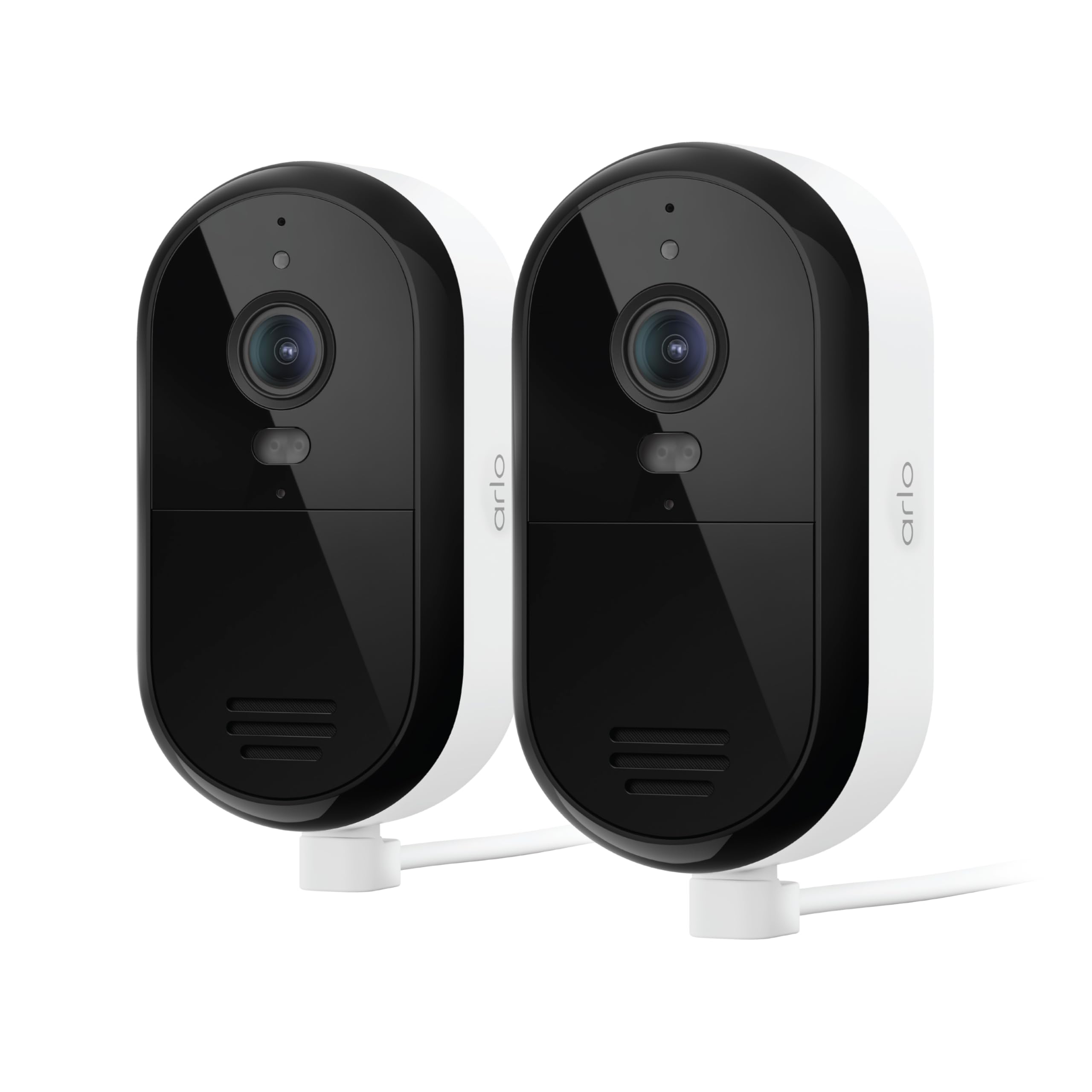
Image 1: Arlo Essential 2K Wired Outdoor Security Camera, showing its compact design.
2. سیٹ اپ گائیڈ
2.1 باکس میں کیا ہے۔
- Arlo Essential 2K Wired Outdoor Security Camera(s)
- Power Adapter with 16ft Cable
- وال ماؤنٹ اور سکرو کٹ
- کوئیک اسٹارٹ گائیڈ
2.2 تنصیب کے مراحل
- آرلو سیکیور ایپ ڈاؤن لوڈ کریں: تلاش کریں۔ "Arlo Secure" in your mobile device's app store and install it. Create an account or log in if you already have one.
- پاور آن کیمرہ: Connect the provided power adapter to your camera and plug it into an electrical outlet. The camera will power on automatically.
- ایپ میں ڈیوائس شامل کریں: Open the Arlo Secure App, tap the "+" icon to add a new device, and follow the on-screen instructions to connect your camera to your Wi-Fi network. Ensure you are connecting to a 2.4GHz or 5GHz dual-band Wi-Fi network for optimal performance.
- کیمرہ لگائیں: Choose a suitable outdoor location for your camera, ensuring it has a clear view and is within Wi-Fi range. Use the provided wall mount and screws to securely attach the camera. The 16ft power cable allows for flexible placement.
- کیمرے کا زاویہ ایڈجسٹ کریں: Position the camera to cover your desired surveillance area. You can fine-tune the viewing angle later through the app.

Image 2: A person installing an Arlo Essential camera, demonstrating the plug-in setup.
2.3 سیٹ اپ ویڈیو ٹیوٹوریل
Video 1: Official Arlo tutorial on setting up the Essential Wired Plug-In Camera.
3. آپریٹنگ ہدایات
3.1 Arlo Secure App Features
The Arlo Secure App is your central control hub for managing your camera. It allows you to view live video, receive alerts, and customize settings.
- جیو View: Access real-time video streams from your camera at any time.
- 2K ویڈیو کوالٹی: Enjoy clear and detailed footage, allowing you to identify faces and objects with precision.
- Color Night Vision & Integrated Spotlight: See in full color even at night, or activate the built-in spotlight to illuminate the area and deter intruders.
- 2 طرفہ آڈیو: Speak and listen to visitors or deter unwanted guests directly through the camera using your smartphone.
- Smart Detections: Receive intelligent alerts for people, vehicles, packages, and animals, reducing false alarms.
- سرگرمی زونز: کیمرہ کے فیلڈ کے اندر مخصوص علاقوں کی وضاحت کریں۔ view to focus on, ensuring you only get alerts for events that matter most.
- انٹیگریٹڈ سائرن: Remotely activate a loud siren to scare off intruders.
- ڈوئل بینڈ وائی فائی: Connects to both 2.4GHz and 5GHz Wi-Fi bands for a stable and reliable connection.

Image 3: Screenshot of the Arlo Secure App displaying various smart detection alerts.

Image 4: The Arlo Secure App interface showing customizable activity zones for focused monitoring.
3.2 اسمارٹ ہوم انٹیگریشن
Your Arlo Essential camera can integrate with popular smart home platforms for enhanced control and automation:
- ایمیزون الیکسا
- گوگل اسسٹنٹ
- IFTTT (If This Then That)
- Samsung SmartThings
Refer to the respective smart home platform's documentation for specific integration steps and available commands.
3.3 فیچر اوورview ویڈیو
ویڈیو 2: ایک اوورview of the Arlo Essential Security Camera's features and capabilities.
4 دیکھ بھال
Proper maintenance ensures the longevity and optimal performance of your Arlo Essential camera.
4.1 صفائی
- باقاعدگی سے کیمرے کے لینس اور جسم کو نرم سے صاف کریں، ڈیamp دھول اور گندگی کو دور کرنے کے لئے کپڑا.
- Avoid using harsh chemicals, abrasive cleaners, or solvents, as these can damage the camera's finish or lens.
4.2 موسم کی مزاحمت
The Arlo Essential camera is designed with an IP65 weather-resistant rating, meaning it can withstand heat, cold, rain, and sun. Ensure all cables and connections are properly sealed according to installation instructions to maintain its weather resistance.
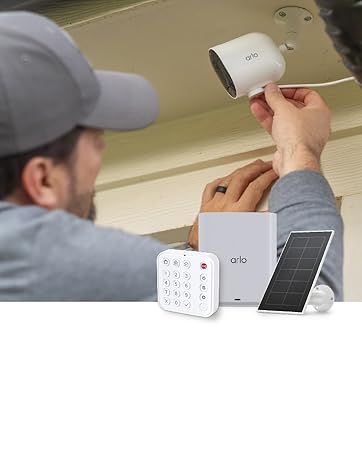
Image 5: Arlo Essential camera demonstrating its weather-resistant design during rain.
5 خرابیوں کا سراغ لگانا
If you encounter issues with your Arlo Essential camera, refer to the following common troubleshooting steps.
5.1 کنیکٹیویٹی کے مسائل
- وائی فائی سگنل چیک کریں: Ensure your camera is within range of your Wi-Fi router and has a strong signal.
- راؤٹر ریبوٹ: اپنے Wi-Fi روٹر کو دوبارہ شروع کرنے کی کوشش کریں۔
- App Reconnection: In the Arlo Secure App, try removing and re-adding the camera to re-establish the connection.
5.2 Motion Detection Problems
- حساسیت کو ایڈجسٹ کریں: In the Arlo Secure App, navigate to camera settings and adjust the motion detection sensitivity.
- Review سرگرمی زونز: Ensure your activity zones are correctly configured to cover the desired areas and exclude irrelevant ones.
- رکاوٹیں صاف کریں: Make sure there are no physical obstructions (e.g., branches, spiderwebs) blocking the camera's view or interfering with the motion sensor.
5.3 Night Vision Quality
- صاف لینس: اس بات کو یقینی بنائیں کہ کیمرے کا لینس صاف اور دھبوں یا گندگی سے پاک ہے۔
- External Light Sources: Strong external light sources (e.g., streetlights, porch lights) can sometimes interfere with night vision. Adjust camera placement if necessary.
- Color Night Vision Settings: Confirm that Color Night Vision is enabled in the app settings if you desire color footage at night. Note that this feature may require the integrated spotlight to be active.
5.4 دو طرفہ آڈیو کام نہیں کر رہا ہے۔
- ایپ کی ترتیبات چیک کریں: Verify that microphone and speaker permissions are enabled for the Arlo Secure App on your mobile device.
- رکاوٹیں صاف کریں: Ensure the camera's microphone and speaker ports are not blocked.
- حجم کی سطحیں: Check the volume settings on your mobile device and within the Arlo Secure App.
6. وضاحتیں
| فیچر | تفصیل |
|---|---|
| برانڈ | ارلو |
| ماڈل کا نام | Essential Plug-in Security Camera |
| ماڈل نمبر | VMC3081۔ |
| کنیکٹوٹی ٹیکنالوجی | 2.4GHz and 5GHz Dual-Band Wi-Fi |
| خصوصی خصوصیات | 2-Way Audio, Barking Detection, Built-In Light, Motion Sensor, Night Vision |
| انڈور / آؤٹ ڈور استعمال | انڈور، آؤٹ ڈور |
| ویڈیو کیپچر ریزولوشن | 1440p (2K) |
| Viewآئی اینگل | 130 ڈگری |
| زوم کی قسم | ڈیجیٹل زوم (12x) |
| پانی کی مزاحمت کی سطح | IP65 (پانی مزاحم) |
| طاقت کا منبع | کورڈڈ الیکٹرک |
| آئٹم کے طول و عرض | 2.07 x 2.68 x 3.86 انچ |
| شے کا وزن | 0.9 کلوگرام |
| رنگ | سفید |
7. وارنٹی اور سپورٹ
7.1 وارنٹی کی معلومات
Arlo products are designed for reliability and performance. For detailed warranty information specific to your region and product, please refer to the official Arlo website or the warranty card included with your purchase. Optional protection plans are available for extended coverage.
7.2 کسٹمر سپورٹ
For technical assistance, troubleshooting, or any questions regarding your Arlo Essential camera, Arlo offers comprehensive support:
- آرلو سیکیور ایپ: Access help resources directly through the app.
- ارلو Webسائٹ: وزٹ کریں۔ arlo.com/support for FAQs, user manuals, and community forums.
- 24/7 چیٹ سپورٹ: Available via the Arlo app or webسائٹ
Please note that product use and support are primarily for the United States region.
7.3 Arlo Secure Plan
Your camera includes a 1-month trial of the Arlo Secure Plan. This plan unlocks premium features such as 60-day video history, advanced AI-powered smart detections (person, vehicle, package, animal recognition), interactive notifications, and emergency response options. After the trial period, a paid subscription is required to continue accessing these premium features. Visit arlo.com/arlosecure for current information on plans and pricing.

Image 6: Comparison of Arlo Secure Plan features, highlighting benefits like 60-day video history.