
تعارف
Thank you for choosing the SuperRC M23 Mini RC Drone. This manual provides essential information for the safe operation, setup, maintenance, and troubleshooting of your drone. Please read this manual thoroughly before operating the drone to ensure proper function and to avoid damage or injury. This drone is designed for adult beginners and features a lightweight, portable design with an HD camera and intelligent flight functions.
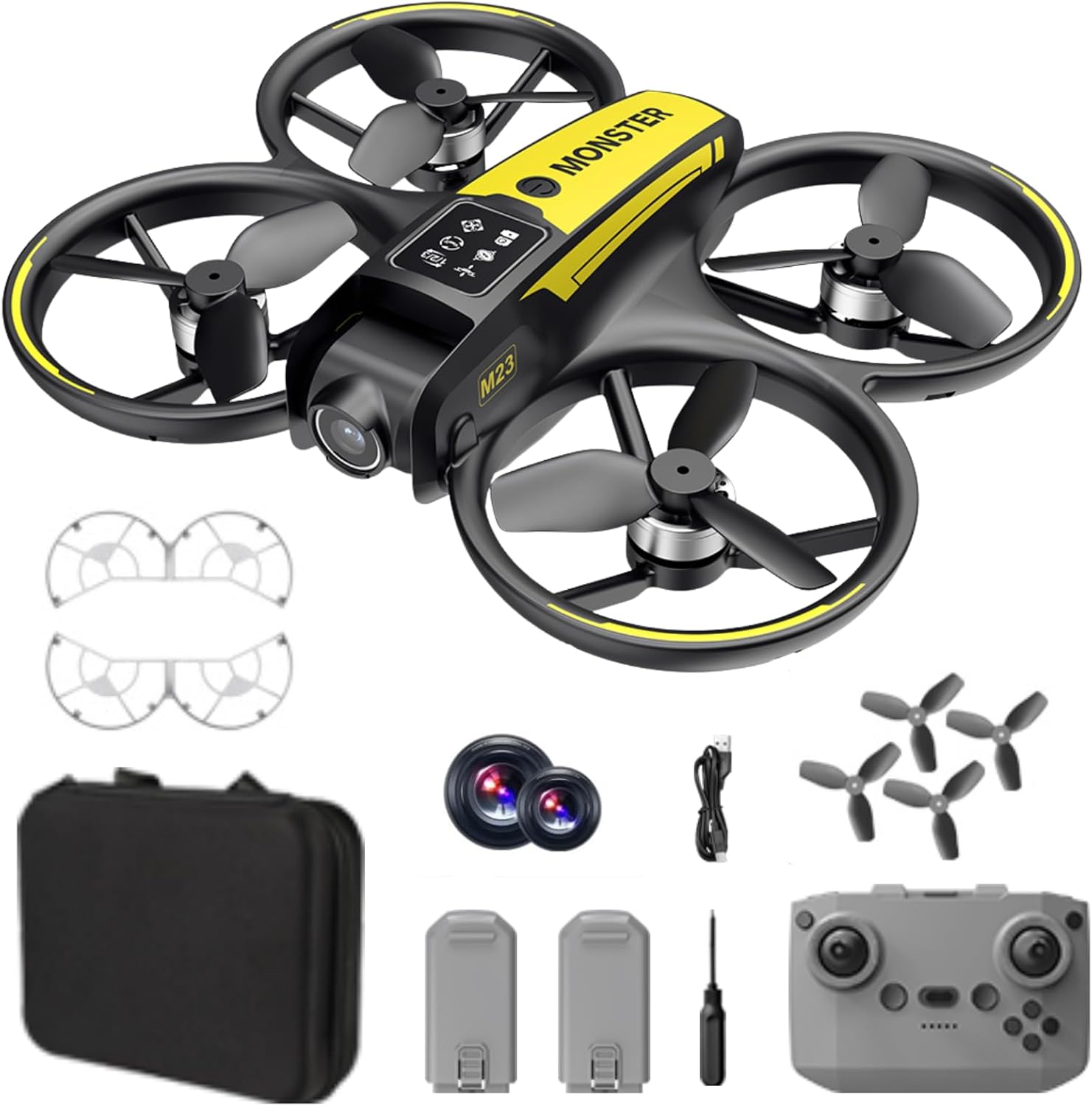
باکس میں کیا ہے۔
The SuperRC M23 drone package includes the following components:
- ایم 23 ڈرون
- ریموٹ کنٹرولر
- 2 x 3.7V 1050mAh ریچارج ایبل بیٹریاں
- 4 x Spare Propellers
- 2 ایکس پروپیلر گارڈز
- میموری کارڈ
- کارڈ ریڈر
- سکریو ڈرایور
- USB چارجنگ کیبل
- اسٹوریج بیگ
- صارف دستی (یہ دستاویز)

پروڈکٹ ختمview
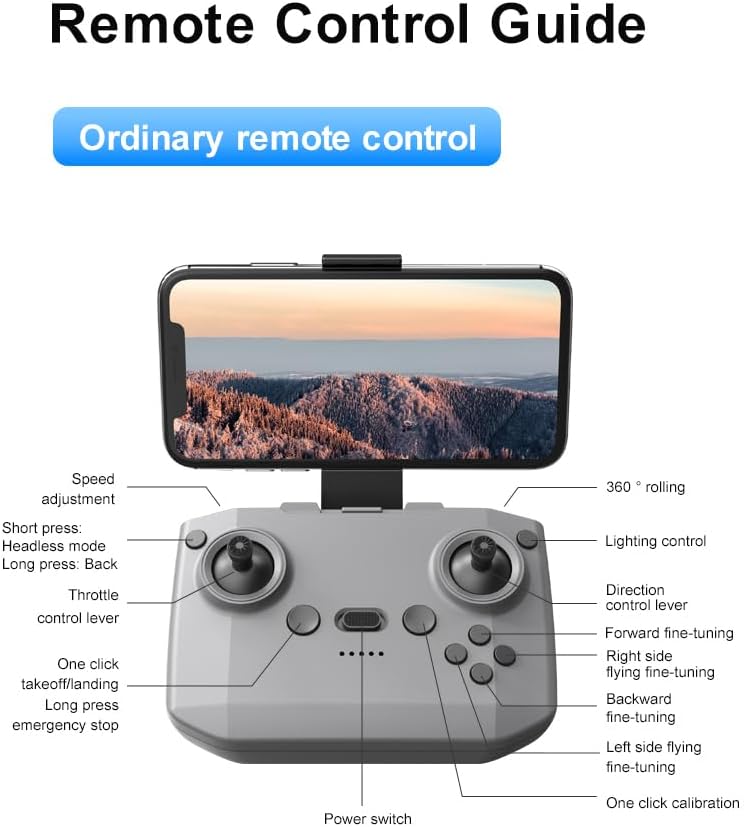
ریموٹ کنٹرول لے آؤٹ
Familiarize yourself with the remote control buttons and their functions before flight.
سیٹ اپ
1. بیٹری کی تنصیب
- یقینی بنائیں کہ ڈرون اور ریموٹ کنٹرول بند ہیں۔
- ڈرون پر بیٹری کا ٹوکری تلاش کریں۔
- Insert a charged 3.7V 1050mAh battery into the compartment until it clicks securely into place.
- For the remote control, open the battery cover and insert the required batteries (not specified in product data, assume standard AA/AAA, user should refer to physical manual for exact type).
2. پروپیلر کی تنصیب
The drone comes with propellers pre-installed. If replacement is needed:
- Identify the 'A' and 'B' markings on the propellers and the corresponding motor arms.
- Attach 'A' propellers to 'A' motor shafts and 'B' propellers to 'B' motor shafts. Ensure they are firmly secured.
3. Propeller Guard Installation
For added safety, attach the propeller guards:
- Align each propeller guard with the designated slots on the drone's motor arms.
- Gently push until they snap into place.
4. چارج کرنا
Charge the drone batteries using the provided USB charging cable.
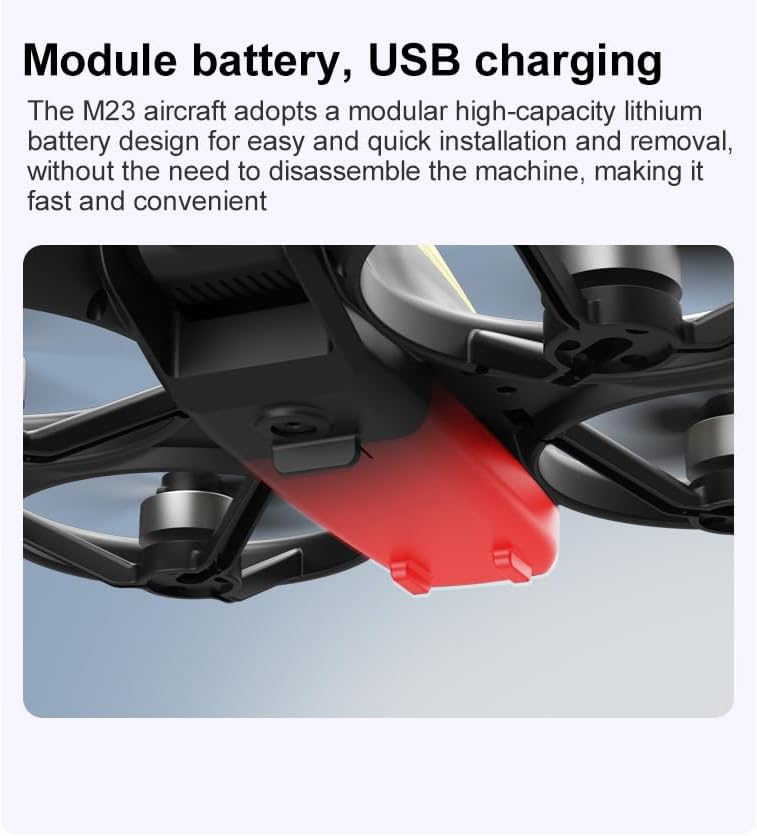
- USB چارجنگ کیبل کو ڈرون بیٹری سے جوڑیں۔
- Plug the other end into a USB power source (e.g., computer, USB wall adapter).
- The indicator light on the cable will show charging status (refer to physical manual for specific light indications).
- Charging time is approximately 60-90 minutes for a full charge.
آپریٹنگ ہدایات
قبل پرواز کی فہرست کی فہرست
- یقینی بنائیں کہ ڈرون اور ریموٹ کنٹرول بیٹریاں پوری طرح سے چارج ہیں۔
- Propellers are correctly installed and secure.
- Propeller guards are attached (recommended for beginners).
- Choose an open, clear area free from obstacles, people, and animals.
- Check local drone regulations before flying.
بنیادی فلائٹ آپریشنز
The following video demonstrates key flight features including one-key takeoff, optical flow positioning, 360-degree roll, and speed switching.
ایک کلیدی ٹیک آف اور لینڈنگ
- ٹیک آف: Place the drone on a flat surface. Press the One-Key Takeoff button on the remote control. The drone will automatically ascend and hover at a stable altitude.
- لینڈنگ: Press the One-Key Landing button. The drone will slowly descend and land automatically.
Flight Modes and Features
- ہیڈ لیس موڈ: Press the Headless Mode button. In this mode, the drone's orientation is relative to the pilot, making it easier to control without worrying about the drone's front direction.
- سپیڈ ایڈجسٹمنٹ: Use the speed adjustment button (or switch) on the remote control to cycle through low, medium, and high speeds. This allows for adaptable flight control based on skill level and environment.
- 360° رول: Press the 360° Roll button and then move the right joystick in any direction to perform an aerial flip. Ensure sufficient altitude before attempting.
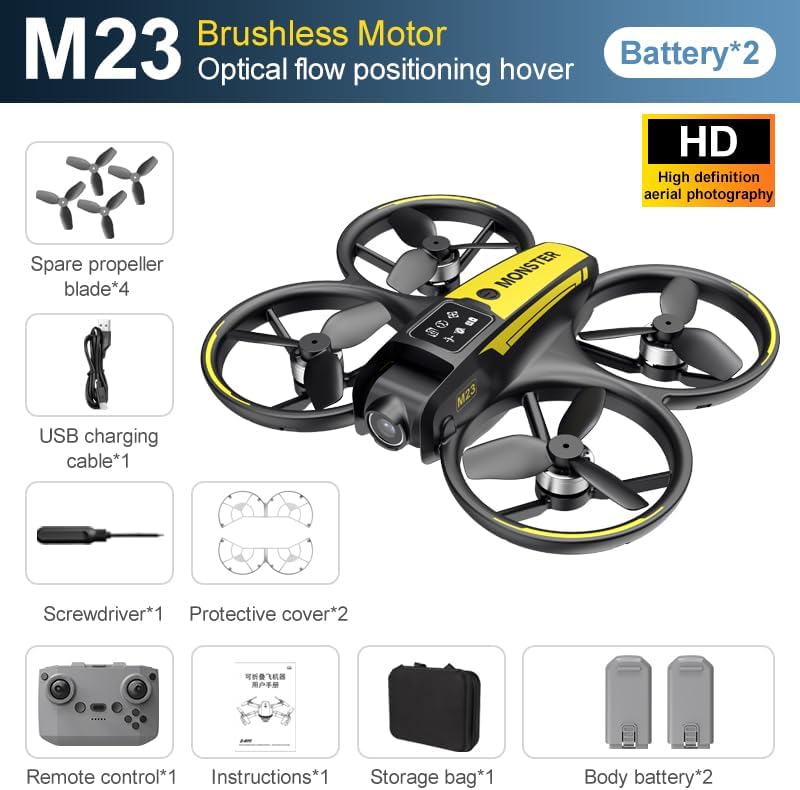
- آپٹیکل فلو پوزیشننگ: The drone utilizes a bottom camera for optical flow positioning, which helps maintain stable hovering, especially indoors or in areas with good ground texture. This feature assists in precise altitude hold.
- ٹریکٹری فلائٹ: Through the mobile application, you can draw a desired flight path on your screen. The drone will then follow this trajectory automatically.

کیمرہ آپریشن
The M23 drone is equipped with an HD camera with a 90-degree adjustable lens for capturing photos and videos.

- تصویر/ویڈیو ریکارڈنگ: Use the dedicated buttons on the remote control or the mobile app to start/stop video recording or take photos.
- ریئل ٹائم امیج ٹرانسمیشن: Connect your smartphone to the drone's Wi-Fi network to view حقیقی وقت footage from the drone's camera on your device.
دیکھ بھال
صفائی
- Regularly clean the drone body with a soft, dry cloth.
- Ensure propellers are free from dust, dirt, or debris.
- Clean the camera lens gently with a microfiber cloth to maintain image quality.
ذخیرہ
- Store the drone and its components in the provided storage bag to protect them from dust and physical damage.
- Keep the drone in a cool, dry place, away from direct sunlight and extreme temperatures.
بیٹری کی دیکھ بھال
- بیٹریاں زیادہ چارج یا زیادہ ڈسچارج نہ کریں۔
- اگر لمبے عرصے تک ذخیرہ کر رہے ہیں، تو بیٹریوں کو تقریباً 50-60% صلاحیت تک چارج کریں۔
- Avoid exposing batteries to high temperatures or direct sunlight.
خرابی کا سراغ لگانا
If you encounter issues with your SuperRC M23 drone, refer to the following common problems and solutions:
| مسئلہ | ممکنہ وجہ | حل |
|---|---|---|
| ڈرون ریموٹ کنٹرول کا جواب نہیں دیتا | Low battery on drone or remote; Not paired correctly; Interference | Charge batteries; Re-pair drone and remote (refer to physical manual for pairing steps); Move to an area with less interference |
| ڈرون پرواز کے دوران اڑتا ہے۔ | Not calibrated; Wind interference; Damaged propeller | Perform calibration (refer to physical manual); Fly in calm conditions; Replace damaged propellers |
| ناقص کیمرے کی تصویر کا معیار | Dirty lens; Low light conditions; Wi-Fi interference | Clean camera lens; Fly in well-lit areas; Ensure strong Wi-Fi connection |
| مختصر پرواز کا وقت | بیٹری مکمل طور پر چارج نہیں ہے؛ پرانی بیٹری؛ جارحانہ پرواز | Ensure battery is fully charged; Consider replacing old batteries; Practice smoother flight maneuvers |
وضاحتیں
Key technical specifications for the SuperRC M23 Mini RC Drone:
| فیچر | تفصیل |
|---|---|
| ماڈل کا نام | M23-Drone |
| برانڈ | سپر آر سی |
| شے کا وزن | 0.2 Kilograms (Under 250g) |
| آئٹم کے طول و عرض (L x W x H) | 7"L x 6"W x 2"H (تقریباً 18 x 15 x 5 سینٹی میٹر) |
| مواد | پلاسٹک |
| مہارت کی سطح | مبتدی |
| عمر کی حد (تفصیل) | بالغ |
| کیمرہ | HD Camera with 90° Adjustable Lens |
| ویڈیو کیپچر ریزولوشن | 720ص |
| ویڈیو آؤٹ پٹ قرارداد | 720 پکسلز |
| ویڈیو کیپچر فارمیٹ | MP4 |
| تائید شدہ شکل کی شکل | جے پی ای جی |
| آپٹیکل سینسر ٹیکنالوجی | CMOS |
| کنیکٹوٹی ٹیکنالوجی | وائی فائی، آر ایف |
| کنٹرول کی قسم | ریموٹ کنٹرول |
| بیٹری کی صلاحیت | 1050mAh (فی بیٹری) |
| بیٹری سیل کمپوزیشن | لیتھیم آئن |
| خصوصی خصوصیات | Adjustable, One Button Return, One Key Rotation, Rechargeable, Speed Adjustment, Headless Mode, Optical Flow Positioning |
وارنٹی اور سپورٹ
SuperRC provides a standard warranty for the M23 Mini RC Drone against manufacturing defects. Please retain your proof of purchase for warranty claims.
وارنٹی کی معلومات
- The warranty period typically covers defects in materials and workmanship under normal use.
- Damage resulting from misuse, accidents, unauthorized modifications, or improper maintenance is not covered.
- For specific warranty terms and conditions, please refer to the warranty card included in your product packaging or contact SuperRC customer service.
کسٹمر سپورٹ
If you require further assistance, have questions, or need to report an issue, please contact SuperRC customer support through the following channels:
- آن لائن مدد: Visit the official SuperRC webFAQs، امدادی وسائل، اور رابطہ فارم کے لیے سائٹ۔
- ای میل سپورٹ: Refer to your product packaging or the SuperRC webکسٹمر سروس ای میل ایڈریس کے لئے سائٹ.
- خوردہ فروش سپورٹ: If purchased from a retailer, you may also contact their customer service for assistance.
When contacting support, please provide your product model (M23) and a detailed description of the issue.