
1. تعارف
This manual provides essential information for the NIMO 15.6" Gaming Laptop (Model N159). It covers product features, setup procedures, operating instructions, maintenance guidelines, troubleshooting tips, and detailed specifications. Please read this manual thoroughly before using your new laptop to ensure optimal performance and longevity.

Image: The NIMO 15.6" Gaming Laptop, showcasing its display and key features like fingerprint unlock, Type-C PD charger, and backlit keyboard.
2. باکس میں کیا ہے۔
تصدیق کریں کہ تمام اشیاء پیکیجنگ میں موجود ہیں:
- 1 x NIMO N159 Laptop
- 1 x Type-C 100W PD Fast Charger
- 1 ایکس یوزر مینوئل (یہ دستاویز)
- Windows 11 Home Operating System (pre-installed)
- Warranty Information (2 Years Warranty, 90 Days Return)
3. پروڈکٹ ختمview
3.1 کلیدی خصوصیات
- پروسیسر: AMD Ryzen 7 7735HS (8 کور، 16 تھریڈز، 4.75GHz تک)
- گرافکس: Integrated AMD Radeon 680M GPU
- ڈسپلے: 15.6" Full HD (1920x1080) IPS Anti-Glare Display
- یادداشت: 16GB DDR5 RAM (upgradeable)
- ذخیرہ: 1TB PCIe 4.0 SSD (upgradeable)
- چارج کرنا: 100W Type-C PD Fast Charger
- سیکورٹی: Fingerprint Reader for secure unlock
- کی بورڈ: عددی کیپیڈ کے ساتھ بیک لِٹ کی بورڈ
- آڈیو: Dual 2W stereo speakers, dual beamforming microphones
- Webکیمرے: 2MP with physical camera shutter
- آپریٹنگ سسٹم: ونڈوز 11 ہوم

Image: An illustration detailing the AMD Ryzen 7 7735HS processor, highlighting its 8 cores, 16 threads, and integrated Radeon 680M graphics for balanced performance.
3.2 پورٹس اور کنیکٹر
Familiarize yourself with the available ports on your NIMO laptop:

Image: A detailed diagram illustrating the location and type of ports on the NIMO laptop, including USB 2.0, USB 3.2 Gen1, Type-C Gen2 (multifunction), HDMI 2.0, Audio Jack, Micro SD Reader, and Kensington Lock.
- USB 2.0 پورٹ: پرانے USB آلات کو جوڑنے کے لیے۔
- USB 3.2 Gen1 پورٹس (x4): ہم آہنگ USB آلات کے ساتھ تیز رفتار ڈیٹا کی منتقلی کے لیے۔
- Type-C Gen2 Ports (x2, Multifunction): Supports data transfer, video output, and power delivery (100W PD fast charging).
- HDMI 2.0 پورٹ: بیرونی ڈسپلے یا ٹی وی سے جڑنے کے لیے۔
- آڈیو جیک: ہیڈ فون یا بیرونی اسپیکر کو جوڑنے کے لیے۔
- Micro SD Reader: For reading Micro SD memory cards.
- کینسنگٹن لاک سلاٹ: For securing your laptop with a compatible lock.
4. سیٹ اپ
4.1 ابتدائی پاور آن
- باکس سے لیپ ٹاپ اور تمام لوازمات کو کھولیں۔
- Connect the 100W Type-C PD Fast Charger to one of the Type-C ports on the laptop and then to a power outlet.
- لیپ ٹاپ کا ڈھکن کھولیں۔ لیپ ٹاپ خود بخود آن ہو سکتا ہے، یا آپ کو پاور بٹن دبانے کی ضرورت پڑ سکتی ہے۔
- Windows 11 ہوم سیٹ اپ مکمل کرنے کے لیے آن اسکرین ہدایات پر عمل کریں، بشمول زبان کا انتخاب، نیٹ ورک کنکشن، اور صارف اکاؤنٹ بنانا۔
4.2 بیٹری چارج کرنا
Before first use, it is recommended to fully charge the laptop battery. The 100W Type-C PD Fast Charger can provide approximately 5 hours of usage time with just 1 hour of charging.

Image: A visual representation of the 100W Type-C lightning-fast charger connected to the NIMO laptop, demonstrating its ability to charge quickly and efficiently.
5. آپریٹنگ ہدایات
5.1 پاور آن/آف اور سلیپ موڈ
- پاور آن: کی بورڈ پر موجود پاور بٹن کو دبائیں۔
- بجلی بند: ونڈوز میں اسٹارٹ بٹن پر کلک کریں، پھر پاور> شٹ ڈاؤن کو منتخب کریں۔
- نیند موڈ: اسٹارٹ بٹن پر کلک کریں، پھر پاور> سلیپ کو منتخب کریں، یا لیپ ٹاپ کا ڈھکن بند کریں۔
5.2 Using the Fingerprint Unlock
The fingerprint reader is integrated into the touchpad for quick and secure access.
- During Windows setup or later in Windows Settings, configure your fingerprint for login.
- To unlock, simply place your registered finger on the fingerprint reader on the touchpad.
5.3 Adjusting the Backlit Keyboard
The keyboard backlight can be adjusted for comfortable typing in various lighting conditions.

Image: A visual guide demonstrating the fingerprint unlock feature on the touchpad and the functionality of the backlit keyboard, including how to cycle through brightness settings using the F9 key.
- دبائیں F9 key to cycle through backlight settings:
- 1 Tap: Light (Temporary)
- 2 Taps: Light (Temporary)
- 3 Taps: Light (Constant)
- 4 Taps: Off
5.4 کا استعمال کرتے ہوئے۔ Webcam Shutter
For privacy, the laptop includes a physical camera shutter.
- Slide the shutter to the left to open the camera.
- Slide the shutter to the right to close and cover the camera lens.

Image: A visual guide demonstrating the physical camera shutter, showing both the 'Camera Open' and 'Camera Close' statuses for enhanced privacy.
6 دیکھ بھال
6.1 لیپ ٹاپ کی صفائی
- Always power off the laptop and disconnect the charger before cleaning.
- تھوڑا سا نرم، لنٹ سے پاک کپڑا استعمال کریں۔ampڈسپلے کے لیے پانی یا اسکرین کلینر کے ساتھ تیار کیا گیا ہے۔
- کی بورڈ اور چیسس کے لیے نرم، خشک کپڑا استعمال کریں۔ سخت کیمیکلز یا کھرچنے والے مواد سے پرہیز کریں۔
- Use compressed air to clear dust from vents periodically.
6.2 بیٹری کی دیکھ بھال
- بیٹری کو بار بار مکمل طور پر خارج کرنے سے گریز کریں۔
- لیپ ٹاپ کو ٹھنڈی، خشک جگہ پر ذخیرہ کریں اگر طویل مدت تک استعمال نہ کیا جائے۔
- لیپ ٹاپ کو انتہائی درجہ حرارت کے سامنے نہ رکھیں۔
6.3 سافٹ ویئر اپ ڈیٹس
بہترین کارکردگی اور سیکورٹی کو یقینی بنانے کے لیے آپریٹنگ سسٹم اور ڈرائیور اپ ڈیٹس کو باقاعدگی سے چیک کریں اور انسٹال کریں۔
7 خرابیوں کا سراغ لگانا
| مسئلہ | ممکنہ وجہ | حل |
|---|---|---|
| لیپ ٹاپ آن نہیں ہوتا۔ | کم بیٹری یا پاور اڈاپٹر کا مسئلہ۔ | Connect the charger and wait a few minutes before attempting to power on. Ensure the charger is properly connected to both the laptop and the power outlet. |
| اسکرین خالی یا سیاہ ہے۔ | Laptop in sleep mode, display settings issue, or hardware problem. | Press any key or the power button to wake from sleep. Try connecting an external monitor to check if the display output works. Restart the laptop. |
| کی بورڈ بیک لائٹ کام نہیں کر رہی ہے۔ | Backlight turned off or at lowest setting. | دبائیں F9 key repeatedly to cycle through brightness levels and turn on the backlight. |
| Fingerprint unlock not working. | Finger not properly placed, or sensor issue. | Ensure your finger is clean and dry and covers the sensor completely. Re-register your fingerprint in Windows Settings if the issue persists. |
| سست کارکردگی۔ | Too many applications running, insufficient storage, or outdated drivers. | Close unnecessary applications. Check available storage space. Update Windows and device drivers. |
If you encounter issues not listed here or require further assistance, please contact NIMO customer support.
8. وضاحتیں
| برانڈ | NIMO |
| ماڈل کا نام | NIMO N159B |
| اسکرین کا سائز | 15.6 انچ |
| اسکرین ریزولوشن | 1920 x 1080 پکسلز (FHD IPS) |
| پروسیسر | AMD Ryzen 7 7735HS (8 Cores, 4.75 GHz Max Turbo) |
| رام | 16 GB DDR5 (4800 MHz) |
| ہارڈ ڈرائیو | 1024 GB SSD (PCIe 4.0) |
| گرافکس کا پروسیسر | AMD Radeon 680M (Integrated) |
| آپریٹنگ سسٹم | ونڈوز 11 ہوم |
| وائرلیس قسم | 802.11a/b/g/n/ac |
| USB 2.0 پورٹس | 1 |
| USB 3.0 پورٹس | 4 |
| بیٹری کی اوسط زندگی | 5 Hours (54Wh, 11.4V/4700mAh) |
| شے کا وزن | 3.8 پاؤنڈ |
| مصنوعات کے طول و عرض | 14.07 x 8.98 x 0.76 انچ |
| رنگ | نیلا |
| پیچھے Webکیمرے کی قرارداد | 2 MP |
| خصوصی خصوصیات | بیک لِٹ کی بورڈ، فنگر پرنٹ ریڈر، ایچ ڈی آڈیو، عددی کیپیڈ |
9. وارنٹی اور سپورٹ
9.1 مینوفیکچرر کی وارنٹی
Your NIMO N159 laptop is covered by a comprehensive 2 سالہ مینوفیکچرر کی وارنٹی from Nimo Direct Inc. This warranty covers defects in materials and workmanship under normal use. For warranty claims, please contact customer support.

Image: A technician working on a laptop's internal components, representing the 2-year support provided for Nimo products.
9.2 واپسی کی پالیسی
Nimo Direct Inc. offers a 90-Day Hassle-Free Return Policy. You may return any Nimo product for any reason within 90 days of purchase. Please refer to your purchase documentation for specific return procedures.
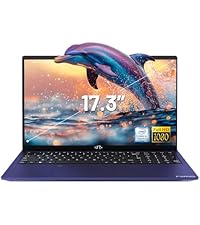
Image: A delivery person handing a package to a customer, illustrating the 90-day return policy for Nimo products.
9.3 کسٹمر سپورٹ
For any product-related questions, technical assistance, or warranty claims, please contact our professional after-sales service team. Our dedicated support team is available to resolve issues or facilitate replacements.
- ای میل: service@nimopc.com
- آن لائن: Visit the official NIMO website or product page for contact options.

Image: Customer service representatives wearing headsets, indicating professional customer assistance available via phone and live chat.