
تعارف
This manual provides essential information for the NIMO 15.6-inch Light Gaming Laptop N15A. It covers setup, operation, maintenance, troubleshooting, and product specifications. Please read this manual thoroughly before using your new laptop to ensure proper function and longevity.

Image: NIMO 15.6-inch Light Gaming Laptop N15A, showcasing its full display and keyboard.
پیکیج کے مشمولات
Verify that all items listed below are present in your product packaging. If any items are missing or damaged, please contact NIMO customer support.
- 1 x NIMO N15A Laptop
- 1 x Type-C 100W PD Fast Charger
- 1 ایکس صارف دستی
- Windows 11 Home Operating System (pre-installed)
پروڈکٹ ختمview
The NIMO N15A laptop is designed for balanced performance, featuring an AMD Ryzen 7 Pro 6850U processor, 32GB LPDDR5 RAM, and a 1TB PCIe 4.0 SSD. It includes a 15.6-inch Full HD IPS display, a backlit keyboard, and an integrated fingerprint reader for secure access.
اہم خصوصیات:
- پروسیسر: AMD Ryzen 7 Pro 6850U with 8 Cores and 16 Threads, up to 4.7GHz.
- گرافکس: Integrated AMD Radeon 680M GPU.
- یادداشت: 32GB LPDDR5 RAM for efficient multitasking.
- ذخیرہ: 1TB PCIe 4.0 SSD for fast boot times and data access.
- ڈسپلے: 15.6-inch Full HD (1920x1080) IPS Anti-Glare Display.
- چارج کرنا: 100W USB-C Power Delivery fast charging.
- سیکورٹی: Integrated fingerprint reader for secure login.
- کی بورڈ: Backlit keyboard for use in various lighting conditions.

Image: Visual representation of the AMD Ryzen 7 Pro 6850U processor's core and thread count, and turbo boost speed.
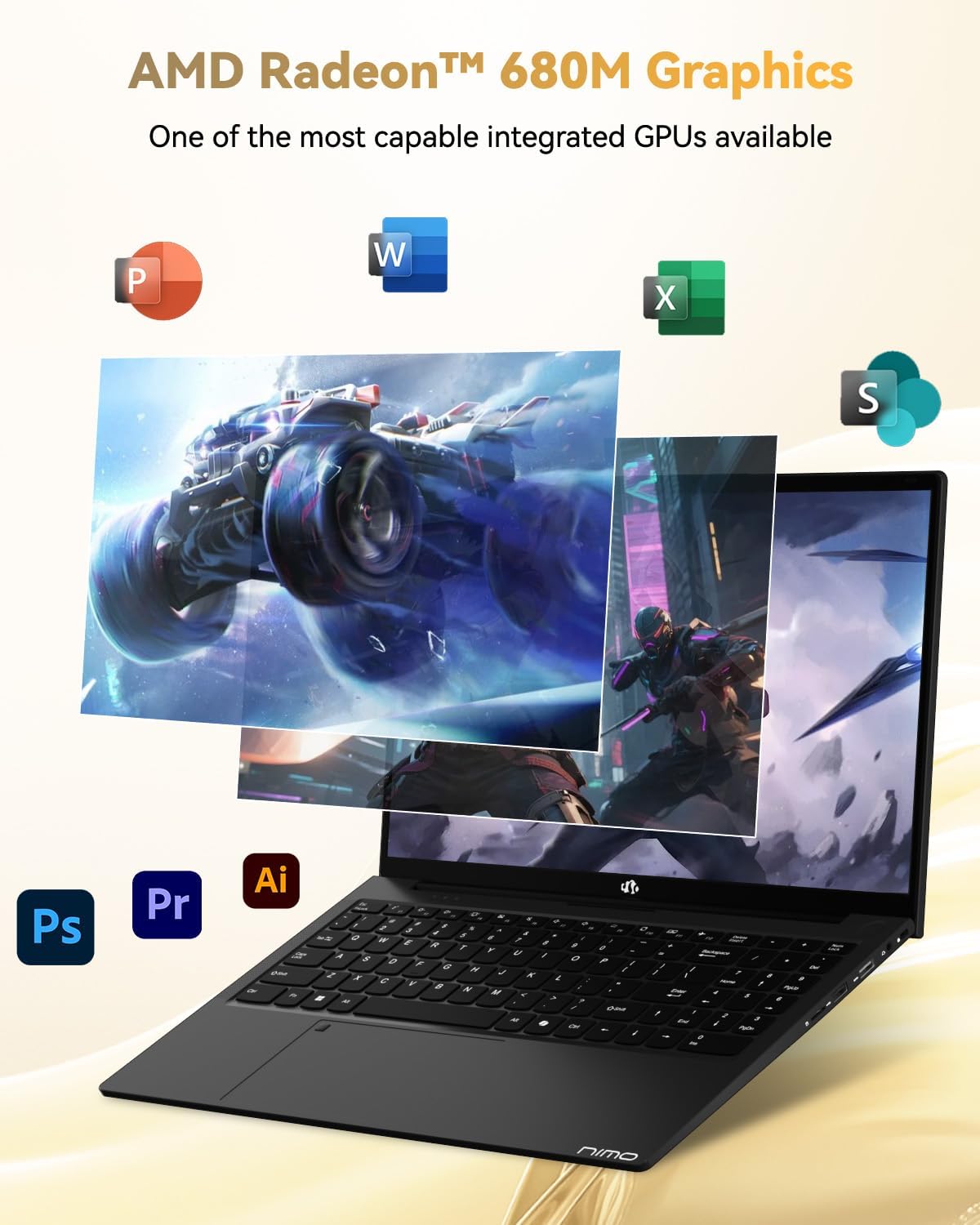
Image: Illustration highlighting the capabilities of the AMD Radeon 680M integrated graphics for various applications.

Image: Diagram showing the 32GB LPDDR5 RAM and 1TB PCIe 4.0 SSD for seamless multitasking and ampاسٹوریج.
Image: The NIMO N15A laptop displaying a vibrant image on its 15.6-inch Full HD IPS screen.
بندرگاہیں اور رابطہ:

Image: Diagram illustrating the various ports on the NIMO N15A laptop, including USB, HDMI, and Type-C.
- مائیکرو ایس ڈی ریڈر
- USB 2.0 پورٹ
- USB 3.2 Ports (multiple)
- ہیڈ فون جیک
- کینسنٹن لاک سلاٹ
- Type-C (Multifunction) Ports (supporting charging and data transfer)
- HDMI پورٹ
سیٹ اپ
1. Initial Charging and Power On:
- Connect the provided 100W Type-C PD Fast Charger to the laptop's Type-C charging port and a power outlet.
- Allow the laptop to charge for at least 30 minutes before initial use, or until the charging indicator shows sufficient battery.
- لیپ ٹاپ کو آن کرنے کے لیے کی بورڈ پر موجود پاور بٹن کو دبائیں۔

Image: Illustration of the NIMO N15A laptop being charged with the 100W Type-C PD Fast Charger.
2. Windows 11 Initial Setup:
Follow the on-screen prompts to complete the Windows 11 setup process. This typically includes:
- اپنے علاقے اور کی بورڈ لے آؤٹ کو منتخب کرنا۔
- Wi-Fi نیٹ ورک سے جڑ رہا ہے۔
- Microsoft اکاؤنٹ کے ساتھ سائن ان کرنا یا مقامی اکاؤنٹ بنانا۔
- ایک PIN یا پاس ورڈ ترتیب دینا۔
- Configuring privacy settings.
آپریٹنگ ہدایات
پاور مینجمنٹ:
- پاور آن: پاور بٹن دبائیں۔
- نیند موڈ: ڈھکن بند کریں یا پاور بٹن کو مختصر طور پر دبائیں۔
- بند کریں: Click the Start button, then Power, then Shut down.
- دوبارہ شروع کریں: Click the Start button, then Power, then Restart.
کی بورڈ اور ٹچ پیڈ:

تصویر: کلوز اپ view of the NIMO N15A laptop's backlit keyboard and the integrated fingerprint reader on the touchpad.
- بیک لِٹ کی بورڈ: Use the dedicated function key (usually Fn + Fx) to toggle the keyboard backlight on/off and adjust brightness levels.
- فنگر پرنٹ ریڈر: The fingerprint reader is integrated into the touchpad. During Windows setup, you can configure your fingerprint for secure, quick login.
- Precision Touchpad: نیویگیشن کے لیے ملٹی ٹچ اشاروں کو سپورٹ کرتا ہے۔ حسب ضرورت کے لیے ونڈوز سیٹنگز سے رجوع کریں۔
منسلک پیری فیرلز:
Utilize the various ports to connect external devices such as monitors, printers, external storage, and audio devices.
- USB آلات: Plug USB devices into the available USB 2.0 or USB 3.2 ports.
- بیرونی ڈسپلے: Connect an external monitor or TV using the HDMI port or a compatible Type-C adapter.
- آڈیو: Use the 3.5mm headphone jack for headphones or external speakers.
کیمرے کی رازداری:

Image: Illustration of the NIMO N15A laptop's built-in privacy camera switch, allowing users to easily disable the webکیمرے.
The NIMO N15A laptop features a built-in privacy camera switch. This allows you to physically disable the 2.0MP webcam when not in use, ensuring your privacy.
دیکھ بھال
Cleaning the Laptop:
- Power off the laptop and disconnect the charger before cleaning.
- تھوڑا سا نرم، لنٹ سے پاک کپڑا استعمال کریں۔ampڈسپلے کے لیے پانی یا اسکرین کلینر کے ساتھ تیار کیا گیا ہے۔
- کی بورڈ اور چیسس کے لیے نرم کپڑا استعمال کریں۔ سخت کیمیکلز یا کھرچنے والے مواد سے پرہیز کریں۔
- کی بورڈ کیز اور وینٹ سے دھول صاف کرنے کے لیے کمپریسڈ ہوا کا استعمال کریں۔
بیٹری کی دیکھ بھال:
- بیٹری کو بار بار مکمل طور پر خارج کرنے سے گریز کریں۔
- Store the laptop in a cool, dry place if not used for extended periods, with the battery charged to around 50-70%.
- Use only the original NIMO 100W Type-C PD Fast Charger.
سافٹ ویئر اپ ڈیٹس:
- سسٹم کے استحکام اور سلامتی کو یقینی بنانے کے لیے ونڈوز اپ ڈیٹس کو باقاعدگی سے چیک کریں اور انسٹال کریں۔
- Keep device drivers updated, especially for graphics and chipset, by checking the NIMO support webسائٹ یا ونڈوز اپ ڈیٹ۔
خرابی کا سراغ لگانا
| مسئلہ | ممکنہ حل |
|---|---|
| لیپ ٹاپ آن نہیں ہوتا۔ | Ensure the charger is properly connected and the power outlet is functional. Allow the battery to charge for at least 30 minutes. If the issue persists, contact support. |
| ڈسپلے خالی یا ٹمٹماہٹ ہے۔ | Try connecting an external monitor to check if the issue is with the laptop's display. Adjust display brightness. Restart the laptop. |
| سست کارکردگی۔ | Close unnecessary applications. Check for background processes consuming high resources. Ensure sufficient free storage space. Run a system scan for malware. |
| کی بورڈ بیک لائٹ کام نہیں کر رہی ہے۔ | Press the dedicated function key combination (e.g., Fn + Fx) to toggle or adjust the backlight. Check keyboard settings in Windows. |
| Fingerprint reader not responding. | Ensure your finger is clean and dry. Re-register your fingerprint in Windows settings. Restart the laptop. |
For issues not listed here or if solutions do not resolve the problem, please refer to the Warranty and Support section for assistance.
وضاحتیں
| فیچر | تفصیل |
|---|---|
| برانڈ | NIMO |
| ماڈل کا نام | NIMO N15AL (N15A) |
| اسکرین کا سائز | 15.6 انچ |
| اسکرین ریزولوشن | 1920 x 1080 پکسلز (مکمل ایچ ڈی) |
| پروسیسر | AMD Ryzen 7 Pro 6850U (8 Cores, up to 4.7 GHz) |
| رام | 32 GB LPDDR5 (6400 MHz) |
| ہارڈ ڈرائیو | 1024 GB SSD (PCIe 4.0, Solid State) |
| گرافکس کا پروسیسر | AMD Radeon 680M (Integrated) |
| آپریٹنگ سسٹم | ونڈوز 11 |
| وائرلیس قسم | 802.11a/b/g/n/ac |
| USB 2.0 پورٹس | 1 |
| USB 3.0/3.2 پورٹس | 4 |
| بیٹری کی اوسط زندگی | 9 گھنٹے |
| شے کا وزن | 3.75 پاؤنڈ |
| مصنوعات کے طول و عرض | 14.07 x 8.98 x 0.76 انچ |
| رنگ | سیاہ |
| پیچھے Webکیمرے کی قرارداد | 2 MP |
| خصوصی خصوصیات | بیک لِٹ کی بورڈ، فنگر پرنٹ ریڈر، ایچ ڈی آڈیو، عددی کیپیڈ |
وارنٹی اور سپورٹ
NIMO provides comprehensive support for your laptop.
- وارنٹی: Your NIMO N15A laptop comes with a 2-year manufacturer's warranty.
- واپسی کی پالیسی: A 90-day hassle-free return policy is offered from the date of purchase.
- کسٹمر سپورٹ: For technical assistance, warranty claims, or product-related inquiries, please contact NIMO customer support.
Contact information for support is typically available on the official NIMO website or through the product's packaging.
حفاظتی معلومات
اہم: Read and follow these safety guidelines to prevent damage to your device or personal injury.
- Use only original chargers and regularly inspect cables for damage.
- Handle the laptop by its base and consider using a protective case. Avoid placing heavy objects on it.
- Place the laptop on a hard, flat surface to ensure proper ventilation and prevent overheating. Keep it away from extreme temperatures and moisture.
- Do not overcharge the battery. Discontinue use if the battery shows signs of swelling or damage.
- Set strong passwords, keep software updated, use antivirus software, and regularly back up your data.
- In case of liquid spills, immediately unplug the laptop and allow it to dry completely before attempting to power it on.
- For any issues, consult qualified professionals. Do not attempt to disassemble or repair the device yourself.
قانونی دستبرداری
This NIMO laptop is provided "as is," without express or implied warranties, except for any applicable manufacturer's limited warranty. Implied warranties of merchantability or fitness for a specific purpose are disclaimed. NIMO is not liable for damages resulting from misuse (e.g., non-approved chargers, unauthorized repairs), physical damage, or failure to adhere to safety guidelines, including data loss or business interruption. Users are responsible for regularly backing up their data. This disclaimer does not exclude liability for manufacturing defects or violations of mandatory local laws. By using this laptop, you accept these terms, which are governed by the laws of the applicable jurisdiction.