
1. تعارف
Thank you for choosing the KNKA APH3000 Air Purifier. This device is designed to improve indoor air quality by efficiently removing airborne particles and odors. Please read this manual thoroughly before operation to ensure proper use, maintenance, and safety.
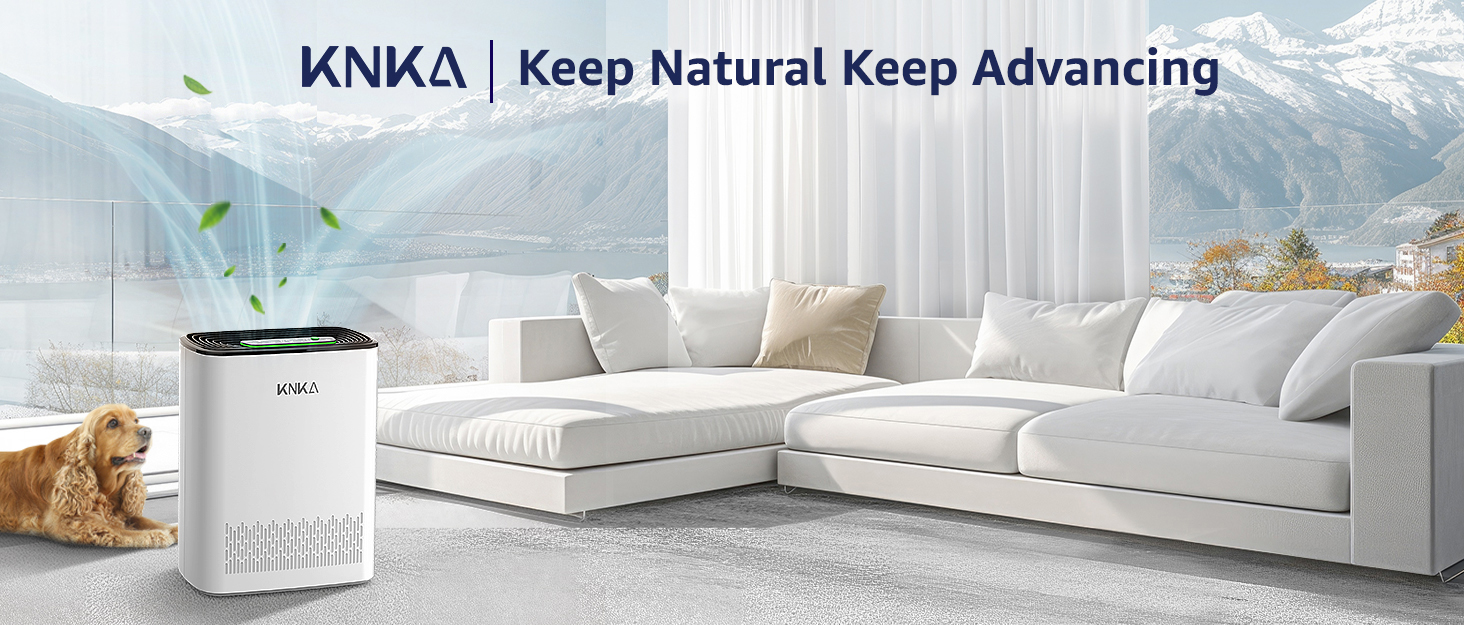
Figure 1: KNKA APH3000 Air Purifier in a home environment.
2. حفاظتی ہدایات
- ہوا صاف کرنے والے کو ہمیشہ کسی سطح ، سطح کی سطح پر رکھیں۔
- Ensure adequate clearance (at least 15 cm / 6 inches) around the air inlet and outlet for optimal airflow.
- ہوا کے سوراخوں کو مسدود نہ کریں۔
- کسی بھی دیکھ بھال کو صاف کرنے یا انجام دینے سے پہلے آلہ کو ان پلگ کریں۔
- Do not use the device near water or in excessively humid environments.
- Keep out of reach of children and pets. Use the child lock feature when necessary.
- Only use essential oils in the designated aroma pad compartment; do not apply directly to filters.
3. پیکیج کے مشمولات
تصدیق کریں کہ تمام اشیاء پیکیج میں موجود ہیں:
- 1 x KNKA APH3000 Air Purifier
- 1 x 3-Stagای اصل فلٹر (پہلے سے نصب)
- 1 ایکس یوزر مینوئل (یہ دستاویز)
4. پروڈکٹ ختمview
The KNKA APH3000 Air Purifier is designed for efficient air purification in large rooms, covering up to 234 square feet. It features an advanced 3-stage filtration system and intelligent controls.
اہم خصوصیات:
- 3-ایسtagای فلٹریشن سسٹم: Includes a washable pre-filter, H13 True HEPA filter, and activated carbon filter to capture particles as small as 0.3 microns and absorb odors.
- ریئل ٹائم AQI ڈسپلے: Built-in air quality sensor provides live PM2.5 readings and color-coded indicators (Excellent, Moderate, Poor, Unhealthy).
- ایک سے زیادہ آپریٹنگ طریقوں: Auto Mode, Turbo Mode for rapid purification, and Ultra-Quiet Sleep Mode (as low as 24dB).
- صارف دوست کنٹرولز: Touch control panel with child safety lock, filter replacement indicator, and adjustable timer (1-12 hours).
- اروما تھراپی ڈفیوزر: Integrated compartment for essential oils (oils not included).

Figure 2: Advanced 3-Stagای فلٹریشن سسٹم۔
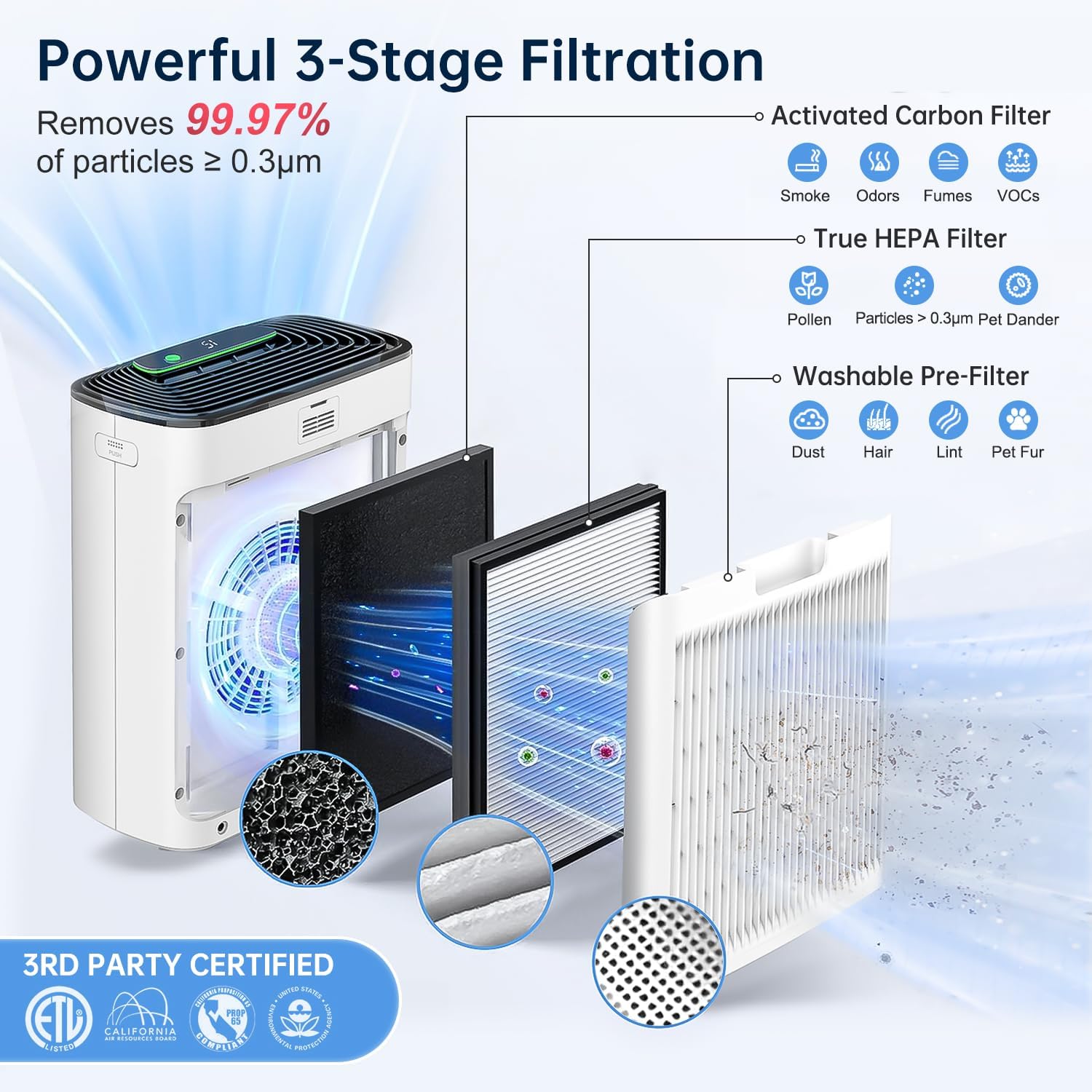
Figure 3: Effortless Touch Operation Control Panel.
5. سیٹ اپ
- ایئر پیوریفائر کو کھولیں: باکس سے ایئر پیوریفائر اور تمام پیکیجنگ مواد کو احتیاط سے ہٹا دیں۔
- فلٹر پیکیجنگ کو ہٹا دیں: 3-stage filter is pre-installed but wrapped in plastic for protection. Open the back cover of the air purifier, remove the filter, and discard the plastic packaging.
- فلٹر کو دوبارہ انسٹال کریں: Place the filter back into the unit, ensuring it is correctly oriented (refer to arrows on the filter for direction). Close the back cover securely.
- یونٹ کی پوزیشن: Place the air purifier on a flat, stable surface. Ensure there is at least 6 inches (15 cm) of space around all sides for proper air circulation.
- پاور سے رابطہ کریں: پاور اڈاپٹر کو ایئر پیوریفائر میں اور پھر معیاری الیکٹریکل آؤٹ لیٹ میں لگائیں۔

Figure 4: Removing filter packaging before first use.
Video 1: Demonstrates the unboxing and filter installation process for the KNKA APH3000 Air Purifier.
6. آپریٹنگ ہدایات
پاور آن/آف
- دبائیں پاور بٹن () یونٹ کو آن یا آف کرنے کے لیے۔
موڈ سلیکشن
- آٹو موڈ: دبائیں آٹو بٹن () to enable. The fan speed will automatically adjust based on the detected air quality.
- ٹربو موڈ: دبائیں ٹربو بٹن () for maximum fan speed and rapid air purification.
- نیند موڈ: دبائیں سلیپ موڈ بٹن () for ultra-quiet operation with the display lights off.
ٹائمر فنکشن
- دبائیں ٹائمر بٹن () to set the operating duration (1-12 hours). The unit will automatically turn off after the set time.
چائلڈ لاک
- کو چالو کریں۔ چائلڈ لاک () by pressing and holding the button for 3 seconds to prevent accidental changes to settings. Repeat to unlock.
Air Quality Display (AQI)
- The LED display shows real-time PM2.5 levels in µg/m³.
- A color-coded light ring indicates overall air quality: Green (Excellent), Blue (Moderate), Orange (Poor), Red (Unhealthy).

Figure 5: Real-Time PM2.5 Detection and Air Quality Display.
خوشبو سے متعلق فنکشن
- Open the aroma pad compartment (usually located on the side or back).
- Add a few drops of essential oil to the aroma pad (oils not included).
- Close the compartment. The fragrance will be diffused with the purified air.
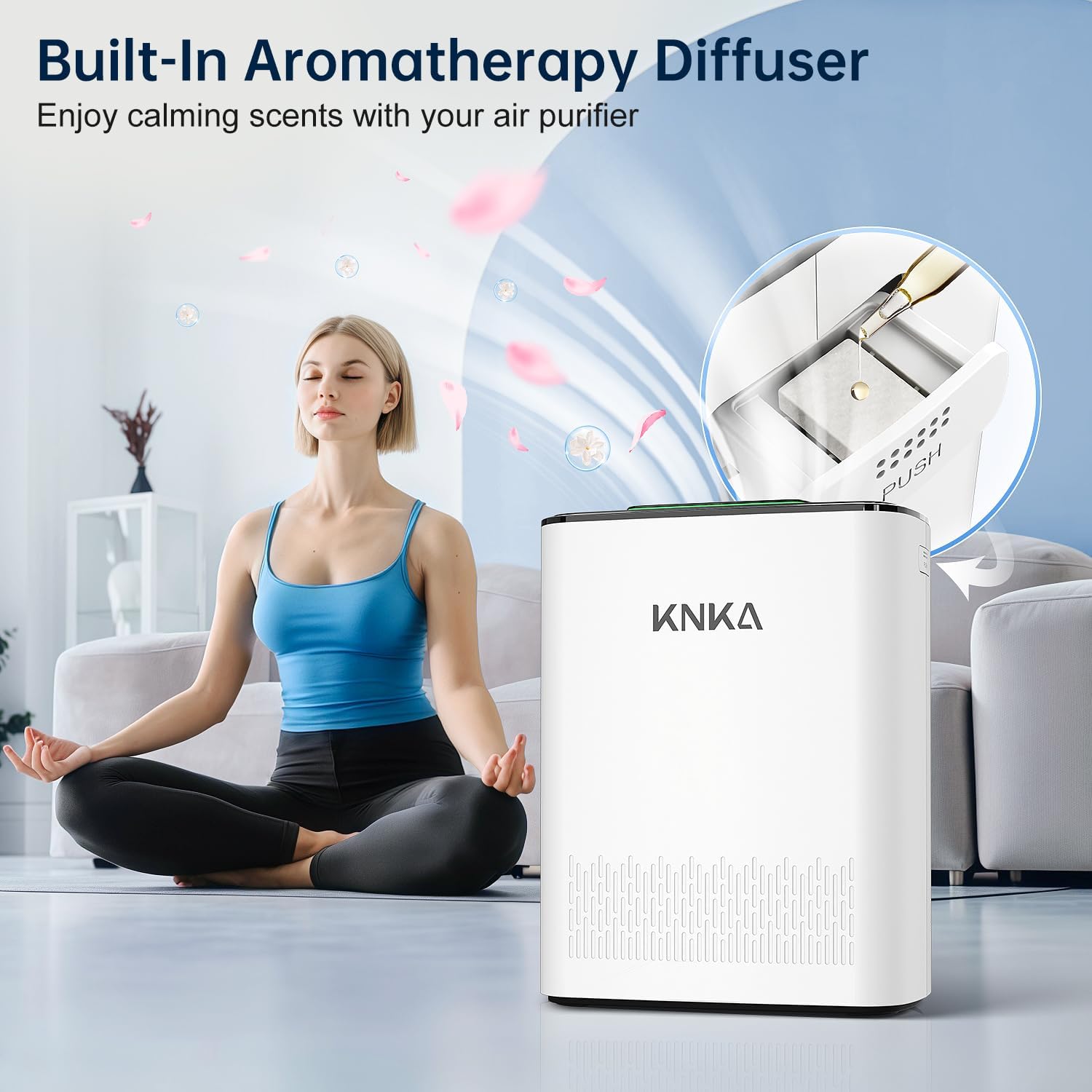
Figure 6: Built-In Aromatherapy Diffuser.
7 دیکھ بھال
فلٹر کی تبدیلی
- فلٹر کی تبدیلی کے اشارے () will illuminate when it's time to replace the filter.
- For optimal performance, replace the filter every 3-6 months, depending on usage and air quality.
- Compatible filter models: B0DDKMTRXK and B0D9PVNF1K (available on Amazon).
- To reset the filter indicator after replacement, press and hold the filter button for 3 seconds.

Figure 7: Filter Alert Indicator.
دھونے کے قابل پری فلٹر کی صفائی
- The outermost pre-filter layer is washable. Regularly clean it to extend the life of the HEPA and activated carbon filters.
- Remove the back cover and carefully detach the pre-filter.
- Rinse the pre-filter under running water until clean. Allow it to air dry completely before reinstalling.

Figure 8: Washable Pre-Filter and Magnetic Back Cover.
سینسر کی صفائی
- Periodically clean the air quality sensor to maintain accurate readings.
- Open the sensor back cover (use a coin or screwdriver if needed).
- Gently wipe the sensor area with a cotton swab or soft cloth. Cool air from a hairdryer can improve cleaning.
- Reinstall the sensor cover.

Figure 9: How to Clean the Sensor.
8 خرابیوں کا سراغ لگانا
If you encounter issues with your KNKA APH3000 Air Purifier, please refer to the following common solutions:
- یونٹ آن نہیں ہو رہا ہے: Ensure the power cord is securely plugged into both the unit and a working electrical outlet. Check if the filter is correctly installed and its plastic packaging removed.
- خراب ہوا صاف کرنا: Check if the filters are dirty and require cleaning or replacement. Ensure there is no obstruction to the air inlet or outlet.
- غیر معمولی شور: Verify that the unit is placed on a stable, flat surface. Check for any foreign objects inside the unit or around the fan.
- AQI reading seems inaccurate: Clean the air quality sensor as described in the Maintenance section.
For further assistance, please contact KNKA customer support.
9. وضاحتیں
| تفصیلات | تفصیل |
|---|---|
| ماڈل نمبر | اے پی ایچ 3000 |
| مصنوعات کے طول و عرض | 6.22 x 11.73 x 14.92 انچ |
| شے کا وزن | 7.9 پاؤنڈز |
| طاقت کا منبع | AC/DC |
| کنٹرول کا طریقہ | چھوئے۔ |
| فلٹر کی قسم | 3-ایسtage Filter (Washable Pre-Filter, H13 True HEPA, Activated Carbon) |
| فلور ایریا کوریج | 234 مربع فٹ |
| شور کی سطح | 24 ڈیسیبل (نیند کا موڈ) |
| Contaminant Filtration Capability | Dust, Pet Dander, Pollen, Smoke, Odors |
| خصوصی خصوصیات | 24dB Operation, Air Quality Readings, Turbo & Auto & Sleep Mode, Washable Pre-Filter, Child Lock, Aroma Pad Compartment |
| سرٹیفیکیشن | CARB مصدقہ |
| رنگ | سفید |
10. وارنٹی اور سپورٹ
For warranty information, product registration, or technical support, please visit the official KNKA brand store or contact their customer service directly.
KNKA Official Store: KNKA Store on Amazon
کسی بھی وارنٹی دعووں کے لیے براہ کرم اپنے خریداری کا ثبوت اپنے پاس رکھیں۔