
تعارف
The ShanWan Wireless Controller is a versatile gaming peripheral designed for use across multiple platforms, including PC, iPhone, Android, Nintendo Switch, and Steam. It offers tri-mode connectivity (Bluetooth, 2.4G wireless, and USB-C wired) to ensure a seamless gaming experience. This manual provides detailed instructions for setup, operation, maintenance, and troubleshooting to help you maximize your controller's performance.
Note: This controller is not compatible with Xbox or PlayStation 4/5 consoles.
پیکیج کے مشمولات
- ShanWan Wireless Controller
- USB-C چارجنگ کیبل
- 2.4G وائرلیس ڈونگل
- صارف دستی (یہ دستاویز)
کنٹرولر اوورview
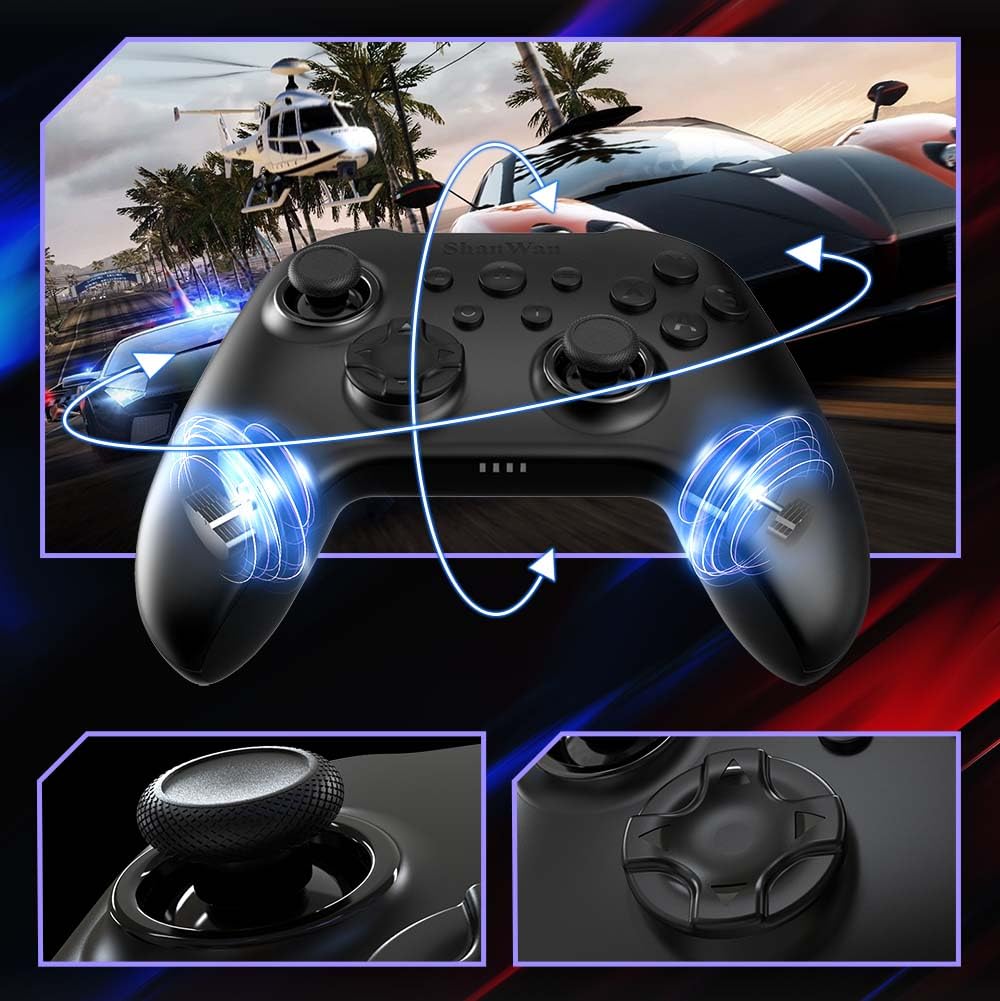
تصویر: سامنے والا view of the ShanWan Wireless Controller, showcasing its ergonomic design, dual joysticks, D-pad, and face buttons (A, B, X, Y).
تصویر: پیچھے view of the ShanWan Wireless Controller, highlighting the mode switch for different platforms (X, D, S).
اہم خصوصیات:
- Hall Effect Joysticks: Designed for precision with no dead zones and anti-drift capabilities.
- Durable Gel Buttons: Conductive gel buttons tested for 1 million clicks for long-lasting performance.
- 6-Axis Gyroscope: Provides precise motion sensing for immersive gameplay.
- دوہری کمپن موٹرز: Delivers strong and subtle haptic feedback for an enhanced gaming experience.
- ٹربو فنکشن: Allows for rapid, repeated button presses.
سیٹ اپ
1. کنٹرولر کو چارج کرنا
Before initial use, fully charge the controller using the provided USB-C cable. Connect the USB-C end to the controller and the USB-A end to a power source (e.g., computer USB port, USB wall adapter). The charging indicator lights will show charging status and turn off when fully charged.
2. آلات سے جڑنا
The ShanWan Wireless Controller supports three connection modes: Bluetooth, 2.4G Wireless, and USB-C Wired. Ensure the mode switch on the back of the controller is set to the appropriate platform before attempting to connect.

تصویر: Visual representation of the controller's tri-mode connectivity, illustrating Bluetooth, 2.4G wireless, and USB-C wired options.
Mode Switch Settings:
- 'S' Mode: For Nintendo Switch.
- 'X' Mode: For PC (X-input), Android.
- 'D' Mode: For PC (D-input), iOS.
بلوٹوت کنکشن:
- Set the mode switch on the back of the controller to the desired platform ('S', 'X', or 'D').
- Press and hold the pairing button (usually a small button on the top or back) until the indicator lights flash rapidly.
- On your device (PC, iPhone, Android, Switch), go to Bluetooth settings and search for new devices.
- Select "ShanWan Controller" or a similar name from the list to pair.
- Once paired, the indicator lights on the controller will become solid.
2.4G Wireless Connection (for PC/Switch):
- Set the mode switch on the back of the controller to 'X' (for PC) or 'S' (for Switch).
- Insert the 2.4G wireless dongle into a USB port on your PC or Switch dock.
- Press the Home button on the controller to power it on. It should automatically connect to the dongle.
- The indicator lights will become solid once connected.
USB-C وائرڈ کنکشن:
- Connect the USB-C cable to the controller and the other end to your PC or Switch dock.
- The controller will automatically be recognized as a wired device.
- No specific mode switch setting is required for wired connection, but setting it to the correct platform mode ('X' for PC, 'S' for Switch) is recommended for optimal compatibility.
آپریٹنگ ہدایات
پاور آن/آف:
- پاور آن: Press the Home button once.
- بجلی بند: Press and hold the Home button for 3-5 seconds, or the controller will automatically power off after a period of inactivity.
موشن کنٹرول:
The built-in 6-axis gyroscope provides motion control capabilities, particularly useful for games on Nintendo Switch or other compatible platforms. Ensure the game supports motion controls for this feature to function.
وائبریشن فیڈ بیک:
The dual vibration motors provide haptic feedback during gameplay. The intensity of the vibration can often be adjusted through game settings or the Gamepad Space app.
ٹربو فنکشن:
مخصوص بٹن کے لیے ٹربو فنکشن کو چالو کرنے کے لیے:
- Press and hold the button you wish to set to Turbo.
- While holding the button, press the Turbo button (refer to controller layout for location).
- The button will now repeatedly register presses as long as it is held down.
بٹن کے لیے ٹربو کو غیر فعال کرنے کے لیے، عمل کو دہرائیں۔
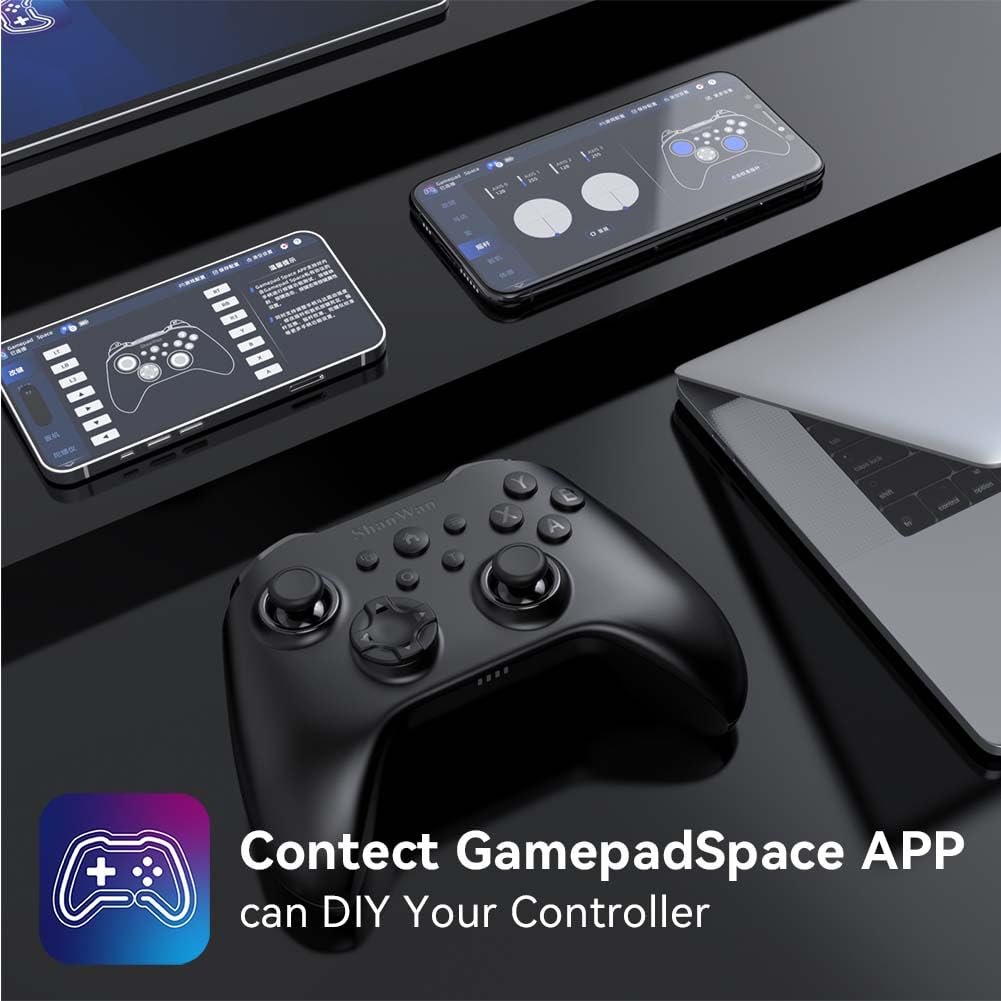
Software Customization (Gamepad Space App):
Enhance your gaming experience by customizing controller settings using the Gamepad Space mobile application.

تصویر: A ShanWan controller alongside smartphones displaying the Gamepad Space app, illustrating options for calibration and on-the-fly adjustments.
- Download the "Gamepad Space" app from your mobile device's app store.
- Connect your controller to your mobile device via Bluetooth.
- ایپ کے اندر، آپ یہ کر سکتے ہیں:
- فرم ویئر کو اپ گریڈ کریں۔
- چھڑی کو ایڈجسٹ کریں اور ڈیڈ زون کو متحرک کریں۔
- کمپن کی شدت کو حسب ضرورت بنائیں۔
- ٹیسٹ کے بٹن۔
دیکھ بھال
- صفائی: کنٹرولر کو صاف کرنے کے لیے نرم، خشک کپڑا استعمال کریں۔ سخت کیمیکلز یا کھرچنے والے مواد کے استعمال سے پرہیز کریں۔
- ذخیرہ: کنٹرولر کو کسی ٹھنڈی، خشک جگہ پر براہ راست سورج کی روشنی اور انتہائی درجہ حرارت سے دور رکھیں۔
- بیٹری کی دیکھ بھال: بیٹری کی زندگی کو طول دینے کے لیے، کنٹرولر کو کثرت سے مکمل طور پر خارج کرنے سے گریز کریں۔ اسے باقاعدگی سے چارج کریں، چاہے مسلسل استعمال میں نہ ہوں۔
خرابی کا سراغ لگانا
کنٹرولر منسلک نہیں ہو رہا ہے:
- یقینی بنائیں کہ کنٹرولر چارج ہے۔
- Verify the mode switch on the back of the controller is set correctly for your platform (S, X, or D).
- بلوٹوتھ کے لیے، یقینی بنائیں کہ آپ کے آلے کا بلوٹوتھ آن ہے اور کنٹرولر پیئرنگ موڈ میں ہے۔
- For 2.4G wireless, ensure the dongle is properly inserted and the controller is in the correct mode.
- کنٹرولر اور اپنے آلے دونوں کو دوبارہ شروع کرنے کی کوشش کریں۔
ان پٹ وقفہ یا منقطع:
- یقینی بنائیں کہ قریب میں کوئی مضبوط برقی مقناطیسی مداخلت نہیں ہے۔
- Move closer to your device for a stronger wireless signal.
- Ensure the controller's battery is not low.
- Consider using a wired USB-C connection for the most stable experience.
Joystick Drift or Unresponsive Buttons:
- Calibrate the joysticks and test buttons using the Gamepad Space app.
- Ensure the controller's firmware is up to date via the Gamepad Space app.
- کسی بھی ملبے کو ہٹانے کے لیے بٹنوں اور جوائے اسٹک کے ارد گرد صاف کریں۔
وضاحتیں
| ماڈل | B0FS13DT2B |
| کنیکٹوٹی ٹیکنالوجی | بلوٹوتھ، 2.4G وائرلیس، USB-C وائرڈ |
| ہم آہنگ آلات | Android, iOS, Nintendo Switch, Nintendo Switch 2, PC |
| کنٹرولر کی قسم | گیم پیڈ |
| بٹن کی مقدار | 12 |
| خصوصی خصوصیات | Hall Effect Joysticks, 6-Axis Gyroscope, Dual Vibration, Turbo Function, Software Customization |
| طاقت کا منبع | بیٹری سے چلنے والا |
| شے کا وزن | 300 گرام |
| آئٹم کے طول و عرض (D x W x H) | 2.5" x 4" x 6" |
وارنٹی اور سپورٹ
ShanWan products are designed for reliability and performance. For specific warranty information, please refer to the documentation included with your purchase or visit the official ShanWan support website. If you encounter any issues not covered in this manual, please contact ShanWan customer support for assistance.
آن لائن مدد: Visit the ShanWan Store on Amazon