
1. تعارف
This manual provides detailed instructions for the setup, operation, maintenance, and troubleshooting of your GMKtec Nucbox G10 Mini PC. The Nucbox G10 is a compact and powerful desktop computer designed for various applications, from office tasks to multimedia entertainment, featuring an AMD Ryzen 5 3500U processor, 16GB DDR4 RAM, and a 1TB NVMe SSD.
2. پیکیج کے مشمولات
تصدیق کریں کہ نیچے دی گئی تمام اشیاء آپ کے پیکج میں موجود ہیں:
- GMKtec Nucbox G10 AMD Ryzen 5 3500U Mini PC Computer
- Power Supply & Cable
- HDMI کیبل
- VESA Mount and Screws
- صارف دستی (یہ دستاویز)

Image: Retail Boxed Packaging. This image displays the GMKtec Nucbox G10 Mini PC, power supply, HDMI cable, VESA mount, screws, and user manual, illustrating the complete contents of the product package.
3. پروڈکٹ ختمview
3.1 کلیدی خصوصیات
- پروسیسر: AMD Ryzen 5 3500U (4 Cores, 8 Threads, up to 3.70GHz Turbo Boost)
- گرافکس: Integrated AMD Radeon Vega 8 Graphics (1200 MHz)
- یادداشت: 16GB Dual Channel DDR4 RAM (expandable up to 64GB)
- ذخیرہ: 1TB M.2 2280 NVMe SSD (expandable up to 16TB via dual M.2 2280 PCIe 3.0 slots)
- نیٹ ورک: 2.5GbE Ethernet, WiFi 5, Bluetooth 5.0
- ڈسپلے آؤٹ پٹ: Triple 4K display support via HDMI 2.1, DisplayPort 1.4, and Full Function USB-C
- کولنگ: Silent Turbo Cooling Fan system

Image: Nucbox G10 Feature Overview. This image provides a visual summary of the mini PC's core components including the AMD Ryzen 5 3500U CPU, Radeon Vega 8 Graphics, DDR4 RAM, M.2 SSD, 2.5GbE LAN, WiFi 5, Bluetooth 5.0, triple display support, and cooling system.
3.2 پورٹس اور کنیکٹر
The Nucbox G10 features a comprehensive set of ports for connectivity:
- سامنے: 1x CTIA Audio Jack, 2x USB 3.2 (5Gbps), 1x Power Button
- پیچھے: 1x Type-C (PD Only), 1x USB 2.0, 1x 2.5G Giga LAN, 1x HDMI 2.1 (4K@60Hz), 1x DP 1.4 (4K@60Hz), 1x Full Function USB-C (PD/DP/Data), 1x Kensington Lock slot

Image: Front Panel Ports. This image shows the front of the Nucbox G10, highlighting the power button, two USB 3.2 ports, and the CTIA audio jack.

Image: Rear Panel Ports. This image illustrates the rear of the Nucbox G10, detailing the USB-C (PD Only), USB 2.0, 2.5G LAN, HDMI 2.1, DisplayPort 1.4, Full Function USB-C, and Kensington Lock slot.
4. سیٹ اپ گائیڈ
4.1 کنیکٹنگ پیری فیرلز
- مانیٹر: Connect your monitor(s) to the Mini PC using the HDMI, DisplayPort, or USB-C ports. The Nucbox G10 supports up to three 4K displays simultaneously.
- کی بورڈ اور ماؤس: Connect your USB keyboard and mouse to the available USB ports.
- نیٹ ورک: For a wired connection, connect an Ethernet cable from your router/modem to the 2.5GbE LAN port. For wireless, ensure your WiFi network is available.
- آڈیو: Connect speakers or headphones to the 3.5mm audio jack on the front panel if needed.
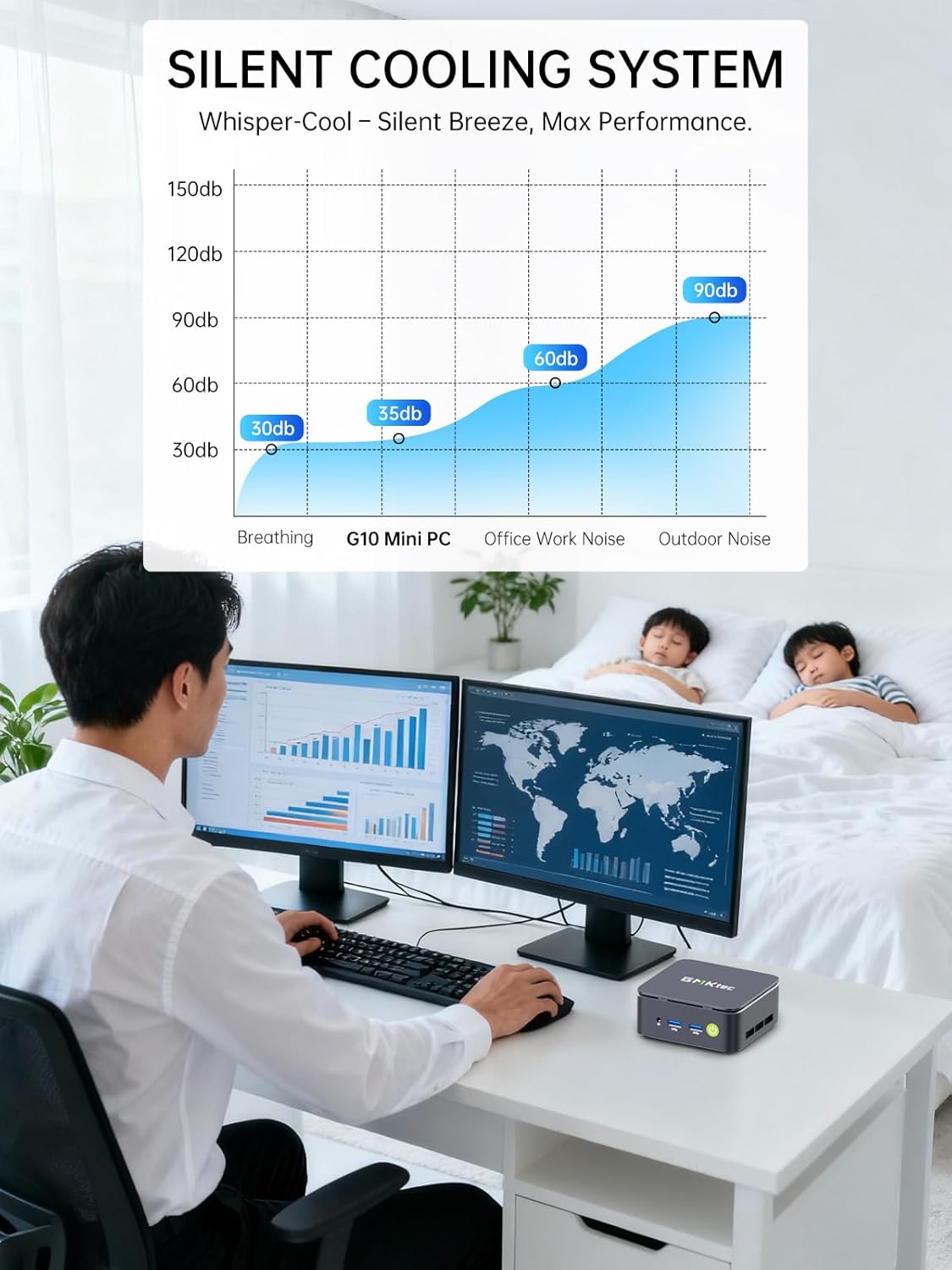
Image: Triple Display Setup. This image demonstrates the Nucbox G10 connected to two vertical monitors and a tablet, showcasing its triple display capability for enhanced productivity.
4.2 پاور کنکشن
Connect the provided power adapter to the DC-in port on the Mini PC, then plug the power cable into a wall outlet. The Mini PC is designed for low power consumption.
4.3 ابتدائی بوٹ۔
Press the power button on the front panel. The Mini PC will boot into the pre-installed Windows 11 Pro operating system. Follow the on-screen instructions for initial Windows setup.
5. آپریٹنگ ہدایات
5.1 پاور آن/آف
- پاور آن: پاور بٹن کو ایک بار دبائیں۔
- بجلی بند: From Windows, go to Start > Power > Shut down. Alternatively, press and hold the power button for 5 seconds to force a shutdown (use only when necessary).
آپریٹنگ سسٹم
Your Nucbox G10 comes with Windows 11 Pro pre-installed. Ensure you keep your operating system updated for optimal performance and security.
5.3 نیٹ ورک کنیکٹیویٹی
- وائرڈ (ایتھرنیٹ): Once the Ethernet cable is connected, the system should automatically detect the network.
- وائرلیس (وائی فائی): In Windows, click the Wi-Fi icon in the taskbar, select your network, enter the password, and connect.
- بلوٹوتھ: To connect Bluetooth devices, go to Windows Settings > Bluetooth & devices, and pair your device.
6 دیکھ بھال
6.1 صفائی
Regularly clean the exterior of the Mini PC with a soft, dry cloth. Ensure ventilation openings are free from dust to maintain optimal cooling performance. Do not use liquid cleaners directly on the device.

Image: Ultra Efficient Cooling System. This image provides an internal view of the Nucbox G10, highlighting the silent turbo cooling fan designed for efficient heat dissipation.
6.2 سافٹ ویئر اپ ڈیٹس
Keep your Windows operating system and drivers updated to ensure system stability, security, and performance. Windows Update can be accessed via Settings > Windows Update.
6.3 Storage and Memory Expansion
The Nucbox G10 supports memory expansion up to 64GB DDR4 RAM and storage expansion up to 16TB via its dual M.2 2280 PCIe 3.0 slots. Consult a qualified technician for hardware upgrades to avoid voiding your warranty or damaging the device.
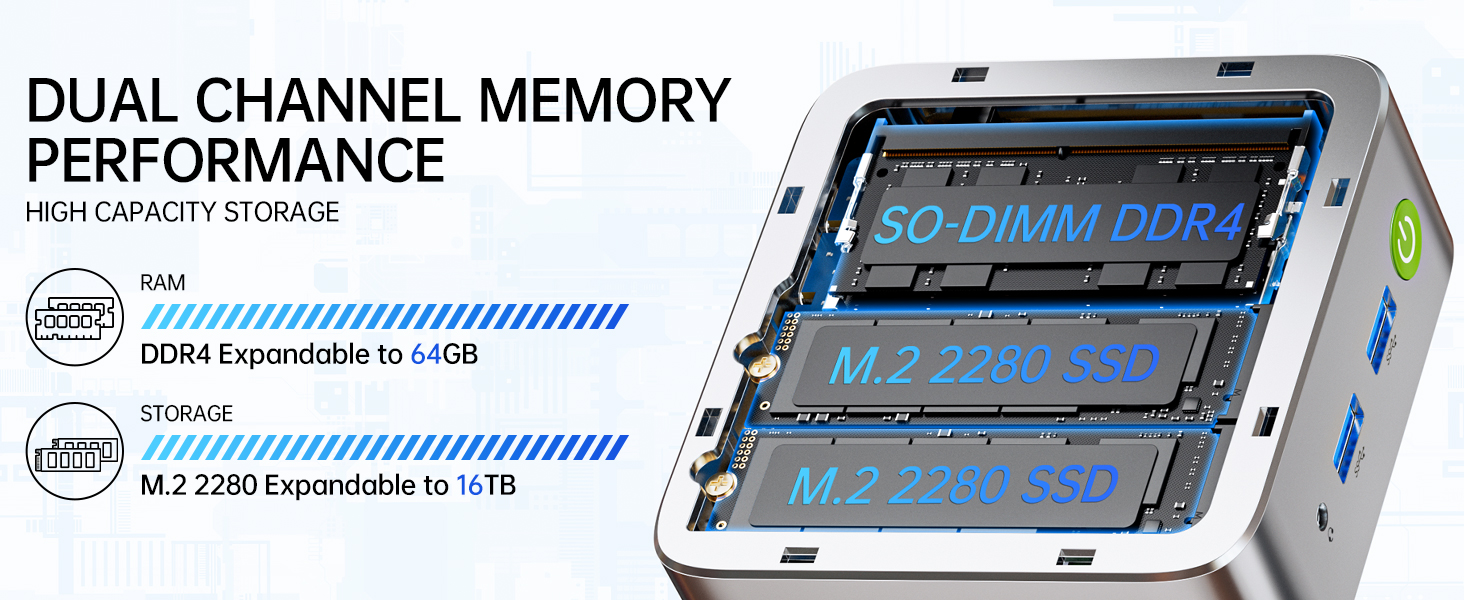
Image: Dual Channel Memory Performance and High Capacity Storage. This diagram illustrates the internal layout for SO-DIMM DDR4 RAM and M.2 2280 SSDs, indicating their expandability.
7 خرابیوں کا سراغ لگانا
اگر آپ کو اپنے منی پی سی کے ساتھ مسائل کا سامنا ہے، تو درج ذیل عام مسائل اور حل دیکھیں:
- کوئی طاقت نہیں:
- یقینی بنائیں کہ پاور اڈاپٹر منی پی سی اور ورکنگ پاور آؤٹ لیٹ دونوں سے محفوظ طریقے سے جڑا ہوا ہے۔
- دوسرے آلے میں پلگ لگا کر تصدیق کریں کہ پاور آؤٹ لیٹ فعال ہے۔
- کوئی ڈسپلے نہیں:
- Check that the HDMI, DisplayPort, or USB-C cable is firmly connected to both the Mini PC and the monitor.
- یقینی بنائیں کہ مانیٹر آن ہے اور درست ان پٹ سورس پر سیٹ ہے۔
- کسی مختلف ڈسپلے سے منسلک ہونے یا مختلف کیبل استعمال کرنے کی کوشش کریں۔
- نیٹ ورک کنیکٹیویٹی کے مسائل:
- وائرڈ: ایتھرنیٹ کیبل کنکشن چیک کریں۔ اپنا راؤٹر/موڈیم دوبارہ شروع کریں۔
- وائرلیس: Ensure Wi-Fi is enabled in Windows settings. Verify your Wi-Fi password. Restart your router.
- سست کارکردگی:
- پس منظر میں چلنے والی غیر ضروری ایپلی کیشنز کو بند کریں۔
- یقینی بنائیں کہ سسٹم میں مناسب وینٹیلیشن ہے اور وہ زیادہ گرم نہیں ہے۔
- Check for and install any pending Windows updates or driver updates.
- اسٹوریج کی جگہ خالی کرنے کے لیے ڈسک کلین اپ چلائیں۔
8. وضاحتیں
| فیچر | تفصیلات |
|---|---|
| برانڈ | GMKtec |
| ماڈل کا نام | جی 10 |
| آپریٹنگ سسٹم | ونڈوز 11 پرو |
| سی پی یو ماڈل | AMD Ryzen 5 3500U |
| سی پی یو کی رفتار | 3.7 GHz (Boost) |
| پروسیسر کا شمار | 4 |
| گرافکس کا پروسیسر | AMD Radeon Vega 8 Graphics 1200 MHz |
| RAM میموری انسٹال | 16 GB DDR4 |
| RAM میموری زیادہ سے زیادہ سائز | 64 جی بی |
| میموری کی رفتار | 2400 MT/s |
| میموری ذخیرہ کرنے کی صلاحیت | 1 TB NVMe SSD |
| ہارڈ ڈسک کی تفصیل | Dual Slot M.2 2280 PCIE Max. 16TB |
| کنیکٹوٹی ٹیکنالوجی | HDMI 2.1, RJ45 2.5GbE LAN, USB 3.2, USB-C (DP/DATA/PD), WIFI5/ BT 5.0 |
| وائرلیس مطابقت | 802.11a/b/g/n/ac (WiFi 5), Bluetooth 5.0 |
| ویڈیو آؤٹ پٹ | HDMI 2.1, DisplayPort, Type-C (Triple Display) |
| ڈسپلے ریزولوشن زیادہ سے زیادہ | 4096 × 2160 Pixels (4K) |
| کل USB پورٹس | 4 (2x USB 3.2, 1x USB 2.0, 1x USB-C Full Function) |
| بجلی کی کھپت | 25 Watts (Typical) |
| آئٹم کے طول و عرض | 4.1 x 3.8 x 1.7 انچ |
| شے کا وزن | 0.95 کلوگرام |
| کولنگ کا طریقہ | Dual Cooling Fan |
| اضافی خصوصیات | RTC Wake, Auto Power On, Wake On LAN, PXE Boot |
9. وارنٹی اور سپورٹ
9.1 وارنٹی کی معلومات
GMKtec offers a 1 سال کی محدود وارنٹی for each Mini PC, starting from the date of purchase. This warranty covers defects due to design and workmanship. Please retain your proof of purchase for warranty claims.
9.2 کسٹمر سپورٹ
For technical assistance, warranty claims, or any questions regarding your GMKtec Nucbox G10 Mini PC, please contact GMKtec customer support. You can typically find contact information on the official GMKtec website or through the seller's contact page where you purchased the product (e.g., GMKtec-Direct on Amazon).