
تعارف
The ONIKUMA X22 Wired Gaming Headset is designed to provide an immersive audio experience for gamers. It features dynamic RGB lighting, a comfortable design, and a clear communication microphone. This manual provides essential information for the proper setup, operation, maintenance, and troubleshooting of your headset.
اہم خصوصیات:
- Stunning RGB lighting effects to enhance the gaming atmosphere.
- 50mm dynamic drivers deliver impressive stereo sound.
- Features a 360-degree omnidirectional microphone with active noise reduction for clear sound.
- Convenient inline controls for RGB lighting, microphone mute, and volume adjustment.
- Designed with an adjustable suspended headband and well-ventilated ear cups for comfortable wear.
سیٹ اپ کی ہدایات
Follow these steps to set up your ONIKUMA X22 Gaming Headset:
- آڈیو کیبل کو جوڑیں: Plug the 3.5mm audio jack of the headset into the corresponding audio port on your gaming device (PC, console controller, etc.). Ensure the connection is secure.
- Connect the USB Cable (for RGB Lighting): Plug the USB-A connector into an available USB port on your device. This connection powers the RGB lighting feature. The headset will function for audio and microphone without the USB connection, but RGB lighting requires it.
- ہیڈ بینڈ کو ایڈجسٹ کریں: Place the headset on your head and adjust the suspended headband for a comfortable fit. The headband is designed to adapt to various head sizes.
- پوزیشن مائیکروفون: Adjust the flexible microphone boom to position the microphone near your mouth for optimal voice pickup. Ensure it is not obstructing your vision.
- ابتدائی آواز کی جانچ: Play some audio or initiate a voice chat to confirm sound output and microphone input are working correctly. Adjust system volume settings as needed.
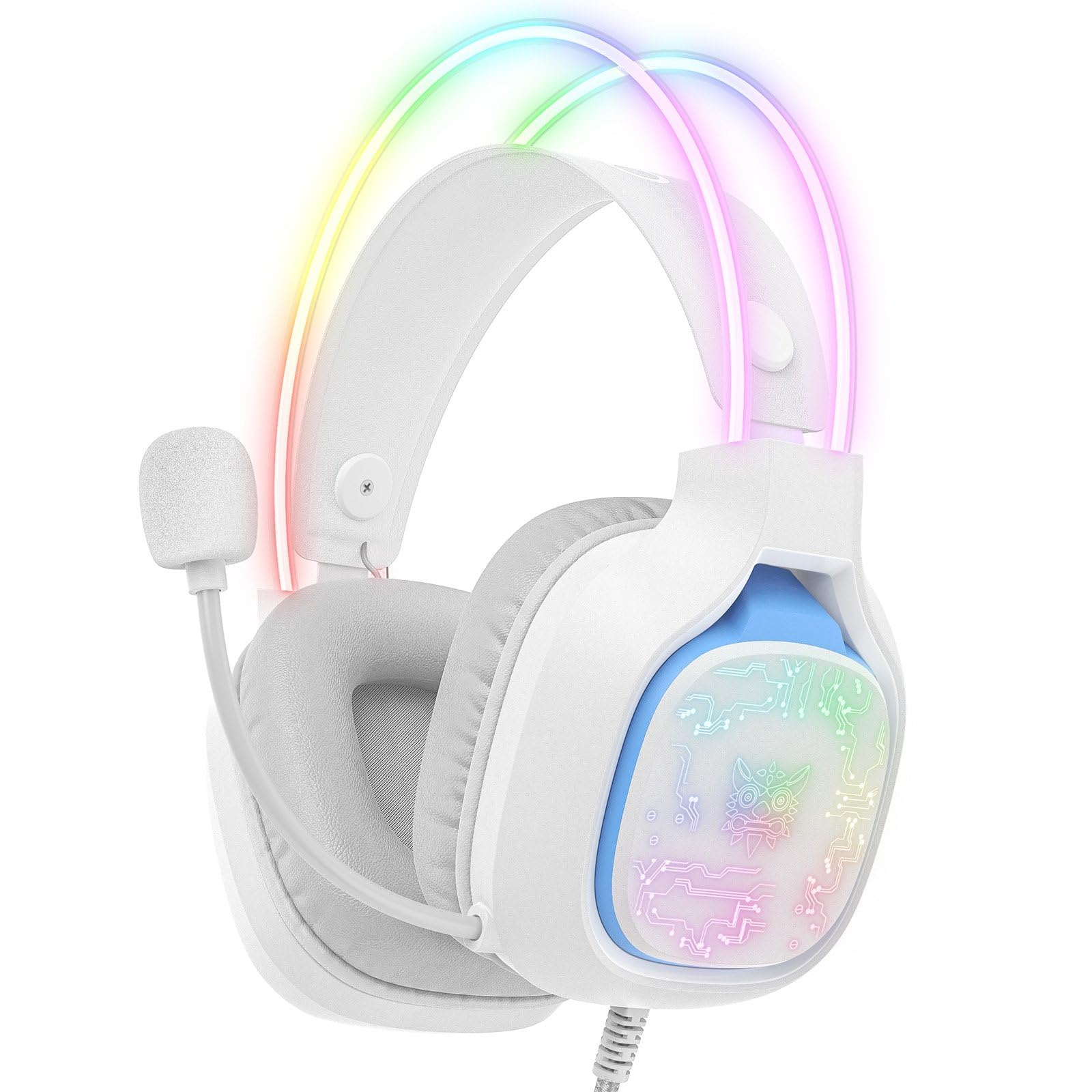
Image: The ONIKUMA X22 Gaming Headset with its 3.5mm audio jack and USB connector, ready for connection to a gaming device. The adjustable headband and microphone are visible.
آپریٹنگ ہدایات
The ONIKUMA X22 features convenient inline controls for easy management during use:
- حجم کنٹرول: Locate the volume roller on the inline control unit. Roll it up to increase volume and down to decrease volume.
- مائیکروفون خاموش: A switch on the inline control unit allows you to quickly mute or unmute the microphone. Slide the switch to the 'Mute' position to disable the microphone, and to the 'Unmute' position to enable it.
- آرجیبی لائٹنگ کنٹرول: If connected via USB, the RGB lighting will activate automatically. Some models may include a button on the inline control to cycle through lighting modes or turn the RGB off/on. Refer to the specific product packaging for detailed RGB control options if available.
For optimal performance, ensure your device's audio settings are configured to use the ONIKUMA X22 as the default playback and recording device.
دیکھ بھال
مناسب دیکھ بھال آپ کے ہیڈسیٹ کی لمبی عمر اور کارکردگی کو یقینی بناتی ہے:
- صفائی: Use a soft, dry cloth to wipe down the ear cups and headband. For stubborn dirt, a slightly damp cloth with mild soap can be used, but ensure no liquid enters the speaker grilles or microphone. Do not use harsh chemicals or abrasive cleaners.
- ذخیرہ: استعمال میں نہ ہونے پر، ہیڈسیٹ کو براہ راست سورج کی روشنی اور انتہائی درجہ حرارت سے دور صاف، خشک جگہ پر محفوظ کریں۔ ہیڈسیٹ پر بھاری اشیاء رکھنے سے گریز کریں۔
- کیبل کی دیکھ بھال: Avoid sharp bends or excessive pulling on the cables. Always grasp the plug, not the cable, when disconnecting.
- Ear Cup Replacement: If the ear cushions become worn, they may be replaceable. Check the manufacturer's website or contact support for replacement parts.
خرابی کا سراغ لگانا
اگر آپ کو اپنے ہیڈسیٹ کے ساتھ مسائل درپیش ہیں، تو درج ذیل عام حل سے رجوع کریں:
- کوئی آواز نہیں:
- یقینی بنائیں کہ 3.5mm آڈیو جیک ڈیوائس کے آڈیو پورٹ میں پوری طرح سے داخل ہے۔
- Check the inline volume control and increase the volume.
- تصدیق کریں کہ آپ کے آلے کا سسٹم والیوم خاموش نہیں ہے یا بہت کم سیٹ ہے۔
- تصدیق کریں کہ ہیڈسیٹ کو آپ کے آپریٹنگ سسٹم کی ساؤنڈ سیٹنگز میں ڈیفالٹ آڈیو آؤٹ پٹ ڈیوائس کے طور پر منتخب کیا گیا ہے۔
- ڈیوائس کے مخصوص مسئلے کو مسترد کرنے کے لیے ہیڈسیٹ کو دوسرے ڈیوائس پر ٹیسٹ کریں۔
- مائیکروفون کام نہیں کر رہا:
- Ensure the microphone mute switch on the inline control is in the 'Unmute' position.
- Check that the microphone is properly positioned near your mouth.
- Verify the headset microphone is selected as the default input device in your operating system's sound settings and communication applications.
- Adjust the microphone input level in your device's sound settings.
- Test the microphone on another device.
- آرجیبی لائٹنگ کام نہیں کر رہی:
- Ensure the USB-A connector is securely plugged into a powered USB port.
- ایک مختلف USB پورٹ آزمائیں۔
- If there is an RGB control button on the inline unit, press it to cycle through modes or activate the lighting.
- غیر آرام دہ فٹ:
- Adjust the suspended headband to find the most comfortable position.
- Ensure the ear cups are fully covering your ears without excessive pressure.
وضاحتیں
| فیچر | تفصیل |
|---|---|
| ماڈل نمبر | X22 |
| ڈرائیور قطر | 50 ملی میٹر |
| تعدد کی حد | 20Hz - 20kHz |
| مائکروفون کی قسم | 360-degree Omnidirectional with Active Noise Reduction |
| کنیکٹوٹی | 3.5mm Audio Jack + USB-A (for RGB) |
| کیبل کی لمبائی | 1.8 میٹر |
| وزن | 364 گرام |
| شپنگ کے طول و عرض | 23.5 x 19.4 x 11.4 سینٹی میٹر |
| ریلیز کی تاریخ | 26 ستمبر 2025 |
وارنٹی کی معلومات
The ONIKUMA X22 Gaming Headset is covered by a standard manufacturer's warranty. The duration and terms of the warranty may vary by region and retailer. Please retain your proof of purchase for warranty claims. For specific details regarding your warranty coverage, refer to the documentation included with your product or visit the official ONIKUMA webسائٹ
کسٹمر سپورٹ
For technical assistance, product inquiries, or customer service, please contact ONIKUMA customer support. You can typically find contact information, including email addresses, phone numbers, or support portals, on the official ONIKUMA website. Please have your product model (X22) and purchase details ready when contacting support.
سرکاری Webسائٹ: www.onikuma.net (براہ کرم نوٹ کریں: یہ پلیس ہولڈر ہے۔ URL. Refer to your product packaging for the correct official webسائٹ.)