
تعارف
Thank you for choosing the ProtoArc KM310 Wireless Mechanical Keyboard and Mouse. This combo offers a responsive typing experience with low-profile linear red switches and versatile multi-device connectivity. The ergonomic mouse is designed for comfort and precision. This manual provides detailed instructions for setup, operation, maintenance, and troubleshooting to ensure optimal performance.
باکس میں کیا ہے۔

Image: Contents of the ProtoArc KM310 package, including the keyboard, mouse, charging cable, and user manual.
- ProtoArc KM310 Wireless Mechanical Keyboard
- ProtoArc Wireless Mouse
- USB-C چارجنگ کیبل
- صارف دستی
پروڈکٹ ختمview
کی بورڈ کی خصوصیات

تصویر: ایک قریبی اپ view of the ProtoArc KM310 keyboard, highlighting its low-profile keys and linear red switches.
- کم پرو۔file مکینیکل چابیاں: Equipped with linear red switches for a smooth, quiet, and responsive typing experience.
- Aluminum Top Case: Provides durability and a sleek, modern aesthetic.
- سایڈست جھکاؤ ٹانگیں: Ergonomically designed with 2-stage foot mats offering 6° and 9° tilt options for comfortable typing.
- پورے سائز کا لے آؤٹ: A 108-key layout suitable for office and business use.
ماؤس کی خصوصیات

Image: The ProtoArc KM310 mouse being held, showcasing its ergonomic design for a natural grip.
- 63G Ultra-Lightweight: Reduces hand fatigue during extended use and enhances portability.
- ایرگونومک ڈیزائن: Contoured shape for a comfortable and natural grip.
- سایڈست DPI: Three DPI levels (1000/1600/2400) for tailored control and precision.
- خاموش کلک: خاموش آپریشن کے لیے ڈیزائن کیا گیا ہے۔
- آگے/پیچھے بٹن: Integrated for seamless browsing.
کنیکٹیویٹی اور پاور
- ملٹی ڈیوائس کنیکٹیویٹی: Connects up to 3 devices via 2.4G USB receiver or Dual Bluetooth (BT1, BT2).
- قابل ریچارج: Both keyboard and mouse feature Type-C charging. The mouse's USB receiver is stored on its bottom.
- لمبی بیٹری کی زندگی: Up to 150-200 days standby time; 2-3 hours for a full charge.
سیٹ اپ کی ہدایات
1. آلات کو چارج کرنا

Image: The keyboard and mouse are shown connected to power sources via USB-C cables for charging.
- فراہم کردہ USB-C چارجنگ کیبل کو کی بورڈ پر چارجنگ پورٹ (اوپر والے کنارے پر واقع ہے) اور ماؤس (سامنے کنارے پر واقع) سے جوڑیں۔
- کیبل کے دوسرے سرے کو USB پاور سورس (جیسے کمپیوٹر USB پورٹ، USB وال اڈاپٹر) میں لگائیں۔
- The indicator lights will show charging status. Allow 2-3 hours for a full charge.
2. آلات سے جڑنا

Image: A desk setup showing the ProtoArc KM310 keyboard and mouse connected to a laptop, monitor, and tablet, illustrating multi-device capability.
The KM310 combo supports three connection modes: 2.4G wireless via USB receiver, Bluetooth 1 (BT1), and Bluetooth 2 (BT2).
2.1. 2.4G وائرلیس کنکشن
- ماؤس کے نچلے حصے میں کمپارٹمنٹ میں محفوظ USB ریسیور کو تلاش کریں۔
- USB ریسیور کو اپنے کمپیوٹر پر دستیاب USB پورٹ میں لگائیں۔
- کی بورڈ اور ماؤس کو ان کے متعلقہ پاور سوئچز کا استعمال کرتے ہوئے آن کریں۔
- آلات کو خود بخود جڑنا چاہیے۔
2.2 بلوٹوتھ کنکشن (BT1 / BT2)
- کی بورڈ اور ماؤس کو آن کریں۔
- کی بورڈ پر، دبائیں۔ بی ٹی 1 or بی ٹی 2 key (usually located on the number pad, indicated by orange keycaps) to select the desired Bluetooth channel. The indicator light will flash.
- On your device (computer, tablet, etc.), go to Bluetooth settings and search for "ProtoArc KM310 Keyboard" and "ProtoArc KM310 Mouse".
- Select the devices to pair. The indicator light will stop flashing once connected.
- Repeat for a second Bluetooth device using the other BT channel.
2.3. آلات کے درمیان سوئچنگ
To switch between connected devices, simply press the corresponding connection key on the keyboard (2.4G, BT1, or BT2) and the channel switch button on the bottom of the mouse.
آپریٹنگ ہدایات
کی بورڈ کا استعمال
- ٹائپنگ: کم پروfile linear red switches provide a responsive and quiet typing experience.
- آپریٹنگ سسٹم کی مطابقت: The keyboard is compatible with Windows and Mac OS. Keys like 'Win' and 'Alt' also show 'Option' and 'Cmd' for Mac users.
- جھکاؤ کو ایڈجسٹ کرنا: Use the adjustable tilt legs on the underside of the keyboard to set your preferred typing angle (6° or 9°).
ماؤس کا استعمال
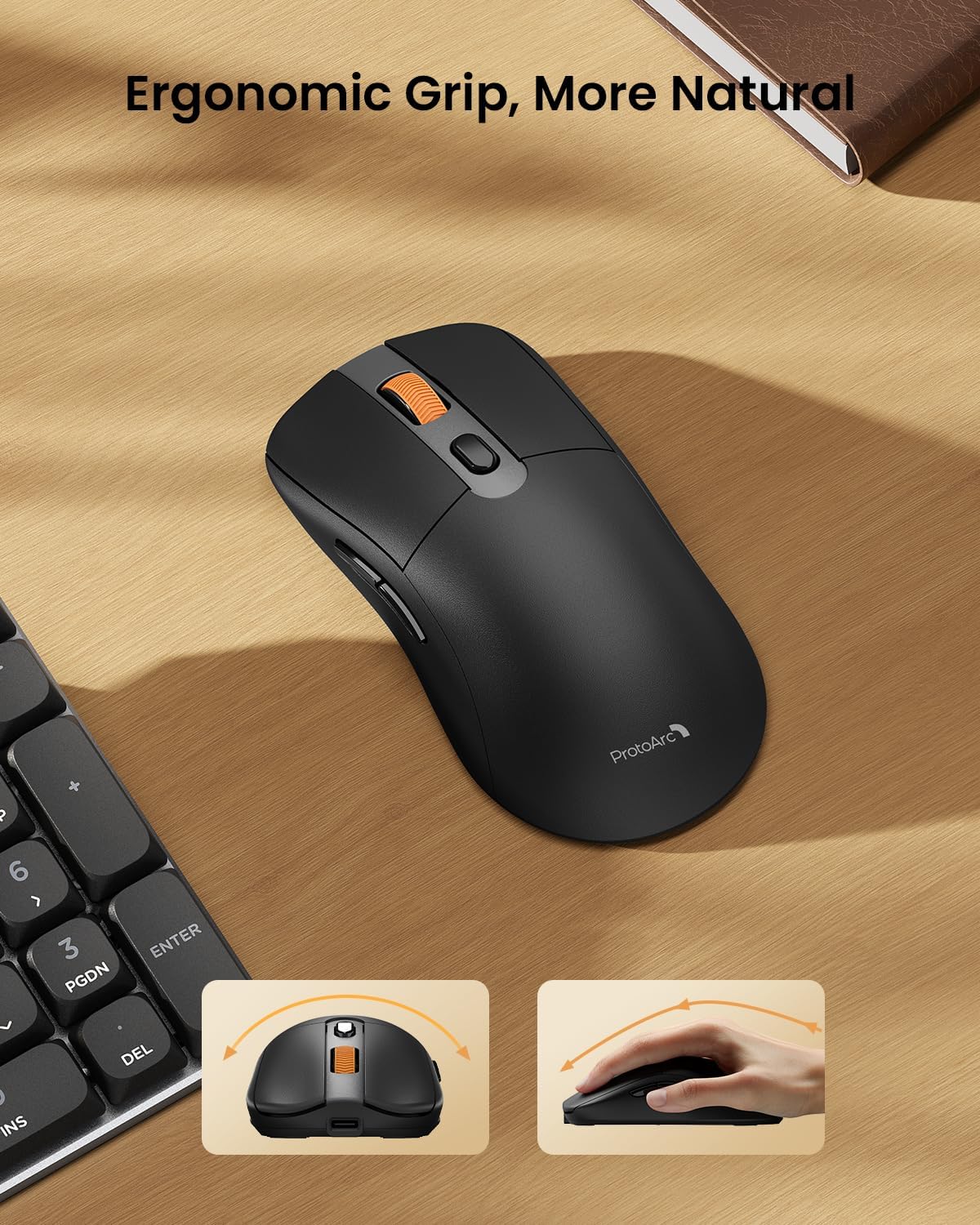
Image: A close-up of the ProtoArc KM310 mouse, illustrating the three adjustable DPI settings (1000, 1600, 2400).
- ڈی پی آئی ایڈجسٹمنٹ: Press the DPI switch button (usually located near the scroll wheel) to cycle through the 3 DPI levels (1000/1600/2400) to match your preference for cursor speed and precision.
- نیویگیشن بٹن: Use the forward and backward buttons on the side of the mouse for quick navigation in web براؤزر یا file متلاشی
- خاموش کلکس: The mouse features silent click buttons for a quiet working environment.
دیکھ بھال
- صفائی: کی بورڈ اور ماؤس کو صاف کرنے کے لیے نرم، خشک کپڑا استعمال کریں۔ ضدی گندگی کے لیے، تھوڑا سا ڈیamp ہلکے صابن کے ساتھ کپڑا استعمال کیا جا سکتا ہے، اس بات کو یقینی بناتے ہوئے کہ آلہ میں کوئی مائع داخل نہ ہو۔
- بیٹری کی دیکھ بھال: Recharge the devices when the battery indicator is low. Avoid prolonged exposure to extreme temperatures.
- ذخیرہ: When not in use for extended periods, turn off the devices to conserve battery life. Store the USB receiver inside the mouse to prevent loss.
خرابی کا سراغ لگانا
Keyboard/Mouse Not Turning On or Stopping Working
- بیٹری چیک کریں: Ensure both the keyboard and mouse are sufficiently charged. Connect them to a power source using the USB-C cable.
- آلات کو دوبارہ جوڑیں:
- For 2.4G connection, ensure the USB receiver is securely plugged in and the devices are set to 2.4G mode.
- For Bluetooth connection, ensure the devices are set to the correct BT channel (BT1 or BT2) and re-pair them through your device's Bluetooth settings.
- ایک مختلف کیبل آزمائیں: If charging issues persist, try using a different USB-C cable to rule out a faulty cable.
- مداخلت: آلات کو اپنے کمپیوٹر کے قریب یا دوسرے وائرلیس آلات سے دور کریں جو مداخلت کا سبب بن سکتے ہیں۔
- سپورٹ سے رابطہ کریں: If the issue persists, please contact ProtoArc customer support for further assistance.
وضاحتیں
| ماڈل نمبر | KM310 |
| برانڈ | پروٹو آرک |
| رنگ | خلائی گرے |
| کنیکٹوٹی ٹیکنالوجی | Bluetooth, USB (2.4G Wireless) |
| خصوصی خصوصیات | لو پروfile Keys, Linear Red Switches, Ergonomic Design, Ultra-Light Mouse, Ergonomic Mouse |
| ہم آہنگ آلات | Laptop, Personal Computer, Tablet (Windows 7/8/10, Mac OS X 10.12, Android 4.3 or higher) |
| شے کا وزن | 2.31 پاؤنڈ |
| پیکیج کے طول و عرض | 17.68 x 8.07 x 2.05 انچ |
وارنٹی اور سپورٹ
The ProtoArc KM310 Mechanical Keyboard and Mouse combo comes with a 2 سال کی وارنٹی.
For any questions, technical support, or warranty claims, please contact ProtoArc customer service:
- ای میل: support@protoarc.com
- فون: +1 866-287-8188
آفیشل پروڈکٹ ویڈیو
ویڈیو: سرکاری پروڈکٹ ویڈیو شوasing the features and design of the ProtoArc KM310 Aluminum Mechanical Keyboard and Mouse.