
1. پروڈکٹ ختمview
The HP Laptop 15-fd2353la is a versatile and efficient computing device designed for everyday tasks, entertainment, and productivity. It features an Intel Core Ultra 5 processor, a vibrant 15.6-inch Full HD display, ample memory, and fast solid-state storage. This manual will guide you through the setup, operation, and maintenance of your new laptop.

سامنے والا view of the HP Laptop 15-fd2353la, highlighting its Intel Core Ultra 5 processor, 24 GB RAM, 512 GB SSD, and 15.6-inch Full HD display.
2. سیٹ اپ
2.1 پیک کھولنا
Carefully remove your laptop and all accessories from the packaging. Ensure the following items are present:
- HP Laptop 15-fd2353la
- پاور اڈاپٹر اور کیبل
- دستاویزات (کوئیک سٹارٹ گائیڈ، وارنٹی معلومات)
2.2 پاور اڈاپٹر کو جوڑنا
Before first use, connect the power adapter to the laptop's power port and then plug it into a wall outlet. Allow the battery to charge for a few hours, or until fully charged, before initial use.
2.3 ابتدائی پاور آن اور ونڈوز سیٹ اپ
Press the power button located on the keyboard to turn on the laptop. Follow the on-screen instructions to complete the Windows 11 Home setup process. This includes selecting your language, connecting to a Wi-Fi network, and creating a user account.
3. آپریٹنگ ہدایات
3.1 پاور آن/آف اور سلیپ موڈ
- پاور آن: پاور بٹن دبائیں۔
- بند کریں: اسٹارٹ بٹن پر کلک کریں، پھر پاور> شٹ ڈاؤن کریں۔
- نیند موڈ: ڑککن بند کریں یا اسٹارٹ بٹن پر کلک کریں، پھر پاور > نیند پر کلک کریں۔
3.2 کی بورڈ اور ٹچ پیڈ کا استعمال
The laptop features a full-size Spanish QWERTY keyboard and a precision touchpad. Use the touchpad for navigation, clicking, and multi-touch gestures. Refer to Windows settings for touchpad customization.
3.3 وائی فائی سے جڑنا
وائرلیس نیٹ ورک سے جڑنے کے لیے:
- ٹاسک بار میں Wi-Fi آئیکن پر کلک کریں۔
- فہرست سے اپنا مطلوبہ نیٹ ورک منتخب کریں۔
- Enter the network password if prompted, then click Connect.
4. کلیدی خصوصیات
The HP Laptop 15-fd2353la offers a range of features designed to enhance your computing experience:
- پروسیسر: Intel Core Ultra 5 225U (up to 4.8 GHz with Intel Turbo Boost Technology, 12 MB L3 Cache, 12 cores, 14 threads) for efficient multitasking.
- ذخیرہ: 512 GB PCIe NVMe M.2 Solid State Drive for fast boot times and application loading.
- یادداشت: 24 GB DDR5-5600 MT/s RAM for smooth performance across demanding applications.
- ڈسپلے: 15.6-inch Full HD (1920 x 1080) IPS anti-glare display with 250 nits brightness and 62.5% sRGB for clear visuals.
- آپریٹنگ سسٹم: Pre-installed with Windows 11 Home.
- بیٹری کی زندگی: Up to 9 hours and 45 minutes of AI-optimized battery life, with HP Fast Charge capable of recharging 50% in approximately 30 minutes.
- Webcam and Audio: مربوط webcam with a privacy shutter and a clear microphone featuring external noise reduction for improved video calls.
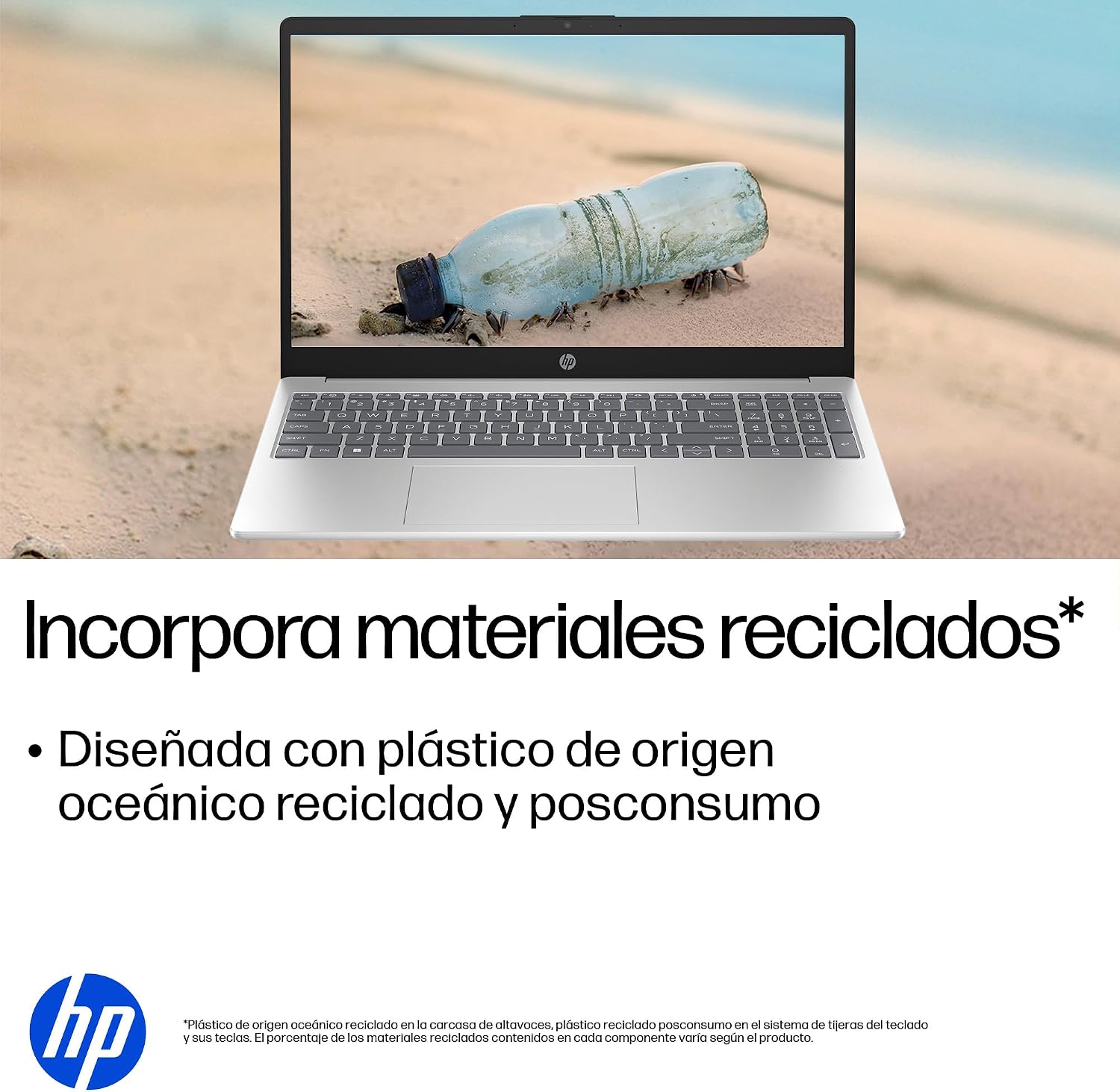
- پائیدار ڈیزائن: Constructed with ocean-bound and post-consumer recycled plastics in various components.

The laptop features an integrated webcam shutter for privacy and a clear microphone with external noise reduction.

Experience an immersive visual display with an 85% screen-to-body ratio and an anti-glare Full HD screen.

Enjoy extended use with up to 9 hours and 45 minutes of AI-optimized battery life, and quickly recharge 50% in 30 minutes with HP Fast Charge.

This laptop incorporates recycled materials, including ocean-bound and post-consumer plastics, in its design.
5. پورٹس اور کنیکٹیویٹی
Your HP Laptop 15-fd2353la is equipped with various ports for connecting peripherals and external devices:

Diagram illustrating the location and type of ports on the HP Laptop 15-fd2353la.
- بائیں طرف:
- 1 x USB Type-A 5 Gbps signaling rate port
- 1 x HDMI پورٹ
- 1 x USB Type-C 5 Gbps signaling rate port
- 1 x Headphone/Microphone combo jack
- دائیں طرف:
- 1 x USB Type-A 5 Gbps signaling rate port
- 1 x Power connector
6. وضاحتیں
| فیچر | تفصیلات |
|---|---|
| برانڈ | HP |
| ماڈل کا نام | 15-fd2353la |
| اسکرین کا سائز | 15.6 انچ |
| زیادہ سے زیادہ سکرین ریزولوشن | 1920 x 1080 پکسلز (FHD) |
| ڈسپلے کی قسم | IPS, Anti-glare LCD |
| رنگ | چاندی |
| سی پی یو ماڈل | Intel Core Ultra 5 225U |
| پروسیسر کی رفتار | 4.8 GHz تک |
| رام سائز | 24 جی بی |
| رام ٹیکنالوجی | DDR5-5600 MT/s |
| ہارڈ ڈرائیو کا سائز | 512 GB SSD (PCIe NVMe M.2) |
| آپریٹنگ سسٹم | ونڈوز 11 ہوم |
| گرافکس کا پروسیسر | انٹیل انٹیگریٹڈ گرافکس |
| USB پورٹس | 3 (2x USB Type-A, 1x USB Type-C) |
| HDMI پورٹس | 1 |
| بیٹری کی قسم | لیتھیم آئن |
| بیٹری توانائی کا مواد | 41 واٹ گھنٹے |
| کی بورڈ لے آؤٹ | QWERTY (Spanish) |
| وزن | 1.65 کلوگرام |
| طول و عرض (L x W x H) | 23.6 x 36 x 1.9 سینٹی میٹر |
Visual representation of the laptop's dimensions and weight.
7 دیکھ بھال
7.1 لیپ ٹاپ کی صفائی
- تھوڑا سا نرم، لنٹ سے پاک کپڑا استعمال کریں۔ampڈسپلے کو صاف کرنے کے لیے پانی یا اسکرین کلینر سے بند کیا گیا ہے۔
- کی بورڈ اور چیسس کے لیے نرم کپڑا استعمال کریں۔ سخت کیمیکلز یا کھرچنے والے مواد سے پرہیز کریں۔
- کی بورڈ کیز اور وینٹ سے دھول صاف کرنے کے لیے کمپریسڈ ہوا کا استعمال کریں۔
7.2 بیٹری کی دیکھ بھال
- انتہائی درجہ حرارت سے پرہیز کریں۔
- بیٹری کو بار بار پوری طرح سے خارج نہ کریں۔
- اگر لیپ ٹاپ کو لمبے عرصے کے لیے اسٹور کر رہے ہیں، تو یقینی بنائیں کہ بیٹری تقریباً 50% تک چارج ہو گئی ہے۔
7.3 سافٹ ویئر اپ ڈیٹس
بہترین کارکردگی اور سیکیورٹی کو یقینی بنانے کے لیے اپنے ونڈوز آپریٹنگ سسٹم اور ڈرائیورز کو باقاعدگی سے اپ ڈیٹ کریں۔ ونڈوز اپ ڈیٹ کو سیٹنگز > ونڈوز اپ ڈیٹ کے ذریعے حاصل کیا جا سکتا ہے۔
7.4 اسٹوریج مینجمنٹ
وقتاً فوقتاً دوبارہview اور غیر ضروری حذف کریں۔ files to maintain sufficient free space on your 512 GB SSD, which helps in sustaining system performance.
8 خرابیوں کا سراغ لگانا
8.1 پاور کے مسائل
- لیپ ٹاپ آن نہیں ہو رہا: یقینی بنائیں کہ پاور اڈاپٹر محفوظ طریقے سے لیپ ٹاپ اور ورکنگ پاور آؤٹ لیٹ دونوں سے جڑا ہوا ہے۔ چیک کریں کہ آیا پاور آؤٹ لیٹ کام کر رہا ہے۔
- بیٹری چارج نہیں ہو رہی ہے: Verify the power adapter is correctly connected. Try a different power outlet.
8.2 ڈسپلے کے مسائل
- اسکرین پر کوئی تصویر نہیں: Connect an external monitor to the HDMI port to check if the issue is with the laptop's display or the graphics card.
- دھیمی یا چمکتی ہوئی اسکرین: Adjust screen brightness using the keyboard function keys. Update display drivers.
8.3 کنیکٹیویٹی کے مسائل
- Wi-Fi منسلک نہیں ہو رہا ہے: Ensure Wi-Fi is enabled. Restart your router and modem. Check network settings in Windows.
- USB آلات کی شناخت نہیں ہوئی: Try connecting the device to a different USB port. Ensure device drivers are installed.
8.4 کارکردگی کے مسائل
- سست کارکردگی: Close unnecessary applications. Check for background processes consuming high resources (Task Manager). Ensure sufficient free storage space.
- System freezes: Restart the laptop. Check for recent software installations or updates that might be causing conflicts.
9. وارنٹی اور سپورٹ
9.1 وارنٹی کی معلومات
Your HP Laptop 15-fd2353la comes with a 1 سال کی محدود وارنٹی. This warranty covers manufacturing defects and hardware failures under normal use conditions. Please refer to the warranty documentation included with your product for full terms and conditions.
9.2 تکنیکی معاونت
For technical assistance, warranty claims, or service inquiries, please visit the official HP support website or contact HP customer service. Have your product model number (15-fd2353la) and serial number ready when contacting support.
You can find more information and support resources at the official HP webسائٹ: www.hp.com/support