
1. سیٹ اپ
1.1 پیکیج کے مشمولات
Before assembly, please verify that all components are present in the package:
- KTC H24F7 24 Inch 240Hz Monitor
- مانیٹر بیس
- مانیٹر اسٹینڈ
- پاور اڈاپٹر
- HDMI کیبل
- فوری آغاز گائیڈ (QSG)
1.2 اسمبلی ہدایات
اپنے مانیٹر کو جمع کرنے کے لیے ان اقدامات پر عمل کریں:
- پیکیجنگ سے مانیٹر اور تمام اجزاء کو احتیاط سے ہٹا دیں۔
- Attach the monitor stand to the monitor base. Ensure it clicks securely into place.
- Connect the assembled stand and base to the back of the monitor. The stand is designed for easy snap-in installation.
- مانیٹر کو ایک مستحکم، ہموار سطح پر رکھیں۔

1.3 VESA ماؤنٹ کی تنصیب
The KTC H24F7 monitor supports VESA 100mm x 100mm mounting for alternative stand or wall mount solutions. Ensure you use M4-0.7 x 10mm screws (not included) for secure installation.

1.4 آلات سے جڑنا
Connect your computer or other devices to the monitor using the appropriate cables.
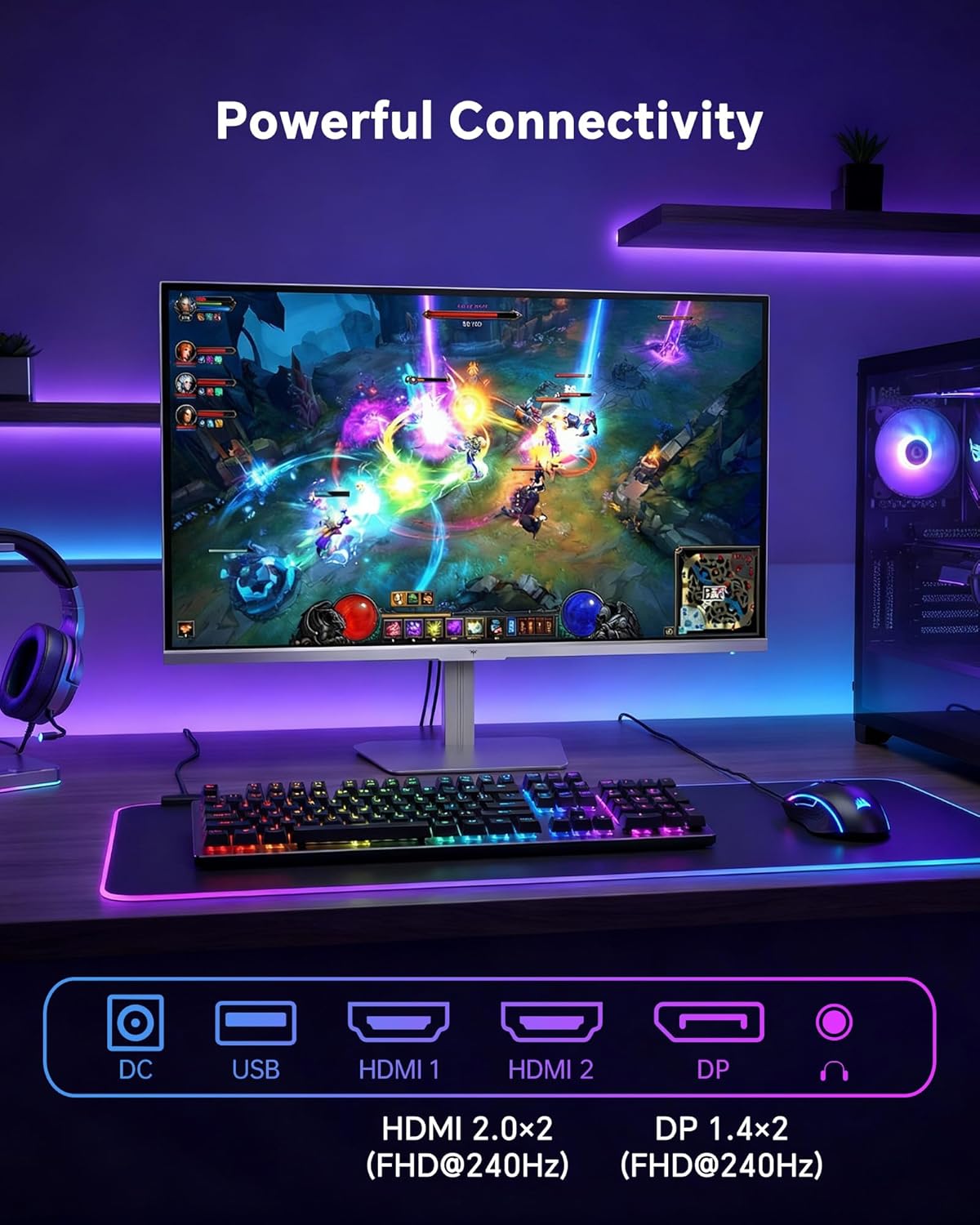
- HDMI: Use an HDMI cable to connect to devices with HDMI output. The monitor has two HDMI 2.0 ports, supporting FHD at 240Hz.
- ڈسپلے پورٹ: Use a DisplayPort cable for devices with DisplayPort output. The monitor has one DisplayPort 1.4, supporting FHD at 240Hz.
- طاقت: Connect the power adaptor to the DC input on the monitor and then to a power outlet.
- USB: A USB 2.0 port is available for connecting peripherals.
- آڈیو آؤٹ: A 3.5mm audio jack is available for connecting headphones or external speakers.
2. آپریٹنگ ہدایات
2.1 پاور آن/آف
اسے آن یا آف کرنے کے لیے مانیٹر پر موجود پاور بٹن کو دبائیں۔ مانیٹر کے فعال ہونے پر پاور انڈیکیٹر لائٹ روشن ہو جائے گی۔
2.2 آن اسکرین ڈسپلے (OSD) مینو
The OSD menu allows you to adjust various monitor settings. Use the control buttons (typically located on the back or bottom of the monitor) to navigate the menu and select options. Refer to the Quick Start Guide for specific button functions.
2.3 ڈسپلے کی ترتیبات
اپنی اصلاح کریں۔ viewدرج ذیل ترتیبات کو ایڈجسٹ کرکے تجربہ کرنا:
- ریفریش ریٹ: The monitor supports a 240Hz refresh rate for smooth motion. Ensure your graphics card settings are configured to utilize this rate.

- موافقت پذیری کی مطابقت پذیری: This technology synchronizes the monitor's refresh rate with your graphics card's frame rate to eliminate screen tearing and stuttering. Enable Adaptive Sync in the OSD menu and ensure it is also enabled in your graphics card control panel (FreeSync/G-Sync compatible).

- HDR 400: High Dynamic Range 400 provides enhanced contrast and color accuracy, delivering brighter highlights and deeper shadows. Activate HDR in the OSD menu and your operating system display settings for compatible content.

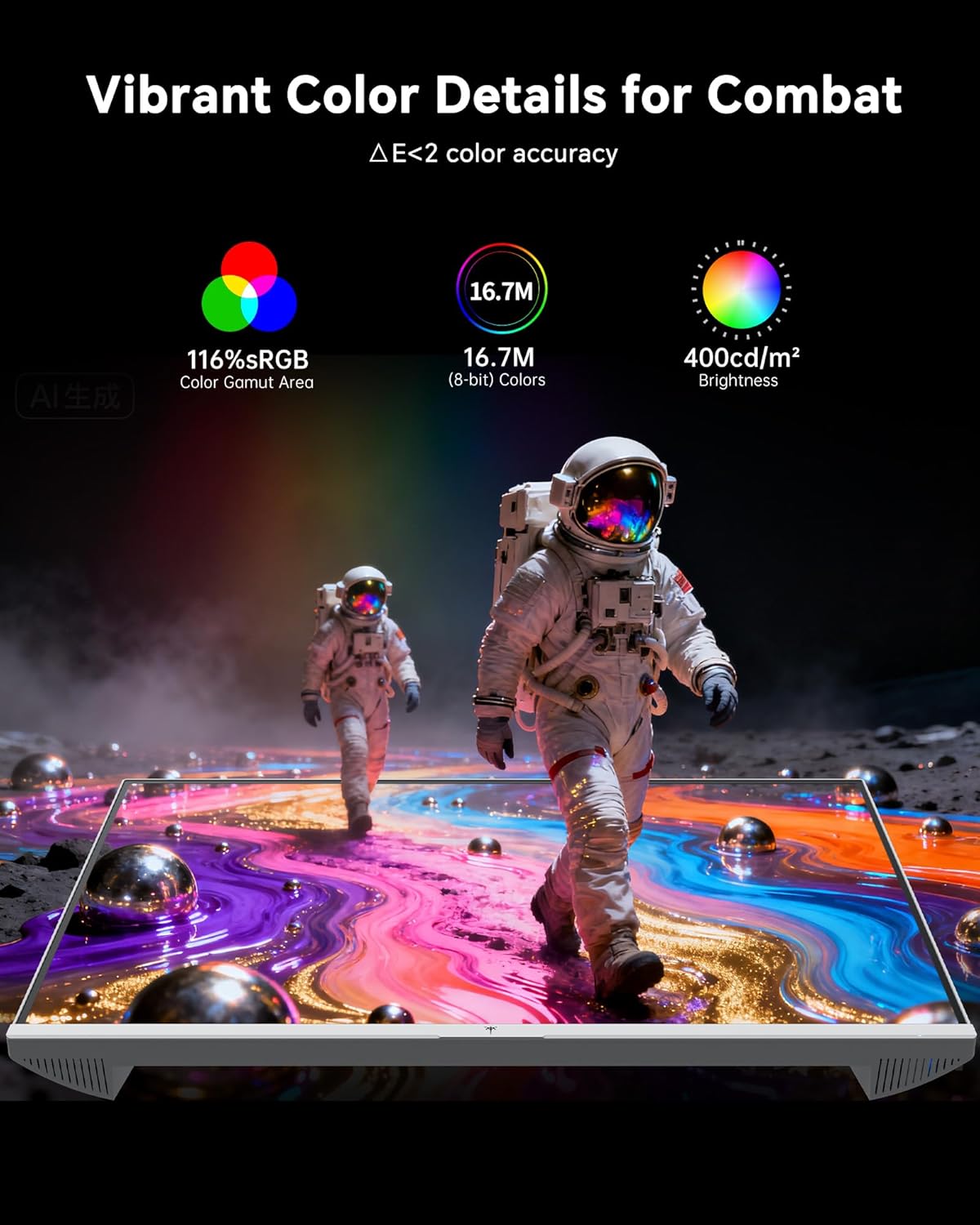
- رنگ کی ترتیبات: The monitor offers 116% sRGB color gamut and 16.7 million colors. Adjust brightness (up to 400 cd/m²) and color temperature through the OSD menu to suit your preference.
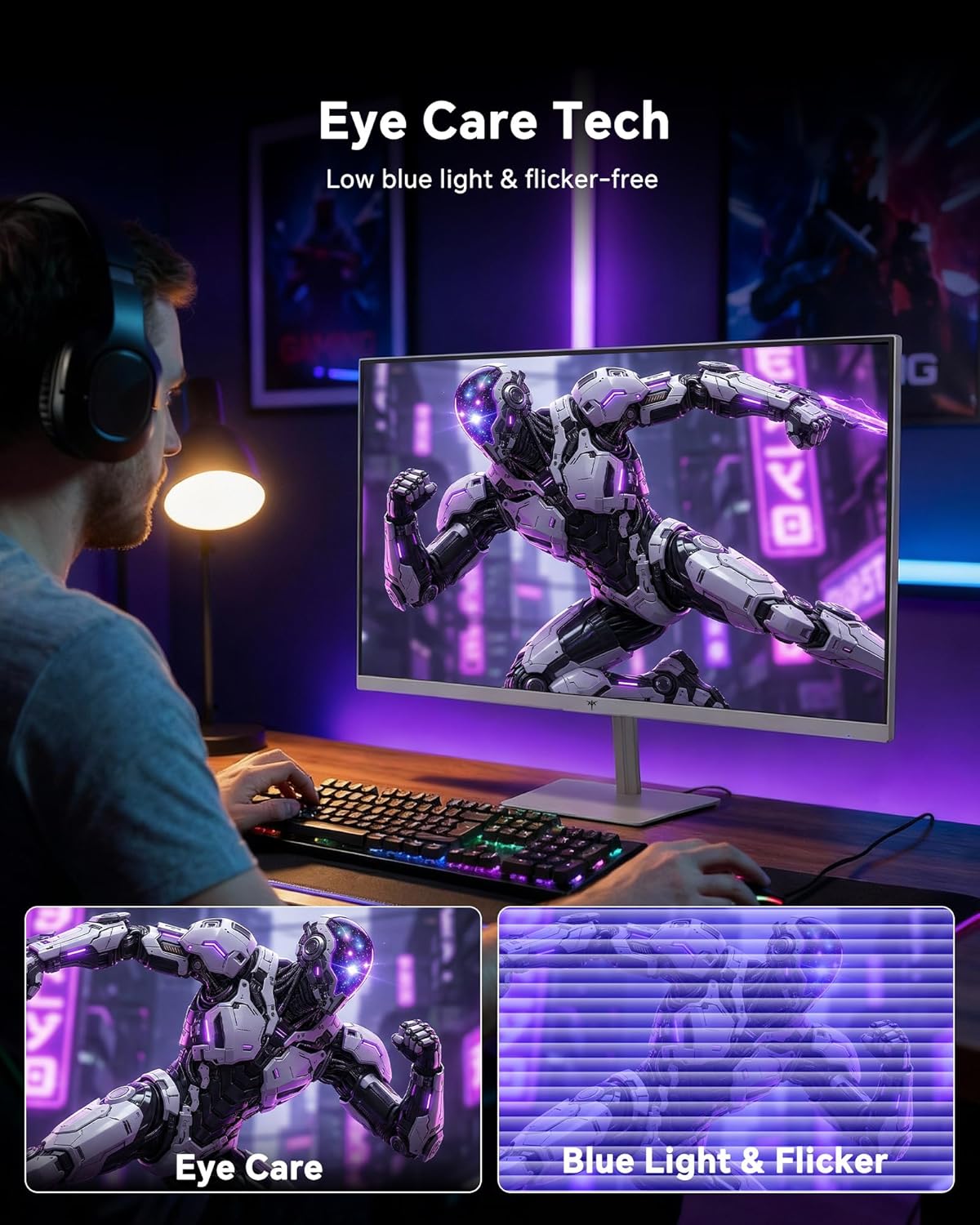
- آنکھوں کی دیکھ بھال کی ٹیکنالوجی: The monitor features low blue light and flicker-free technology to reduce eye strain during prolonged use. These settings can typically be adjusted or enabled within the OSD menu.
2.4 Monitor Tilt Adjustment
The monitor supports tilt adjustment from -5° to 15° (±3°). Gently adjust the monitor panel to your desired viewING زاویہ
3 دیکھ بھال
3.1 مانیٹر کی صفائی
مانیٹر اسکرین کو صاف کرنے کے لیے اور casing:
- مانیٹر کو ہمیشہ بند کر دیں اور صفائی کرنے سے پہلے پاور کورڈ کو ان پلگ کریں۔
- تھوڑا سا نرم، لنٹ سے پاک کپڑا استعمال کریں۔ampپانی یا ہلکے، غیر کھرچنے والے اسکرین کلینر کے ساتھ ختم کیا گیا ہے۔
- Wipe the screen gently to remove dust and smudges. Avoid applying excessive pressure.
- سی کے لیےasing, use a dry, soft cloth. Do not use alcohol, ammonia, or abrasive cleaners, as these can damage the surface.
3.2 عمومی نگہداشت
- مانیٹر یا اس کی کیبلز پر بھاری اشیاء رکھنے سے گریز کریں۔
- مانیٹر کو براہ راست سورج کی روشنی، ضرورت سے زیادہ گرمی، یا شدید سردی کے سامنے نہ رکھیں۔
- مانیٹر کو مائعات اور زیادہ نمی سے دور رکھیں۔
- زیادہ گرمی سے بچنے کے لیے مانیٹر کے ارد گرد مناسب وینٹیلیشن کو یقینی بنائیں۔
4 خرابیوں کا سراغ لگانا
If you encounter issues with your KTC H24F7 monitor, refer to the following common problems and solutions:
| مسئلہ | ممکنہ وجہ | حل |
|---|---|---|
| اسکرین پر کوئی تصویر نہیں ہے | Power cable disconnected; Video cable disconnected or loose; Incorrect input source selected; Monitor is off. | Ensure power cable is securely connected and monitor is on. Check video cable connections (HDMI/DisplayPort) at both the monitor and computer. Press the input source button on the monitor to cycle through inputs. |
| تصویر جھلملانا یا پھاڑنا | Adaptive Sync not enabled; Graphics card driver issues; Faulty video cable. | Enable Adaptive Sync in the OSD menu and your graphics card control panel. Update graphics card drivers. Try a different video cable. If using DisplayPort 1, try DisplayPort 2 or HDMI if available, as some units may experience issues with specific ports. |
| رنگ غلط یا دھوئے ہوئے دکھائی دیتے ہیں۔ | Color settings incorrect; HDR not properly configured; Faulty video cable. | Adjust color settings (brightness, contrast, color temperature) in the OSD menu. Ensure HDR is enabled in both the OSD and your operating system for HDR content. Try a different video cable. |
| مانیٹر 240Hz تک نہیں پہنچ رہا ہے۔ | Graphics card limitations; Incorrect display settings in OS; Cable bandwidth limitations. | Ensure your graphics card supports 240Hz at 1080p. Verify display settings in your operating system (e.g., Windows Display Settings or NVIDIA/AMD control panel) are set to 240Hz. Use the provided HDMI cable or a certified DisplayPort 1.4 cable. |
| Stuck or dead pixels | مینوفیکچرنگ خرابی۔ | A small number of stuck or dead pixels (typically 1-3) may be considered normal for LCD panels. If the issue is severe or persistent, contact customer support. |
5. وضاحتیں
| فیچر | تفصیل |
|---|---|
| برانڈ | کے ٹی سی |
| ماڈل نمبر | H24F7 |
| اسکرین کا سائز | 24 انچ |
| قرارداد | FHD 1080p (1920 x 1080 پکسلز) |
| پینل کی قسم | تیز رفتار آئی پی ایس |
| ریفریش ریٹ | 240 Hz |
| رسپانس ٹائم | 1 Millisecond (MPRT) |
| پہلو کا تناسب | 16:9 |
| چمک | 400 کینڈیلا فی مربع میٹر |
| کنٹراسٹ ریشو | 1000:1 |
| کلر گامٹ | 116% sRGB |
| ایچ ڈی آر سپورٹ | HDR 400 |
| اڈاپٹیو سنک | FreeSync, G-Sync Compatible |
| کنیکٹوٹی | 2x HDMI 2.0, 1x DisplayPort 1.4, 1x USB 2.0, 1x Audio Out (3.5mm) |
| آنکھوں کی دیکھ بھال کی خصوصیات | Low Blue Light, Flicker-Free, Anti-Glare Screen |
| ایڈجسٹمنٹس | Tilt (-5° to 15°) |
| ویسا پہاڑ | 100 ملی میٹر x 100 ملی میٹر |
| ابعاد (D x W x H) | 5.39"D x 21.25"W x 15.74"H |
| شے کا وزن | 3.2 کلوگرام |
| رنگ | سفید |
6. وارنٹی اور سپورٹ
6.1 وارنٹی کی معلومات
The KTC H24F7 monitor comes with a three-year manufacturer warranty. یہ وارنٹی عام استعمال کے تحت مواد اور کاریگری میں نقائص کا احاطہ کرتی ہے۔
وارنٹی کے دعووں کے لیے براہ کرم اپنی خریداری کا ثبوت اپنے پاس رکھیں۔
6.2 کسٹمر سپورٹ
For technical assistance, warranty claims, or any questions regarding your KTC H24F7 monitor, please contact KTC customer support. KTC aims to provide responsive customer support and typically responds within 12 hours.
You can usually find contact information on the official KTC website or through the retailer where you purchased the product. When contacting support, please have your monitor model number (H24F7) and purchase details ready.