
1. سیٹ اپ
This section guides you through the initial setup of your CHUWI CoreBook X laptop.
1.1 ان باکسنگ اور ابتدائی پاور آن
- پیکیجنگ سے لیپ ٹاپ اور تمام لوازمات کو احتیاط سے ہٹا دیں۔
- Connect the provided USB-C power adapter to the laptop's USB-C port (PD Charging/USB 2.0) and then to a power outlet.
- Open the laptop lid. The laptop may power on automatically or you may need to press the power button located on the keyboard.
- Windows 11 Pro ابتدائی سیٹ اپ مکمل کرنے کے لیے آن اسکرین ہدایات پر عمل کریں، بشمول زبان کا انتخاب، نیٹ ورک کنکشن، اور صارف اکاؤنٹ بنانا۔
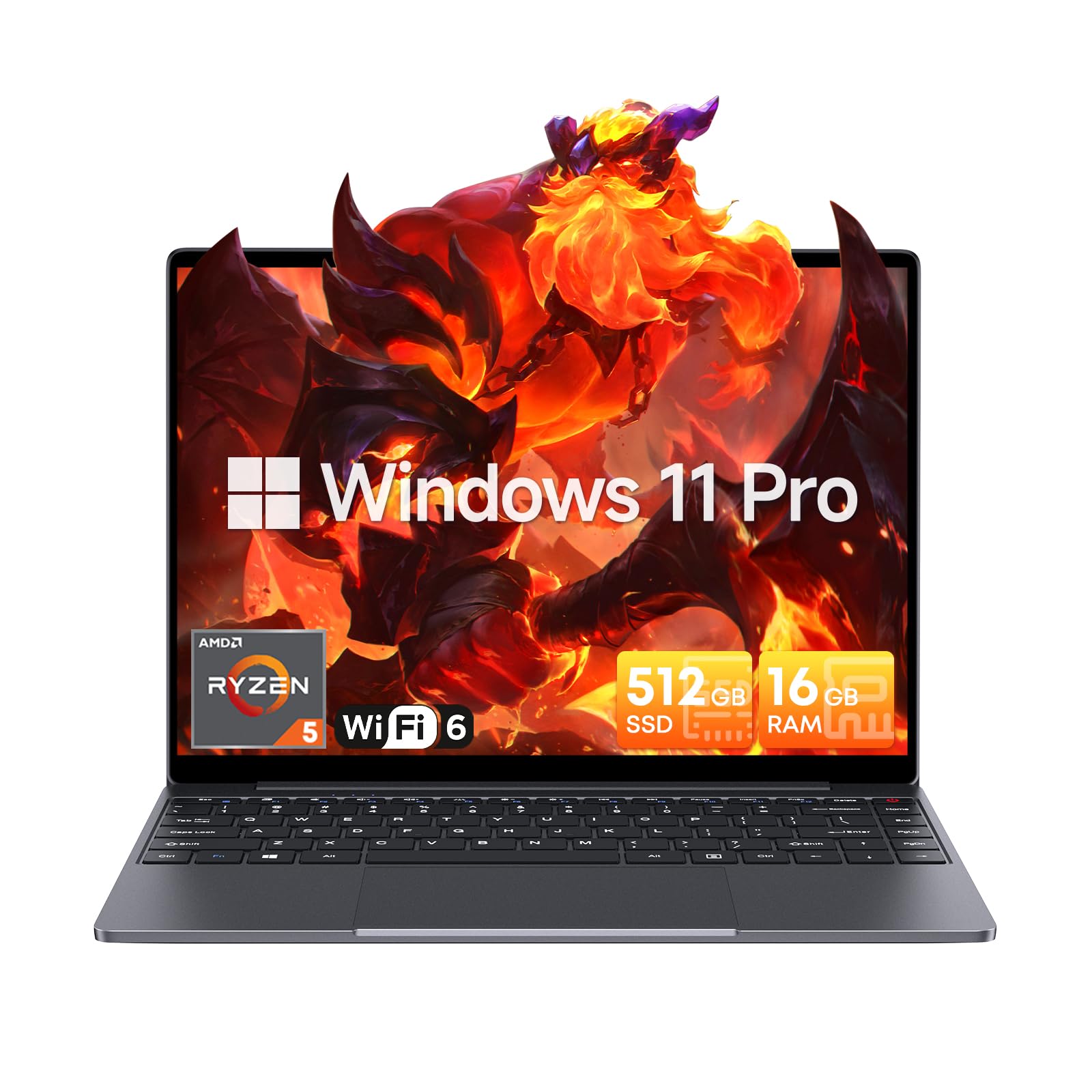
Image: The CHUWI CoreBook X laptop open on a desk, ready for use.
1.2 کنیکٹنگ پیری فیرلز
- USB آلات: Connect USB mice, keyboards, or external storage devices to the available USB 3.0 ports.
- بیرونی ڈسپلے: Use the HDMI 1.4 port or the full-featured USB Type-C port to connect an external monitor.
- آڈیو ڈیوائسز: ہیڈ فون یا بیرونی اسپیکرز کو 3.5 ملی میٹر آڈیو جیک سے جوڑیں۔
- TF کارڈ: Insert a TF card into the TF card slot for additional storage.

تصویر: تفصیلی view of the laptop's ports, including TF Card Slot, 3.5mm Headphone Jack, USB 3.0 Port, Lock Slot, USB Type-C (PD Charging/USB 2.0), HDMI 1.4, and Full-featured USB Type-C Port.
1.3 Network and Bluetooth Connection
- Wi-Fi 6: To connect to a wireless network, click the Wi-Fi icon in the taskbar, select your network, and enter the password.
- بلوٹوتھ 5.2: To pair Bluetooth devices, go to Windows Settings > Bluetooth & devices, turn on Bluetooth, and select your device to pair.
2. آپریٹنگ
This section covers the basic operation of your CHUWI CoreBook X laptop.
2.1 پاور مینجمنٹ
- پاور آن: پاور بٹن دبائیں۔
- نیند موڈ: ڈھکن بند کریں یا اسٹارٹ مینو سے "نیند" کو منتخب کریں۔
- بند کریں: اسٹارٹ مینو سے "شٹ ڈاؤن" کو منتخب کریں۔
- دوبارہ شروع کریں: اسٹارٹ مینو سے "دوبارہ شروع کریں" کو منتخب کریں۔
2.2 کی بورڈ اور ٹچ پیڈ
- The laptop features a full-sized backlit keyboard with white illumination. Use the function keys (Fn) in combination with other keys for shortcuts like adjusting brightness, volume, or toggling the backlight.
- The large touchpad supports multi-touch gestures for navigation. Refer to Windows settings for customizing touchpad gestures.

تصویر: ایک قریبی اپ view of the laptop's backlit keyboard and large touchpad, highlighting its navigation features.
2.3 ڈسپلے اور آڈیو
- The 14-inch IPS display offers a 2160*1440 resolution. Adjust display settings (brightness, resolution, scaling) through Windows Display Settings.
- The laptop is equipped with stereo speakers. Volume can be controlled via the keyboard function keys or the Windows sound settings.
- An HD webcam is integrated for video conferencing.

Image: The laptop's 14-inch 2K IPS display showcasing vibrant colors and a comparison of 3:2 and 16:9 aspect ratios.
2.4 ویڈیو اوورview
Video: An official product video demonstrating various features and usage scenarios of the CHUWI CoreBook X laptop, including its performance, display, and connectivity options.
3 دیکھ بھال
مناسب دیکھ بھال آپ کے لیپ ٹاپ کی لمبی عمر اور بہترین کارکردگی کو یقینی بناتی ہے۔
3.1 صفائی
- اسکرین کو صاف کرنے کے لیے نرم، لنٹ سے پاک کپڑا استعمال کریں۔ ضدی نمبروں کے لیے، ڈیampen the cloth slightly with water or a screen-safe cleaner.
- Wipe the chassis and keyboard with a soft, dry cloth. Avoid using harsh chemicals or abrasive materials.
- Periodically use compressed air to clear dust from the vents to maintain efficient cooling.
3.2 بیٹری کی دیکھ بھال
- Avoid fully discharging the battery frequently. Charge the laptop when the battery level is low.
- Store the laptop in a cool, dry place if not used for extended periods, with the battery charged to around 50-70%.
- Use only the original or certified compatible USB-C PD charger.
3.3 اسٹوریج اور میموری اپ گریڈ
The laptop supports RAM and SSD upgrades.
- The 16GB DDR4 RAM can be expanded up to 64GB via 2 SODIMM slots.
- The 512GB PCIe SSD can be expanded up to 2TB using the M.2 2280 PCIe slot.
- A convenient detachable bottom cover allows for easier access to upgrade components without removing the entire back panel.

Image: The underside of the laptop with the detachable cover removed, revealing the dual-channel SO-DIMM slot for RAM upgrades.
4 خرابیوں کا سراغ لگانا
یہ سیکشن عام مسائل کے حل فراہم کرتا ہے جن کا آپ کو سامنا ہو سکتا ہے۔
4.1 عام مسائل اور حل
- لیپ ٹاپ آن نہیں ہوتا:
- یقینی بنائیں کہ پاور اڈاپٹر محفوظ طریقے سے لیپ ٹاپ اور ورکنگ پاور آؤٹ لیٹ دونوں سے جڑا ہوا ہے۔
- تصدیق کریں کہ پاور آؤٹ لیٹ فعال ہے۔
- ہارڈ ری سیٹ کرنے کے لیے پاور بٹن کو 10-15 سیکنڈ کے لیے دبائے رکھنے کی کوشش کریں۔
- ڈسپلے کے مسائل (کوئی تصویر نہیں، ٹمٹماہٹ):
- فنکشن کیز کا استعمال کرتے ہوئے اسکرین کی چمک کو ایڈجسٹ کریں۔
- اگر کوئی بیرونی مانیٹر منسلک ہے تو اسے منقطع کرنے کی کوشش کریں۔
- لیپ ٹاپ کو دوبارہ شروع کریں۔
- Wi-Fi or Bluetooth connectivity problems:
- یقینی بنائیں کہ ونڈوز سیٹنگز میں وائی فائی/بلوٹوتھ فعال ہے۔
- وائی فائی کے مسائل کے لیے اپنا راؤٹر/موڈیم دوبارہ شروع کریں۔
- Remove and re-pair Bluetooth devices.
- Update network and Bluetooth drivers through Device Manager.
- سست کارکردگی:
- پس منظر میں چلنے والی غیر ضروری ایپلی کیشنز کو بند کریں۔
- Check for Windows updates and driver updates.
- SSD پر کافی خالی جگہ کو یقینی بنائیں۔
- میلویئر اسکین چلائیں۔
If you encounter issues not covered here or require further assistance, please refer to the Support section.
5. وضاحتیں
Detailed technical specifications for the CHUWI CoreBook X laptop.

Image: An illustration of the AMD Ryzen 5 processor, highlighting its core count, threads, and clock speed.
| فیچر | تفصیلات |
|---|---|
| ماڈل کا نام | Corebook X |
| پروسیسر | AMD Ryzen 5 (6 Cores, 12 Threads, up to 4.3 GHz) |
| گرافکس | AMD Radeon Graphics (1800MHz, Max 2GB Memory) |
| رام | 16GB DDR4 (Expandable up to 64GB via 2 SODIMM slots) |
| ذخیرہ | 512GB PCIe SSD (Expandable up to 2TB via M.2 2280 PCIe slot) |
| ڈسپلے | 14-inch IPS, 2160*1440 Resolution, 100% sRGB Color Gamut |
| آپریٹنگ سسٹم | ونڈوز 11 پرو |
| کنیکٹوٹی | Wi-Fi 6 (802.11ax)، بلوٹوتھ 5.2 |
| بندرگاہیں | USB Type-C (PD Charging/USB 2.0), USB 3.0, HDMI 1.4, Full-featured USB Type-C, 3.5mm Audio Jack, TF Card Slot, Lock Slot |
| بیٹری | 46.2Wh Lithium-Ion Battery, 65W USB-C PD Fast Charging |
| کی بورڈ | Full-sized Backlit Keyboard with White Illumination |
| ٹچ پیڈ | Large Touchpad, Multi-touch |
| Webکیمرے | HD Webکیمرے |
| طول و عرض | 12.2"L x 9"W x 0.67"Th (17mm thin) |
| وزن | 2.2 پاؤنڈ (1.4 کلوگرام) |
6. وارنٹی
The CHUWI CoreBook X laptop comes with a 1 سالہ صنعت کار کی وارنٹی.
This warranty covers defects in materials and workmanship under normal use. It does not cover damage caused by accidents, misuse, unauthorized repairs, or modifications. Please retain your proof of purchase for warranty claims.
7. سپورٹ
For technical assistance, warranty claims, or further inquiries, please contact CHUWI customer support.
- مینوفیکچرر سپورٹ: Visit the official CHUWI webمعاون وسائل، عمومی سوالنامہ، اور رابطہ کی معلومات کے لیے سائٹ۔
- بیچنے والے کی حمایت: If purchased through a retailer, you may also contact the seller for assistance.