
1. تعارف
This manual provides essential information for the proper setup, operation, and maintenance of your MESWAO 15.6-inch Android 14 Tablet (Model MES-B3). Please read this manual thoroughly before using the device to ensure optimal performance and longevity. Keep this manual for future reference.
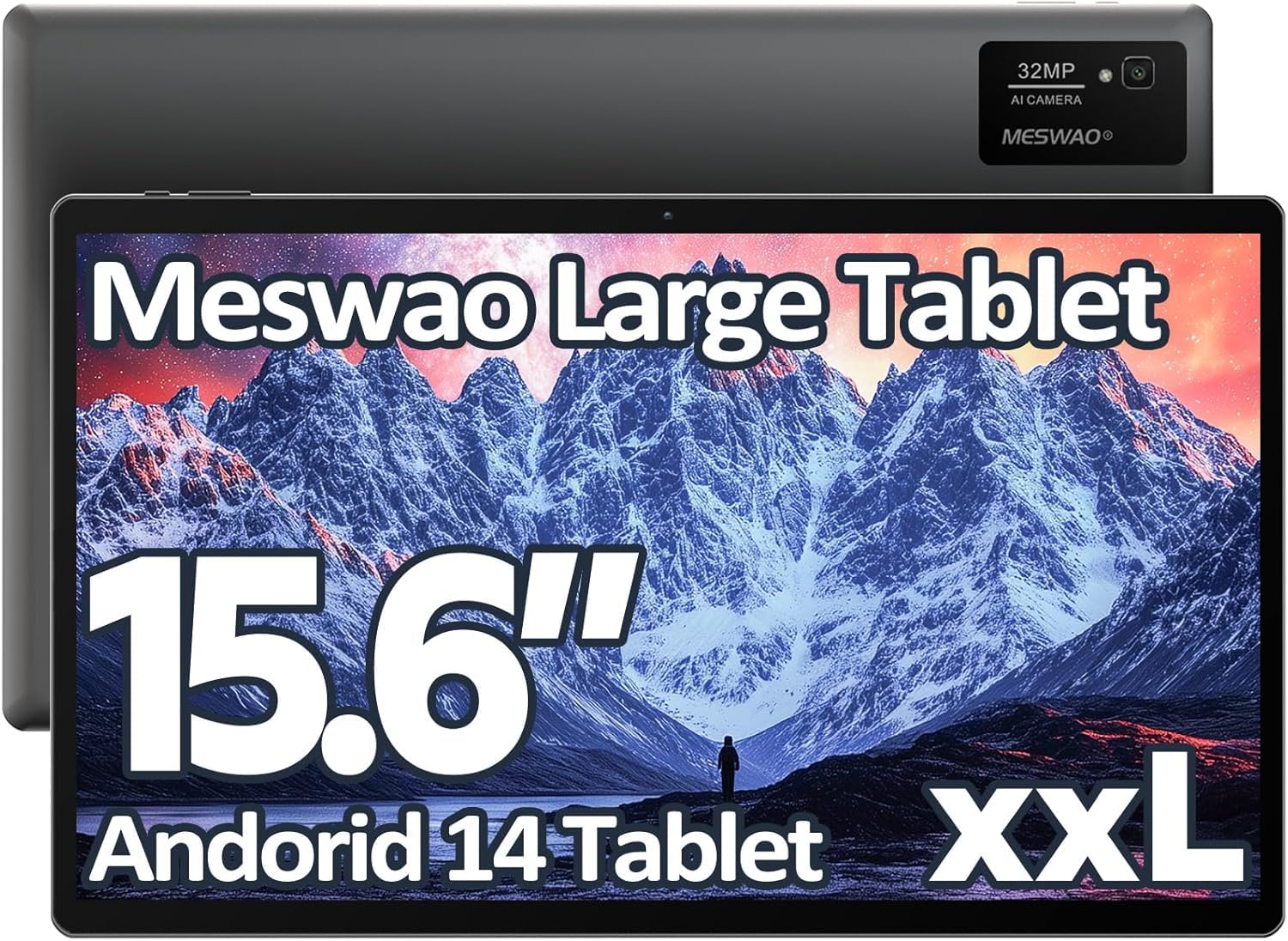
Image: The MESWAO 15.6-inch Android 14 Tablet, showcasing its large display and sleek design.
2. سیٹ اپ
2.1 ان باکسنگ اور ابتدائی معائنہ
Carefully remove all components from the packaging. Verify that all items listed in the package contents are present and undamaged. If any items are missing or damaged, contact customer support immediately.
2.2 ٹیبلٹ چارج کرنا
Before first use, fully charge the tablet. Connect the provided USB-C cable to the tablet's charging port and the other end to the power adapter. Plug the power adapter into a wall outlet. The charging indicator will illuminate. A full charge typically takes approximately 3 hours with the 30W fast charging capability.
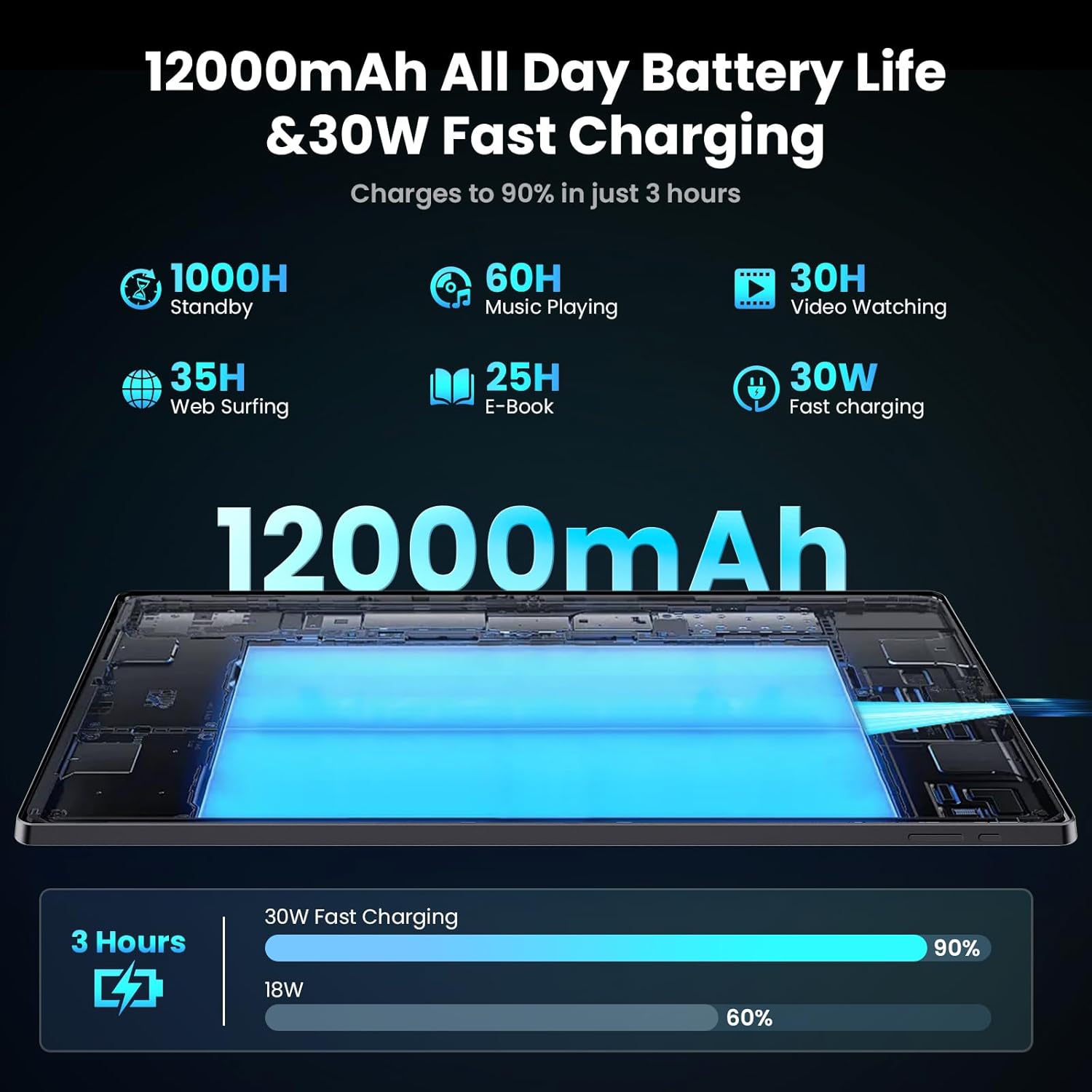
Image: Diagram illustrating the 12000mAh battery capacity and 30W fast charging feature, showing a charge to 90% in 3 hours.
2.3 پاور آن اور ابتدائی کنفیگریشن
- Press and hold the Power button until the MESWAO logo appears.
- اپنی زبان، علاقہ منتخب کرنے اور Wi-Fi نیٹ ورک سے جڑنے کے لیے آن اسکرین پرامپٹس پر عمل کریں۔
- Google Play Store اور دیگر خدمات تک رسائی کے لیے اپنے Google اکاؤنٹ سے سائن ان کریں یا ایک نیا بنائیں۔
- Complete any remaining setup steps, such as setting up a screen lock (PIN, pattern, or password) and reviewرازداری کی ترتیبات
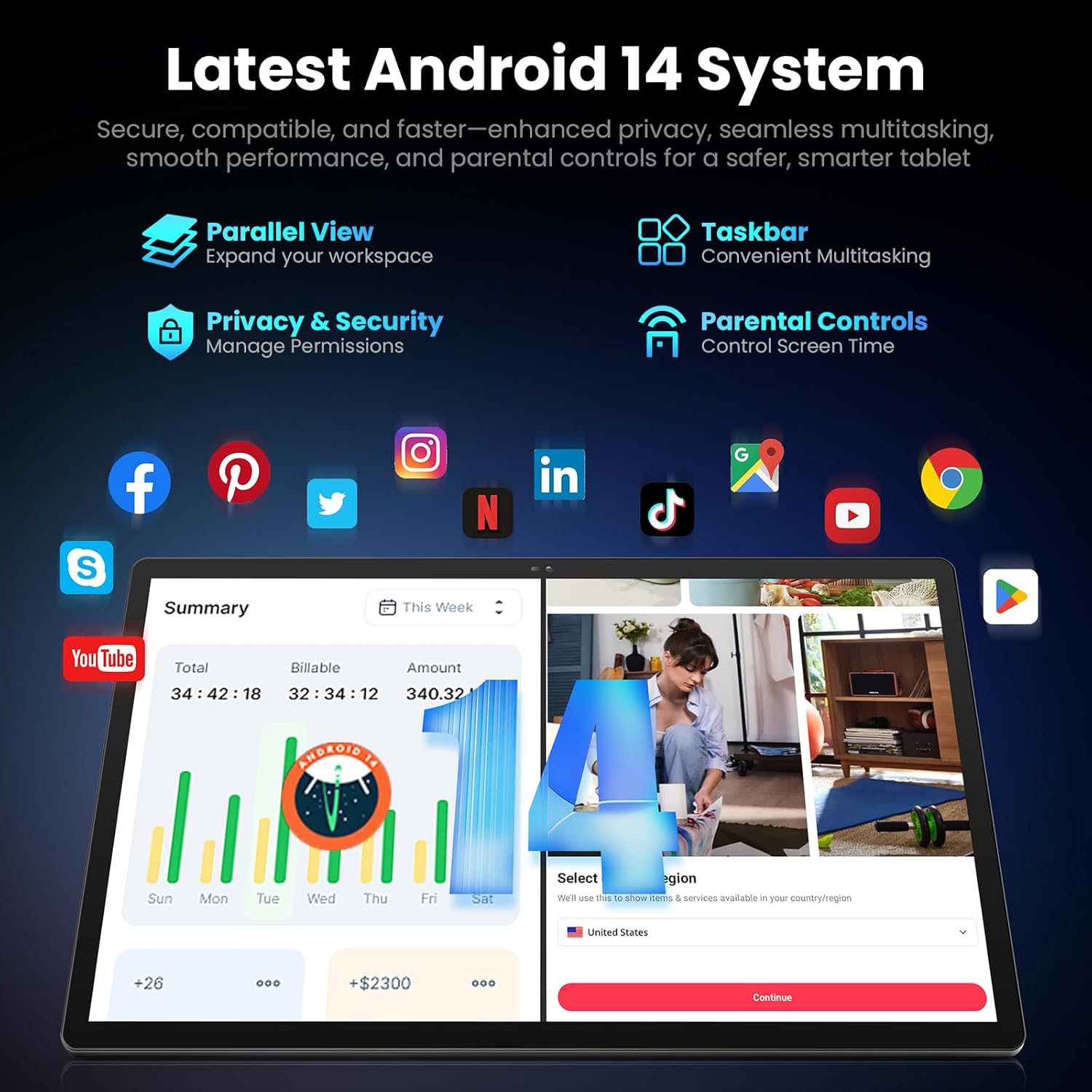
Image: Screenshot of the Android 14 system interface on the MESWAO tablet, highlighting features like Parallel View, Taskbar, Privacy & Security, and Parental Controls.
3. آپریٹنگ ہدایات
3.1 بنیادی نیویگیشن
- چھونے کے اشارے: منتخب کرنے کے لیے تھپتھپائیں، اسکرول کرنے کے لیے سوائپ کریں، زوم کرنے کے لیے چوٹکی۔
- ہوم اسکرین: ایپس، ویجیٹس اور اطلاعات تک رسائی حاصل کریں۔
- نوٹیفکیشن پینل: اسکرین کے اوپر سے نیچے تک سوائپ کریں۔ view اطلاعات اور فوری ترتیبات۔
- ایپ ڈراور: تمام انسٹال کردہ ایپلیکیشنز تک رسائی کے لیے اسکرین کے نیچے سے اوپر کی طرف سوائپ کریں۔
3.2 ڈسپلے اور بصری تجربہ
The 15.6-inch Full HD (1920x1080) IPS display offers vivid colors and wide viewing angles. Adjust brightness and display settings in the Settings menu under "Display" for optimal viewing comfort. The large screen is ideal for multitasking and immersive media consumption.

Image: The MESWAO tablet displaying a high-definition image, emphasizing the 1920x1080P Full HD IPS display with eye protection features.
3.3 کارکردگی اور ذخیرہ
Equipped with an Octa-Core Helio G99 processor and Android 14, the tablet provides smooth performance for various applications. It includes 8GB RAM and 256GB internal storage, expandable up to 1TB via a TF (microSD) card. To insert a TF card, locate the card slot on the side of the tablet, open the tray, and carefully place the card into the designated slot before reinserting the tray.
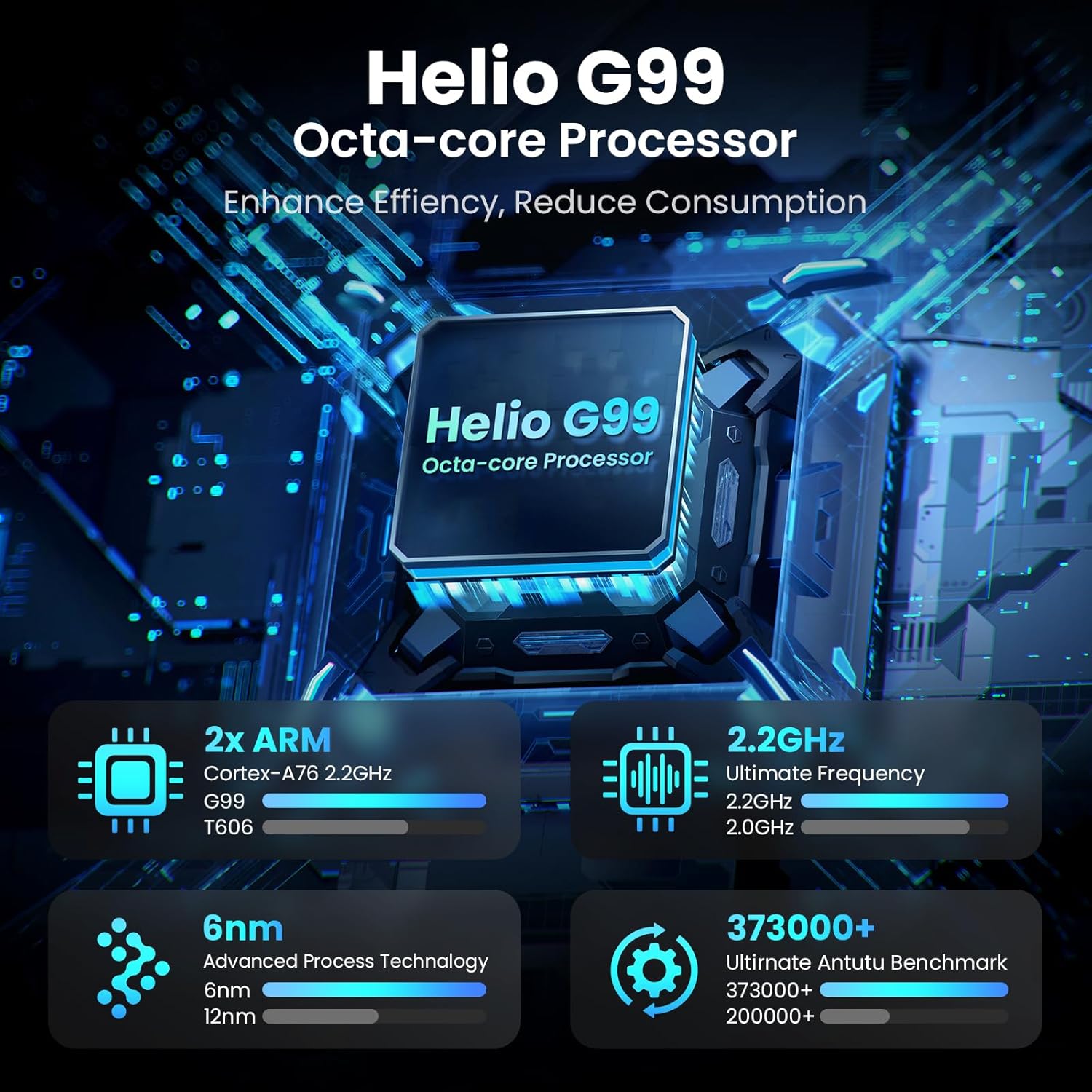
Image: Visual representation of the Helio G99 Octa-core Processor, detailing its architecture and performance metrics like 2.2GHz frequency and 6nm process technology.

Image: The MESWAO tablet screen showing multiple open applications and storage capacity details: 8GB RAM, 256GB ROM, and support for up to 1TB external storage.
3.4 کیمرے کا استعمال
The tablet features a 32MP rear camera with flash and a 5MP front camera. Open the Camera application to capture photos, record videos, or engage in video calls. Ensure good lighting for best results.

Image: A visual demonstrating the MESWAO tablet's 5MP front camera and 32MP rear camera, showing a family photo being taken and a video call in progress.
3.5 کنیکٹیویٹی
The tablet supports dual-band Wi-Fi (2.4GHz & 5GHz) for stable internet connectivity. Bluetooth is also available for connecting wireless accessories. Access these settings via the Notification Panel or the main Settings app.
4 دیکھ بھال
4.1 ٹیبلٹ کی صفائی
ٹیبلٹ کی سکرین اور باڈی کو صاف کرنے کے لیے نرم، لنٹ سے پاک کپڑا استعمال کریں۔ ضدی smudges کے لئے، تھوڑا سا dampur کپڑے میں پانی یا سکرین سے محفوظ صفائی کا محلول۔ سخت کیمیکلز یا کھرچنے والے مواد کے استعمال سے پرہیز کریں۔
4.2 سافٹ ویئر اپ ڈیٹس
Regularly check for and install system updates to ensure your tablet has the latest features, security patches, and performance improvements. Go to ترتیبات > سسٹم > سسٹم اپ ڈیٹ اپ ڈیٹس کو چیک کرنے کے لیے۔
4.3 بیٹری کی دیکھ بھال
- انتہائی درجہ حرارت سے بچیں، کیونکہ یہ بیٹری کی زندگی کو کم کر سکتے ہیں۔
- بیٹری کو بار بار مکمل طور پر ختم نہ ہونے دیں۔
- صرف فراہم کردہ چارجر یا تصدیق شدہ ہم آہنگ چارجر استعمال کریں۔
5 خرابیوں کا سراغ لگانا
5.1 ٹیبلیٹ پاور آن نہیں ہے۔
- Ensure the tablet is sufficiently charged. Connect it to the charger for at least 30 minutes before attempting to power on again.
- زبردستی دوبارہ شروع کرنے کے لیے پاور بٹن کو 10-15 سیکنڈ تک دبائے رکھیں۔
5.2 وائی فائی کنیکٹیویٹی کے مسائل
- Check if Wi-Fi is enabled in the Quick Settings or Settings menu.
- اپنے وائی فائی راؤٹر اور ٹیبلیٹ کو دوبارہ شروع کریں۔
- Wi-Fi کی ترتیبات میں نیٹ ورک کو بھول جائیں اور دوبارہ جڑیں۔
- یقینی بنائیں کہ آپ Wi-Fi سگنل کی حد کے اندر ہیں۔
5.3 سست کارکردگی
- غیر ضروری پس منظر کی ایپلی کیشنز کو بند کریں۔
- Clear cache data for frequently used apps (ترتیبات > ایپس > [ایپ کا نام] > اسٹوریج اور کیشے > کیش صاف کریں۔).
- Ensure sufficient free storage space. Delete unused files یا ایپس۔
- گولی کو وقفے وقفے سے دوبارہ شروع کریں۔
5.4 غیر جوابی اسکرین
- Perform a forced restart (hold Power button for 10-15 seconds).
- یقینی بنائیں کہ اسکرین صاف اور نمی یا ملبے سے پاک ہے۔
6. وضاحتیں
| فیچر | تفصیل |
|---|---|
| ماڈل کا نام | MES-B3 |
| ڈسپلے سائز | 15.6 انچ |
| زیادہ سے زیادہ سکرین ریزولوشن | 1920 x 1080 Pixels (Full HD IPS) |
| آپریٹنگ سسٹم | اینڈرائیڈ 14 |
| پروسیسر | Octa-Core Helio G99 (up to 2.2 GHz) |
| رام | 8 جی بی |
| اندرونی اسٹوریج (ROM) | 256 جی بی |
| قابل توسیع اسٹوریج | 1TB تک (TF کارڈ) |
| بیٹری کی صلاحیت | 12000mAh |
| چارج ہو رہا ہے۔ | 30W فاسٹ چارجنگ |
| پیچھے والا کیمرہ | فلیش کے ساتھ 32MP |
| سامنے والا کیمرہ | 5MP |
| کنیکٹوٹی | Dual-band Wi-Fi (2.4GHz & 5GHz), Bluetooth |
| طول و عرض (LxWxH) | 14.53 x 8.78 x 0.43 انچ |
| شے کا وزن | 3.84 پاؤنڈ |
7. وارنٹی اور سپورٹ
7.1 وارنٹی کی معلومات
MESWAO products are covered by a limited warranty. Please refer to the warranty card included in your product packaging for specific terms and conditions. Keep your proof of purchase for warranty claims.
7.2 کسٹمر سپورٹ
For technical assistance, troubleshooting, or warranty inquiries, please contact MESWAO customer support. Contact information can typically be found on the official MESWAO webسائٹ یا وارنٹی کارڈ پر۔
Online resources such as FAQs and support forums may also be available on the MESWAO webسائٹ