
1. تعارف
The GameSir Pocket Taco is a vertical mobile gaming controller designed to transform your Android smartphone into a retro handheld gaming device. It offers a compact, lightweight design with Bluetooth connectivity and a built-in rechargeable battery, providing an authentic arcade experience for mobile gaming.
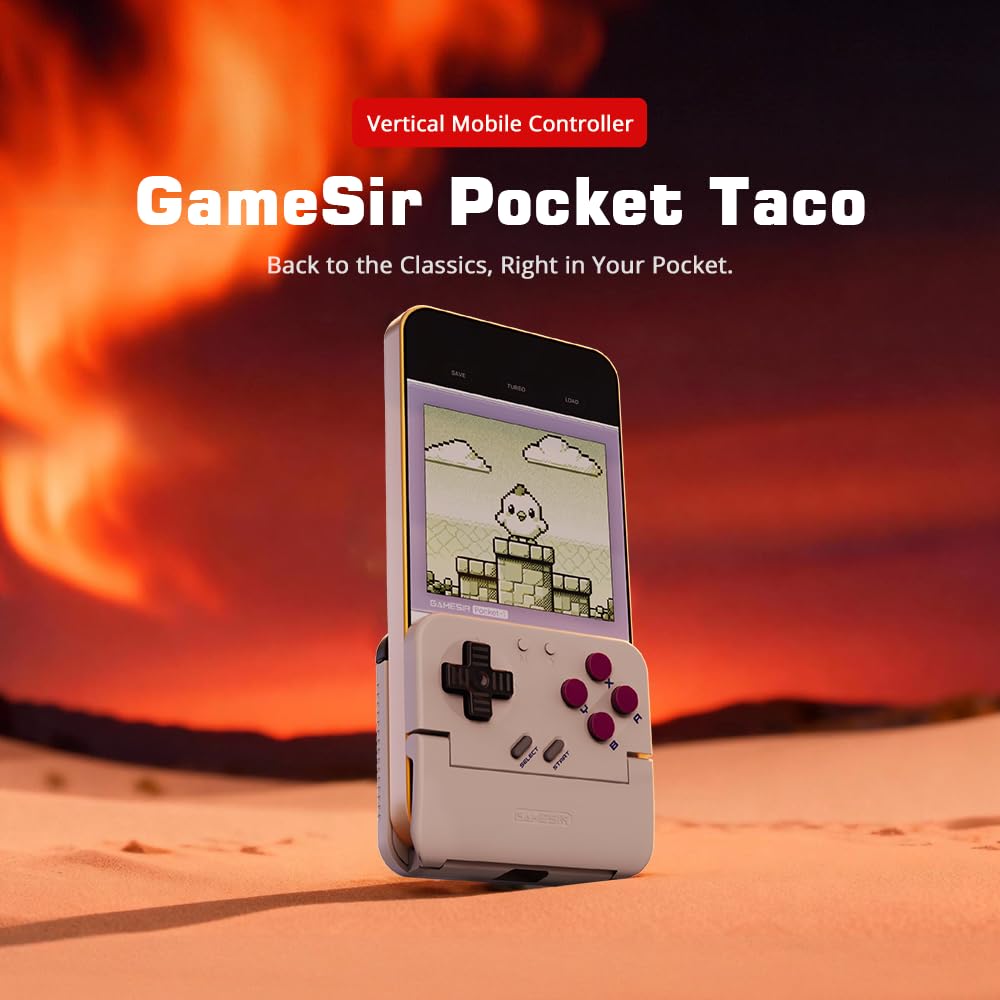
Figure 1: GameSir Pocket Taco attached to a smartphone, ready for vertical gaming.
ویڈیو 1: ختمview of the GameSir Pocket Taco Vertical Mobile Gaming Controller, showcasing اس کا ڈیزائن اور خصوصیات۔
2. کلیدی خصوصیات
- Vertical Retro Arcade Design: Transforms your phone into a classic vertical handheld gaming device, ideal for retro titles and vertical shoot 'em ups.
- الٹرا پورٹیبل اور ہلکا پھلکا: Weighing only 62.2g, this compact Bluetooth controller is easy to carry and includes a durable PP storage box for protection.
- Smart Power & Seamless Bluetooth Connectivity: Automatically powers on when unfolded and off when closed. Offers low-latency wireless gaming on Android and other compatible devices.
- Long-Lasting 600 mAh Battery & Pass-Through Charging: Provides hours of gameplay on a single charge. The hollow-bottom design allows simultaneous phone charging while gaming.
- Customizable Controls via GameSir App: Remap buttons, enable D-pad diagonal lock, switch to keyboard mode, and access G-Touch/V-Touch support for precise inputs.
- Phone-Friendly Silicone Protection: Soft silicone pads in the clamp area protect your phone from scratches and ensure a secure fit during intense gaming sessions.

Figure 2: Experience vertical handheld gaming by attaching your smartphone to the GameSir Pocket Taco.
3. سیٹ اپ اور کنکشن
3.1 ابتدائی سیٹ اپ
- پیک کھولیں: Carefully remove the GameSir Pocket Taco from its packaging.
- معائنہ کریں: کسی بھی نظر آنے والے نقصان یا غائب اجزاء کی جانچ کریں۔
- چارج: Ensure the controller is sufficiently charged before first use. Connect the USB-C cable to the charging port on the controller.
- فون داخل کریں: Gently open the controller's clamp and insert your smartphone. The silicone pads will secure your device and prevent scratches.
3.2 بلوٹوتھ کنکشن
The GameSir Pocket Taco supports multiple connection modes for various platforms. Follow the steps below for your specific device:

Figure 3: The GameSir Pocket Taco offers seamless Bluetooth connectivity across various compatible devices.
3.2.1 iOS Connection (DS4 Mode)
- دبائیں اور تھامیں۔ ہوم بٹن اور پہلے سے طے شدہ ایک بٹن simultaneously for 2 seconds until the indicator light turns solid and flashes rapidly.
- On your iOS device, open بلوٹوتھ کی ترتیبات.
- Select "DUALSHOCK 4 Wireless Controller" from the available devices to connect.
- A solid indicator light on the controller confirms a successful connection.
3.2.2 Android Connection (Android Mode)
- دبائیں اور تھامیں۔ ہوم بٹن اور پہلے سے طے شدہ بی بٹن simultaneously for 2 seconds until the indicator light turns solid and flashes rapidly.
- On your Android device, open بلوٹوتھ کی ترتیبات.
- Select "GameSir-Pocket 1" or "GameSir-Pocket 1_G" from the available devices to connect.
- A solid indicator light on the controller confirms a successful connection.
3.2.3 Switch Connection (Switch Mode)
- دبائیں اور تھامیں۔ ہوم بٹن اور پہلے سے طے شدہ ایکس بٹن simultaneously for 2 seconds until the indicator light flashes up and down rapidly.
- On your Nintendo Switch, go to the ہوم مینو، پھر منتخب کریں۔ "کنٹرولرز"، اور پھر "گرفت / ترتیب کو تبدیل کریں" جوڑا موڈ میں داخل ہونے کے ل.۔
- Wait for the connection to be established. A solid indicator light on the controller confirms a successful connection.
3.2.4 G-Touch Mode Connection
- دبائیں اور تھامیں۔ ہوم بٹن اور پہلے سے طے شدہ Y بٹن simultaneously for 2 seconds until the indicator light turns solid and flashes rapidly.
- On your Android device, open بلوٹوتھ کی ترتیبات.
- Select "GameSir-Pocket 1_G" from the available devices to connect.
- A solid indicator light on the controller confirms a successful connection.
4. آپریٹنگ ہدایات
4.1 پاور آن/آف
- پاور آن: Unfold the controller to automatically power it on.
- بجلی بند: Close the controller to automatically power it off.
4.2 چارج کرنا
The GameSir Pocket Taco features a 600mAh battery. To charge, connect a USB-C cable to the charging port located on the top of the controller. The hollow-bottom design allows you to charge your phone simultaneously while playing.

Figure 4: Key features of the GameSir Pocket Taco, including pass-through charging and protective silicone pads.
4.3 Customizable Controls (GameSir App)
Download the official GameSir App to unlock advanced customization options:
- بٹن ری میپنگ: Assign functions to different buttons for personalized gameplay.
- D-pad Diagonal Lock: Enable or disable diagonal input for the D-pad.
- کی بورڈ وضع: Switch to keyboard mode for a more flexible control experience.
- G-Touch/V-Touch Support: Utilize advanced touch mapping features for specific games.
- فرم ویئر اپ ڈیٹس: Keep your controller up-to-date with the latest software enhancements.

Figure 5: Customize your GameSir Pocket Taco settings and update firmware using the dedicated GameSir App.
5. دیکھ بھال اور دیکھ بھال
- صفائی: کنٹرولر کو صاف کرنے کے لیے نرم، خشک کپڑا استعمال کریں۔ کھرچنے والے کلینر یا سالوینٹس سے پرہیز کریں۔
- ذخیرہ: When not in use, store the GameSir Pocket Taco in its durable PP storage box to protect it from dust, scratches, and impacts.
- ہینڈلنگ: Do not apply excessive force when opening or closing the controller to prevent damage to the hinge mechanism.
- درجہ حرارت: Avoid exposing the controller to extreme temperatures or direct sunlight for prolonged periods.
6 خرابیوں کا سراغ لگانا
6.1 کنکشن کے مسائل
- کنٹرولر منسلک نہیں ہو رہا ہے: If the connection fails, press and hold the 'M' button and the 'Home' button on the controller for 2 seconds to re-enter pairing mode. Ensure Bluetooth is enabled on your device and the correct mode (iOS, Android, Switch, G-Touch) is selected.
- وقفے وقفے سے رابطہ: Ensure the controller is within range of your device and there are no significant obstructions. Fully charge the controller and your device.
6.2 Button Responsiveness
- بٹن جواب نہیں دے رہے ہیں: Ensure the controller is properly connected. Check for firmware updates via the GameSir App.
- D-pad issues: Some users have reported issues with D-pad responsiveness. Ensure firmware is up-to-date. If issues persist, contact GameSir support.
6.3 چارجنگ کے مسائل
- کنٹرولر چارج نہیں کر رہا ہے: Use the provided USB-C cable or a compatible cable. Ensure the cable and power adapter are functioning correctly.
7. وضاحتیں
| فیچر | تفصیل |
|---|---|
| ماڈل کا نام | GameSir Pocket Taco |
| برانڈ | گیم سر |
| ہم آہنگ آلات | Android (also supports iOS, Switch, PC via specific modes) |
| کنٹرولر کی قسم | گیم پیڈ |
| کنیکٹوٹی | وائرلیس (بلوٹوتھ) |
| بیٹری کی صلاحیت | 600 ایم اے ایچ |
| چارجنگ پورٹ | USB-C (Pass-Through Charging for phone) |
| شے کا وزن | 0.2 Kilograms (approx. 62.2g) |
| رنگ | سفید |
| ہارڈ ویئر پلیٹ فارم | اسمارٹ فون |
8. وارنٹی اور سپورٹ
For warranty information, technical support, or service inquiries, please refer to the documentation included with your product or visit the official GameSir webسائٹ وارنٹی دعووں کے لیے خریداری کے ثبوت کے طور پر اپنی خریداری کی رسید رکھیں۔