
تعارف
This manual provides detailed instructions for the installation, operation, maintenance, and troubleshooting of your Blackspider BSDD1460A 7-inch Android multimedia radio. Please read this manual thoroughly before using the device to ensure proper functionality and safety.
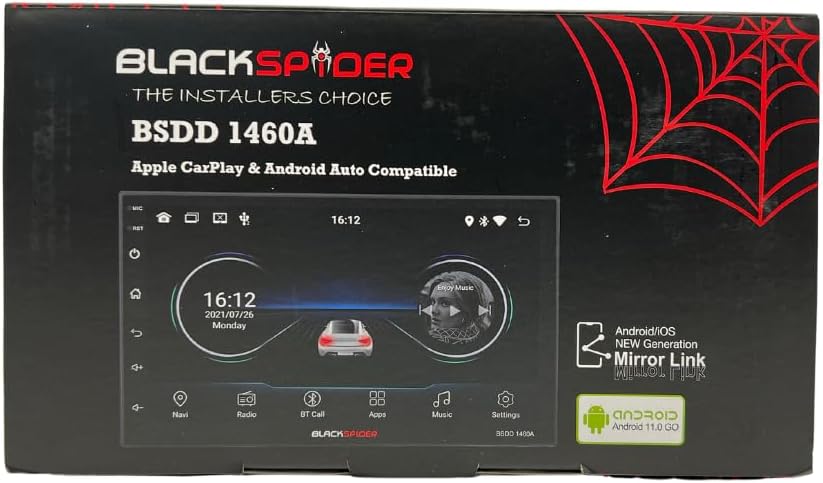
Figure 1: Blackspider BSDD1460A Product Packaging
The Blackspider BSDD1460A is a double-DIN head unit featuring a 7-inch Android 11 touchscreen. It supports Wireless Apple CarPlay, Wired Android Auto, built-in GPS navigation, and offers robust multimedia control and audio output. It is designed for seamless integration with various car systems, including rear cameras and steering wheel controls.
سیٹ اپ اور انسٹالیشن
پیکیج کے مشمولات
تنصیب سے پہلے، تصدیق کریں کہ پیکیج میں تمام اجزاء موجود ہیں:
- 1 x BSDD1460A Radio Unit
- 1 ایکس کیمرہ کیبل
- 1 x RCA Cables Set
- 2 ایکس USB کیبلز
- 1 x GPS Receiver
- 1 ایکس وائرنگ ڈایاگرام
- 2 ایکس بڑھتے ہوئے خط وحدانی
- 4 ایکس پیچ
- 1 X بیرونی مائکروفون
- 1 ایکس پاور کیبل

Figure 2: Unboxed Components

شکل 3: تفصیلی View of Cables and Wiring Diagram
تنصیب کے رہنما خطوط
Installation of the BSDD1460A unit should ideally be performed by a qualified professional. Incorrect wiring can damage the unit or your vehicle's electrical system. Refer to the included wiring diagram for specific connections.
Key connection points include:
- بجلی کی فراہمی: Connect the power cable to the vehicle's electrical system, ensuring correct polarity and fuse protection.
- اسپیکر آؤٹ پٹ: Connect to your vehicle's speakers. The unit provides 60W x 4 max output.
- GPS اینٹینا: Connect the GPS receiver to the dedicated input and mount the antenna in a location with clear sky visibility.
- پیچھے کیمرہ ان پٹ: Connect your rear-view camera to the designated input for automatic display when reversing.
- USB پورٹس: Utilize the dual rear USB ports for media playback or charging devices.
- بیرونی مائکروفون: Connect the external microphone for improved hands-free calling audio quality.
- اسٹیئرنگ وہیل کنٹرولز: Connect to your vehicle's resistive steering wheel controls for integrated functionality.
- آر سی اے آؤٹ پٹس: Use the RCA audio outputs (Front/Rear) and dedicated Subwoofer output for external ampجان بچانے والے

شکل 4: ریئر پینل کنکشنز
آپریٹنگ ہدایات
پاور آن/آف
Press and hold the power button on the front panel or use the vehicle's ignition to turn the unit on or off. The unit will display the Blackspider logo upon startup.

Figure 5: Startup Screen
ٹچ اسکرین انٹرفیس
The 7-inch touchscreen provides intuitive control over all functions. Tap icons to open applications, swipe to navigate menus, and use pinch-to-zoom gestures where applicable (e.g., in navigation apps).
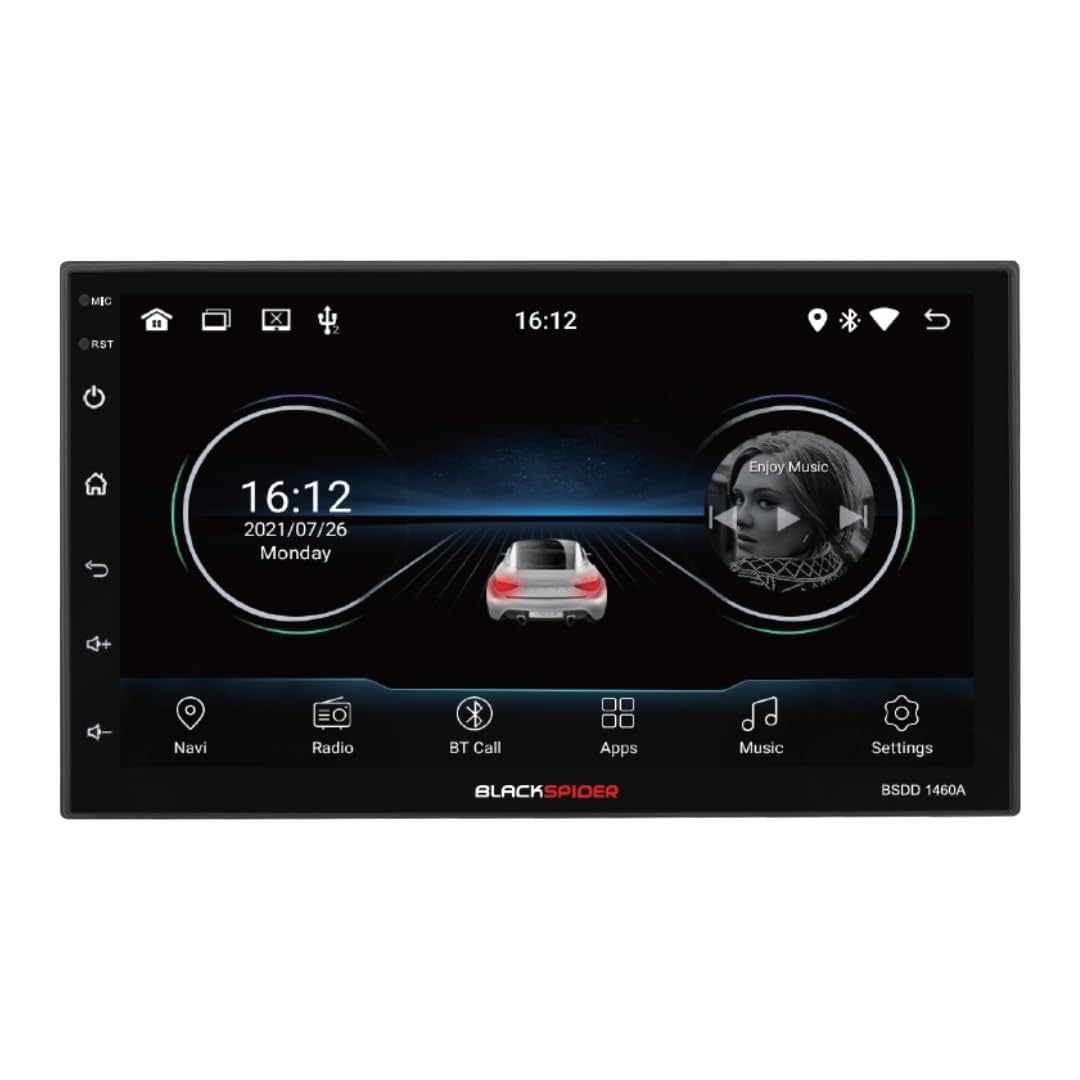
Figure 6: Main Home Screen

Figure 7: Applications Screen
کلیدی خصوصیات
- وائرلیس ایپل کارپلے: Connect your iPhone wirelessly for access to navigation, music, messages, and more directly on the unit's screen. Ensure Bluetooth and Wi-Fi are enabled on your iPhone.
- وائرڈ اینڈرائیڈ آٹو: Connect your Android smartphone via a USB cable to use Android Auto features, including Google Maps, Spotify, and voice commands.
- Built-in GPS Navigation: The unit comes with built-in GPS capabilities. You can download and use various navigation applications from the Android system's app store.
- Bluetooth Hands-Free Calling & Music Streaming: Pair your smartphone via Bluetooth for hands-free calls and wireless audio streaming. The included external microphone enhances call clarity.
- ملٹی میڈیا پلے بیک: آڈیو اور ویڈیو چلائیں۔ files from USB drives connected to the dual rear USB ports.
- پیچھے کیمرے کی حمایت: When a rear camera is connected, the display automatically switches to the camera view جب گاڑی ریورس گیئر میں ہو۔
- آڈیو کنٹرول: Adjust volume, balance, fader, and utilize the built-in equalizer presets to customize your audio experience.
دیکھ بھال
To ensure the longevity and optimal performance of your Blackspider BSDD1460A, follow these maintenance guidelines:
- صفائی: Use a soft, dry cloth to clean the screen and unit exterior. For stubborn marks on the screen, use a screen cleaner specifically designed for electronic displays. Avoid abrasive cleaners or solvents.
- سافٹ ویئر اپ ڈیٹس: Periodically check for software updates through the unit's settings menu or the manufacturer's website. Keeping the software updated can improve performance and add new features.
- ماحولیاتی حالات: یونٹ کو انتہائی درجہ حرارت، طویل عرصے تک براہ راست سورج کی روشنی، یا ضرورت سے زیادہ نمی کے سامنے آنے سے گریز کریں۔
خرابی کا سراغ لگانا
If you encounter issues with your Blackspider BSDD1460A, refer to the following common problems and solutions:
| مسئلہ | ممکنہ وجہ | حل |
|---|---|---|
| یونٹ پاور آن نہیں ہے۔ | غلط وائرنگ، اڑا ہوا فیوز، گاڑی کی بیٹری کا مسئلہ | Check power connections and fuses. Ensure vehicle battery is charged. Consult an installer. |
| کوئی آواز آؤٹ پٹ نہیں ہے۔ | Speaker wires disconnected, volume too low, mute activated | Check speaker connections. Increase volume. Deactivate mute function. |
| GPS سگنل کھو گیا یا غلط | GPS antenna obstructed or improperly placed | یقینی بنائیں کہ GPS اینٹینا صاف ہے۔ view آسمان کی اینٹینا کنکشن چیک کریں۔ |
| Apple CarPlay/Android Auto منسلک نہیں ہو رہا ہے۔ | Incorrect settings, cable issue (for Android Auto), phone compatibility | For CarPlay, ensure Wi-Fi and Bluetooth are on. For Android Auto, try a different USB cable. Check phone compatibility and settings. |
| ٹچ اسکرین غیر جوابدہ | سافٹ ویئر کی عارضی خرابی۔ | Restart the unit. If issue persists, perform a factory reset (note: this will erase all user data). |
وضاحتیں
Technical specifications for the Blackspider BSDD1460A multimedia radio:
- ماڈل: BSDD1460A
- ڈسپلے: 7-inch Android 11 Touchscreen
- یادداشت: 2 جی بی ریم + 32 جی بی روم
- کنیکٹوٹی: Wireless Apple CarPlay, Wired Android Auto, Bluetooth, GPS, Dual Rear USB, AV Input & Video Output, RCA Audio Outputs (Front/Rear), Dedicated Subwoofer Output
- آڈیو آؤٹ پٹ: 60W × 4 max speaker output, Built-in Equalizer Presets
- خصوصی خصوصیات: پیچھے -view camera input, Resistive steering wheel control support, External microphone support
- طول و عرض (D x W x H): 14D x 17.8W x 10H سینٹی میٹر
- آئٹم کا وزن: 1.35 کلوگرام
- رنگ: سیاہ
وارنٹی کی معلومات
The Blackspider BSDD1460A comes with a 1 سال کی وارنٹی from the date of purchase. This warranty covers manufacturing defects under normal use. It does not cover damage caused by improper installation, misuse, accidents, unauthorized repairs, or normal wear and tear. Please retain your proof of purchase for warranty claims.
حمایت
For further assistance, technical support, or warranty claims, please contact your retailer or the Blackspider customer service department. Refer to the contact information provided with your purchase or visit the official Blackspider webسپورٹ وسائل کے لیے سائٹ۔