
1. تعارف
This manual provides essential information for the setup, operation, maintenance, and troubleshooting of your iBUYPOWER Element Gaming PC, model EXBA7N5702. Please read these instructions carefully before using your new computer.
2. پیکیج کے مشمولات
Verify that all items listed below are included in your package. If any items are missing or damaged, please contact iBUYPOWER support.
- iBUYPOWER Element Gaming Desktop PC (Model EXBA7N5702)
- وائرڈ RGB گیمنگ کی بورڈ
- وائرڈ RGB گیمنگ ماؤس
- پاور کیبل
- Extra SATA Cable
- وائی فائی اینٹینا۔
- User Manuals and Documentation

Figure 2.1: Included accessories with the iBUYPOWER Element Gaming PC.
3. سیٹ اپ گائیڈ
3.1 پیک کھولنا اور جگہ کا تعین کرنا
- پیکیجنگ سے پی سی اور تمام لوازمات کو احتیاط سے ہٹا دیں۔
- Place the PC on a stable, flat surface with adequate ventilation around all sides. Avoid placing it directly against a wall or in an enclosed space.
3.2 کنیکٹنگ پیری فیرلز
Connect your monitor, keyboard, mouse, and other devices to the appropriate ports on the PC. Refer to the image below for front I/O port locations.

Figure 3.1: Front I/O Ports for easy access.
- مانیٹر: Connect your monitor to the graphics card (NVIDIA GeForce RTX 5070) ports (HDMI or DisplayPort). Do not connect to motherboard video outputs if a dedicated graphics card is installed.
- کی بورڈ اور ماؤس: Connect the included iBUYPOWER gaming keyboard and mouse to any available USB ports.
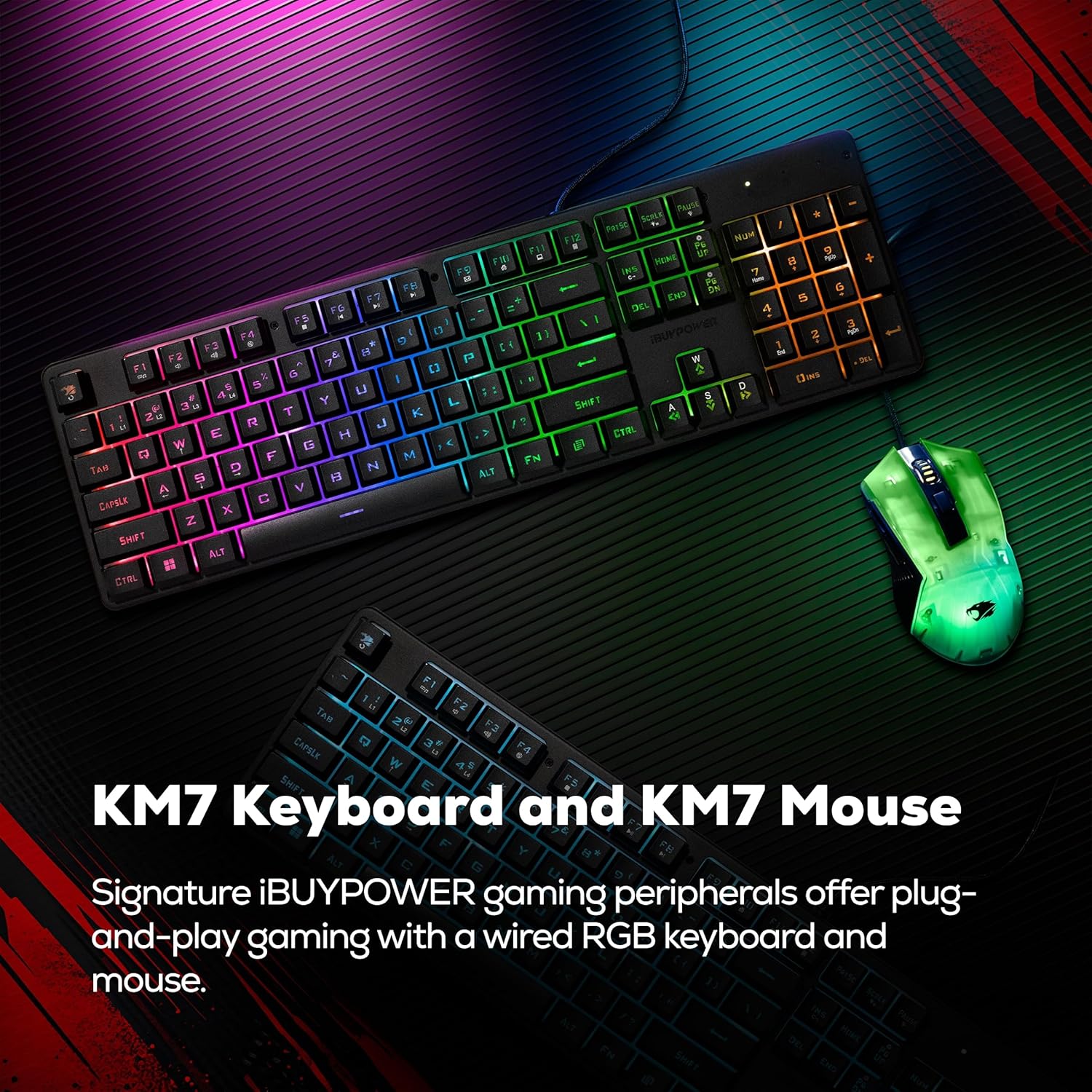
Figure 3.2: Included iBUYPOWER KM7 Keyboard and Mouse.
- طاقت: Connect the power cable to the power supply unit (PSU) at the rear of the PC, then plug it into a wall outlet.
- نیٹ ورک: For wired internet, connect an Ethernet cable to the RJ-45 port. For wireless internet, attach the included Wi-Fi antenna to the designated ports on the rear of the PC.
3.3 ابتدائی پاور آن
- یقینی بنائیں کہ تمام کنکشن محفوظ ہیں۔
- Press the power button located on the PC case. The system will boot up.
- ونڈوز 11 ہوم سیٹ اپ کے عمل کو مکمل کرنے کے لیے اسکرین پر دی گئی ہدایات پر عمل کریں۔
4. آپریٹنگ ہدایات
4.1 پاور آن اور آف کرنا
- پاور آن: پی سی کے سامنے والے پاور بٹن کو دبائیں۔
- بجلی بند: Click the Start button in Windows, then select Power > Shut down. Avoid directly unplugging the PC or holding the power button for extended periods unless necessary.

Figure 4.1: RGB Corner Power Button.
4.2 ونڈوز 11 ہوم
Your PC comes pre-installed with Windows 11 Home. Familiarize yourself with the operating system's interface and features for optimal use.

Figure 4.2: Windows 11 Home interface.
4.3 آر جی بی لائٹنگ کنٹرول
The iBUYPOWER Element PC features addressable RGB light strips along the main edges of the case and RGB fans. Control and customize these lighting effects using the pre-installed software or physical buttons on the case, if available.

Figure 4.3: RGB Edge Integrations on the PC case.
5 دیکھ بھال
باقاعدگی سے دیکھ بھال آپ کے کمپیوٹر کی لمبی عمر اور بہترین کارکردگی کو یقینی بنانے میں مدد کرتی ہے۔
- دھول کا انتظام: Periodically clean dust from the PC's exterior and ventilation areas using compressed air or a soft brush. Ensure the PC is powered off and unplugged before cleaning.
- سافٹ ویئر اپ ڈیٹس: Keep your Windows operating system, graphics drivers, and other software up to date to ensure security and performance.
- کولنگ سسٹم: The PC is equipped with an iBUYPOWER AC5 Tower Air Cooler. Ensure that the cooler's fan and heatsink remain free of dust buildup to maintain efficient cooling.

Figure 5.1: iBUYPOWER AC5 Tower Air Cooler.
6 خرابیوں کا سراغ لگانا
اگر آپ کو اپنے کمپیوٹر کے ساتھ مسائل کا سامنا کرنا پڑتا ہے، تو درج ذیل بنیادی ٹربل شوٹنگ کے اقدامات کو آزمائیں۔
- کوئی طاقت نہیں: Ensure the power cable is securely connected to both the PC and the wall outlet. Check if the power supply switch on the back of the PC is in the 'On' position.
- کوئی ڈسپلے نہیں: Verify that the monitor is powered on and correctly connected to the graphics card's video output. Try a different video cable or monitor if possible.
- پیری فیرلز کام نہیں کر رہے: Ensure the keyboard and mouse are properly connected to USB ports. Try different USB ports.
- سسٹم منجمد/کریش: Restart the PC. Ensure all drivers and Windows updates are current. Monitor system temperatures.
اگر ان اقدامات سے مسئلہ حل نہیں ہوتا ہے، تو مزید مدد کے لیے براہ کرم سپورٹ سیکشن سے رجوع کریں۔
7. وضاحتیں
The iBUYPOWER Element Gaming PC EXBA7N5702 is configured with the following hardware components:

Figure 7.1: Key specifications of the iBUYPOWER Element Gaming PC.
| جزو | تفصیلات |
|---|---|
| ماڈل نمبر | EXBA7N5702 |
| آپریٹنگ سسٹم | ونڈوز 11 ہوم |
| سی پی یو | AMD Ryzen 7 9700F (3.8 GHz base, up to 5.5 GHz boost) |
| گرافکس کارڈ | NVIDIA GeForce RTX 5070 12GB GDDR7 |
| رام | 32GB DDR5 5200MHz (2 x 16GB) |
| ذخیرہ | 1TB NVMe SSD |
| کنیکٹوٹی | Wi-Fi (802.11AC), Bluetooth, Ethernet (10/100/1000), USB (6 x USB 3.1, 4 x other USB), HDMI |
| کولنگ | iBUYPOWER AC5 Tower Air Cooler |
| طول و عرض (H x W x D) | 19.72 x 9.84 x 18.19 انچ (501 x 250 x 462 ملی میٹر) |

Figure 7.2: PC Case Dimensions.
7.1 Internal Components Overview
The system is built with carefully selected components to ensure performance and reliability. The internal layout is optimized for airflow and component compatibility, supporting various GPU lengths, PSU sizes, and air cooler heights.

شکل 7.3: اندرونی view of the iBUYPOWER Element Gaming PC.

Figure 7.4: PC Form and Function, showing component compatibility.
8. وارنٹی کی معلومات
Your iBUYPOWER Element Gaming PC EXBA7N5702 is covered by a 1 سالہ مینوفیکچرر وارنٹی۔. This warranty covers defects in materials and workmanship under normal use. For specific terms and conditions, please refer to the warranty documentation included with your product or visit the official iBUYPOWER webسائٹ
9. سپورٹ
For technical assistance, warranty claims, or further inquiries, please contact iBUYPOWER customer support. Have your product model number (EXBA7N5702) and purchase information ready when contacting support.
You can find contact information and additional resources on the official iBUYPOWER webسائٹ

Figure 9.1: iBUYPOWER's commitment to quality and service.