
1. تعارف
Thank you for choosing the Ortis Above Ground Smart Pool Timer. This device is designed to automate the operation of your pool pump and salt system, enhancing energy efficiency and simplifying your pool maintenance routine. Featuring dual waterproof outlets, a clear LCD display, and flexible timing functions, this timer is built for reliable outdoor performance. Please read this manual thoroughly before installation and operation to ensure proper use and to maximize the lifespan of your product.
2. حفاظتی معلومات
- برقی حفاظت: Always ensure the timer is connected to a properly grounded outlet. Do not immerse the timer in water.
- زیادہ سے زیادہ لوڈ: The total current for all connected appliances must not exceed 15 Amperes (15A). Overloading can cause damage to the timer and connected devices, and poses a fire hazard.
- بیرونی استعمال: This timer is designed for outdoor use and features waterproof outlets. However, ensure all connections are secure and protected from direct water spray.
- منقطع ہونا: Disconnect power before performing any maintenance or when the timer is not in use for extended periods.
- بچے: بچوں کی پہنچ سے دور رکھیں. یہ کھلونا نہیں ہے۔
- نقصان: Do not operate the timer if the cord, plug, or housing is damaged. Contact customer support for assistance.
3. پیکیج کے مشمولات
براہ کرم درج ذیل اشیاء کے لیے پیکج چیک کریں:
- Ortis Above Ground Smart Pool Timer (Model KJ-139)
- ہدایت نامہ
4. پروڈکٹ ختمview
Familiarize yourself with the components of your Ortis Smart Pool Timer.
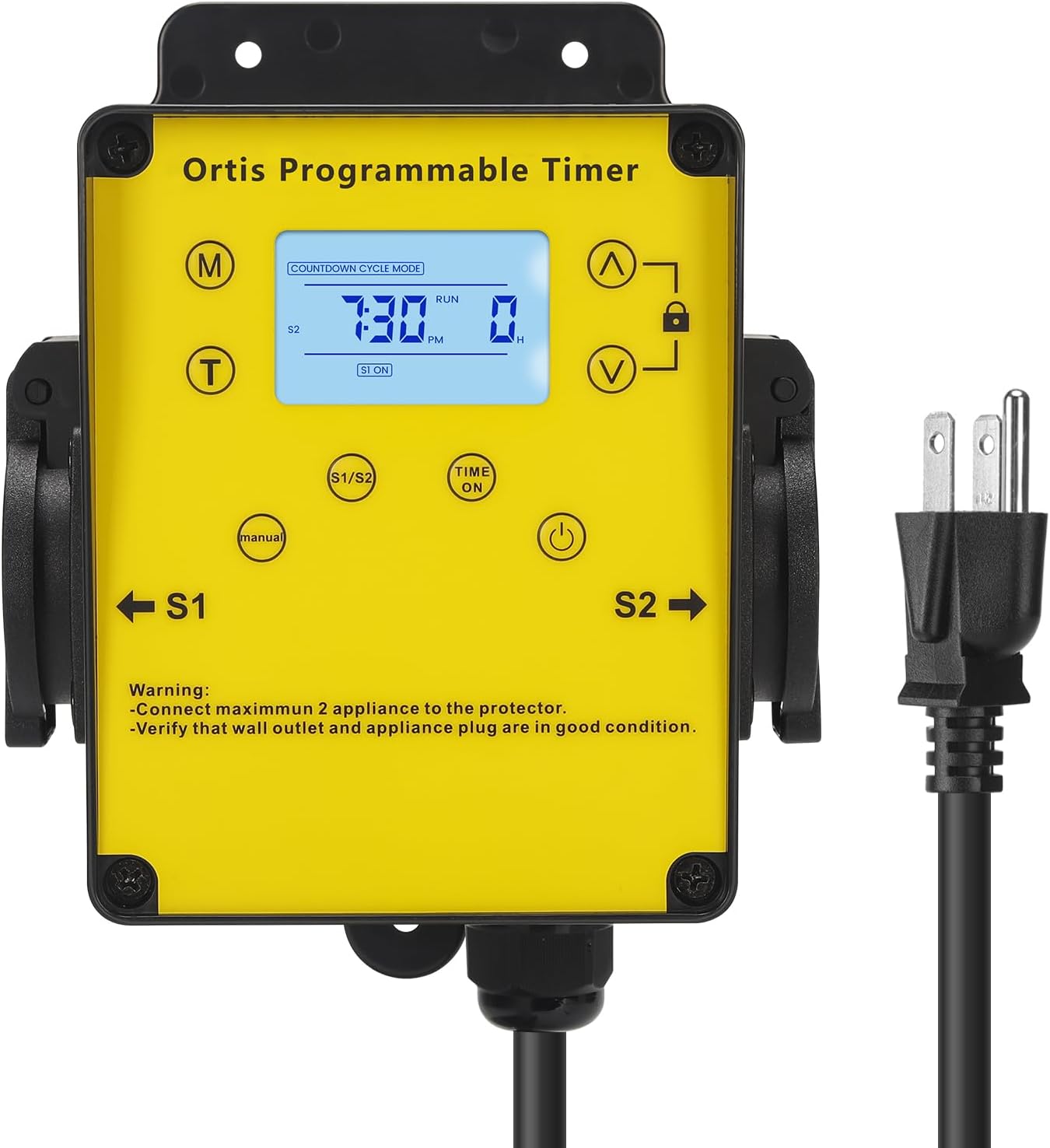
تصویر 4.1: سامنے والا view of the Ortis Smart Pool Timer, showing the LCD display, control buttons, and dual outlets (S1 and S2).
4.1. اجزاء
- LCD ڈسپلے: Shows current time, mode, and operational status.
- (M) Mode Button: Cycles through different operating modes (Countdown, 24H Auto Cycle).
- (T) Time Button: موجودہ وقت کو سیٹ کرنے کے لیے استعمال کیا جاتا ہے۔
- (^) Up Button: Adjusts values upwards.
- (V) Down Button: Adjusts values downwards.
- لاک بٹن: Locks/unlocks the display to prevent accidental changes.
- (Manual) Button: Manually turns outlets S1/S2 ON or OFF.
- (Time ON) Button: Used in 24H Auto Cycle mode to set ON times.
- (پاور بٹن: Turns the timer unit ON/OFF.
- S1 & S2 Outlets: Dual waterproof outlets for connecting appliances.
- پاور کی ہڈی: ٹائمر کو وال آؤٹ لیٹ سے جوڑتا ہے۔

تصویر 4.2: تفصیلی view of the LCD screen, showing time, mode, and status indicators.

تصویر 4.3: View of the waterproof outlet covers, designed for outdoor protection.
5. سیٹ اپ
5.1. Mounting the Timer
- Choose a suitable location near your pool or water feature, ensuring it is within reach of a grounded outdoor power outlet and your appliances.
- Mount the timer securely to a wall or sturdy post using appropriate screws (not included). Ensure it is at a height that allows for easy access to the display and buttons, and that the outlets face downwards to prevent water ingress.
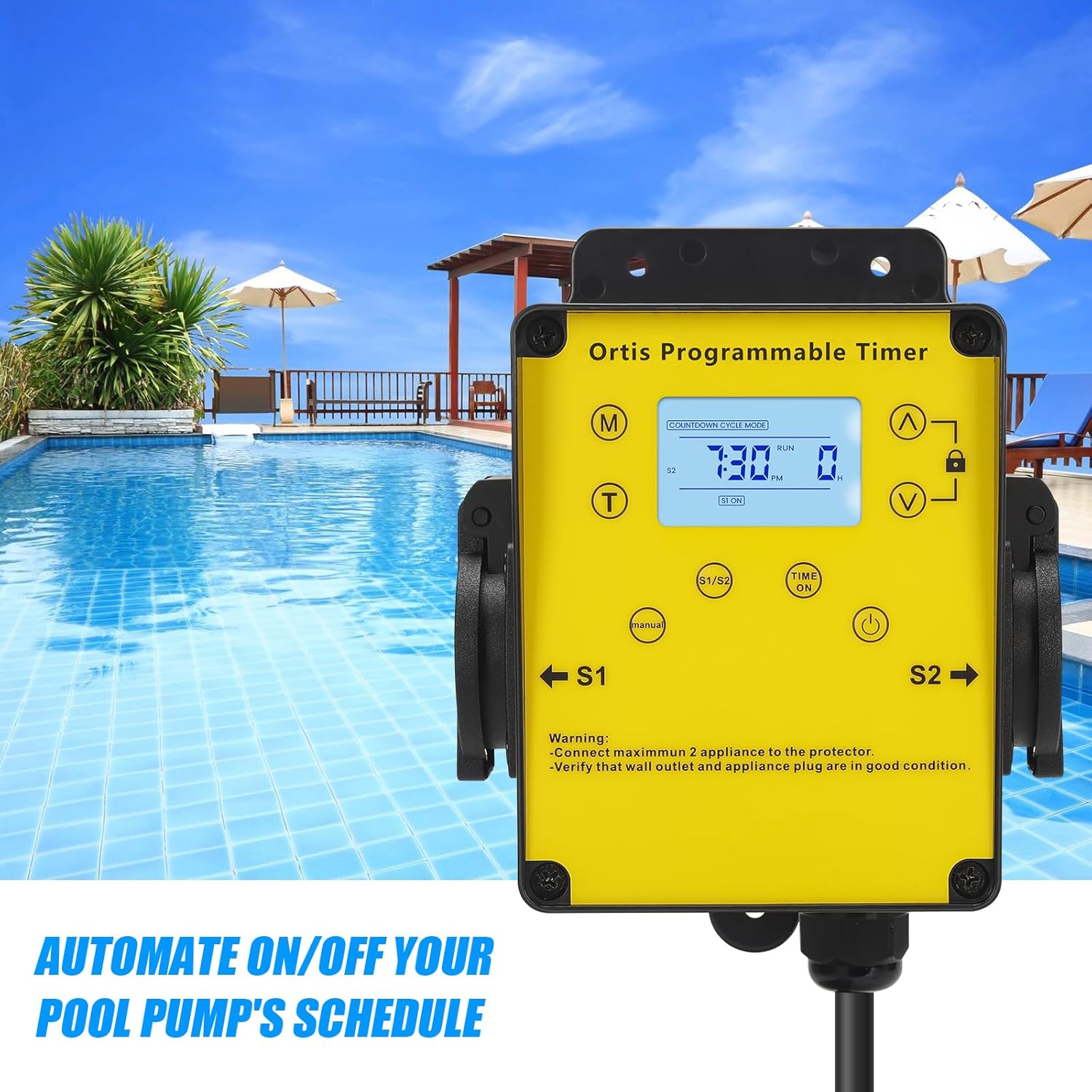
تصویر 5.1: The timer mounted on a wall, positioned for convenient access near a pool.
5.2 پاور سے جڑ رہا ہے۔
- Plug the timer's power cord into a grounded 120V AC outdoor electrical outlet.
- The LCD display should illuminate. If not, press the Power button.
5.3. مربوط آلات
- Open the waterproof covers for outlets S1 and S2.
- Plug your pool pump into one outlet (e.g., S1) and your salt system or other appliance into the other outlet (e.g., S2).
- Ensure the total current draw of all connected appliances does not exceed 15A.
- Close the waterproof covers securely around the appliance plugs to maintain weather resistance.

تصویر 5.2: The timer with a pool pump and salt chlorinator connected to its dual outlets.
6. آپریٹنگ ہدایات
6.1. موجودہ وقت کی ترتیب
- دبائیں اور تھامیں۔ (T) Time گھنٹے کے ہندسے فلیش تک بٹن.
- استعمال کریں۔ (^) Up اور (V) Down buttons to adjust the hour. Pay attention to AM/PM.
- دبائیں (T) Time button again to move to minute adjustment. Use (^) Up اور (V) Down منٹ طے کرنے کے لئے۔
- دبائیں (T) Time button one more time to confirm and exit time setting.
6.2. کاؤنٹ ڈاؤن موڈ
This mode allows you to set a specific duration for the connected appliances to run before automatically turning off.
- دبائیں (M) موڈ button until "COUNTDOWN CYCLE MODE" appears on the display.
- The hour digits for the countdown will flash. Use the (^) Up اور (V) Down buttons to set the desired running hours.
- دبائیں (M) موڈ button again to move to minute adjustment. Use (^) Up اور (V) Down to set the desired running minutes.
- دبائیں (M) موڈ button once more to confirm the countdown duration.
- The timer will now display the countdown. The connected appliances will turn ON and run for the set duration, then turn OFF automatically.
6.3. 24H Auto Cycle Mode
This mode allows you to program daily ON/OFF schedules for your appliances.
- دبائیں (M) موڈ button until "24H AUTO CYCLE MODE" appears on the display.
- دبائیں (Time ON) button to enter program setting. The display will show "1 ON".
- استعمال کریں۔ (^) Up اور (V) Down buttons to set the desired ON time (hour and minute). Press (Time ON) گھنٹے اور منٹ کے درمیان سوئچ کرنے کے لیے۔
- After setting the ON time, press (Time ON) again. The display will show "1 OFF".
- استعمال کریں۔ (^) Up اور (V) Down buttons to set the desired OFF time (hour and minute). Press (Time ON) گھنٹے اور منٹ کے درمیان سوئچ کرنے کے لیے۔
- You can set multiple ON/OFF programs (e.g., 2 ON, 2 OFF, etc.) by repeating steps 3-5. The timer supports multiple programs.
- Once all programs are set, press the (M) موڈ button to exit program setting and activate the 24H Auto Cycle mode. The timer will now follow your programmed schedule daily.
6.4۔ دستی اوور رائیڈ۔
To manually turn the connected appliances ON or OFF, regardless of the programmed schedule:
- دبائیں (دستی) button. Each press will cycle through ON, OFF, and AUTO modes for the outlets.
- In AUTO mode, the timer will follow the programmed schedule.
6.5. لاک فنکشن
To prevent accidental changes to settings:
- دبائیں اور تھامیں۔ تالا button for approximately 3 seconds to lock the keypad. A lock icon will appear on the display.
- Repeat the action to unlock the keypad. The lock icon will disappear.
7 دیکھ بھال
- صفائی: Disconnect the timer from power before cleaning. Wipe the exterior with a soft, damp کپڑا کھرچنے والے کلینر یا سالوینٹس کا استعمال نہ کریں۔
- معائنہ: Regularly inspect the power cord, plug, and outlets for any signs of damage or wear. Ensure waterproof covers are intact and properly sealed.
- ذخیرہ: If storing the timer for an extended period, disconnect it from power, clean it, and store it in a dry, cool place away from direct sunlight.
8 خرابیوں کا سراغ لگانا
| مسئلہ | ممکنہ وجہ | حل |
|---|---|---|
| Timer display is off or not responding. | No power; Timer is off; Internal battery low. | Ensure the timer is plugged into a live outlet. Press the طاقت button. If the problem persists, contact support. |
| Appliances not turning ON/OFF as programmed. | Incorrect program settings; Timer in Manual mode; Appliances not properly connected. | Verify program settings in 24H Auto Cycle mode. Ensure the timer is in AUTO mode (not Manual). Check appliance plugs are fully inserted into the timer outlets. |
| Appliances not receiving power in any mode. | Overload; Faulty appliance; Timer malfunction. | Check if the total load exceeds 15A. Test appliances directly in a wall outlet. If they work, the timer may be faulty. Contact support. |
| کی پیڈ غیر جوابدہ ہے۔ | کی پیڈ مقفل ہے۔ | دبائیں اور تھامیں۔ تالا button for 3 seconds to unlock the keypad. |
9. وضاحتیں
- ماڈل: KJ-139
- ان پٹ جلدtage: 120V AC ، 60Hz
- زیادہ سے زیادہ لوڈ: 15A / 1800W۔
- آؤٹ لیٹس: 2 گراؤنڈ آؤٹ لیٹس
- آپریٹنگ موڈز: Countdown, 24H Auto Cycle, Manual
- ڈسپلے: LCD
- طول و عرض (H x W x D): تقریباً 4.9" x 3.3" x 3.9"
- پاور کورڈ کی لمبائی: تقریباً 4.7 فٹ
- ماحولیاتی درجہ بندی: Outdoor Rated, Waterproof Outlets

تصویر 9.1: Product dimensions of the Ortis Smart Pool Timer.
10. وارنٹی اور سپورٹ
10.1. وارنٹی کی معلومات
Ortis products are manufactured to high-quality standards. This product is covered by a limited warranty against defects in materials and workmanship from the date of purchase. Please retain your proof of purchase for warranty claims. The warranty does not cover damage caused by misuse, improper installation, unauthorized repairs, or natural disasters.
10.2. کسٹمر سپورٹ
If you have any questions, require assistance with setup, or encounter any issues not covered in this manual, please contact Ortis customer support. Refer to the product packaging or the Ortis brand store on Amazon for contact details.