
1. تعارف
The Monster TVLink 300 wireless TV headphones are designed to provide a personal audio experience for television viewing. This system includes comfortable over-ear headphones and a transmitter charging base, allowing for clear, synchronized sound without disturbing others. The headphones feature Bluetooth 5.3 for stable connectivity and a long battery life for extended listening sessions.
2. پیکیج کے مشمولات
براہ کرم تصدیق کریں کہ تمام اشیاء آپ کے پیکیج میں موجود ہیں:
- مونسٹر ٹی وی لنک 300 وائرلیس ہیڈ فون
- ٹرانسمیٹر چارجنگ بیس
- آپٹیکل آڈیو کیبل
- 3.5 ملی میٹر آکس کیبل۔
- آر سی اے اڈاپٹر کیبل
- USB-C چارجنگ کیبل
- صارف دستی

Image: Components of the Monster TVLink 300 system, including headphones, charging base, and various audio cables.
3. پروڈکٹ ختمview
Familiarize yourself with the main components and controls of your Monster TVLink 300 headphones and transmitter base.
Image: Labeled diagram of the headphones and transmitter base, indicating buttons, ports, and indicator lights.
ہیڈ فون
- آن/آف بٹن: Powers the headphones on or off.
- والیوم اپ بٹن: Increases audio volume. Also functions as 'previous song' in Bluetooth mode.
- والیوم ڈاؤن بٹن: Decreases audio volume. Also functions as 'next song' in Bluetooth mode.
- Multi-function button (MFB): Controls playback (play/pause), answers/ends calls.
- USB-C چارجنگ پورٹ: For direct charging of headphones.
- اشارے کی روشنی: Shows power and connection status.
- مائک: کالز کے لیے بلٹ ان مائکروفون۔
ٹرانسمیٹر چارجنگ بیس
- USB-C چارجنگ پورٹ: Powers the transmitter base.
- آپٹیکل ان پٹ: Connects to TV via optical cable.
- Aux-in port: Connects to TV via 3.5mm AUX cable.
- ایل ای ڈی اشارے روشنی: Shows connection status and charging status.
- چارجنگ انٹرفیس: For automatic charging of headphones when placed on the base.
4. سیٹ اپ ہدایات
Follow these steps to set up your Monster TVLink 300 system:
- ٹرانسمیٹر بیس کو طاقت دیں: Connect the USB-C charging cable to the transmitter base and plug the other end into a power adapter (not included) or a USB port on your TV. The LED indicator on the base will light up.
- اپنے TV سے جڑیں: Choose one of the following audio connection methods:
- Optical (Recommended): Connect the optical audio cable from the transmitter's optical input to your TV's optical audio output (often labeled 'Digital Audio Out' or 'Optical Out'). Ensure your TV's audio output is set to 'PCM' format if necessary.
- AUX: Connect the 3.5mm AUX audio cable from the transmitter's Aux-in port to your TV's 3.5mm audio output (headphone jack).
- آر سی اے: If your TV has RCA audio outputs (red and white ports), use the RCA adapter cable with the 3.5mm AUX cable to connect to the transmitter's Aux-in port.
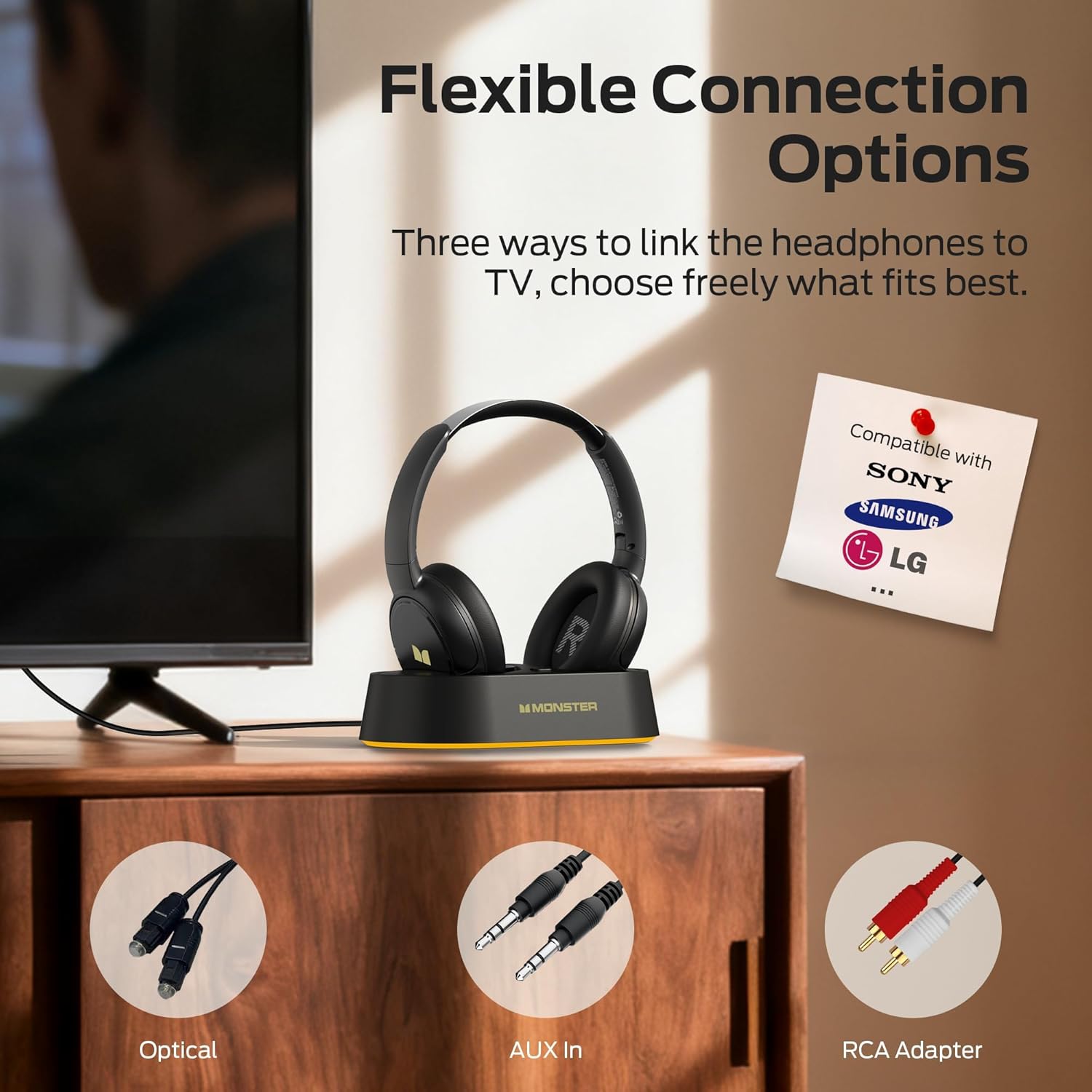
Image: Flexible connection options for the transmitter base, including Optical, AUX, and RCA.
- ہیڈ فون چارج کریں: Place the headphones onto the transmitter charging base. Ensure the charging contacts align. The headphone indicator light will show charging status. A full charge provides up to 45 hours of playback.
- پاور آن ہیڈ فون: Press and hold the On/Off button on the headphones until the indicator light illuminates. The headphones will automatically connect to the transmitter base.
Once connected, audio from your TV will be transmitted wirelessly to your headphones.
5. آپریٹنگ ہدایات
5.1 بنیادی آپریشن
- پاور آن/آف: Press and hold the On/Off button on the headphones for approximately 3 seconds.
- حجم کنٹرول: Use the Volume Up (+) and Volume Down (-) buttons on the headphones to adjust the listening volume.
- خودکار کنکشن: After initial setup, the headphones will automatically connect to the transmitter base when powered on and within range.
5.2 چارج کرنا
To charge the headphones, simply place them onto the transmitter charging base. The headphones will begin charging automatically. The indicator light on the headphones will show charging status (e.g., red for charging, off or blue for fully charged, refer to specific LED behavior in the quick start guide if available). You can also charge the headphones directly using a USB-C cable connected to their USB-C port.
5.3 Bluetooth Mode (Independent Use)
The headphones can also be used independently via Bluetooth 5.3 with other devices like smartphones or tablets.
- جوڑا بنانا: With the headphones powered off, press and hold the On/Off button for approximately 5-7 seconds until the indicator light flashes rapidly (indicating pairing mode).
- جڑیں: On your device, enable Bluetooth and select "Monster TVLink 300" from the list of available devices.
- پلے بیک کنٹرول: Use the Multi-function button (MFB) for play/pause, and the Volume Up/Down buttons for next/previous track.

Image: The Monster TVLink 300 system demonstrating compatibility with various devices including TV, laptop, and smartphone.
6 دیکھ بھال
مناسب دیکھ بھال آپ کے ہیڈ فون کی لمبی عمر اور کارکردگی کو یقینی بناتی ہے:
- صفائی: Use a soft, dry cloth to clean the headphones and transmitter base. Do not use abrasive cleaners or solvents.
- ذخیرہ: When not in use, store the headphones on the charging base or in a cool, dry place. The foldable design allows for compact storage.
- بیٹری کی دیکھ بھال: بیٹری کی صحت کو برقرار رکھنے کے لیے، ہیڈ فون کو بار بار مکمل طور پر خارج کرنے سے گریز کریں۔ انہیں باقاعدگی سے چارج کریں، چاہے طویل مدت تک استعمال نہ کیا جائے۔
- نمی سے بچیں: آلے کو پانی اور ضرورت سے زیادہ نمی سے دور رکھیں۔
7 خرابیوں کا سراغ لگانا
اگر آپ کو مسائل کا سامنا ہے، تو درج ذیل عام حلوں کا حوالہ دیں:
| مسئلہ | ممکنہ وجہ | حل |
|---|---|---|
| ہیڈ فون سے کوئی آواز نہیں۔ | Headphones not powered on or not connected. TV audio output settings incorrect. Cables loose or incorrect. | Ensure headphones are powered on and charged. Check that the transmitter base is powered and connected to the TV. Verify TV audio output is set to the correct source (e.g., PCM for optical). Re-seat all audio cables. |
| آڈیو وقفہ یا تاخیر۔ | Interference or distance from transmitter. | Ensure headphones are within optimal range of the transmitter. Minimize obstacles between headphones and transmitter. |
| Headphones not charging on base. | Improper placement on base. Base not powered. Dirty charging contacts. | Ensure headphones are correctly seated on the base and contacts align. Verify the transmitter base is powered. Clean charging contacts on both headphones and base with a dry cloth. |
| Cannot pair headphones via Bluetooth. | Headphones not in pairing mode. Device Bluetooth off. | Ensure headphones are powered off, then press and hold the On/Off button for 5-7 seconds to enter pairing mode. Verify Bluetooth is enabled on your device. |
8. وضاحتیں
| فیچر | تفصیل |
|---|---|
| ماڈل کا نام | مونسٹر ٹی وی لنک 300 |
| کنیکٹوٹی ٹیکنالوجی | وائرلیس (بلوٹوتھ) |
| بلوٹوتھ ورژن | 5.3 |
| کان کی جگہ کا تعین | کان کے اوپر |
| فارم فیکٹر | کان کے اوپر |
| بیٹری کی زندگی | 45 گھنٹے تک |
| ہم آہنگ آلات | ٹیلی ویژن |
| اضافی خصوصیات | تہ کرنے کے قابل |
| ہیڈ فون جیک | جیک نہیں۔ |
| رنگ | سیاہ |
| کارخانہ دار | مونسٹر |
| پارسل کے طول و عرض | 21.3 x 19.8 x 8.4 سینٹی میٹر؛ 680 گرام |
9. وارنٹی اور سپورٹ
وارنٹی کی معلومات اور کسٹمر سپورٹ کے لیے، براہ کرم اپنے پروڈکٹ کی پیکیجنگ میں شامل وارنٹی کارڈ سے رجوع کریں یا آفیشل مونسٹر دیکھیں webسائٹ وارنٹی کے دعووں کے لیے اپنی خریداری کی رسید اپنے پاس رکھیں۔