1. تعارف
خریداری کے لیے آپ کا شکریہasing the Onkyo C-7030 CD Player. This manual provides essential information for the proper setup, operation, and maintenance of your device. Please read it thoroughly before use to ensure optimal performance and longevity of your CD player.
2. پروڈکٹ ختمview
The Onkyo C-7030 is a high-quality CD player designed for music enthusiasts, featuring robust construction and advanced audio technology for excellent sound reproduction. It supports standard audio CDs and offers various connectivity options.
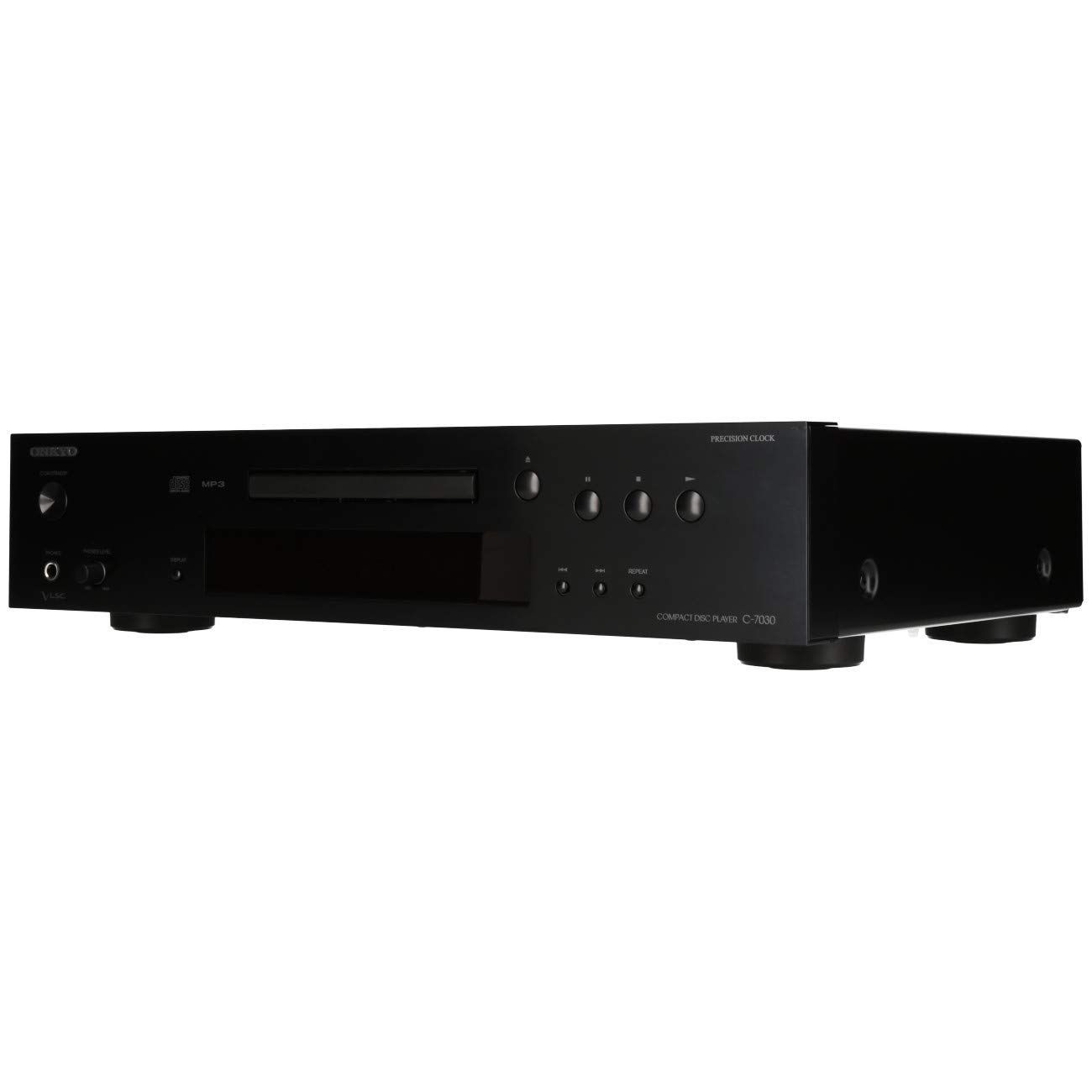
شکل 1: سامنے view of the Onkyo C-7030 CD Player. This image shows the sleek black finish, disc tray, display, and control buttons.

شکل 2: زاویہ والا سامنے view of the Onkyo C-7030 CD Player, highlighting the power button, headphone jack, and volume control.

شکل 3: پیچھے view of the Onkyo C-7030 CD Player, displaying the analog RCA, coaxial digital, and optical digital audio output ports, along with the remote control input.

Figure 4: The remote control for the Onkyo C-7030 CD Player, featuring various playback and function buttons.
3. سیٹ اپ
- پیک کھولنا: پیکنگ سے سی ڈی پلیئر اور تمام لوازمات کو احتیاط سے ہٹا دیں۔ مستقبل کی نقل و حمل یا اسٹوریج کے لیے پیکیجنگ کو برقرار رکھیں۔
- جگہ کا تعین: Place the CD player on a stable, level surface away from direct sunlight, heat sources, and excessive dust or moisture. Ensure adequate ventilation around the unit.
- رابطے:
- آڈیو آؤٹ پٹ: Connect the CD player to your amplifier or receiver using one of the following methods:
- Analog (RCA): Use RCA cables (red for right, white for left) to connect the AUDIO OUTPUT ANALOG jacks on the CD player to the corresponding input jacks on your ampزندگی
- Digital Coaxial: Use a digital coaxial cable to connect the COAXIAL DIGITAL AUDIO OUTPUT jack on the CD player to a coaxial digital input on your ampوصول کنندہ / وصول کنندہ۔
- ڈیجیٹل آپٹیکل: Use an optical digital cable to connect the OPTICAL DIGITAL AUDIO OUTPUT jack on the CD player to an optical digital input on your ampوصول کنندہ / وصول کنندہ۔
- طاقت: Connect the power cord to the AC inlet on the rear of the CD player, then plug it into a suitable wall outlet.
- ریموٹ کنٹرول (اختیاری): If using an Onkyo system with RI (Remote Interactive) compatibility, connect the RI cable from the CD player to your amplifier/receiver for integrated control.
- آڈیو آؤٹ پٹ: Connect the CD player to your amplifier or receiver using one of the following methods:
4. آپریٹنگ ہدایات
- پاور آن/آف: دبائیں اسٹینڈ بائی/آن یونٹ کو آن یا آف کرنے کے لیے فرنٹ پینل یا ریموٹ کنٹرول پر بٹن۔
- سی ڈی لوڈ کرنا: دبائیں کھولیں/بند کریں۔ button to open the disc tray. Place a CD with the label side up in the tray. Press کھولیں/بند کریں۔ ٹرے کو دوبارہ بند کرنے کے لیے۔
- پلے بیک: After loading a CD, the player will automatically begin playback. If not, press the کھیلیں بٹن
- توقف: دبائیں روکیں۔ button to temporarily stop playback. Press it again to resume.
- رک: دبائیں سٹاپ button to halt playback.
- پٹریوں کو چھوڑ دیں: استعمال کریں۔ SKIP (▶▶| / |◀◀) پٹریوں کے درمیان نیویگیٹ کرنے کے لیے بٹن۔
- فاسٹ فارورڈ/ریوائنڈ: کو دبا کر رکھیں SKIP (▶▶| / |◀◀) buttons during playback to fast forward or rewind within a track.
- پلے بیک کو دہرائیں: دبائیں دہرائیں۔ button to cycle through repeat modes (e.g., repeat current track, repeat all tracks).
- بے ترتیب پلے بیک: دبائیں بے ترتیب button to play tracks in a random order.
- ڈسپلے: دبائیں ڈسپلے button to change the information shown on the front panel display (e.g., track number, elapsed time, remaining time).
- ڈمر: استعمال کریں۔ ڈیمر button to adjust the brightness of the front panel display.
ویڈیوز پر نوٹ: No official product videos specifically for the Onkyo C-7030 CD Player from a 'Seller' creator type were available in the provided data. The videos found were for different brands or models, and thus are not included to maintain relevance and accuracy for this specific instruction manual.
5 دیکھ بھال
- یونٹ کی صفائی: Use a soft, dry cloth to wipe the exterior of the unit. For stubborn stains, dampen the cloth with a mild, non-abrasive cleaner. Avoid using harsh chemicals or abrasive materials.
- ڈسکس کی صفائی: Wipe CDs with a soft, lint-free cloth from the center outwards. Do not use solvents or abrasive cleaners.
- ڈسک ٹرے: Keep the disc tray clean and free of dust. Avoid placing heavy objects on the tray or forcing it open/closed.
- وینٹیلیشن: اس بات کو یقینی بنائیں کہ زیادہ گرمی کو روکنے کے لیے یونٹ پر وینٹیلیشن کے سوراخوں کو مسدود نہیں کیا گیا ہے۔
6 خرابیوں کا سراغ لگانا
| مسئلہ | ممکنہ وجہ | حل |
|---|---|---|
| کوئی طاقت نہیں۔ | پاور کی ہڈی منسلک نہیں ہے یا آؤٹ لیٹ فعال نہیں ہے۔ | بجلی کی ہڈی کا کنکشن چیک کریں۔ ایک مختلف آؤٹ لیٹ آزمائیں۔ |
| کوئی آواز نہیں۔ | Incorrect audio cable connection or wrong input selected on ampزندگی | Verify audio cable connections. Select the correct input on your ampزندہ کرنے والا چیک کریں۔ ampلیفائر حجم. |
| Disc not playing/Disc error | ڈسک گندی ہے، کھرچ گئی ہے، یا غلط طریقے سے ڈالی گئی ہے۔ | Clean the disc. Try a different disc. Ensure the disc is inserted correctly with the label side up. |
| ریموٹ کنٹرول کام نہیں کر رہا ہے۔ | Batteries are dead or remote is not aimed at the unit. | Replace batteries (2 AA required). Point the remote directly at the CD player's sensor. |
7. وضاحتیں
- مصنوعات کے طول و عرض: 17.13 x 12.05 x 3.98 انچ
- آئٹم کا وزن: 11.66 پاؤنڈ
- مینوفیکچرر: اونکیو
- ماڈل کا نام: C-7030
- کنیکٹوٹی ٹیکنالوجی: معاون
- ڈسکس کی تعداد: 1
- بیٹریاں: 2 AA بیٹریاں درکار ہیں (ریموٹ کنٹرول کے لیے)
- تاریخ پہلی دستیابی: 7 اگست 2012
8. وارنٹی اور سپورٹ
وارنٹی کی معلومات اور تکنیکی مدد کے لیے، براہ کرم اپنے پروڈکٹ کے ساتھ شامل وارنٹی کارڈ سے رجوع کریں یا آفیشل Onkyo دیکھیں webسائٹ وارنٹی دعووں کے لیے خریداری کے ثبوت کے طور پر اپنی خریداری کی رسید رکھیں۔


