تعارف
The Plantronics M25 Bluetooth headset is designed for convenient wireless communication and audio playback. It features an extended battery life with DeepSleep mode, ensuring readiness when needed. The headset provides whispered alerts for battery status and connection information, and allows for listening to music, internet radio, or navigation directions while managing calls.
پیکیج کے مشمولات
تصدیق کریں کہ تمام اشیاء آپ کے پیکیج میں موجود ہیں:
- Plantronics M25 بلوٹوتھ ہیڈسیٹ
- AC Charger (100-240v)
- Clip-on Earloop
سیٹ اپ
1. ہیڈسیٹ چارج کرنا
Before first use, fully charge the headset. Connect the AC charger to the headset's charging port. The indicator light will change to show charging status and turn off or change color when fully charged. A full charge can provide up to 5 months of readiness in DeepSleep mode.
2. آلے کے ساتھ جوڑا بنانا
To pair your Plantronics M25 headset with a Bluetooth-enabled device (e.g., smartphone, tablet):
- یقینی بنائیں کہ ہیڈسیٹ چارج اور آف ہے۔
- Press and hold the Call button on the headset until the indicator light flashes red and blue, indicating pairing mode.
- اپنے آلے پر، بلوٹوتھ کو فعال کریں اور نئے آلات تلاش کریں۔
- Select "Plantronics M25" from the list of available devices.
- اگر پاس کوڈ کے لیے کہا جائے تو "0000" (چار صفر) درج کریں۔
- Once paired, the headset's indicator light will stop flashing and a voice prompt will confirm the connection.
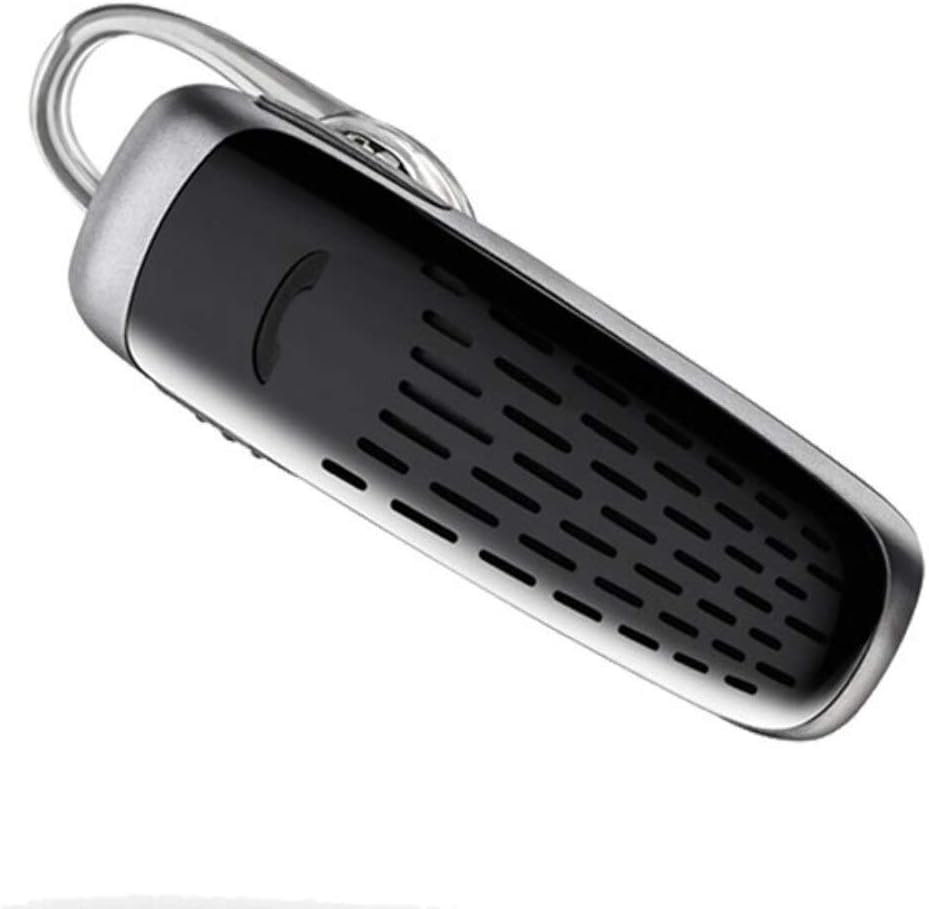
Image: The Plantronics M25 Bluetooth Headset, a compact black and silver device with an earloop, shown from an angled perspective. The call button is visible on the side.
آپریٹنگ ہدایات
پاور آن/آف
- پاور آن: پاور بٹن کو دبائے رکھیں جب تک کہ اشارے کی روشنی نیلی نہ چمکے۔
- بجلی بند: Press and hold the Power button until the indicator light flashes red.
کال کرنا اور وصول کرنا
- کال کا جواب دیں: کال کا بٹن دبائیں۔
- کال ختم کریں: کال کا بٹن دبائیں۔
- کال مسترد کریں: کال بٹن کو 2 سیکنڈ تک دبائے رکھیں۔
- آخری نمبر دوبارہ ڈائل کریں: Double-press the Call button.
آڈیو پلے بیک
The headset supports streaming audio from your device, including music, podcasts, and GPS directions.
- چلائیں/روکیں: Press the Call button during audio playback.
ڈیپ نیند موڈ
The headset enters DeepSleep power-saving mode if it is disconnected from your phone for over 90 minutes. To wake it up when it's back in range (within 33 feet), simply tap the Call button.
دیکھ بھال
- صفائی: Use a soft, dry cloth to clean the headset. Do not use liquid cleaners or aerosols.
- ذخیرہ: Store the headset in a cool, dry place away from extreme temperatures.
- بیٹری کی دیکھ بھال: To preserve battery life, avoid fully discharging the battery frequently. Charge the headset regularly, even if not in use.
- پانی کی مزاحمت: یہ آلہ ہے۔ پانی مزاحم نہیں. Avoid exposure to water or excessive moisture.
خرابی کا سراغ لگانا
| مسئلہ | حل |
|---|---|
| ہیڈسیٹ آن نہیں ہوتا ہے۔ | Ensure the headset is charged. Connect it to the AC charger and allow it to charge for at least 30 minutes before attempting to power on. |
| ہیڈسیٹ کو میرے آلے کے ساتھ جوڑا نہیں جا سکتا۔ |
|
| No audio or low audio volume. |
|
| Headset frequently disconnects. |
|
وضاحتیں
| فیچر | تفصیل |
|---|---|
| ماڈل کا نام | پلانٹرونکس M25 |
| کنیکٹوٹی ٹیکنالوجی | بلوٹوتھ |
| وائرلیس کمیونیکیشن ٹیکنالوجی | بلوٹوتھ |
| ہم آہنگ آلات | Smartphones, Laptops, Desktops, Tablets, Smart Speakers, Televisions |
| کنٹرول کی قسم | کال کنٹرول |
| شے کا وزن | 0.3 اونس (تقریباً 8.5 گرام) |
| پانی کی مزاحمت کی سطح | پانی مزاحم نہیں |
| تعدد کی حد | 20 Hz سے 20,000 Hz تک |
| Battery Life (DeepSleep) | 150 دن تک |
| بلوٹوتھ رینج | 10 میٹر (33 فٹ) تک |
| کان کی جگہ کا تعین | کان میں |
| فارم فیکٹر | One Ear |
| شور کنٹرول | فعال شور منسوخی |
| مصنوعات کے طول و عرض | 1.85 x 0.59 x 0.35 انچ |
| رنگ | سیاہ |
| کارخانہ دار | پلانٹرونکس |
وارنٹی اور سپورٹ
وارنٹی کی معلومات: Please note that this product is sold with No Warranty or Return as per the provided information. Users are advised to verify product condition upon receipt.
For further assistance or inquiries, please refer to the official POLY support channels or visit their website. Contact information may be available on the product packaging or the manufacturer's official webسائٹ
Disclaimer: Product specifications and features are subject to change without notice. Always refer to the latest information provided by the manufacturer.


