1. تعارف
Thank you for choosing the Grundig Aluminum 12 LED Flashlight, model 34582. This manual provides essential information for the safe and efficient use of your new flashlight. Please read these instructions carefully before use and retain them for future reference.
This flashlight is designed for both outdoor and indoor use, providing reliable illumination with its 12 LED light source and durable aluminum construction.
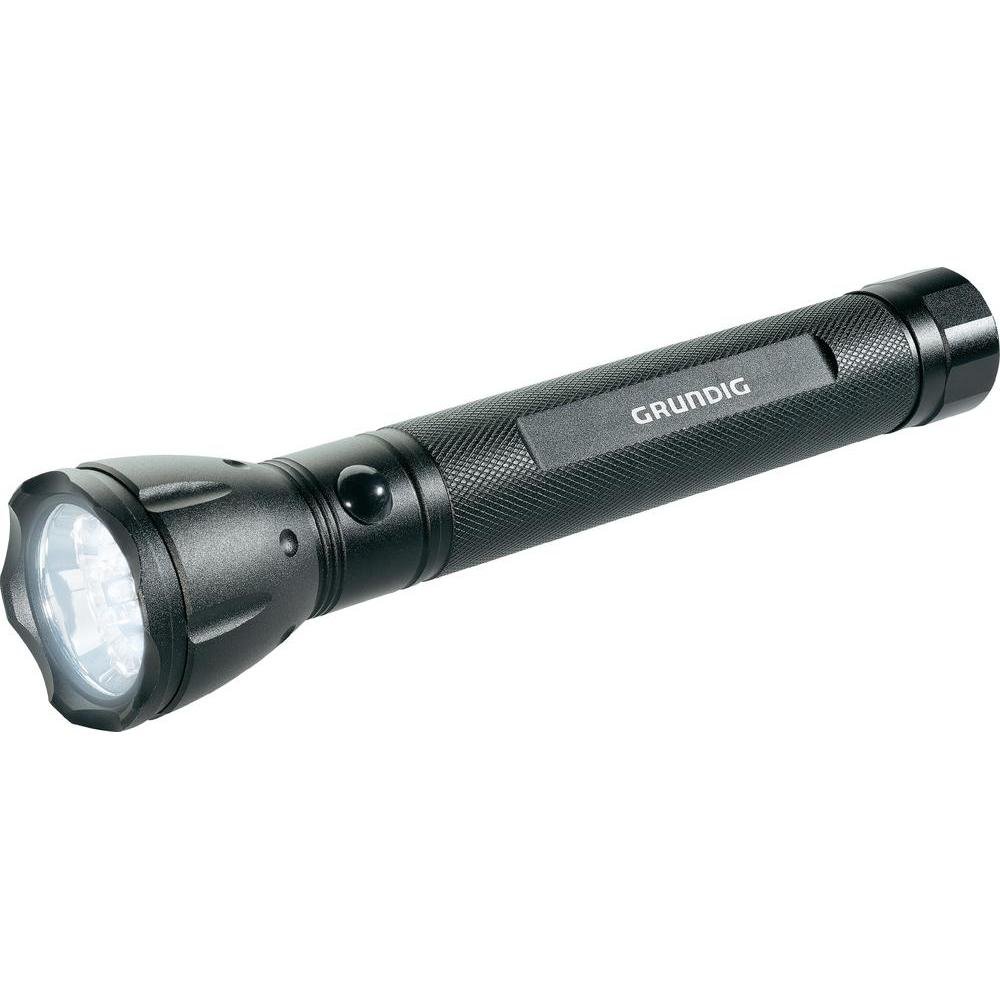
Figure 1: Grundig Aluminum 12 LED Flashlight (Model 34582). This image displays the flashlight's robust aluminum body and the front end where the 12 LED light source is located.
2. سیٹ اپ
2.1 بیٹری کی تنصیب
The Grundig 12 LED Flashlight requires three (3) D-size batteries for operation. Batteries are not included with the product and must be purchased separately.
- ٹارچ کی ٹیل ٹوپی کو گھڑی کی سمت موڑ کر اسکریو کریں۔
- Insert three D-size batteries into the battery compartment, ensuring the correct polarity (+/-) as indicated inside the flashlight. Typically, the positive (+) end of the battery faces towards the flashlight head.
- Carefully screw the tail cap back on by turning it clockwise until it is securely tightened. Avoid over-tightening.
اہم: Always use fresh batteries of the same type and brand. Do not mix old and new batteries, or different types of batteries, as this can lead to leakage or damage to the flashlight.
3. آپریشن
3.1 آن/آف کرنا
ٹارچ کو موڑنے کے لیے ON, press the power button located on the tail cap or body of the flashlight (depending on the specific design). Press the button again to turn the flashlight آف.
3.2 عام استعمال
Point the flashlight in the desired direction to illuminate an area. The 12 LED light source provides a bright and consistent beam suitable for various tasks.
4 دیکھ بھال
4.1 صفائی
- ٹارچ کے بیرونی حصے کو نرم سے صاف کریں، ڈیamp کپڑا
- Do not use abrasive cleaners or solvents, as these may damage the aluminum finish.
- Ensure the flashlight is dry before storing or using.
4.2 بیٹری کی تبدیلی اور ذخیرہ
- If the light becomes dim or the flashlight stops working, replace all three D-size batteries as described in the "Battery Installation" section.
- Remove batteries if the flashlight will not be used for an extended period to prevent leakage and potential damage.
- ٹارچ کو کسی ٹھنڈی، خشک جگہ پر براہ راست سورج کی روشنی اور انتہائی درجہ حرارت سے دور رکھیں۔
5 خرابیوں کا سراغ لگانا
| مسئلہ | ممکنہ وجہ | حل |
|---|---|---|
| ٹارچ آن نہیں ہوتی۔ |
|
|
| روشنی مدھم ہے یا ٹمٹما رہی ہے۔ |
|
|
If you encounter problems not listed here or if the suggested solutions do not resolve the issue, please contact Grundig customer support for further assistance.
6. وضاحتیں
| ماڈل نمبر | 34582 |
| برانڈ | گرونڈیگ |
| روشنی کے منبع کی قسم | LED (12 LEDs) |
| مواد | ایلومینیم |
| طاقت کا منبع | بیٹری |
| بیٹریاں درکار ہیں۔ | 3 x D-size batteries (not included) |
| Specific Use Instructions | بیرونی اور اندرونی استعمال کے لیے۔ |
| پیکیج کے طول و عرض | 37.59 x 15.24 x 5.08 سینٹی میٹر؛ 362.87 گرام |
| پہلی دستیاب تاریخ | 23 اگست 2013 |
| جی ٹی آئی این | 08711252345826 |
7. وارنٹی اور سپورٹ
7.1 وارنٹی کی معلومات
Specific warranty details for the Grundig Aluminum 12 LED Flashlight (Model 34582) may vary by region and retailer. Please refer to the warranty card included with your product or contact your point of purchase for detailed warranty terms and conditions. Keep your proof of purchase for any warranty claims.
7.2 کسٹمر سپورٹ
For technical assistance, troubleshooting, or general inquiries regarding your Grundig flashlight, please visit the official Grundig website or contact their customer service department. Contact information can typically be found on the product packaging or the Grundig official webسائٹ
نوٹ: مصنوعات دوبارہviews mention issues with battery contact springs. If you experience this, ensure the spring is properly positioned. If the issue persists, contact support.


