1. تعارف
This manual provides essential instructions for the installation, operation, maintenance, and troubleshooting of your Antec TruePower Classic TP-750C 750W 80 PLUS GOLD Certified Power Supply. Please read this manual thoroughly before installation and retain it for future reference. This power supply is designed to provide stable and efficient power to your personal computer system.
2. حفاظتی معلومات
- Ensure the power supply is disconnected from the AC power outlet before installation or handling.
- بجلی کی فراہمی نہ کھولیں casinجی اعلی والیومtage components inside pose a risk of electric shock.
- Install the power supply in a well-ventilated area to prevent overheating.
- صرف بجلی کی فراہمی کے ساتھ فراہم کردہ کیبلز کا استعمال کریں۔
- نمی یا انتہائی درجہ حرارت میں بجلی کی فراہمی کو بے نقاب کرنے سے گریز کریں۔
- This product is intended for use in personal computer systems only.
3. پیکیج کے مشمولات
تنصیب کے ساتھ آگے بڑھنے سے پہلے تصدیق کریں کہ تمام اشیاء پیکیج میں موجود ہیں۔
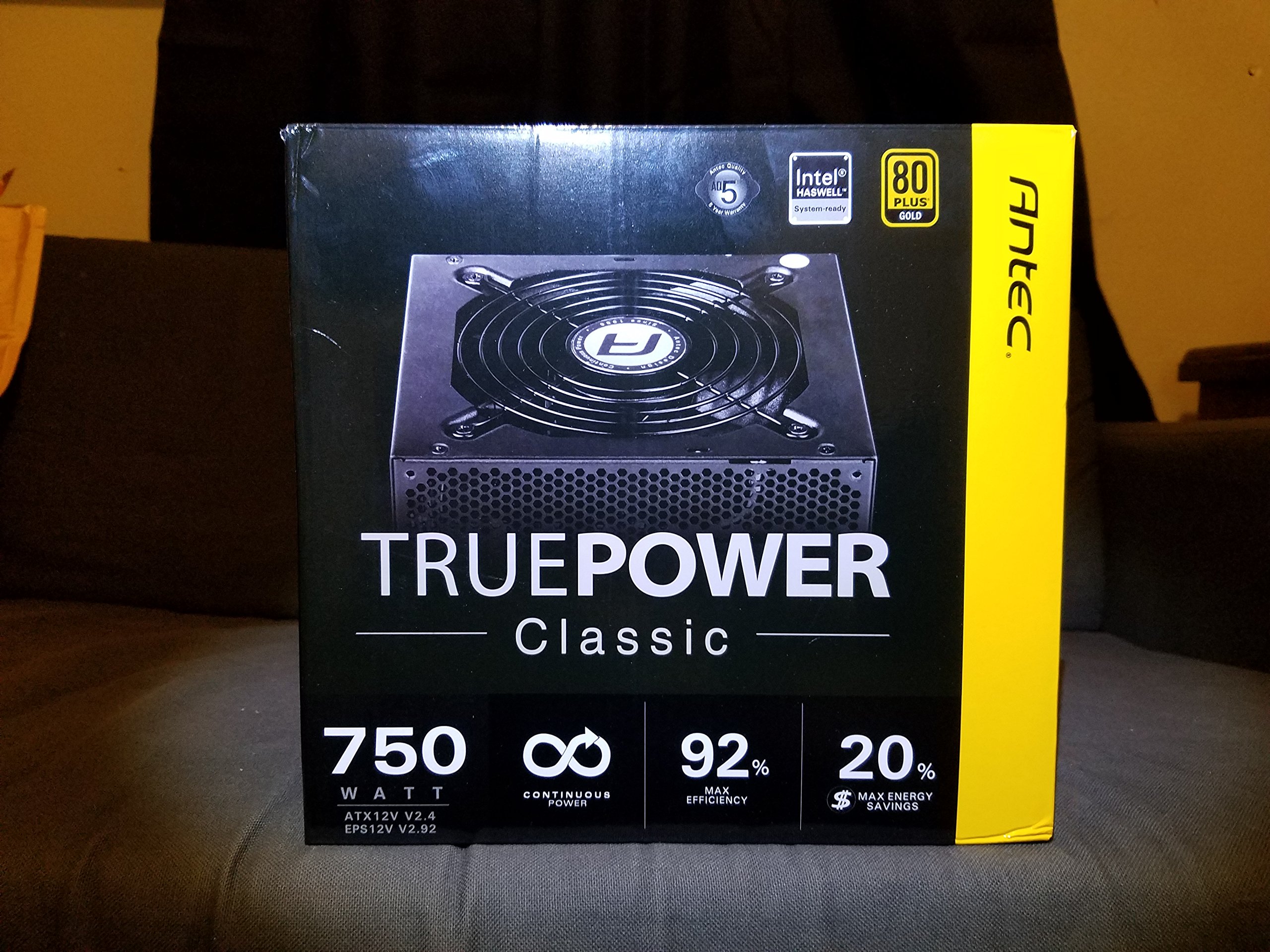
Image 1: Contents of the Antec TruePower Classic TP-750C package. The image displays the power supply unit, various power cables (including a main AC power cable), and user documentation neatly packed within a cardboard box.
- Antec TruePower Classic TP-750C Power Supply Unit
- Modular Cable Set (PCI-E, SATA, Molex, etc.)
- AC پاور کورڈ
- بڑھتے ہوئے پیچ
- صارف دستی/دستاویزات
4. سیٹ اپ اور انسٹالیشن
Follow these steps to properly install your power supply into your computer chassis.
- چیسس تیار کریں: Ensure your computer chassis is powered off and disconnected from all power sources. Open the side panel of your computer case.
- پاور سپلائی کو ماؤنٹ کریں: Carefully slide the Antec TP-750C power supply into the designated power supply bay in your chassis. Align the screw holes on the power supply with those on the chassis. Secure the power supply using the provided mounting screws.
- مدر بورڈ پاور کو جوڑیں: Connect the 24-pin ATX main power connector from the power supply to the corresponding port on your motherboard. Ensure it clicks into place.
- سی پی یو پاور کو جوڑیں: Connect the 4+4-pin (or 8-pin) EPS12V CPU power connector to the CPU power socket on your motherboard.
- Connect Graphics Card Power (PCI-E): If your graphics card requires external power, connect the appropriate 6+2-pin PCI-E power cables from the power supply to your graphics card.
- Connect Peripheral Power (SATA/Molex): SATA پاور کیبلز کو اپنی اسٹوریج ڈرائیوز (SSDs، HDDs) اور آپٹیکل ڈرائیوز سے جوڑیں۔ ضرورت کے مطابق دیگر پیری فیرلز کے لیے Molex کنیکٹر استعمال کریں۔
- کیبل مینجمنٹ: Route cables neatly to improve airflow and aesthetics within your chassis.
- حتمی جانچ پڑتال: Double-check all connections to ensure they are secure. Close the chassis side panel.
- AC پاور کو جوڑیں: Connect the AC power cord to the power supply and then to a wall outlet or surge protector.
5. آپریٹنگ ہدایات
The Antec TP-750C power supply operates automatically once correctly installed and connected to an AC power source. It provides stable DC power to all connected components.
- پاور آن: After connecting the AC power cord, flip the power switch on the back of the power supply to the "ON" (I) position.
- سسٹم بوٹ: Press the power button on your computer chassis to start your system.
- بجلی بند: Shut down your computer through the operating system. For complete power disconnection, flip the power switch on the power supply to the "OFF" (O) position and unplug the AC power cord.
6 دیکھ بھال
مناسب دیکھ بھال آپ کی بجلی کی فراہمی کی لمبی عمر اور بہترین کارکردگی کو یقینی بناتی ہے۔
- دھول کی صفائی: Periodically clean dust from the power supply's fan and ventilation grilles using compressed air. Ensure the power supply is disconnected from AC power before cleaning.
- وینٹیلیشن: Ensure adequate airflow around the power supply. Do not block the intake or exhaust vents.
- کیبل کی سالمیت: Regularly check power cables for any signs of damage or fraying. Replace damaged cables immediately.
- آپریٹنگ ماحول: Operate the power supply within recommended temperature and humidity ranges.
7 خرابیوں کا سراغ لگانا
If you encounter issues with your power supply, refer to the following common problems and solutions.
| مسئلہ | ممکنہ وجہ | حل |
|---|---|---|
| سسٹم آن نہیں ہے۔ | AC power cord not connected, power switch off, loose internal connections, faulty components. |
|
| سسٹم پاور آن لیکن فوری طور پر بند ہو جاتا ہے۔ | Overload, overheating, short circuit, faulty component. |
|
| Unusual noise from the power supply. | Fan obstruction, faulty fan bearing, coil whine. |
|
If troubleshooting steps do not resolve the issue, contact Antec customer support for further assistance.
8. وضاحتیں
| ماڈل کا نام | TruePower Classic TP-750C |
| برانڈ | اینٹیک |
| واٹtage | 750 واٹ |
| 80 پلس سرٹیفیکیشن | سونا |
| فارم فیکٹر | اے ٹی ایکس |
| کنیکٹر کی قسم | اے ٹی ایکس |
| کم از کم ان پٹ والیومtage | 100 وولٹ |
| ہم آہنگ آلات | پرسنل کمپیوٹر |
| شے کا وزن | 6.24 پاؤنڈ (2.83 کلوگرام) |
| پیکیج کے طول و عرض | 9.7 x 9 x 5.5 انچ (24.6 x 22.9 x 14 سینٹی میٹر) |
| ASIN | B00JOFALL0 |
| یو پی سی | 132018316306 |
9. وارنٹی اور سپورٹ
The Antec TruePower Classic TP-750C Power Supply comes with a 3 سالہ مینوفیکچرر وارنٹی۔. یہ وارنٹی عام استعمال کے تحت مواد اور کاریگری میں نقائص کا احاطہ کرتی ہے۔
For technical support, warranty claims, or further inquiries, please visit the official Antec webسائٹ یا ان کے کسٹمر سروس ڈیپارٹمنٹ سے رابطہ کریں۔ وارنٹی کی توثیق کے لیے اپنی خریداری کا ثبوت اپنے پاس رکھیں۔
Please note: Opening the power supply casing وارنٹی کو کالعدم کردے گا۔


