1. تعارف
This manual provides detailed instructions for the setup, operation, and maintenance of your Marathon Digital Desktop Clock, Model CL030050BK. This compact and versatile digital clock is designed for use on a desk or nightstand, offering time, date, day of the week, and temperature displays, along with a dual alarm function and a button-activated backlight.
2. پروڈکٹ ختمview

شکل 2.1: سامنے view of the Marathon Digital Desktop Clock CL030050BK, showing its large digital display with time, date, day, and temperature.
2.1 کلیدی خصوصیات
- Large, High-Quality Display: Enhanced contrast for clear legibility.
- Nightowl Super Glow Backlight: Button-activated, gentle blue backlight that illuminates for approximately 10 seconds.
- دوہری الارم فنکشن: Separate alarm settings for weekdays (Monday-Friday) and weekends (Saturday-Sunday).
- اسنوز بٹن: Conveniently located for temporary alarm suspension.
- متعدد ڈسپلے موڈز: Time in 12 or 24-hour format, temperature in Fahrenheit or Celsius.
- Multilingual Day of Week: Displays the day of the week in seven languages: English, Dutch, French, Spanish, Italian, Danish, and German.
- کومپیکٹ اور ہلکا پھلکا ڈیزائن: Ideal for desktop, nightstand, or travel.
2.2 پیکیج کے مشمولات
- 1 x Marathon Digital Desktop Clock CL030050BK
- 3 x AAA بیٹریاں (شامل)
- 1 ایکس صارف دستی
3. سیٹ اپ
3.1 بیٹری کی تنصیب
- گھڑی کے پچھلے حصے میں بیٹری کے ٹوکری کا احاطہ تلاش کریں۔
- ٹوکری کھولنے کے لیے کور کو نیچے کی طرف سلائیڈ کریں۔
- 3 نئی AAA بیٹریاں ڈالیں، اس بات کو یقینی بناتے ہوئے کہ صحیح قطبیت (+ اور -) جیسا کہ کمپارٹمنٹ کے اندر اشارہ کیا گیا ہے۔
- بیٹری کے کمپارٹمنٹ کور کو اوپر کی طرف سلائیڈ کرکے اس وقت تک تبدیل کریں جب تک کہ یہ اپنی جگہ پر نہ آجائے۔
3.2 ابتدائی پاور آن
Upon successful battery installation, the clock display will activate, typically showing a default time and date. It is recommended to perform a reset after battery installation to ensure optimal performance.
3.3 Resetting the Clock
To reset the clock, use a thin, pointed object (like a paperclip) to press the recessed ری سیٹ کریں۔ button located on the back of the unit. This will clear all settings and return the clock to its factory defaults.
4. آپریٹنگ ہدایات
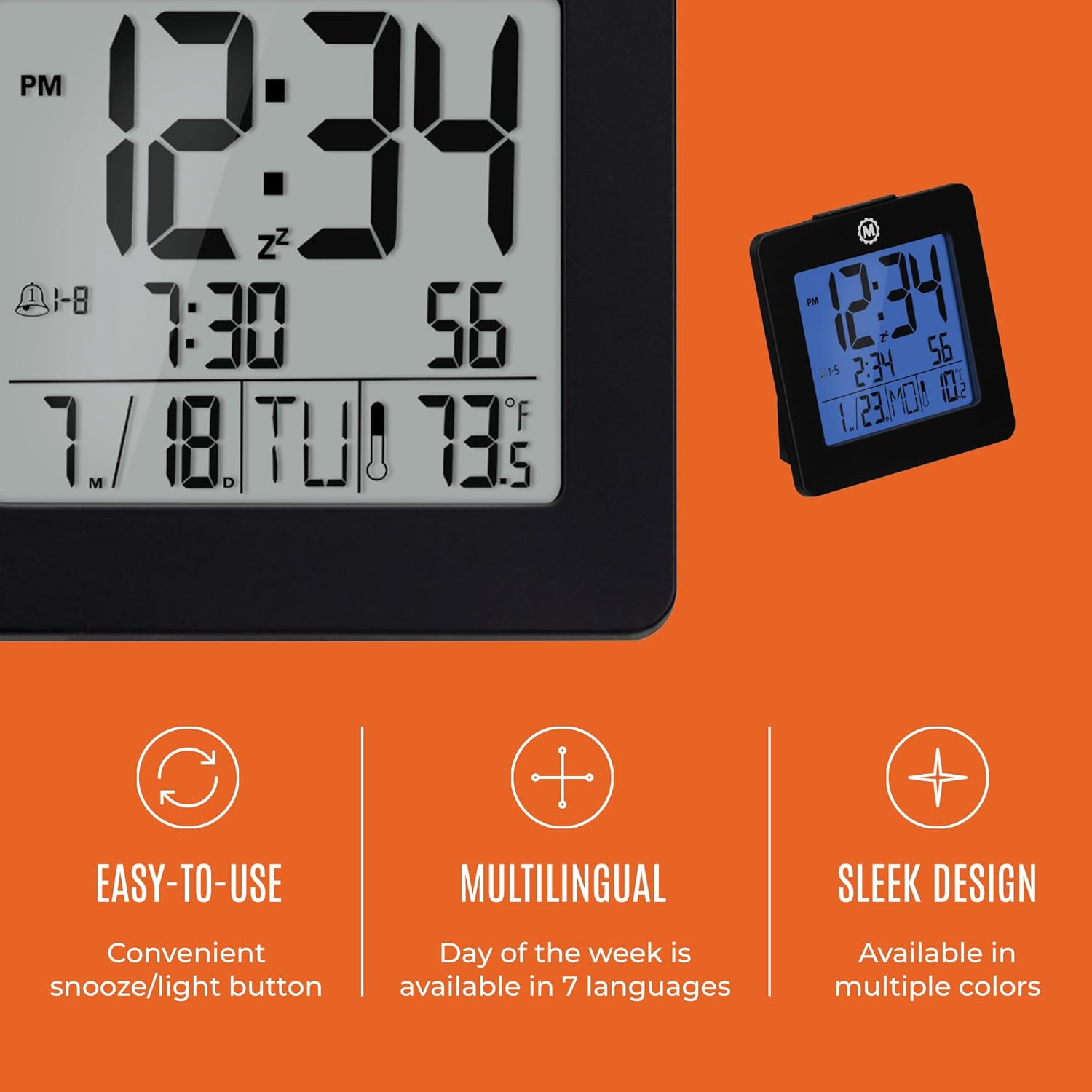
شکل 4.1: ختمview of key features and design elements.
4.1 بٹن کے افعال
The clock features several buttons on the back for configuration:
- ہدایات: Toggles between Time, Alarm, and Timer display modes.
- سیٹ: Enters setting mode for the currently displayed mode (Time, Alarm, Timer).
- UP / 12/24: In setting mode, increases the value. In time display mode, toggles between 12-hour and 24-hour format.
- DOWN / °C/°F: In setting mode, decreases the value. In time display mode, toggles between Celsius and Fahrenheit temperature units.
- LIGHT / SNOOZE: Activates the backlight for 10 seconds. When the alarm sounds, press to activate snooze.
- دوبارہ تلاش کریں: Resets the clock to factory defaults (requires a pointed object).
4.2 وقت اور تاریخ کا تعین کرنا
- دبائیں موڈ button until the time is displayed.
- دبائیں اور تھامیں۔ سیٹ button for approximately 3 seconds until the year flashes.
- استعمال کریں۔ UP or نیچے سال کو ایڈجسٹ کرنے کے بٹن۔
- دبائیں سیٹ to confirm and move to the month setting.
- Repeat steps 3 and 4 to set the month, day, 12/24-hour format, hour, and minute.
- After setting the minutes, press سیٹ to exit time/date setting mode.
4.3 Setting the Day of Week Language
While in time display mode, repeatedly press the UP or نیچے button to cycle through the 7 available languages for the day of the week display (English, Dutch, French, Spanish, Italian, Danish, German).
4.4 Setting the Temperature Unit
While in time display mode, press the DOWN / °C/°F button to toggle the temperature display between Celsius (°C) and Fahrenheit (°F).
4.5 Setting the Dual Alarm
- دبائیں موڈ button until the alarm time is displayed (indicated by an alarm icon).
- دبائیں اور تھامیں۔ سیٹ button for approximately 3 seconds until the alarm hour flashes.
- استعمال کریں۔ UP or نیچے الارم گھنٹے کو ایڈجسٹ کرنے کے بٹن۔
- دبائیں سیٹ to confirm and move to the alarm minute setting.
- Repeat steps 3 and 4 to set the alarm minute.
- After setting the minutes, press سیٹ to select the alarm type: Weekday (1-5) or Weekend (6-7). Use UP or نیچے منتخب کرنے کے لئے.
- دبائیں سیٹ to confirm and exit alarm setting mode.
- الارم کو فعال/غیر فعال کرنے کے لیے، دبائیں۔ UP button while in alarm display mode. An alarm icon will appear/disappear on the screen.
4.6 Using the Snooze and Backlight
بڑے کو دبائیں۔ روشنی / اسنوز button on the top of the clock to activate the blue backlight. The backlight will remain illuminated for approximately 10 seconds. If the alarm is sounding, pressing this button will activate the snooze function, temporarily silencing the alarm for a short period before it sounds again.
5 دیکھ بھال
- صفائی: Wipe the clock with a soft, dry cloth. Avoid using abrasive cleaners or solvents.
- بیٹری کی تبدیلی: Replace all 3 AAA batteries when the display becomes dim or the clock functions erratically. Always replace with new batteries of the same type.
- ذخیرہ: اگر گھڑی کو لمبے عرصے کے لیے محفوظ کر رہے ہیں، تو بیٹریوں کو ہٹا دیں تاکہ رساو کو روکا جا سکے۔
6 خرابیوں کا سراغ لگانا
| مسئلہ | ممکنہ وجہ | حل |
|---|---|---|
| ڈسپلے خالی یا مدھم ہے۔ | کم یا مردہ بیٹریاں۔ | Replace all 3 AAA batteries. |
| غلط وقت/تاریخ دکھائی گئی۔ | Settings were not saved or incorrect. | Perform a reset and re-enter time/date settings as per Section 4.2. |
| الارم نہیں بجتا ہے۔ | الارم چالو نہیں ہے یا غلط طریقے سے سیٹ کیا گیا ہے۔ | Ensure the alarm is activated (alarm icon visible) and the alarm time is correctly set (Section 4.5). |
| بیک لائٹ کام نہیں کر رہی ہے۔ | Low batteries or button malfunction. | بیٹریاں تبدیل کریں۔ اگر مسئلہ برقرار رہتا ہے تو کسٹمر سپورٹ سے رابطہ کریں۔ |
7. وضاحتیں
- ماڈل نمبر: CL030050BK
- برانڈ: میراتھن
- ڈسپلے کی قسم: ڈیجیٹل
- رنگ: سیاہ
- مصنوعات کے طول و عرض: 3.7"W x 3.7"H
- آئٹم کا وزن: 5.6 اونس
- طاقت کا منبع: بیٹری سے چلنے والی (3 x AAA بیٹریاں شامل ہیں)
- مواد: پلاسٹک
- چڑھنے کی قسم: ٹیبل ٹاپ
- خصوصی خصوصیت: Button-activated backlight, dual alarm, temperature display, multilingual day of week.
8. وارنٹی اور سپورٹ
8.1 وارنٹی کی معلومات
This Marathon Digital Desktop Clock CL030050BK comes with a 1 سال کی وارنٹی خریداری کی تاریخ سے. یہ وارنٹی عام استعمال کے تحت مینوفیکچرنگ نقائص اور کاریگری کا احاطہ کرتی ہے۔ یہ غلط استعمال، حادثات، غیر مجاز ترمیم، یا عام ٹوٹ پھوٹ سے ہونے والے نقصان کو پورا نہیں کرتا ہے۔
8.2 کسٹمر سپورٹ
For technical assistance, troubleshooting, or warranty claims, please visit the official Marathon website or contact their customer service department. Please have your model number and proof of purchase ready when contacting support.