1. تعارف
Thank you for choosing the Volkano Diamond Series USB Powered Speakers. These speakers are designed to provide a convenient and portable audio solution for your computer or other USB-compatible devices. Please read this manual carefully before using the product to ensure proper operation and to maximize its lifespan.
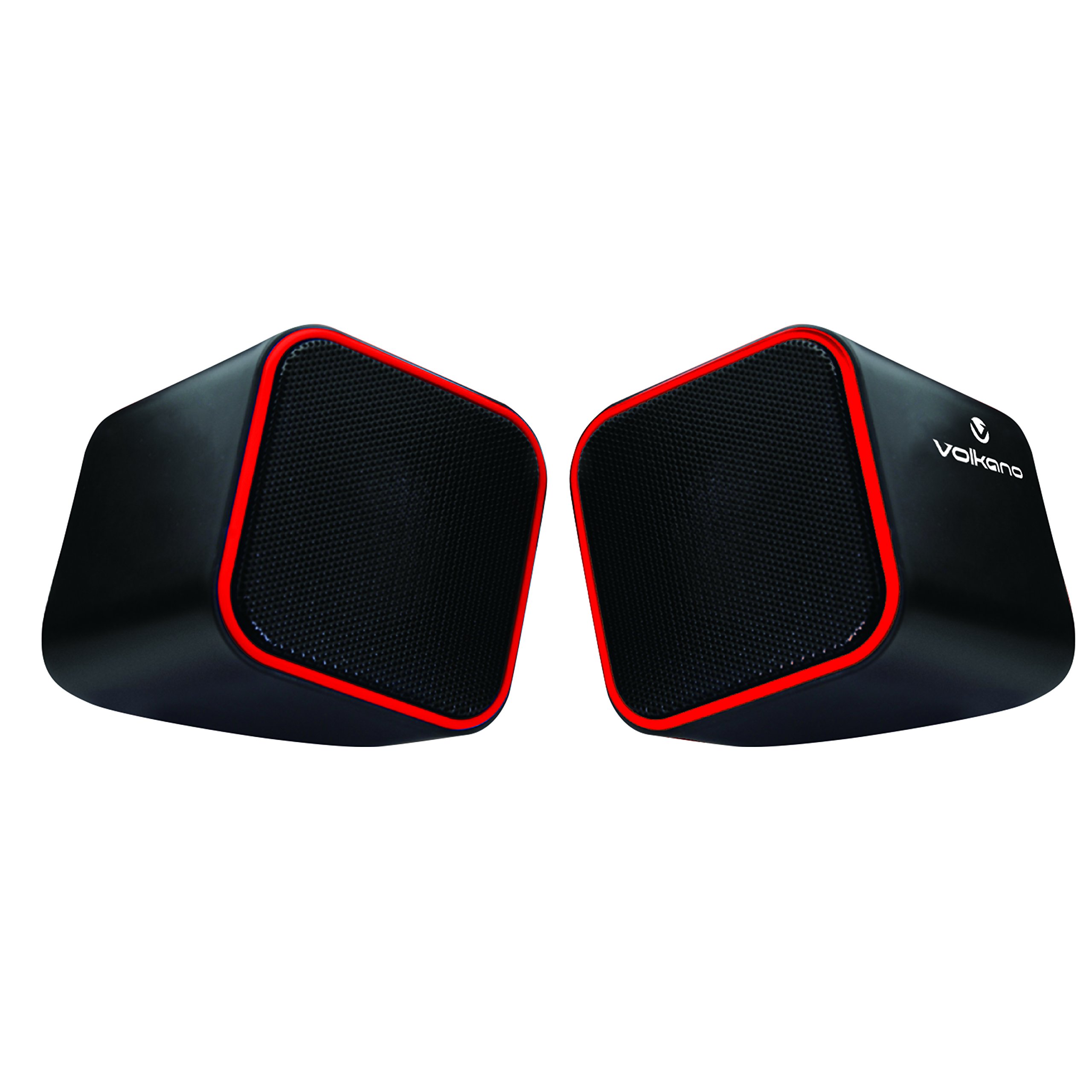
Figure 1: Volkano Diamond Series USB Powered Speakers (Red)
This image displays the Volkano Diamond Series USB Powered Speakers in their red color variant. The speakers feature a compact, cubic design with a mesh grille on the front and a red trim around the edges. The Volkano logo is visible on the side of one speaker.
2. حفاظتی معلومات
- اسپیکر کو پانی یا نمی کے سامنے نہ رکھیں۔
- انتہائی درجہ حرارت یا براہ راست سورج کی روشنی سے بچیں.
- Do not attempt to disassemble or modify the speakers. This will void the warranty.
- بچوں کی پہنچ سے دور رکھیں۔
- صرف خشک، نرم کپڑے سے صاف کریں۔
- Ensure proper ventilation around the speakers during use.
3. پیکیج کے مشمولات
تمام اشیاء کی موجودگی کو یقینی بنانے کے لیے براہ کرم پیکیج کے مواد کو چیک کریں:
- 1 x Volkano Diamond Series USB Powered Speakers (Red)
- 1 ایکس انسٹرکشن دستی
4. پروڈکٹ ختمview
The Volkano Diamond Series speakers are designed for simplicity and portability. They feature a compact design and are powered directly via USB, eliminating the need for an external power adapter.

Figure 2: Speaker connections (Note: Product color is Red)
یہ تصویر پیچھے کو دکھاتی ہے۔ view of the Volkano Diamond Series speakers, highlighting the integrated USB power cable and the 3.5mm audio jack cable. These are the primary connections for both power and audio input.

Figure 3: USB and Audio Cables with Volume Control
This image details the USB power cable, the 3.5mm audio jack, and the inline volume control unit. The volume control allows for easy adjustment of audio output.
5. سیٹ اپ
Follow these steps to set up your Volkano Diamond Series speakers:
- USB کیبل کو جوڑیں: Plug the USB-A connector into an available USB port on your computer, laptop, or a compatible USB power adapter. This provides power to the speakers.
- آڈیو کیبل کو جوڑیں: Plug the 3.5mm audio jack into the headphone or audio output port of your computer, laptop, smartphone, or other audio source.
- مقررین کی پوزیشن: Place the speakers on a flat, stable surface, ensuring they are positioned for optimal sound delivery.
- پاور آن: The speakers will power on automatically once the USB cable is connected and receiving power.

Figure 4: Speakers connected to a computer (Note: Product color is Red)
This image illustrates the Volkano Diamond Series speakers positioned next to a computer monitor, demonstrating a typical setup. The cables are connected to the computer, ready for audio playback.
6. آپریٹنگ ہدایات
Once connected, operating your Volkano Diamond Series speakers is straightforward:
- حجم کنٹرول: Use the inline volume control dial on the cable to adjust the speaker's output volume. Turn the dial clockwise to increase volume and counter-clockwise to decrease it.
- Audio Source Volume: You can also control the volume from your connected audio source (e.g., computer's system volume, media player volume).
- بجلی بند: To turn off the speakers, simply disconnect the USB power cable from its source.
7 دیکھ بھال
Proper maintenance ensures the longevity of your speakers:
- صفائی: Use a soft, dry, lint-free cloth to wipe the exterior of the speakers. Do not use liquid cleaners, aerosols, or solvents.
- ذخیرہ: جب لمبے عرصے تک استعمال نہ ہو، تو سپیکر کو براہ راست سورج کی روشنی اور انتہائی درجہ حرارت سے دور ٹھنڈی، خشک جگہ پر محفوظ کریں۔
- کیبل کی دیکھ بھال: Avoid bending or crimping the cables excessively to prevent internal damage.
8 خرابیوں کا سراغ لگانا
اگر آپ کو اپنے اسپیکرز کے ساتھ مسائل کا سامنا کرنا پڑتا ہے، تو درج ذیل عام مسائل اور حل کا حوالہ دیں:
| مسئلہ | ممکنہ وجہ | حل |
|---|---|---|
| اسپیکر سے کوئی آواز نہیں ہے۔ |
|
|
| آواز مسخ یا غیر واضح ہے۔ |
|
|
| کمپیوٹر سے اسپیکرز کی شناخت نہیں ہے۔ |
|
|
9. وضاحتیں
| فیچر | تفصیل |
|---|---|
| ماڈل کا نام | ڈائمنڈ سیریز |
| آئٹم ماڈل نمبر | VB-702-RED |
| رنگ | سرخ |
| اسپیکر کی قسم | ملٹی میڈیا |
| کنیکٹوٹی ٹیکنالوجی | یو ایس بی |
| طاقت کا منبع | کورڈڈ الیکٹرک (USB پاورڈ) |
| اسپیکر زیادہ سے زیادہ آؤٹ پٹ پاور | 6 واٹ |
| آڈیو آؤٹ پٹ وضع | سٹیریو |
| اسپیکر کا سائز | 2 انچ |
| مصنوعات کے طول و عرض | 15D x 15W x 15H سینٹی میٹر |
| مواد | پلاسٹک |
| خصوصی خصوصیت | پورٹیبل |
| تجویز کردہ استعمال | میوزک پلیئرز کے لیے |
10. وارنٹی کی معلومات
The Volkano Diamond Series USB Powered Speakers come with a 1 سال کی محدود وارنٹی کارخانہ دار سے. یہ وارنٹی عام استعمال کے تحت مواد اور کاریگری میں نقائص کا احاطہ کرتی ہے۔ وارنٹی کے دعووں کے لیے براہ کرم اپنی خریداری کا ثبوت اپنے پاس رکھیں۔
For extended coverage, Volkano offers an additional 12-Month extension upon product registration, totaling 24 Months of coverage. Visit the official Volkano webرجسٹریشن کی تفصیلات کے لیے سائٹ۔
11. کسٹمر سپورٹ
Should you have any questions, require assistance, or need to make a warranty claim, please contact Volkano customer support. Your satisfaction is important to us.
- آن لائن مدد: Visit the official Volkano Page for assistance and to message us directly.
- وارنٹی رجسٹریشن: Register your product to extend your warranty coverage.
Note: Specific contact details (e.g., phone number, email) are typically found on the official brand webسائٹ یا مصنوعات کی پیکیجنگ۔


