تعارف
خریداری کے لیے آپ کا شکریہasing the Gemini AS-12BLU Professional Audio Bluetooth PA Loudspeaker. This manual provides essential information for the safe and efficient operation of your new audio system. Please read this manual thoroughly before use and retain it for future reference.
کلیدی خصوصیات
- 12-inch 1500W Peak Class AB Built-In Amplifier for crisp, concert-quality sound.
- Impedance at 4 Ohms with a linear frequency response between 30Hz-20Khz.
- Pure titanium 1" HF Compression Driver and Wide Dispersion Horn.
- Integrated MP3 player with USB, SD card, Bluetooth, and FM Radio capabilities.
- Two input channels with separate gain controls.
- Multiple input options: Mic and Line XLR, 1/4’’, 1/8’’, and RCA inputs.
- Mix Output for connecting to other audio devices.
- High/Low Equalization Controls for precise audio adjustment.
- Durable ABS Impact Resistant Nylon Fiber Cabinet.
- Top and side handles for easy transport.
- Flyable and stand-mountable design for versatile placement.
- Clip LED Alert to prevent overheating.
پیکیج کے مشمولات
براہ کرم درج ذیل آئٹمز کے لیے باکس کو چیک کریں:
- Gemini AS-12BLU PA Loudspeaker
- پاور اڈاپٹر
- صارف دستی (یہ دستاویز)
اگر کوئی چیز غائب یا خراب ہو تو براہ کرم اپنے ڈیلر سے فوری رابطہ کریں۔
کنٹرولز اور کنکشنز
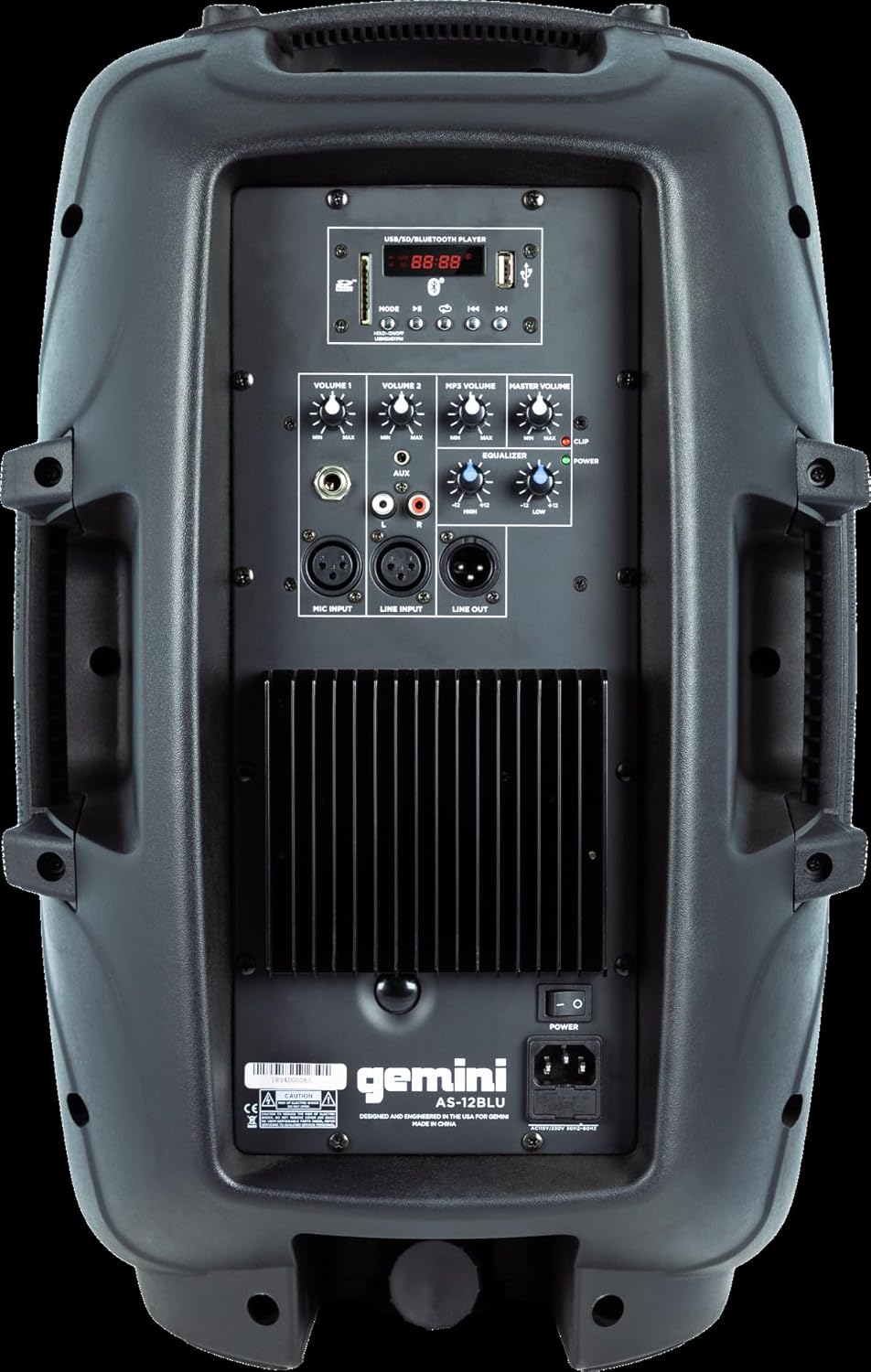
Image: Rear panel of the AS-12BLU loudspeaker. This view highlights the comprehensive control interface, including the USB/SD/Bluetooth player, volume controls, equalization knobs, and various input/output jacks.
سامنے والا View
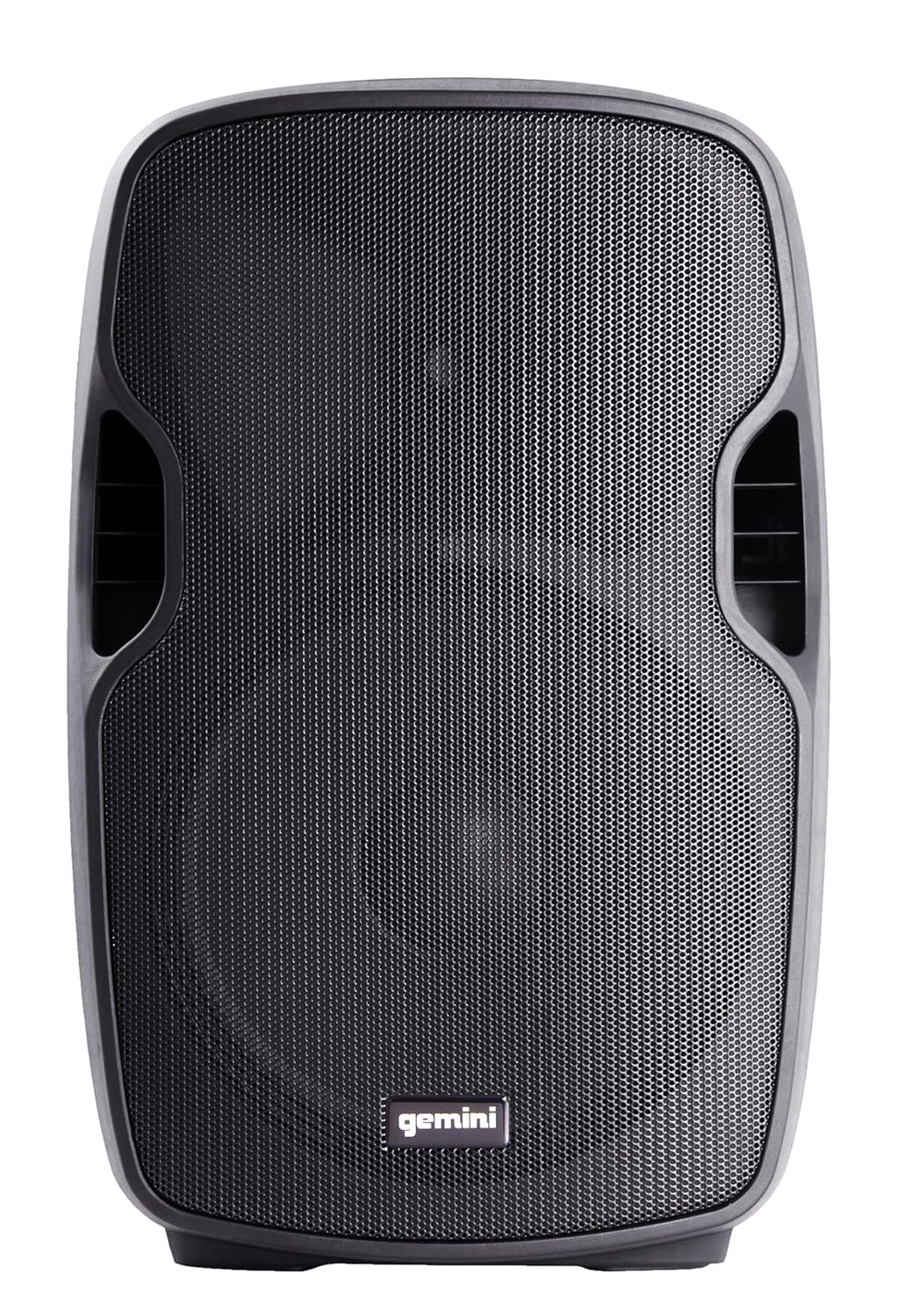
تصویر: سامنے view of the AS-12BLU loudspeaker. This image displays the speaker's robust grille and integrated side handles, designed for both protection and portability.
زاویہ دار View
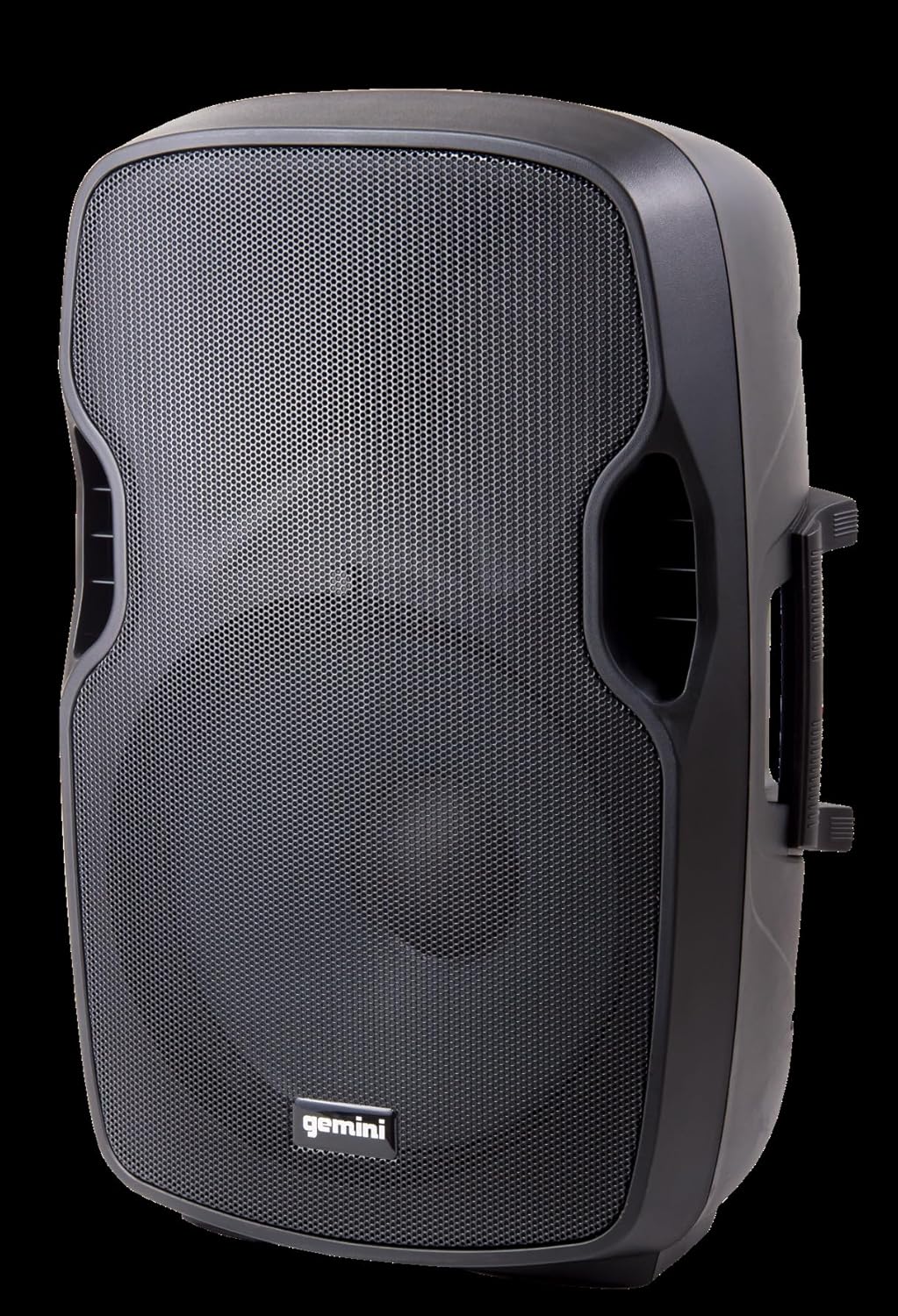
تصویر: زاویہ دار view of the AS-12BLU loudspeaker. This perspective highlights the speaker's ergonomic design, including the integrated handles on both sides, facilitating easy transport and setup.
پیچھے والا پینل ختم۔view:
- USB/SD/Bluetooth Player: Digital media playback interface.
- موڈ بٹن: Switches between USB, SD, Bluetooth, and FM Radio modes.
- جلد 1 اور 2: Independent gain controls for Mic and Line inputs.
- MP3 والیوم: Controls the volume of the integrated media player.
- ماسٹر حجم: Overall output volume control.
- High/Low Equalization: Adjusts treble and bass frequencies.
- Mic Input (XLR & 1/4"): مائیکروفون کو جوڑنے کے لیے۔
- Line Input (XLR, 1/4", 1/8", RCA): For connecting line-level audio sources (e.g., mixers, instruments, media players).
- Line Out (XLR): For connecting to additional PA speakers or recording devices.
- بجلی کے سوئچ: یونٹ کو آن/آف کرتا ہے۔
- AC ان پٹ: Connects the power adaptor.
- ایل ای ڈی ویڈیوکلپ: Illuminates when the audio signal is clipping, indicating potential distortion.
سیٹ اپ
- جگہ کا تعین: Position the AS-12BLU on a stable, flat surface or mount it on a compatible speaker stand. Ensure adequate ventilation around the unit.
- پاور کنکشن: Connect the provided power adaptor to the AC Input on the rear panel of the speaker, then plug the other end into a suitable power outlet.
- ابتدائی پاور آن: Ensure all volume controls are set to minimum before turning on the power switch.
- آڈیو ذرائع کو مربوط کرنا:
- مائیکروفون: Connect your microphone to the Mic Input (XLR or 1/4").
- لائن لیول ڈیوائسز: Connect mixers, instruments, or other audio players to the Line Input (XLR, 1/4", 1/8", or RCA).
- Connecting Additional Speakers (Optional): Use the Line Out (XLR) to connect to the input of another powered PA speaker for expanded sound coverage.
آپریٹنگ ہدایات
بنیادی آپریشن:
- After connecting all sources and powering on, slowly increase the Master Volume to a desired listening level.
- Adjust individual input volumes (Volume 1, Volume 2, MP3 Volume) as needed for proper balance.
- Use the High/Low Equalization controls to fine-tune the audio's treble and bass response.
- Monitor the Clip LED. If it illuminates frequently, reduce the input gain or volume to prevent distortion and potential speaker damage.
بلوٹوت جوڑی بنانا:
- Press the "Mode" button on the USB/SD/Bluetooth Player until "BLUE" or "BT" appears on the display, indicating Bluetooth mode.
- اپنے بلوٹوتھ فعال ڈیوائس (اسمارٹ فون، ٹیبلیٹ وغیرہ) پر، بلوٹوتھ کو فعال کریں اور دستیاب آلات تلاش کریں۔
- Select "GEMINI AS-12BLU" from the list of devices.
- جوڑا بننے کے بعد، آپ اسپیکر کے ذریعے اپنے آلے سے آڈیو چلا سکتے ہیں۔
USB/SD پلے بیک:
- Insert a USB flash drive or SD card containing MP3 audio files into the corresponding slot on the USB/SD/Bluetooth Player.
- The unit should automatically switch to USB or SD mode and begin playback. If not, press the "Mode" button to select the correct source.
- Use the playback controls (Play/Pause, Next/Previous Track) on the player to navigate your music.
ایف ایم ریڈیو:
- "موڈ" بٹن کو دبائیں جب تک کہ "FM" ڈسپلے پر ظاہر نہ ہو۔
- The unit will automatically scan and store available FM radio stations.
- Use the Next/Previous Track buttons to cycle through the stored stations.
دیکھ بھال
- صفائی: اسپیکر کے بیرونی حصے کو صاف کرنے کے لیے نرم، خشک کپڑا استعمال کریں۔ کھرچنے والے کلینر، موم یا سالوینٹس کا استعمال نہ کریں۔
- ذخیرہ: جب استعمال میں نہ ہو تو، اسپیکر کو ٹھنڈی، خشک جگہ پر، براہ راست سورج کی روشنی اور انتہائی درجہ حرارت سے دور رکھیں۔
- وینٹیلیشن: اس بات کو یقینی بنائیں کہ زیادہ گرم ہونے سے بچنے کے لیے سپیکر کے وینٹ کو بلاک نہیں کیا گیا ہے۔
- پاور کی ہڈی: Regularly inspect the power cord for any damage. If damaged, replace it with an authorized Gemini part.
خرابی کا سراغ لگانا
| مسئلہ | ممکنہ وجہ | حل |
|---|---|---|
| کوئی طاقت نہیں۔ | پاور کی ہڈی منسلک نہیں ہے؛ پاور آؤٹ لیٹ فعال نہیں ہے؛ پاور سوئچ آف۔ | یقینی بنائیں کہ بجلی کی تار محفوظ طریقے سے منسلک ہے۔ کسی دوسرے آلے سے پاور آؤٹ لیٹ چیک کریں۔ پاور سوئچ آن کریں۔ |
| کوئی ساؤنڈ آؤٹ پٹ نہیں۔ | Master Volume too low; Input volume too low; Incorrect input selected; Audio source issue. | Increase Master Volume. Increase relevant input volume. Press "Mode" to select correct input. Check audio source device. |
| مسخ شدہ آواز | Volume levels too high (clipping); Damaged cable; Speaker overload. | Reduce Master Volume or input gain until Clip LED no longer illuminates. Replace faulty cables. Do not exceed speaker's rated power. |
| بلوٹوتھ جوڑا نہیں بنا رہا ہے۔ | Speaker not in Bluetooth mode; Device too far; Device already paired to another speaker. | Ensure speaker is in Bluetooth mode ("BLUE" or "BT" on display). Move device closer to speaker. Disconnect device from other Bluetooth speakers. |
| USB/SD Not Playing | غلط file format; USB/SD card corrupted; Incorrect mode selected. | یقینی بنائیں files are MP3 format. Try a different USB/SD card. Press "Mode" to select USB or SD. |
وضاحتیں
| فیچر | تفصیل |
|---|---|
| ماڈل نمبر | AS-12BLU |
| اسپیکر کی قسم | 12-inch Portable Active PA Loudspeaker |
| چوٹی پاور آؤٹ پٹ | 1500 واٹ |
| Ampلائف کلاس۔ | کلاس AB |
| رکاوٹ | 4 اوہم |
| تعدد رسپانس | 30Hz - 20KHz |
| HF ڈرائیور | 1" Pure Titanium Compression Driver |
| کنیکٹوٹی | Bluetooth, USB, SD Card, FM Radio, XLR, 1/4", 1/8", RCA |
| آڈیو آؤٹ پٹ وضع | سٹیریو |
| مصنوعات کے طول و عرض | 14.57 x 11.81 x 22.83 انچ |
| شے کا وزن | 11.42 پاؤنڈز |
| کابینہ کا مواد | ABS Impact Resistant Nylon Fiber |
وارنٹی اور سپورٹ
Gemini products are designed for reliability and performance. For information regarding warranty coverage, technical support, or service, please visit the official Gemini webسائٹ یا ان کے کسٹمر سروس ڈیپارٹمنٹ سے رابطہ کریں۔
Official Gemini Webسائٹ: www.geminisound.com
وارنٹی کے دعووں کے لیے براہ کرم اپنی خریداری کا ثبوت اپنے پاس رکھیں۔


