1. تعارف
The Turtle Beach Stealth 700 is a premium wireless gaming headset designed for an immersive audio experience on PlayStation 5 and PlayStation 4 consoles. This manual provides essential information on setting up, operating, and maintaining your headset, ensuring optimal performance and longevity.

Figure 1: Turtle Beach Stealth 700 Wireless Gaming Headset
2. باکس میں کیا ہے۔
Upon unboxing your Turtle Beach Stealth 700 headset, please ensure all the following components are present:
- Turtle Beach Stealth 700 Wireless Gaming Headset
- وائرلیس USB ٹرانسمیٹر
- USB-C چارجنگ کیبل
- کوئیک سٹارٹ گائیڈ/دستاویزات
ویڈیو 1: آفیشل پروڈکٹ ختمview and unboxing of the Turtle Beach Stealth 700 headset.
3. پروڈکٹ ختمview
Familiarize yourself with the physical components and controls of your Stealth 700 headset.
3.1 ہیڈسیٹ کے اجزاء

Figure 2: User wearing the Stealth 700 headset, demonstrating its over-ear design.
- سایڈست ہیڈ بینڈ: Features a synthetic leather-wrapped headband for comfort.
- کان کے کشن: Premium synthetic leather-wrapped ear cushions with ProSpecs glasses-friendly design to relieve pressure.
- 50mm Over-Ear Speakers: Deliver immersive surround sound and chat audio.
- High-Sensitivity Flip-Up Mic: Integrated microphone that mutes when flipped up.
3.2 کنٹرولز
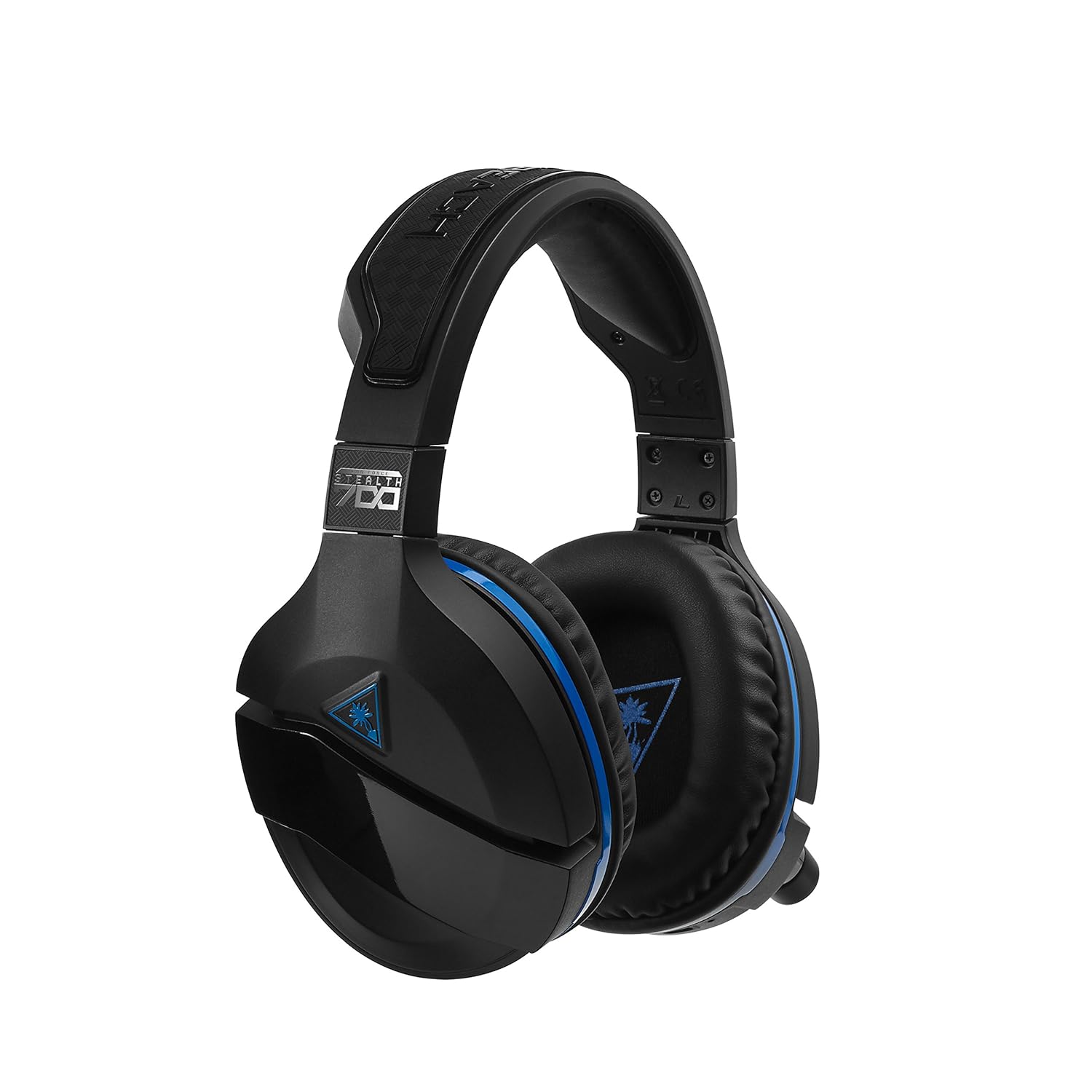
Figure 3: Right earcup controls and microphone in the down position.
- پاور بٹن: ہیڈسیٹ کو آن/آف کرتا ہے۔
- بلوٹوتھ بٹن: بلوٹوتھ جوڑا بنانا شروع کرتا ہے۔
- Game Volume Dial: Adjusts the overall game audio volume.
- Chat Volume Dial: Adjusts the chat audio volume independently.
- Mic Monitoring Dial: Adjusts the level of your own voice heard in the headset.
- Superhuman Hearing Button: Activates/deactivates the Superhuman Hearing sound setting.
- موڈ بٹن: Cycles through DTS surround sound modes and audio presets.

Figure 4: Microphone in the flipped-up (muted) position.
4. سیٹ اپ ہدایات
Follow these steps to set up your Turtle Beach Stealth 700 headset with your PlayStation console.
4.1 ابتدائی چارجنگ
- Connect the USB-C Charging Cable to the headset and a USB power source.
- Charge the headset fully before first use (approximately 5 hours). The LED indicator will change when fully charged.
4.2 Connecting to PlayStation (Wireless)
- Plug the Wireless USB Transmitter into an available USB port on your PlayStation console.
- Power on your Stealth 700 headset by pressing and holding the Power Button until the LED illuminates.
- The headset and transmitter should automatically pair. A solid LED on both indicates a successful connection.
- On your PlayStation, navigate to ترتیبات> ڈیوائسز> آڈیو ڈیوائسز.
- سیٹ ان پٹ ڈیوائس کو USB ہیڈسیٹ (ٹرٹل بیچ اسٹیلتھ 700).
- سیٹ آؤٹ پٹ ڈیوائس کو USB ہیڈسیٹ (ٹرٹل بیچ اسٹیلتھ 700).
- سیٹ ہیڈ فون پر آؤٹ پٹ کو تمام آڈیو.
- Adjust your volume levels as desired.
4.3 Bluetooth Pairing (for Mobile Devices)
The Stealth 700 supports Bluetooth connectivity for calls, music, and the Turtle Beach Audio Hub app while gaming.
- With the headset powered on, press and hold the بلوٹوتھ بٹن until the headset announces "Bluetooth Pairing" and the LED flashes blue.
- On your mobile device, go to Bluetooth settings and select "Stealth 700" from the list of available devices.
- The headset will announce "Bluetooth Paired" when the connection is successful.
5. آپریٹنگ ہدایات
5.1 Basic Audio Control
- گیم والیوم: Use the upper dial on the left earcup to adjust game audio.
- Chat Volume: Use the lower dial on the left earcup to adjust chat audio.
5.2 مائیکروفون کا استعمال
- To Unmute: Flip the microphone down.
- خاموش کرنا: Flip the microphone up. The headset will provide an audible cue.
- Variable Mic Monitoring: Adjust the lower dial to control how much of your own voice you hear in the headset.
5.3 فعال شور منسوخی (اے این سی)
The Stealth 700 features active noise-cancellation to minimize external distractions.
- To Activate/Deactivate: Press the Power Button briefly while the headset is on. The headset will announce the status.
5.4 Superhuman Hearing
This exclusive Turtle Beach sound setting enhances critical in-game sounds like footsteps and weapon reloads.
- To Activate/Deactivate: Press the dedicated Superhuman Hearing button on the left earcup.
5.5 Audio Presets and DTS Surround Sound
Cycle through different audio presets and DTS surround sound modes for an optimized listening experience.
- To Cycle: دبائیں موڈ بٹن to switch between available presets (e.g., Bass Boost) and DTS Headphone:X 7.1 surround sound options.
6. Turtle Beach Audio Hub App
The Turtle Beach Audio Hub app (available for iOS and Android) allows you to customize various settings of your Stealth 700 headset via Bluetooth.
- Adjust mic monitoring levels.
- Select DTS surround sound modes.
- Choose from various audio presets, including Bass Boost.
- Enable/disable Dynamic Chat Boost.
- بلوٹوتھ کنکشن کا نظم کریں۔
7 دیکھ بھال
مناسب دیکھ بھال آپ کے ہیڈسیٹ کی لمبی عمر اور کارکردگی کو یقینی بناتی ہے۔
- صفائی: ایک نرم استعمال کریں، ڈیamp cloth to clean the headset. Avoid harsh chemicals.
- ذخیرہ: ہیڈسیٹ کو کسی ٹھنڈی، خشک جگہ پر براہ راست سورج کی روشنی اور انتہائی درجہ حرارت سے دور رکھیں۔
- بیٹری کی دیکھ بھال: بیٹری کی بہترین زندگی کے لیے، بیٹری کو کثرت سے مکمل طور پر خارج کرنے سے گریز کریں۔ باقاعدگی سے چارج کریں۔
8 خرابیوں کا سراغ لگانا
If you encounter issues with your Stealth 700 headset, try the following solutions:
8.1 No Audio / Disconnection
- یقینی بنائیں کہ ہیڈسیٹ مکمل طور پر چارج اور آن ہے۔
- Verify the Wireless USB Transmitter is securely plugged into the console.
- Check PlayStation audio settings (Settings > Devices > Audio Devices) to ensure the headset is selected as input/output.
- Try re-pairing the headset and transmitter by powering both off and on.
8.2 مائیکروفون کام نہیں کر رہا ہے۔
- یقینی بنائیں کہ مائیکروفون کو چالو کرنے کے لیے نیچے پلٹ دیا گیا ہے۔
- Check PlayStation audio settings to confirm the headset is selected as the input device.
- Adjust the Mic Monitoring dial to ensure it's not set to zero.
- اگر ممکن ہو تو مائیکروفون کو کسی اور ایپلیکیشن یا ڈیوائس سے ٹیسٹ کریں۔
8.3 بلوٹوتھ جوڑا بنانے کے مسائل
- Ensure the headset is in Bluetooth pairing mode (LED flashing blue).
- Forget the "Stealth 700" device from your mobile device's Bluetooth settings and try pairing again.
- یقینی بنائیں کہ کوئی اور بلوٹوتھ ڈیوائسز کنکشن میں مداخلت نہیں کر رہی ہیں۔
9. وضاحتیں
| فیچر | تفصیل |
|---|---|
| ماڈل نمبر | TBS-3770-01 |
| کنیکٹوٹی | Wireless (USB Transmitter), Bluetooth |
| ہم آہنگ آلات | پلے اسٹیشن 5، پلے اسٹیشن 4 |
| آڈیو ڈرائیور کی قسم | متحرک ڈرائیور |
| اسپیکر کا سائز | 50 ملی میٹر |
| بیٹری کی زندگی | 10 گھنٹے تک |
| چارج کرنے کا وقت | تقریبا 5 گھنٹے |
| بلوٹوتھ ورژن | 5.0 |
| بلوٹوتھ رینج | 10 میٹر |
| خصوصی خصوصیات | DTS Headphone:X 7.1 Surround Sound, Active Noise Cancellation, Superhuman Hearing, ProSpecs Glasses Friendly Design, Dynamic Chat Boost, Variable Mic Monitoring |
| مواد | Faux Leather (ear cushions, headband) |
| شے کا وزن | 1.6 پاؤنڈز |
10. وارنٹی اور سپورٹ
For detailed warranty information, product registration, and further technical support, please visit the official Turtle Beach webسائٹ پر www.turtlebeach.com. You can also find FAQs and additional resources there.


