BYTECH Wireless Optical Mouse User Manual
Model: BYTECH Wireless Optical Mouse
تعارف
This manual provides detailed instructions for the setup, operation, maintenance, and troubleshooting of your BYTECH Wireless Optical Mouse. Please read this manual thoroughly before using the device to ensure optimal performance and longevity.
پروڈکٹ ختمview
The BYTECH Wireless Optical Mouse is designed for comfortable and efficient navigation. It features a precise optical sensor, a scroll wheel, and a DPI adjustment button for customizable sensitivity. Its ergonomic design and wireless connectivity provide a clutter-free workspace.

شکل 1: اوپر سے نیچے view of the BYTECH Wireless Optical Mouse. The mouse is black with a silver stripe along its sides. A scroll wheel and a DPI button are visible on the top surface.
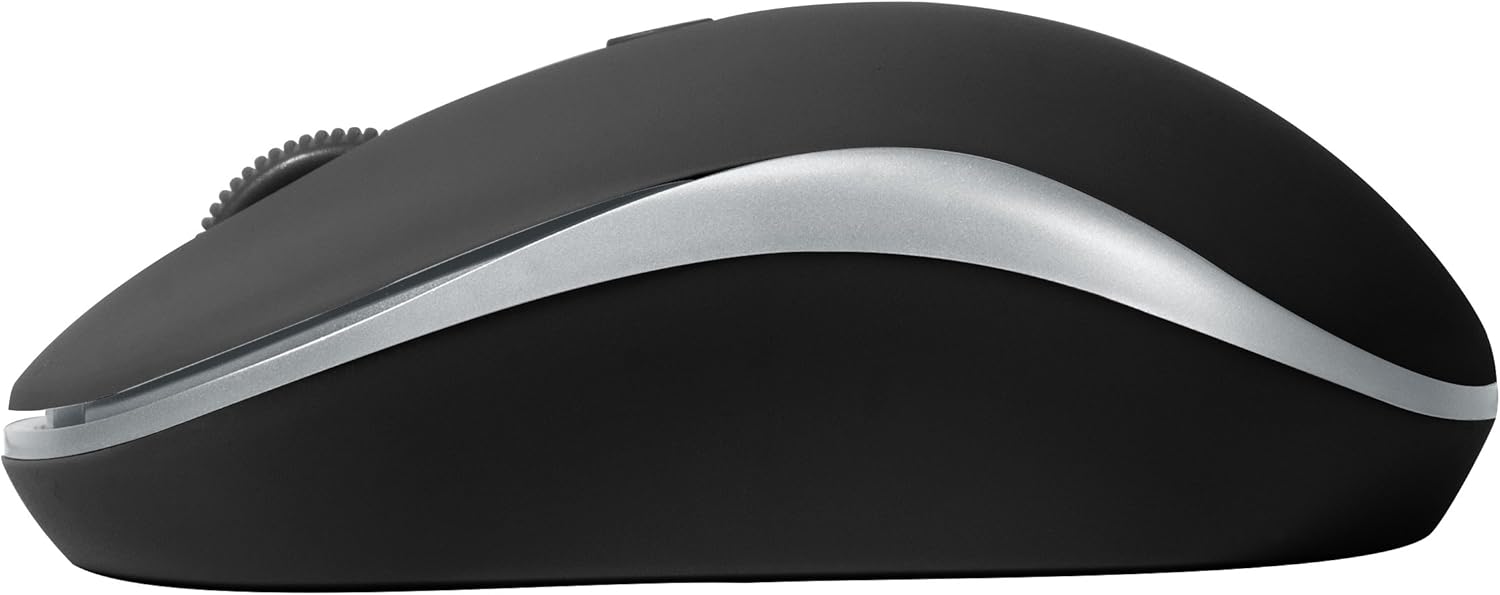
شکل 2: طرف view of the BYTECH Wireless Optical Mouse. This angle highlights the ergonomic curve and the silver accent line that runs along the side of the mouse.
سیٹ اپ
1. بیٹری کی تنصیب
- ماؤس کے نیچے کی طرف بیٹری کے ٹوکرے کو تلاش کریں۔
- بیٹری کے ٹوکری کا احاطہ کھولیں۔
- Insert one AA battery (not included) into the compartment, ensuring the correct polarity (+/-) as indicated inside.
- بیٹری کے کمپارٹمنٹ کور کو محفوظ طریقے سے بند کریں۔
2. USB وصول کنکشن
- USB ریسیور کو اس کے سٹوریج سلاٹ سے ہٹا دیں، جو عام طور پر بیٹری کے ڈبے کے اندر یا اس کے قریب ہوتا ہے۔
- USB ریسیور کو اپنے کمپیوٹر یا لیپ ٹاپ پر دستیاب USB پورٹ میں لگائیں۔
- آپ کے آپریٹنگ سسٹم کو خود بخود ضروری ڈرائیوروں کا پتہ لگانا اور انسٹال کرنا چاہیے۔ اس میں کچھ لمحے لگ سکتے ہیں۔
3. پاورنگ آن۔
- Locate the On/Off switch on the underside of the mouse.
- Slide the switch to the "On" position. The mouse should now be ready for use.
آپریٹنگ ہدایات
بنیادی افعال
- بائیں کلک: آئٹمز کو منتخب کرنے، لنکس کھولنے، یا فنکشنز کو چالو کرنے کے لیے بائیں بٹن کو دبائیں۔
- دائیں کلک کریں: سیاق و سباق کے مینو کو کھولنے یا اضافی اختیارات تک رسائی کے لیے دائیں بٹن کو دبائیں۔
- اسکرول وہیل: Roll the wheel up or down to scroll through documents or web صفحات درمیانی کلک کی فعالیت کے لیے اسکرول وہیل کو دبائیں (مثلاً نئے ٹیبز میں لنکس کھولنا)۔
ڈی پی آئی ایڈجسٹمنٹ
The mouse features a DPI (Dots Per Inch) button, typically located behind the scroll wheel. Press this button to cycle through different sensitivity settings. Each press will change the cursor speed, allowing you to find the optimal setting for your task.
- دبائیں DPI بٹن once to switch to the next sensitivity level.
- Repeat until you find your preferred cursor speed.
پاور سیونگ موڈ
To conserve battery life, the BYTECH Wireless Optical Mouse is designed to automatically enter a sleep mode after a period of inactivity. To wake the mouse, simply move it or click any button.
دیکھ بھال
صفائی
- صاف کرنے سے پہلے یقینی بنائیں کہ ماؤس بند ہے۔
- تھوڑا سا نرم، لنٹ سے پاک کپڑا استعمال کریں۔ampپانی یا ہلکے صفائی کے حل کے ساتھ ختم کریں۔
- Wipe the surface of the mouse gently. Avoid excessive moisture.
- For the optical sensor, use a dry cotton swab to carefully remove any dust or debris.
- کھرچنے والے کلینر، الکحل یا سالوینٹس کا استعمال نہ کریں، کیونکہ یہ سطح کو نقصان پہنچا سکتے ہیں۔
بیٹری کی تبدیلی
When the mouse performance degrades or the cursor becomes erratic, it may be time to replace the battery. Follow the battery installation steps outlined in the "Setup" section.
ذخیرہ
When not in use for an extended period, it is recommended to turn off the mouse to conserve battery life. The USB receiver can be stored in its dedicated slot on the mouse's underside to prevent loss.
خرابی کا سراغ لگانا
- ماؤس جواب نہیں دے رہا ہے:
- یقینی بنائیں کہ ماؤس آن ہے۔
- بیٹری کی سطح کو چیک کریں اور اگر ضروری ہو تو تبدیل کریں۔
- Verify the USB receiver is securely plugged into a working USB port. Try a different USB port.
- اپنے کمپیوٹر کو دوبارہ شروع کریں۔
- Cursor erratic or jumping:
- ماؤس کے نیچے والے آپٹیکل سینسر کو صاف کریں۔
- یقینی بنائیں کہ آپ ماؤس کو مناسب سطح پر استعمال کر رہے ہیں (غیر عکاس، غیر شفاف)۔ ایک ماؤس پیڈ کی سفارش کی جاتی ہے۔
- دوسرے آلات سے مضبوط برقی مقناطیسی مداخلت کی جانچ کریں۔
- رابطے کے مسائل:
- ماؤس اور USB ریسیور کے درمیان فاصلہ کم کریں۔
- Remove any large metal objects or electronic devices that might be obstructing the wireless signal.
- If using a USB hub, try connecting the receiver directly to the computer.
وضاحتیں
| فیچر | تفصیل |
|---|---|
| برانڈ | بائیٹیک |
| ماڈل | BYTECH Wireless Optical Mouse |
| کنیکٹوٹی ٹیکنالوجی | وائرلیس (USB وصول کنندہ) |
| موومنٹ ڈیٹیکشن ٹکنالوجی | آپٹیکل |
| رنگ | سیاہ |
| طاقت کا منبع | بیٹری سے چلنے والا (1x AA، شامل نہیں) |
| آپریٹنگ سسٹم کی مطابقت | macOS, Android (and generally Windows) |
| شے کا وزن | 3.56 اونس |
| پروڈکٹ کے طول و عرض (LxWxH) | 1 x 1 x 1 انچ (تقریبا) |
نوٹ: وضاحتیں بغیر اطلاع کے تبدیل کی جاسکتی ہیں۔
وارنٹی اور سپورٹ
Bytech products are manufactured to the highest quality standards. For information regarding warranty coverage, technical support, or service, please refer to the warranty card included with your product or visit the official Bytech webسائٹ وارنٹی دعووں کے لیے خریداری کے ثبوت کے طور پر اپنی خریداری کی رسید رکھیں۔
For further assistance, please contact Bytech customer support through their official channels.


