1. تعارف
This manual provides comprehensive instructions for the setup, operation, and maintenance of your Ducky One 2 RGB Full Size Mechanical Keyboard (Model DKON1808ST). The Ducky One 2 RGB features an updated design, an enhanced RGB interface for customizable lighting, and modern USB-C connectivity. Please read this manual thoroughly to ensure proper use and to maximize your keyboard's potential.

تصویر: اوپر سے نیچے view of the Ducky One 2 RGB Full Size Mechanical Keyboard, showcasing its full layout and initial RGB lighting on specific keys.
2. پیکیج کے مشمولات
تصدیق کریں کہ تمام اشیاء پیکیج میں موجود ہیں:
- Ducky One 2 RGB Full Size Mechanical Keyboard (DKON1808ST)
- ڈی ٹیچ ایبل USB-C سے USB-A کیبل
- Additional PBT Double Shot Keycaps (random colors)
- کیکپ پلر
- صارف دستی (یہ دستاویز)
3. سیٹ اپ
Follow these steps to set up your Ducky One 2 RGB keyboard:
- پیک کھولیں: کی بورڈ اور تمام لوازمات کو احتیاط سے پیکیجنگ سے ہٹا دیں۔
- کیبل جڑیں: Locate the USB-C port on the back of the keyboard. Connect the USB-C end of the provided cable to the keyboard and the USB-A end to an available USB port on your computer.
- پاور آن: Your computer should automatically detect the keyboard. No additional drivers are typically required for basic functionality.
- اختیاری سافٹ ویئر: For advanced RGB customization and macro programming, Ducky may provide optional software. Refer to the official Ducky website for the latest software downloads and instructions.

Image: Detail of the USB-C port on the Ducky One 2 RGB keyboard, showing the connection point for the detachable cable.
4. آپریٹنگ ہدایات
4.1 کی بورڈ کے بنیادی افعال
The Ducky One 2 RGB functions as a standard full-size keyboard. All keys perform their labeled actions. The keyboard features Cherry MX Brown switches, providing a tactile bump for keystroke confirmation.

تصویر: زاویہ دار view of the Ducky One 2 RGB keyboard, showing the full layout and the illuminated RGB backlighting.
4.2 آرجیبی لائٹنگ حسب ضرورت
The Ducky One 2 RGB offers extensive lighting customization both through on-board controls and optional software.
- On-board Controls: Use the Function (Fn) key in combination with specific keys (often F10, F11, F12, or arrow keys) to cycle through lighting modes, adjust brightness, and change colors. Refer to the keyboard's keycap legends for specific combinations.
- سافٹ ویئر حسب ضرورت: For more detailed control, download the Ducky RGB software from the official Ducky website. This software allows for per-key lighting customization, advanced effects, and integration with systems like Razer's Chroma broadcasting.
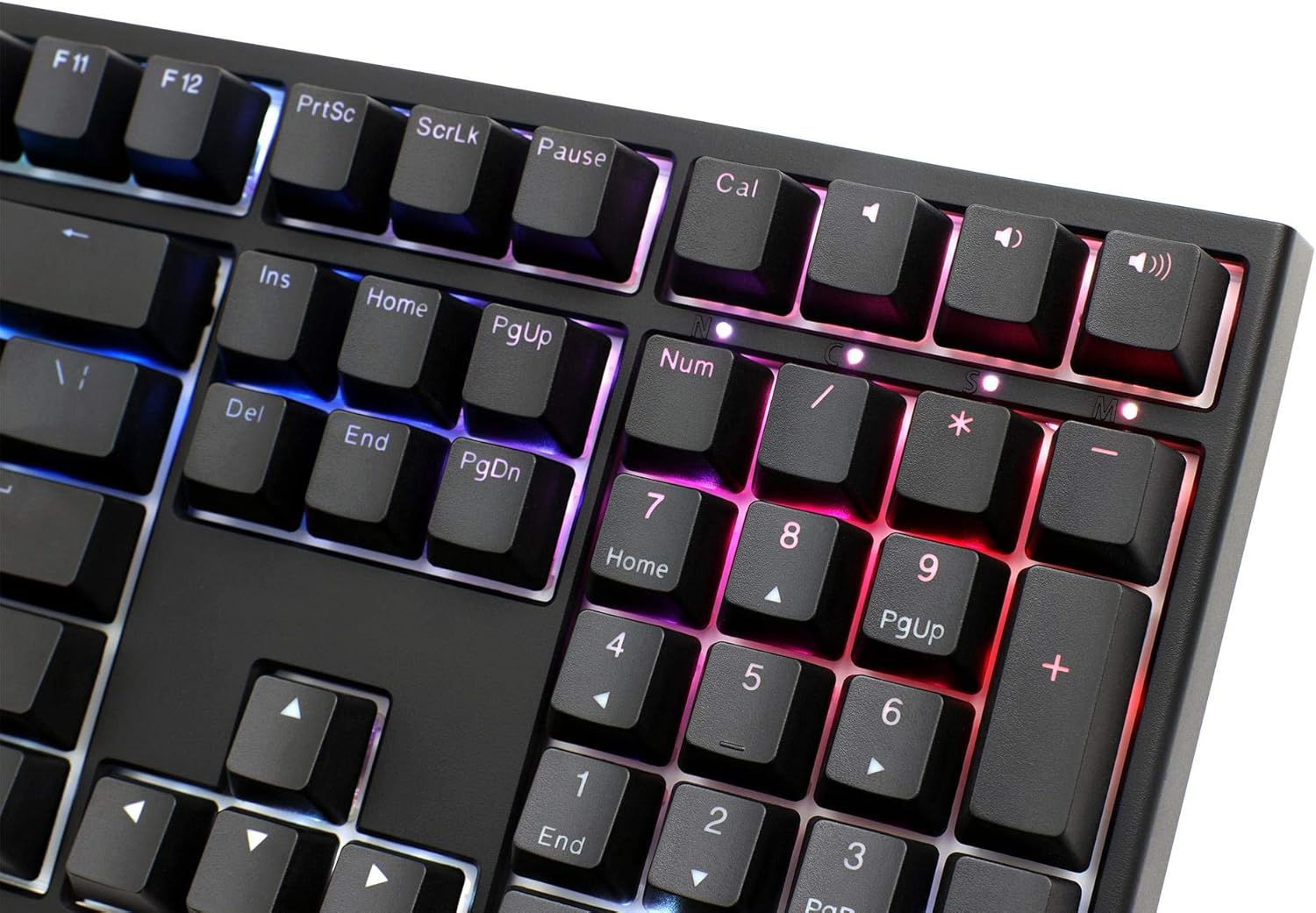
Image: Close-up of the numeric keypad on the Ducky One 2 RGB keyboard, demonstrating the customizable RGB lighting effects.
4.3 میکرو پروگرامنگ
The Ducky One 2 RGB supports on-the-fly macro recording. Consult the detailed instructions on the official Ducky website or the full user manual for specific key combinations and procedures to record and assign macros.
4.4 N-Key رول اوور (NKRO)
The keyboard features USB N-Key Rollover, ensuring that every key press is registered accurately, even when multiple keys are pressed simultaneously. This is particularly beneficial for fast typing and gaming.
5 دیکھ بھال
مناسب دیکھ بھال آپ کے کی بورڈ کی لمبی عمر اور کارکردگی کو یقینی بناتی ہے۔
- صفائی:
- کی بورڈ کو اپنے کمپیوٹر سے منقطع کریں۔
- کی کیپس کے درمیان سے دھول اور ملبہ ہٹانے کے لیے نرم برش یا کمپریسڈ ہوا کا استعمال کریں۔
- For stubborn dirt, gently wipe the keycaps with a damp cloth and mild soap solution. Ensure no liquid enters the keyboard.
- کی کیپ ہٹانا: Use the provided keycap puller to carefully remove keycaps for cleaning or replacement. Grip the keycap firmly and pull straight up. Avoid excessive force to prevent damage to the switch.

تصویر: سائیڈ پروfile of the Ducky One 2 RGB keyboard, illustrating the keycap height and ergonomic design.
6 خرابیوں کا سراغ لگانا
If you encounter issues with your Ducky One 2 RGB keyboard, refer to the following common solutions:
| مسئلہ | ممکنہ وجہ/حل |
|---|---|
| Keyboard not detected by computer |
|
| آر جی بی لائٹنگ کام نہیں کر رہی یا متضاد |
|
| مخصوص چابیاں جواب نہیں دے رہی ہیں۔ |
|
7. وضاحتیں
- ماڈل: DKON1808ST
- برانڈ: بطخ
- سوئچ کی قسم: چیری ایم ایکس براؤن
- لے آؤٹ: فل سائز
- کنیکٹوٹی: USB-C (ڈیٹیچ ایبل)
- بیک لائٹنگ: آر جی بی
- کی کیپس: Double Shot PBT and ABS
- N-Key رول اوور: USB N-Key Rollover
- وزن: 771.11 گرام
- آپریٹنگ سسٹم کی مطابقت: ونڈوز، لینکس، میک او ایس
8. وارنٹی اور سپورٹ
Ducky products are manufactured to high-quality standards. For warranty information, please refer to the warranty card included with your product or visit the official Ducky website. For technical support, driver downloads, and frequently asked questions, please visit the Ducky support page:
وارنٹی کے دعووں کے لیے براہ کرم اپنی خریداری کا ثبوت اپنے پاس رکھیں۔


