تعارف
The BOYA BY-CIP2 is an adapter cable designed to connect external 3.5mm stereo microphones (specifically battery-powered microphones) or other audio sources to smartphones and laptops with a single audio input. This cable facilitates high-quality audio recording directly to your mobile device or computer.
اہم نوٹ: This cable is compatible only with battery-powered microphones. Passive (non-battery-powered) microphones cannot be connected to a phone using this cable.
پروڈکٹ ختمview
The BY-CIP2 cable allows you to utilize various audio devices with your smartphone or compatible laptop. Its primary function is to convert the output of a stereo microphone (TRS) to a TRRS input suitable for mobile devices, ensuring proper signal transmission for recording.
اہم خصوصیات:
- Enables connection of stereo battery-powered microphones to smartphones.
- Compatible with Android and iOS smartphones, as well as laptops with a single audio input.
- Supports connection of various audio sources like computers, DVD players, audio recorders, Walkmans, and MP3 players with headphone outputs.
- Designed for clear audio signal transmission.

تصویر 1: The BOYA BY-CIP2 adapter cable, showing its 3.5mm TRRS male connector and 3.5mm TRS female jack.
سیٹ اپ کی ہدایات
- کنیکٹرز کی شناخت کریں: The BY-CIP2 cable has two ends: a 3.5mm TRRS male plug (with three black rings on the metal tip) and a 3.5mm TRS female jack (the receptacle).
- مائیکروفون منسلک کریں: Plug your battery-powered 3.5mm stereo microphone (or other audio source) into the 3.5mm TRS female jack of the BY-CIP2 cable. Ensure the microphone is powered on if it requires batteries.
- ڈیوائس سے جڑیں: Insert the 3.5mm TRRS male plug of the BY-CIP2 cable into the headphone/microphone combo jack of your smartphone or compatible laptop.
- کنکشن کی تصدیق کریں: Your device should now recognize an external microphone. You may need to select the external microphone as the input source in your device's audio settings or recording application.

تصویر 2: کلوز اپ view of the 3.5mm TRRS male connector, designed for smartphone and laptop compatibility.
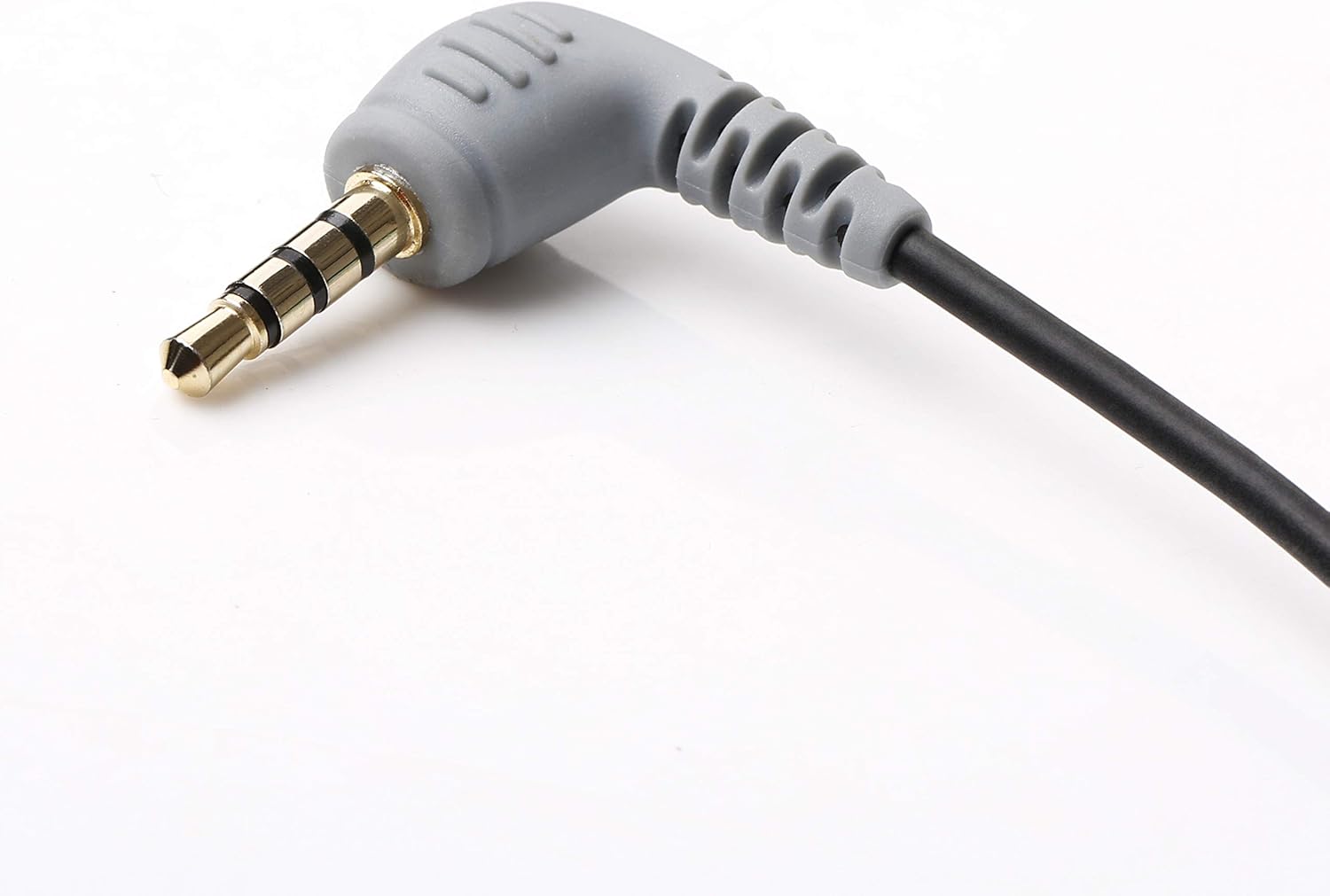
تصویر 3: کلوز اپ view of the 3.5mm TRS female jack, where the external microphone is connected.
آپریٹنگ ہدایات
Once the BY-CIP2 cable and microphone are properly connected to your device, you can begin recording audio.
- Open Recording Application: Launch your preferred audio recording application on your smartphone or laptop (e.g., Voice Memos, Camera app for video, third-party recording apps).
- ان پٹ ماخذ منتخب کریں: In some applications or device settings, you may need to manually select the external microphone as the audio input source.
- ریکارڈنگ شروع کریں: Initiate recording within your chosen application. The audio will now be captured through the connected external microphone.
- Monitor Audio (if possible): If your recording application or device allows, monitor the audio levels to ensure proper sound capture.

تصویر 4: زاویہ دار view of the TRRS connector, highlighting its robust design for secure connection.
دیکھ بھال
To ensure the longevity and optimal performance of your BOYA BY-CIP2 cable, follow these maintenance guidelines:
- ذخیرہ: کیبل کو کسی ٹھنڈی، خشک جگہ پر براہ راست سورج کی روشنی اور انتہائی درجہ حرارت سے دور رکھیں۔ مضبوطی سے کوائل کرنے یا کیبل کو تیزی سے موڑنے سے گریز کریں، جس سے اندرونی تاروں کو نقصان پہنچ سکتا ہے۔
- صفائی: Gently wipe the cable and connectors with a soft, dry cloth to remove dust or dirt. Do not use harsh chemicals or abrasive cleaners.
- ہینڈلنگ: Always grasp the connector housing when plugging or unplugging the cable, rather than pulling on the cable itself. This prevents strain on the connection points.

تصویر 5: تفصیلی view of the 3.5mm TRRS connector, showing the four contact points for audio input and output.
خرابی کا سراغ لگانا
If you encounter issues while using your BY-CIP2 cable, refer to the following troubleshooting tips:
- کوئی آڈیو ان پٹ نہیں:
- Ensure your microphone is بیٹری سے چلنے والا and its batteries are charged. The BY-CIP2 cable does not provide phantom power.
- Verify that both ends of the cable are securely plugged into the microphone and your device.
- Check your device's audio settings or recording application to ensure the external microphone is selected as the input source.
- Test the microphone directly with another compatible device if possible, to rule out a microphone issue.
- Poor Audio Quality / Signal Degradation:
- Ensure all connections are firm and free from debris.
- Avoid placing the cable near sources of electromagnetic interference (e.g., power cables, Wi-Fi routers).
- Test with a different microphone or audio source to determine if the issue lies with the cable or the connected device.
- Check the microphone's settings (gain, sensitivity) to ensure they are appropriate for your recording environment.
- Incompatibility with TRS Microphones (e.g., Rode TRRS to TRS):
- The BY-CIP2 is designed to connect a TRS (stereo) microphone to a TRRS (smartphone) input. If you are trying to convert a TRRS microphone (like some Rode models designed for smartphones) to a TRS input, this cable is not suitable. Ensure your microphone's output type matches the cable's input requirement (TRS microphone into the BY-CIP2's TRS female jack).
وضاحتیں
| برانڈ | بویا |
| ماڈل | BY-CIP2 |
| کنیکٹر کی قسم | Auxiliary (3.5mm TRRS Male to 3.5mm TRS Female) |
| ہم آہنگ آلات | Smartphones (Android & iOS), Laptops with single audio input, MP3 Players, Computers, Headphones |
| بیٹریاں درکار ہیں۔ | No (for cable), Yes (for connected microphone if applicable) |
| مصنوعات کے طول و عرض | 600 x 0.3 x 0.3 cm (approx. 6 meters length); 13 grams |
| ASIN | B07SC49P88 |


