1. تعارف
This manual provides detailed instructions for setting up, operating, and maintaining your Arducam Motorized Focus Pi Camera. This camera module is designed to offer software-controllable focus for Raspberry Pi, allowing for precise adjustment of focus from millimeter levels to distant objects, surpassing the capabilities of fixed-focus official Raspberry Pi Camera Modules.
2. باکس میں کیا ہے۔
- 1 x 5MP OV5647 camera board with motorized lens for Raspberry Pi
- 1 x Acrylic case for the camera module
- 1 x 15cm flex ribbon cable for Raspberry Pi Model A&B series
- 2 x Female to female jumper wires for focus control

Image: All components included in the Arducam Motorized Focus Pi Camera package.
3. سیٹ اپ گائیڈ
3.1 جسمانی تعلق
Connect the camera module to your Raspberry Pi's CSI camera port using the provided flex ribbon cable. Ensure the cable is inserted correctly with the silver contacts facing the camera module's connector and the Raspberry Pi's connector.

Image: The Arducam Motorized Focus Pi Camera assembled with its acrylic stand and connected via ribbon cable.
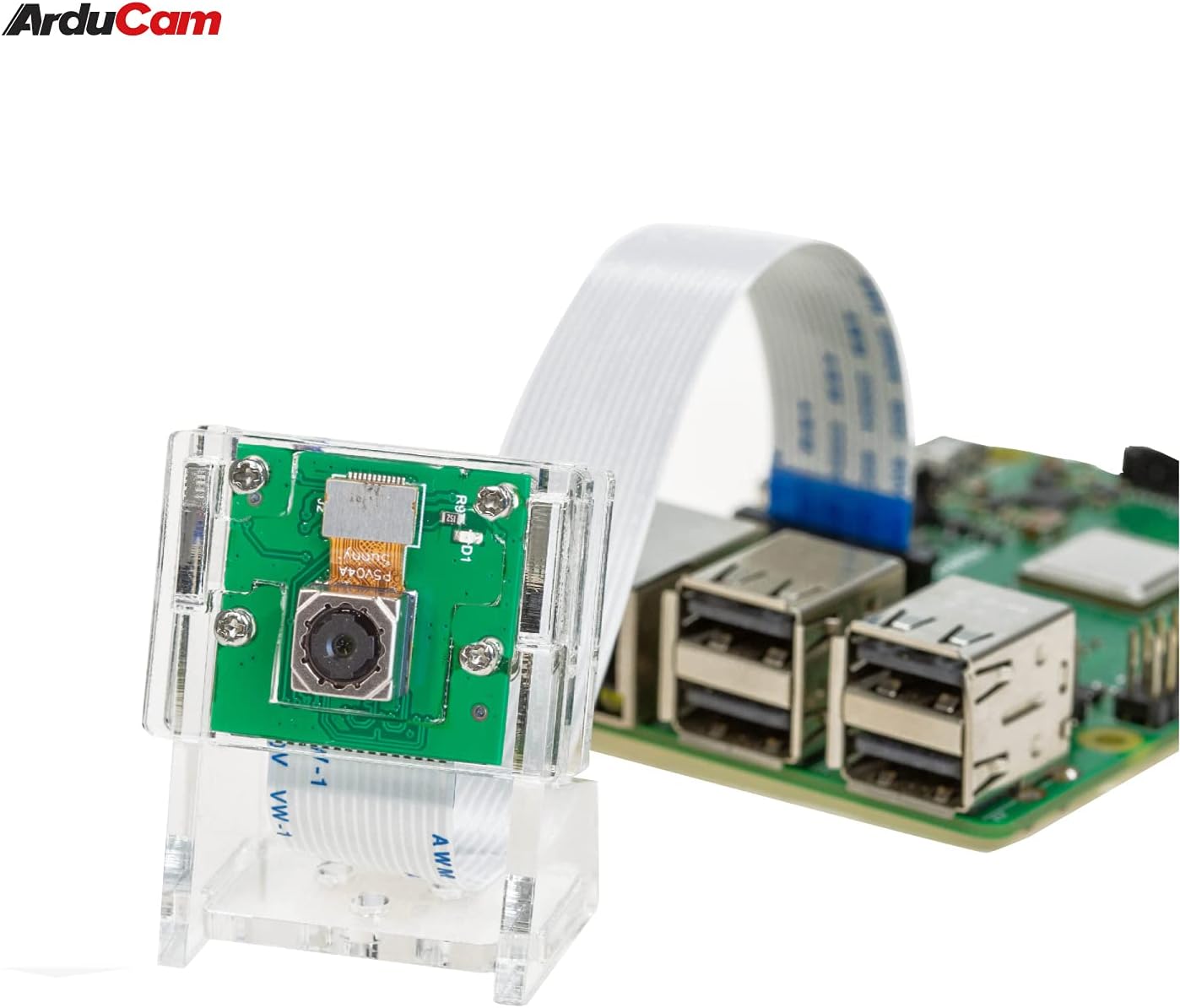
Image: The camera module connected to a Raspberry Pi board, ready for operation.
3.2 سافٹ ویئر کی تشکیل
The motorized focus feature requires specific software setup. This typically involves enabling the camera interface on your Raspberry Pi and installing necessary libraries and scripts. Refer to the official Arducam documentation or GitHub repository for the latest software setup instructions and autofocus Python scripts powered by OpenCV.
The camera supports operating systems such as Raspbian, MotionEye, Kali, and Ubuntu.
4. آپریٹنگ ہدایات
The key feature of this camera is its software-controllable motorized lens, allowing for precise focus adjustment. You can control the focus using keyboard up/down arrows or by utilizing an OpenCV autofocus script.
Video: Demonstration of the Arducam Motorized Focus Pi Camera, showing how the focus can be adjusted via software commands, allowing for clear imaging at various distances. This video highlights the lens movement and the resulting change in image clarity on a connected display.
This capability allows you to achieve sharp images of objects at various distances, from very close-up (millimeter level) to far away, providing greater flexibility compared to fixed-focus cameras. The precise manual focus control is particularly useful for applications like machine vision and object recognition.

Image: A visual comparison demonstrating the effect of autofocus, showing an initially blurry image becoming sharp after focus adjustment.
5 دیکھ بھال
To ensure the longevity and optimal performance of your Arducam Motorized Focus Pi Camera, follow these maintenance guidelines:
- صفائی: Gently clean the lens with a soft, lint-free cloth designed for optical surfaces. Avoid using abrasive materials or harsh chemicals.
- ذخیرہ: استعمال میں نہ ہونے پر کیمرے کو خشک، دھول سے پاک ماحول میں اسٹور کریں۔
- سافٹ ویئر اپ ڈیٹس: Regularly check the Arducam website or GitHub repository for firmware and software updates to ensure compatibility and access to new features.
6 خرابیوں کا سراغ لگانا
If you encounter issues with your camera, consider the following troubleshooting steps:
- کیمرے کا پتہ نہیں چلا: Ensure the ribbon cable is securely and correctly inserted into both the camera module and the Raspberry Pi's CSI port. Verify that the camera interface is enabled in your Raspberry Pi's configuration settings (e.g., using
raspi-config). - Focus Not Responding: Check that the jumper wires for focus control are correctly connected. Verify that the focus control scripts are installed and running without errors. Ensure the I2C interface is enabled on your Raspberry Pi.
- تصویر کے معیار کے مسائل: Confirm proper lighting conditions. Ensure the lens is clean and free from dust or smudges. Adjust focus precisely using the software controls.
- سافٹ ویئر کی خرابیاں: Ensure all required dependencies (e.g., OpenCV) are correctly installed and updated. Consult Arducam's online resources or community forums for specific error messages.
7. وضاحتیں
| فیچر | تفصیلات |
|---|---|
| برانڈ | آرڈوکیم |
| ماڈل نمبر | بی 0176 |
| فوٹو سینسر ٹیکنالوجی | CMOS |
| ویڈیو کیپچر ریزولوشن | 1080ص |
| زیادہ سے زیادہ فوکل لینتھ | 24 ملی میٹر |
| زیادہ سے زیادہ یپرچر | 2 f |
| آپریٹنگ سسٹم کی مطابقت | Raspbian, MotionEye, Kali, Ubuntu |
| شے کا وزن | 1.44 اونس |
| پیکیج کے طول و عرض | 3.78 x 2.24 x 0.75 انچ |
8. وارنٹی اور سپورٹ
وارنٹی کی معلومات اور تکنیکی مدد کے لیے، براہ کرم آفیشل آرڈوکم سے رجوع کریں۔ website or contact the seller (UCTRONICS) directly through your purchase platform. Ensure you have your product model number (B0176) and purchase details available when seeking support.


