1. تعارف اور پروڈکٹ ختمview
The PIXAPRO ORTA600B Video Lighting Panel is a versatile and powerful LED lighting solution designed for various applications, including video conferencing, photography, studio work, and content creation. This kit includes the circular ORTA600B LED panel, two LINEAR80 LED panels, light stands, a boom arm, and a clamshell reflector, providing a comprehensive lighting setup for professional and amateur users alike.
This manual provides detailed instructions for the safe and effective setup, operation, and maintenance of your PIXAPRO ORTA600B lighting system.
2. حفاظتی معلومات
مصنوعات کو استعمال کرنے سے پہلے براہ کرم تمام حفاظتی ہدایات کو احتیاط سے پڑھیں۔ ان ہدایات پر عمل کرنے میں ناکامی کے نتیجے میں بجلی کا جھٹکا لگ سکتا ہے، آگ لگ سکتی ہے یا شدید چوٹ لگ سکتی ہے۔
- برقی حفاظت:
- Always use the provided power adapters and cables.
- Do not operate the lights with wet hands or in wet conditions.
- یقینی بنائیں کہ طاقت کا منبع والیوم سے میل کھاتا ہے۔tagای ڈیوائس کی ضروریات۔
- جب استعمال میں نہ ہو یا صفائی سے پہلے یونٹ کو پاور آؤٹ لیٹ سے ان پلگ کریں۔
- حرارت:
- The LED panels can become warm during extended use. Avoid direct contact with the light surface when operating.
- Ensure adequate ventilation around the light panels to prevent overheating.
- ہینڈلنگ اور جگہ کا تعین:
- Handle the equipment with care. Avoid dropping or subjecting it to strong impacts.
- Place light stands on a stable, level surface to prevent tipping.
- Do not block the ventilation openings on the light panels.
- Keep the equipment away from water, flammable liquids, and corrosive materials.
- آنکھوں کی حفاظت:
- Do not stare directly into the LED lights when they are on, as this may cause eye strain or damage.
3. پیکیج کے مشمولات
تصدیق کریں کہ نیچے دی گئی تمام اشیاء آپ کے پیکج میں موجود ہیں:
- 1x PIXAPRO ORTA600B Circular LED Panel
- 2x PIXAPRO LINEAR80 LED Panels
- 3x Light Stands (typically 2 for LINEAR80, 1 for ORTA600B)
- 1x Boom Arm with Counterweight
- 1x Clamshell Reflector/Diffuser
- Power Adapters and Cables for all LED Panels
- Carry Bag (for kit components)
4. سیٹ اپ ہدایات
4.1 لائٹ اسٹینڈز کو جمع کرنا
Extend the legs of each light stand until they are fully spread and stable. Secure the legs using the locking knob. Extend the central column to the desired height and tighten the locking collars.

Figure 4.1: An assembled light stand with legs extended for stability.
4.2 Attaching the ORTA600B LED Panel
Mount the ORTA600B circular LED panel onto the top spigot of one of the light stands. Ensure it is securely fastened using the panel's mounting knob. Adjust the tilt angle as needed.
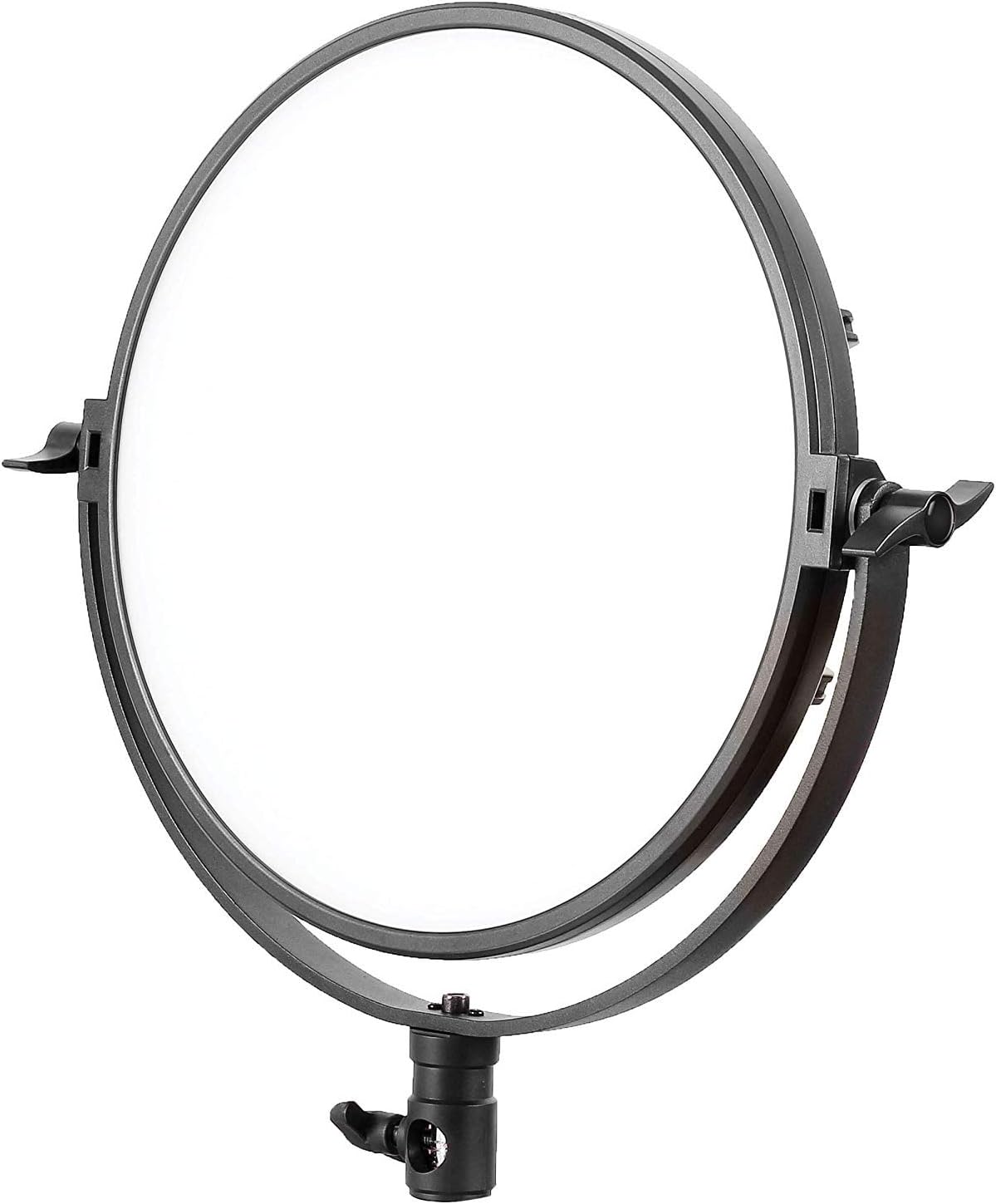
Figure 4.2: The PIXAPRO ORTA600B circular LED panel.
4.3 Attaching the LINEAR80 LED Panels
Attach each LINEAR80 LED panel to the remaining two light stands. Secure them firmly. These panels are often used as side or fill lights.
4.4 Assembling and Positioning the Boom Arm
The boom arm allows for overhead lighting or precise positioning. Attach the boom arm to a heavy-duty light stand or C-stand. Secure the counterweight to the opposite end of the arm to balance the weight of the light fixture.
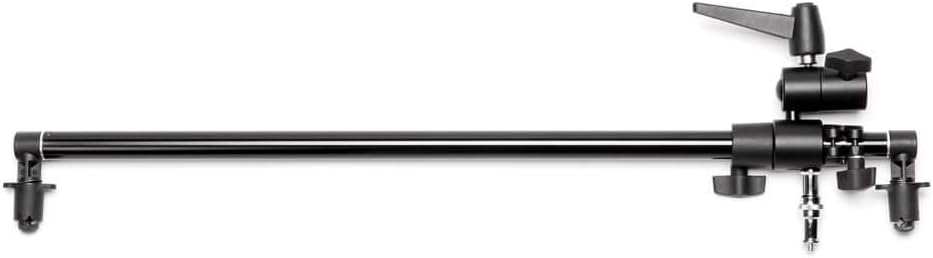
Figure 4.3: A boom arm, used for extending light placement.

Figure 4.4: A light stand with an attached boom arm, demonstrating typical setup.
4.5 Setting up the Clamshell Reflector
The clamshell reflector can be mounted on a stand or held to shape and direct light, often used for portrait photography to create a flattering catchlight in the eyes.

Figure 4.5: A clamshell reflector mounted on a stand.
4.6 کنیکٹنگ پاور
Connect the power adapters to each LED panel and then plug them into a suitable power outlet. Ensure all connections are secure before powering on.

شکل 4.6: ایک سابقample of the full PIXAPRO ORTA600B kit setup, including the ORTA600B, LINEAR80 panels, stands, and clamshell reflector.
5. آپریٹنگ ہدایات
5.1 پاور آن/آف۔
Locate the power switch on each LED panel (ORTA600B and LINEAR80). Flip the switch to the "ON" position to power on the light. Flip it to "OFF" to power off.
5.2 چمک کو ایڈجسٹ کرنا (دھیما ہونا)
Each panel features a control knob or buttons to adjust the light intensity. Rotate the knob or press the buttons to increase or decrease the brightness output to your desired level.
5.3 Adjusting Color Temperature (ORTA600B)
The ORTA600B panel allows for adjustment of color temperature (CCT) to match ambient light or create specific moods. Use the dedicated control knob or buttons to cycle through or fine-tune the color temperature, typically ranging from warm (e.g., 3200K) to cool (e.g., 5600K).
5.4 Using the LINEAR80 Panels
The LINEAR80 panels are ideal for edge lighting, hair light, or creating a broad, soft light source. Adjust their position and angle to complement the main light from the ORTA600B.
6 دیکھ بھال
- صفائی:
- Before cleaning, ensure the unit is powered off and unplugged.
- Use a soft, dry cloth to wipe down the exterior of the light panels and stands.
- ضدی نمبروں کے لیے، تھوڑا سا ڈیamp cloth with mild detergent can be used, followed by a dry wipe.
- کھرچنے والے کلینر، سالوینٹس یا سخت کیمیکل استعمال نہ کریں۔
- ذخیرہ:
- When not in use, store the lighting kit in its original packaging or the provided carry bag.
- براہ راست سورج کی روشنی اور انتہائی درجہ حرارت سے دور ٹھنڈی، خشک جگہ پر اسٹور کریں۔
- کیبل مینجمنٹ:
- Regularly inspect power cables for any signs of damage. Replace damaged cables immediately.
- Avoid kinking or bending cables excessively.
7 خرابیوں کا سراغ لگانا
| مسئلہ | ممکنہ وجہ | حل |
|---|---|---|
| لائٹ آن نہیں ہوتی۔ | بجلی نہیں، ڈھیلا کنکشن، ناقص پاور اڈاپٹر۔ | Check if the power cable is securely plugged into the light and the outlet. Try a different outlet. Ensure the power switch is "ON". |
| ہلکی ہلکی ہلکی یا غیر متوقع طور پر مدھم۔ | Unstable power supply, loose connection, overheating. | Ensure stable power. Check all cable connections. Allow the unit to cool down if it has been in continuous use. |
| کنٹرولز غیر جوابدہ ہیں۔ | Temporary software glitch, control panel issue. | Power off the unit, wait 30 seconds, then power it back on. If the issue persists, contact customer support. |
| لائٹ اسٹینڈ غیر مستحکم ہے۔ | Legs not fully extended, locking knob not tightened. | Ensure all legs are fully extended and spread. Tighten all locking knobs on the stand. Use sandbags or weights for added stability, especially with boom arms. |
8. وضاحتیں
| فیچر | تفصیل |
|---|---|
| برانڈ | PIXAPRO |
| ماڈل | ORTA600B (C-030805) |
| پروڈکٹ کی قسم | LED Video Lighting Panel Kit |
| روشنی کا ذریعہ | ایل ای ڈی |
| رنگین درجہ حرارت | Adjustable (specific range not provided, typical for LED panels) |
| مدھم کرنا | جی ہاں |
| ASIN | B07TKCF5MY |
| پہلی تاریخ دستیاب ہے۔ | 17 نومبر 2019 |
9. وارنٹی اور سپورٹ
PIXAPRO products are designed for reliability and performance. For warranty information, please refer to the warranty card included with your purchase or visit the official PIXAPRO website. If you encounter any issues not covered in the troubleshooting section, or require further assistance, please contact PIXAPRO customer support.
رابطہ کی معلومات: Please refer to the PIXAPRO official website or your purchase documentation for the most up-to-date contact details for customer service and technical support.


