تعارف
This manual provides detailed instructions for the installation, operation, and maintenance of your NOVOSTELLA Smart LED Light Bulbs. These bulbs offer advanced features including tunable white light (2700K-6500K), full RGB color spectrum, and smart control capabilities via Wi-Fi, compatible with voice assistants like Alexa and Google Home.

Image: The NOVOSTELLA Smart LED Light Bulbs, shown in their retail packaging, highlighting the 3-pack and smart features.
مصنوعات کی خصوصیات
- 1300LM RGBCW Output: Combines RGB colors with Warm White (2700K) and Daylight White (6500K) for versatile lighting.
- Voice/App/Group Control: Seamlessly control bulbs individually or in groups using the dedicated app or voice commands via compatible smart assistants.
- ٹائمر کی فعالیت: Schedule lights to turn on/off at specific times, supporting daily routines and energy saving.
- میموری فنکشن: Retains last settings for quick access and convenience.
- وسیع درخواست: Suitable for general illumination and creating ambient lighting for various occasions.
- آسان سیٹ اپ: Direct Wi-Fi connection, no additional hub required.
- توانائی کی بچت: 13W LED equivalent to a 120W incandescent bulb.
پیکیج کے مشمولات
The NOVOSTELLA Smart LED Light Bulb package typically includes:
- 3 x NOVOSTELLA 13W Smart LED Light Bulbs (A19 E26)
- 1 ایکس یوزر مینوئل (یہ دستاویز)
سیٹ اپ کی ہدایات
Follow these steps to set up your NOVOSTELLA Smart LED Light Bulbs:
- بلب انسٹال کریں: Screw the smart LED bulb into a standard E26 light socket. Ensure the power is off before installation.
- پاور آن: Turn on the power switch to the light fixture. The bulb should begin to flash rapidly, indicating it's in pairing mode. If it does not flash, turn the bulb off and on three times consecutively (on-off-on-off-on) to reset it.
- ایپ ڈاؤن لوڈ کریں: Download the "Smart Life" app from your smartphone's app store (available for Android and iOS).
- رجسٹر/لاگ ان: اسمارٹ لائف ایپ کھولیں اور ایک نئے اکاؤنٹ کے لیے رجسٹر ہوں یا اگر آپ کے پاس پہلے سے موجود ہے تو لاگ ان کریں۔
- ڈیوائس شامل کریں: In the app, tap the "+" icon in the top right corner to add a new device. Select "Lighting" then "Light Source (Wi-Fi)".
- Wi-Fi سے جڑیں: Confirm the bulb is flashing rapidly. Enter your 2.4GHz Wi-Fi network name and password. The bulb does not support 5GHz Wi-Fi networks.
- جوڑا بنانا: The app will begin searching for the device. Once found, the bulb will stop flashing and appear in your device list. You can rename the bulb for easier identification.

Image: Visual representation of the easy setup process for the smart bulb, emphasizing no hub is required.

Image: An infographic illustrating the various smart features of the bulb, including group control, time setting, scene options, Wi-Fi connectivity, 16 million colors, and voice control.
آپریٹنگ ہدایات
چمک اور رنگ ایڈجسٹمنٹ
Within the Smart Life app, select the bulb you wish to control. You can adjust the brightness from 1% to 100%. For color adjustment, navigate to the color wheel to select from 16 million colors, or choose from preset white temperatures ranging from 2700K (warm white) to 6500K (daylight white).

Image: A visual comparison demonstrating the brightness of a 13W LED bulb, equivalent to a 120W incandescent bulb, and showing warm to cool white light options.
وائس کنٹرول
The bulbs are compatible with Amazon Alexa and Google Assistant. To enable voice control, link your Smart Life account within the Alexa or Google Home app. Once linked, you can use commands such as:
- "Alexa, turn on [Bulb Name]"
- "Hey Google, dim [Bulb Name] to 50%"
- "Alexa, set [Bulb Name] to blue"

Image: An illustration of users controlling smart lights using voice commands through Amazon Alexa and Google Assistant devices in a kitchen setting.
ٹائمر اور شیڈول کے افعال
Set schedules for your bulbs to automatically turn on or off at specific times. This feature is useful for daily routines, security, or simulating occupancy when away. Access the "Schedule" or "Timer" option within the app for each bulb or group.
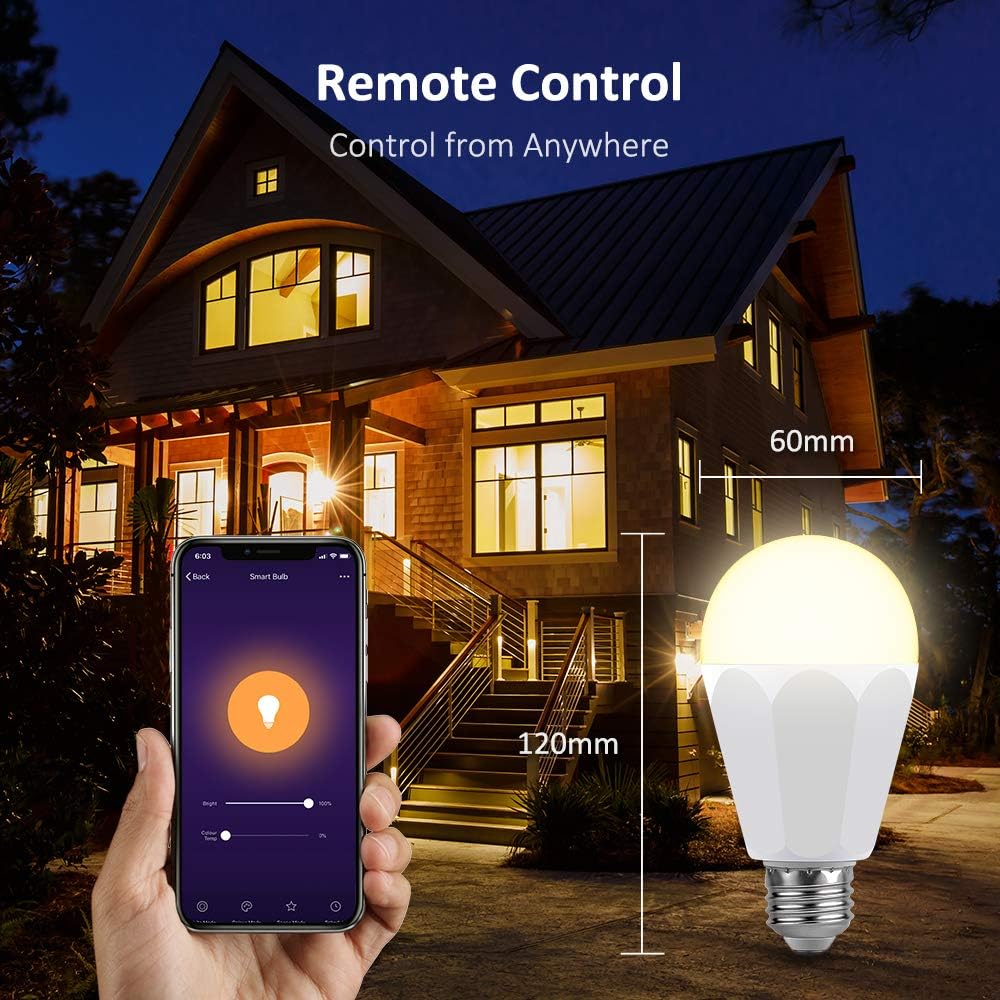
Image: A smartphone screen displaying the scheduling interface for smart bulbs, alongside an illustration of group control applied to multiple bulbs in a house.
گروپ کنٹرول
To control multiple bulbs simultaneously, create groups within the Smart Life app. This allows you to manage all lights in a room or area with a single command or tap.
منظر کے اختیارات
The app provides various preset scenes (e.g., Night, Read, Meeting, Leisure) and allows for custom scene creation. These scenes adjust color and brightness to suit different moods or activities.
Image: A smartphone screen showing eight different scene options for smart lighting, such as Night, Read, and Leisure, with corresponding colored light bulbs.
ریموٹ کنٹرول
As long as your smart bulb is connected to Wi-Fi and your smartphone has internet access, you can control your lights from anywhere in the world.

Image: A hand holding a smartphone displaying the Smart Life app, controlling a smart bulb remotely with a house illuminated by the bulb in the background, demonstrating remote control functionality.
دیکھ بھال
NOVOSTELLA Smart LED Light Bulbs are designed for long-term, maintenance-free operation. To ensure optimal performance and longevity:
- صفائی: Disconnect power before cleaning. Wipe the bulb with a soft, dry cloth. Do not use liquid cleaners or abrasive materials.
- ماحولیات: Use the bulbs in dry, indoor environments. Avoid exposure to water or high humidity.
- طاقت کے اتار چڑھاو: While designed to be robust, extreme power fluctuations can affect electronic devices. Consider a surge protector if your area experiences frequent power issues.
- فرم ویئر اپ ڈیٹس: Periodically check the Smart Life app for firmware updates for your bulbs to ensure the latest features and stability improvements.
خرابی کا سراغ لگانا
| مسئلہ | ممکنہ وجہ | حل |
|---|---|---|
| Bulb not pairing/flashing. | Not in pairing mode; incorrect reset procedure. | Turn the bulb off and on three times consecutively (on-off-on-off-on) until it flashes rapidly. |
| Wi-Fi سے منسلک نہیں ہو سکتا۔ | Incorrect Wi-Fi band (5GHz); wrong password; weak signal. | Ensure you are connecting to a 2.4GHz Wi-Fi network. Double-check your Wi-Fi password. Move the bulb closer to the router. |
| Bulb is offline in the app. | Loss of Wi-Fi connection; power outage. | Check your Wi-Fi router and internet connection. Power cycle the bulb (turn off and on at the switch). |
| صوتی کنٹرول کام نہیں کر رہا ہے۔ | Smart Life account not linked; incorrect device name. | Ensure your Smart Life account is correctly linked in the Alexa/Google Home app. Use the exact device name configured in the Smart Life app. |
وضاحتیں
- برانڈ: نووسٹیلا
- ماڈل کا نام: 13W Smart Light Bulb (HM-LB09-RGBCW-US-3)
- روشنی کی قسم: ایل ای ڈی
- واٹtage: 13 واٹ
- تاپدیپت مساوی: 120 واٹ
- چمک: 1300 Lumens
- رنگ درجہ حرارت: 2700K-6500K (Tunable White) + RGB
- بلب کی شکل کا سائز: A19
- بلب بیس: E26
- والیومtage: 100-240 وولٹ (AC)
- تعدد: 50/60 ہرٹز
- کنیکٹوٹی ٹیکنالوجی: Wi-Fi (صرف 2.4GHz)
- کنٹرول کا طریقہ: App, Voice Control (Alexa, Google Home)
- اوسط زندگی: 25,000 گھنٹے
- انڈور / آؤٹ ڈور استعمال: انڈور
- مواد: تانبا
- بیم زاویہ: 270 ڈگری
حفاظتی معلومات
- Do not use with standard dimmers. Only dim via the app or voice control.
- Not suitable for totally enclosed luminaires.
- Risk of electric shock. Do not open or modify the bulb.
- Ensure power is off before installation or removal.
- یہ آلہ ہنگامی اخراج کے ساتھ استعمال کے لیے نہیں ہے۔
وارنٹی اور سپورٹ
NOVOSTELLA products are designed for quality and reliability. For warranty information or technical support, please refer to the contact details provided on the product packaging or visit the official NOVOSTELLA webسائٹ وارنٹی دعووں کے لیے خریداری کے ثبوت کے طور پر اپنی خریداری کی رسید رکھیں۔
For further assistance, you may also refer to the NOVOSTELLA Brand Store on Amazon: NOVOSTELLA Store.


