تعارف
This manual provides essential information for the setup, operation, and maintenance of your OREI Sony UBP-X800M2 Region Free 4K UHD Blu-ray Player. This player is designed for worldwide use, supporting all Blu-ray disc zones (A/B/C) and DVD regions (0-8), with a built-in NTSC↔PAL 4K HD converter. Enjoy stunning 4K UHD visuals, high-resolution audio including Dolby Atmos and DTS:X, and seamless access to streaming services via Wi-Fi or Ethernet.

شکل 1: سامنے view of the OREI Sony UBP-X800M2 4K UHD Blu-ray Player.
سیٹ اپ
1. پیک کھولنا اور جگہ کا تعین کرنا
- پیکیجنگ سے تمام اجزاء کو احتیاط سے ہٹا دیں۔
- کھلاڑی کو ایک مستحکم، سطح کی سطح پر مناسب وینٹیلیشن کے ساتھ رکھیں۔
- Ensure no objects block the ventilation openings.
2. آپ کے TV سے جڑنا
Connect the player to your TV using an HDMI cable for optimal 4K UHD video and audio.
- HDMI کیبل کے ایک سرے سے جڑیں۔ HDMI آؤٹ port on the rear of the Blu-ray player.
- HDMI کیبل کے دوسرے سرے کو اپنے TV پر HDMI ان پٹ سے جوڑیں۔
- If using an audio receiver, connect the player's HDMI OUT to the receiver's HDMI IN, then the receiver's HDMI OUT to the TV's HDMI IN.

Figure 2: Rear panel connections, showing HDMI, LAN, and audio outputs.
3. پاور کنکشن
- Connect the AC power cord to the player's power input and then to a suitable electrical outlet.
4. نیٹ ورک کنکشن (اختیاری)
For streaming services and firmware updates, connect the player to your home network.
- وائرڈ کنکشن: Connect an Ethernet cable from the player's LAN (100) port to your router or modem.
- وائرلیس کنکشن: Navigate to the network settings in the player's menu to connect to your Wi-Fi network.
5. Region Changing Instructions
This player supports all DVD regions (0-8) automatically. Blu-ray regions (A, B, C) are changed manually using the remote control.
- Turn the player ON اور OPEN THE DISC TRAY.
- Once the tray is completely open, press the corresponding colored button on the remote to select the desired Blu-ray region:
- زون A: دبائیں پیلا بٹن ریموٹ کنٹرول پر۔
- زون بی: دبائیں بلیو بٹن ریموٹ کنٹرول پر۔
- زون C: دبائیں سرخ بٹن ریموٹ کنٹرول پر۔
- You can now put your disc in the tray and then close the tray.

Figure 3: Remote control with colored buttons for region selection.
آپریٹنگ ہدایات
1. ڈسک پلے بیک
The player supports a wide range of disc formats, including 4K UHD Blu-ray, standard Blu-ray, Blu-ray 3D, DVD, CD, and Super Audio CD (SACD).
- دبائیں کھولیں/بند کریں۔ ڈسک ٹرے کھولنے کے لیے پلیئر یا ریموٹ پر بٹن۔
- Place the disc gently onto the tray with the label side facing up.
- دبائیں کھولیں/بند کریں۔ ٹرے کو بند کرنے کے لیے دوبارہ بٹن دبائیں۔
- The player will automatically begin playback or display a disc menu.

شکل 4: سامنے view of the player with the disc tray open, ready for disc insertion.
2. سلسلہ بندی کی خدمات
Access popular streaming services like Netflix and YouTube directly from the player's home menu.
- Ensure the player is connected to the internet (Wi-Fi or Ethernet).
- From the home screen, select the desired streaming application.
- Log in with your account credentials to begin streaming.
3 USB میڈیا پلے بیک
میڈیا چلائیں files (audio, video, photos) from a USB storage device.
- Insert your USB device into the front USB port.
- Select the USB option from the player's home menu to browse and play your media.
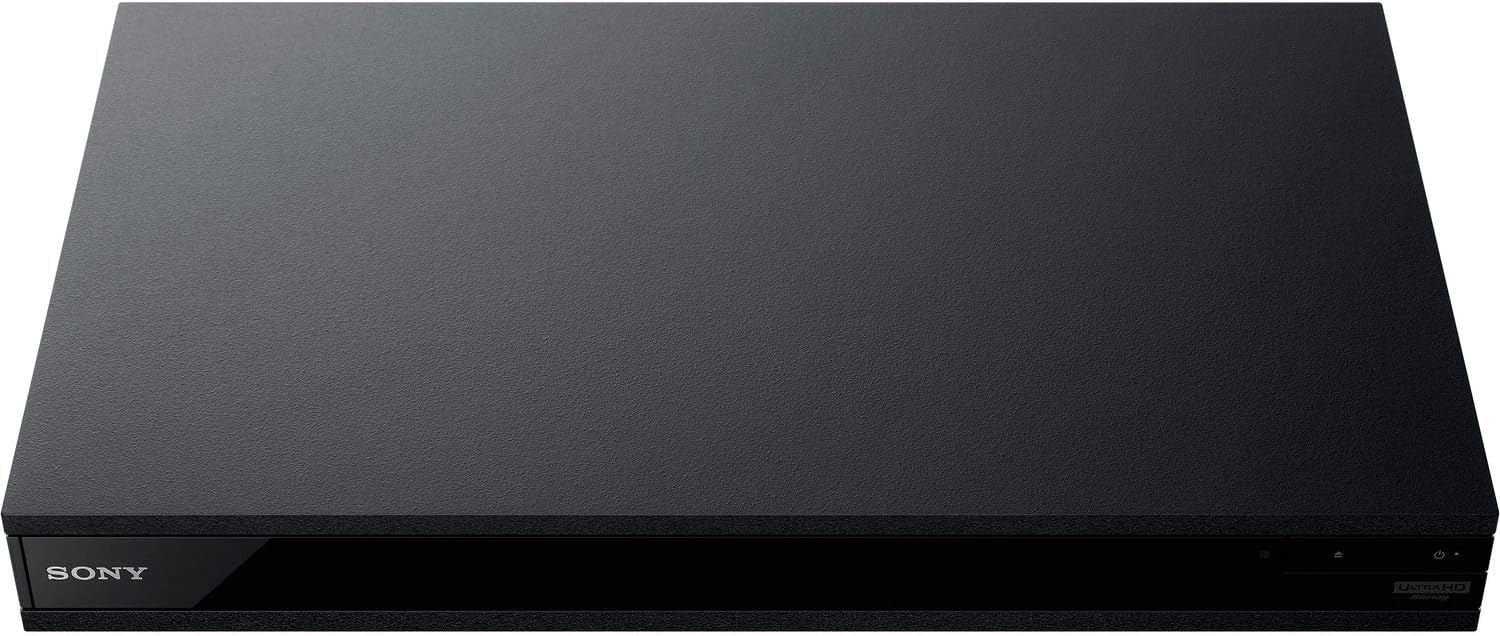
شکل 5: سامنے view of the player with a USB drive inserted into the front port.
دیکھ بھال
1. Cleaning the Player
- نرم، خشک کپڑے سے پلیئر کے بیرونی حصے کو صاف کریں۔
- کھرچنے والے کلینر، موم یا سالوینٹس کا استعمال نہ کریں۔
- Ensure ventilation openings remain clear of dust and debris.
2. ڈسک کی دیکھ بھال
- فنگر پرنٹس اور خروںچ سے بچنے کے لیے ڈسکس کو ان کے کناروں سے ہینڈل کریں۔
- ڈسکس کو نرم، لنٹ سے پاک کپڑے سے صاف کریں، مرکز سے باہر کی طرف صاف کریں۔
- ڈسکس کو ان کے کیسز میں براہ راست سورج کی روشنی اور انتہائی درجہ حرارت سے دور رکھیں۔
3. فرم ویئر اپڈیٹس
Firmware updates can be done via the internet to ensure optimal performance and access to the latest features.
- Go to the home menu, then setup menu, and then to Software Update.
- Click on "Update Via Internet". If a new firmware is available, the player will automatically update.
- مت کرو turn off the player while it is updating.
- مت کرو perform firmware updates by USB unless instructed by OREI support.
خرابی کا سراغ لگانا
عام مسائل
- کوئی تصویر/آواز نہیں:
- Check all HDMI and audio cable connections.
- یقینی بنائیں کہ TV ان پٹ درست HDMI پورٹ پر سیٹ ہے۔
- Verify the player is powered on.
- ڈسک نہیں چلتی:
- یقینی بنائیں کہ ڈسک صاف اور خروںچ سے پاک ہے۔
- تصدیق کریں کہ ڈسک صحیح طریقے سے داخل کی گئی ہے (لیبل سائیڈ اپ)۔
- For Blu-ray discs, confirm the player's region setting matches the disc's region (refer to "Region Changing Instructions" in the Setup section).
- Open the tray again and leave the disc in the tray. Once fully open, press the color button to select the region. Then close the tray.
- Region Code Error Message:
If you put in a disc before changing regions, you may get an error message indicating the wrong region. The player remembers this message. To remove that error, you need to reset the player.
- دبائیں گھر button on the remote with no disc inside to go to the home screen.
- Use arrow buttons on the remote to go to the upper right corner where it says سیٹ اپ اور دبائیں داخل کریں۔.
- تک نیچے سکرول کریں۔ دوبارہ ترتیب دینا on the bottom of the menu.
- منتخب کریں۔ فیکٹری ڈیفالٹ سیٹنگز پر ری سیٹ کریں۔.
- نیچے سکرول کریں اور منتخب کریں۔ تمام ترتیبات اور دبائیں داخل کریں۔ -> دبائیں انٹر شروع کریں۔ -> Close داخل کریں۔.
- Turn the player off and then on again after 30 seconds.
- Select Language English and then select quick start mode OFF. You may need to activate network settings again.
- If you prefer not to connect the player to the internet, you may press the گھر button and go to the home screen. Now start from step 1 under "Region Changing Instructions" to change regions.
وضاحتیں
| برانڈ | OREI |
| ماڈل کا نام | Sony X800M2 (UBP-X800M2) |
| مصنوعات کے طول و عرض | 19 x 14.1 x 3.8 انچ |
| شے کا وزن | 8.82 پاؤنڈ (4000 گرام) |
| میڈیا کی قسم | Blu-Ray Disc, DVD, 4K UHD Blu-ray, Blu-ray 3D, CD, Super Audio CD |
| قرارداد | 3840x2160 (4K UHD) |
| کنیکٹوٹی ٹیکنالوجی | ایتھرنیٹ، HDMI، USB، Wi-Fi |
| کنیکٹر کی قسم | HDMI |
| آڈیو آؤٹ پٹ وضع | Surround (Dolby Atmos, DTS:X, High-Resolution Audio) |
| رنگ | سیاہ |
| بیٹریاں | 2 AAA بیٹریاں درکار ہیں (ریموٹ کے لیے) |
| خصوصی خصوصیت | Region Free (Blu-ray Zones A/B/C, DVD Regions 0-8), Built-in NTSC↔PAL 4K HD Converter |
وارنٹی اور سپورٹ
وارنٹی کی معلومات
For specific warranty details, please refer to the warranty card included with your product or visit the official OREI webسائٹ خریداری کے ثبوت کے طور پر اپنی خریداری کی رسید اپنے پاس رکھیں۔
کسٹمر سپورٹ
If you encounter any issues or have questions regarding your OREI Sony UBP-X800M2 Blu-ray Player, please contact OREI customer support.
- آن لائن مدد: کا دورہ کریں۔ OREI Store on Amazon FAQs اور معاون وسائل کے لیے۔
- تکنیکی مدد: Contact OREI directly for technical support. (Specific contact details not provided in source data, please refer to product packaging or official webسائٹ)۔


