1. تعارف
Thank you for choosing the CREATE NETBOT S15 Robot Vacuum Cleaner. This manual provides essential information for the safe operation, maintenance, and troubleshooting of your device. Please read it thoroughly before first use and retain it for future reference.
پروڈکٹ ختمview

The image above displays the CREATE NETBOT S15 Robot Vacuum Cleaner, its dedicated remote control, and a smartphone screen showing the companion application interface. The robot is black with a textured top surface and a central green power button. The remote control features a digital display and various control buttons. The app shows a map of a cleaned area.
The NETBOT S15 is designed to simplify your cleaning routine, offering multiple cleaning modes and smart features for efficient floor maintenance.
2. حفاظتی ہدایات
محفوظ آپریشن کو یقینی بنانے اور نقصان کو روکنے کے لیے، براہ کرم درج ذیل حفاظتی تدابیر پر عمل کریں:
- آلے کو استعمال کرنے سے پہلے تمام ہدایات پڑھیں۔
- بچوں کو روبوٹ ویکیوم چلانے کی اجازت نہ دیں۔ جب روبوٹ کام کر رہا ہو تو بچوں اور پالتو جانوروں کی نگرانی کریں۔
- Ensure the charging base is placed against a wall on a hard, level surface, with adequate clear space around it.
- بالوں، ڈھیلے کپڑے، انگلیوں اور جسم کے تمام حصوں کو کھلنے اور حرکت کرنے والے حصوں سے دور رکھیں۔
- Do not pick up large objects, sharp objects, liquids, or burning/smoking materials.
- روبوٹ کو گیلے ماحول میں یا گیلی سطحوں پر استعمال نہ کریں۔
- Remove power cords, small objects, and fragile items from the floor before operation to prevent entanglement or damage.
- Use only the original charger and battery provided by the manufacturer.
- Do not modify or attempt to repair the robot vacuum yourself. Contact qualified service personnel for repairs.
3. پیکیج کے مشمولات
تصدیق کریں کہ پیکیج میں تمام اجزاء موجود ہیں:

The image shows the retail box for the CREATE NETBOT S15 Robot Vacuum Cleaner, indicating the product and its key features.
- CREATE NETBOT S15 Robot Vacuum Cleaner
- چارجنگ بیس
- پاور اڈاپٹر
- ریموٹ کنٹرول
- Dustbin (600 ml capacity)
- Water Tank (400 ml capacity)
- Side Brushes (2 + 2 replacements)
- HEPA Filter (1 + 1 replacement)
- Cleaning Mop (1 + 1 replacement)
- صفائی برش
- مقناطیسی پٹی
- صارف دستی
4. سیٹ اپ
4.1 چارجنگ بیس پلیسمنٹ

The image shows the CREATE NETBOT S15 Robot Vacuum Cleaner correctly docked on its charging station, indicating proper placement for recharging.
- Place the charging base against a wall in an open area.
- Ensure there is at least 1 meter (3 feet) of clear space on both sides of the charging base and 2 meters (6 feet) in front of it.
- پاور اڈاپٹر کو چارجنگ بیس سے جوڑیں اور اسے وال آؤٹ لیٹ میں لگائیں۔
- Ensure the power indicator light on the charging base is illuminated.
4.2 ابتدائی چارجنگ

This image depicts the CREATE NETBOT S15 Robot Vacuum Cleaner positioned near its charging dock in a room, ready for or undergoing charging.
Before first use, fully charge the robot vacuum. Place the robot onto the charging base, ensuring the charging contacts align. The indicator light on the robot will show charging status. A full charge typically takes 4-5 hours.
4.3 ایپ انسٹالیشن اور کنکشن
The CREATE NETBOT S15 can be controlled via a smartphone application, compatible with Alexa and Google Home.
- Download the official CREATE app from your smartphone's app store.
- ایک اکاؤنٹ رجسٹر کریں اور لاگ ان کریں۔
- Follow the in-app instructions to add your NETBOT S15 device. This typically involves putting the robot into pairing mode and connecting it to your home Wi-Fi network.
- Once connected, you can program cleaning schedules, select cleaning modes, and monitor the robot's status from your phone.
- For voice control, link the CREATE app with your Alexa or Google Home account through their respective applications.
5. آپریٹنگ ہدایات
5.1 صفائی کے طریقے
The NETBOT S15 offers four cleaning functions:
- جھاڑو: Uses side brushes to gather debris.
- ویکیوم: Utilizes suction power to collect dust and dirt. Features up to 1500 Pa suction power with adjustable levels.
- Mop: Wipes floors with a damp cloth from the water tank.
- دھونا: Combines sweeping, vacuuming, and mopping for comprehensive cleaning.

This image illustrates the CREATE NETBOT S15 Robot Vacuum Cleaner actively cleaning under a sofa, demonstrating its ability to reach confined spaces. Two dogs are visible in the foreground, suggesting a pet-friendly environment.
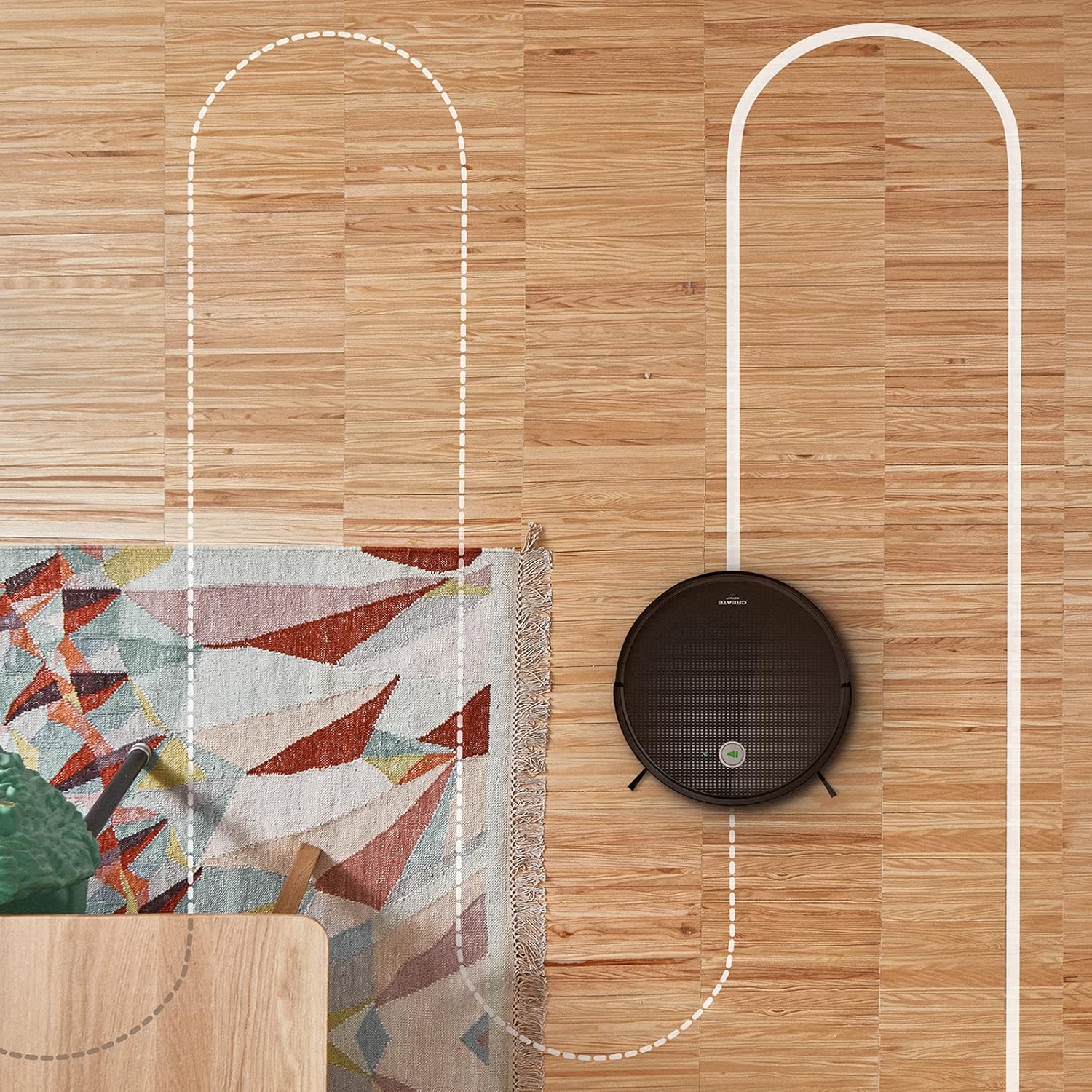
ایک ہوائی view shows the CREATE NETBOT S15 Robot Vacuum Cleaner moving across a wooden floor, with a dotted line indicating its systematic cleaning path, highlighting its gyroscopic navigation.
5.2 ریموٹ کنٹرول کا استعمال
The included remote control allows for direct operation of the robot vacuum. Refer to the remote control diagram in your quick start guide for button functions. Common functions include:
- صفائی ستھرائی / روک دیں
- چارجنگ بیس پر واپس جائیں
- Directional Control (manual steering)
- جگہ کی صفائی
- ایج کی صفائی
- شیڈول کی ترتیب
5.3 Magnetic Strip Usage
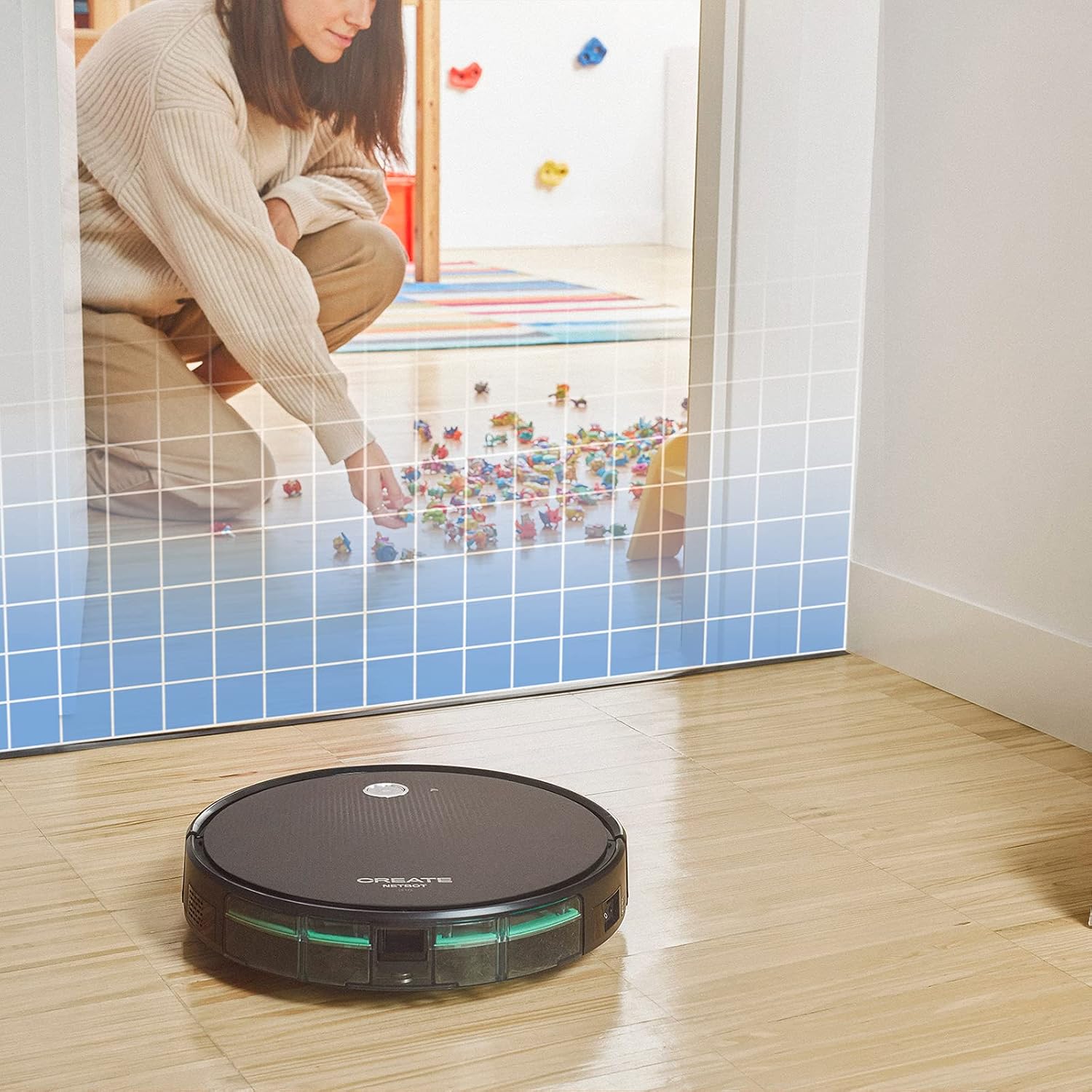
This illustration demonstrates the CREATE NETBOT S15 Robot Vacuum Cleaner approaching a virtual boundary, represented by a grid, which prevents it from entering a specific area, such as where toys are located.
Use the provided magnetic strip to create virtual boundaries that the robot will not cross. Place the strip on the floor to delimit areas where the robot should not enter, such as pet feeding zones or areas with delicate items.
5.4 بیٹری کی زندگی
The NETBOT S15 is equipped with a long-lasting LG Lithium battery, providing up to 120 minutes of cleaning autonomy on a single charge, depending on the selected power mode.
6 دیکھ بھال
باقاعدگی سے دیکھ بھال بہترین کارکردگی کو یقینی بناتی ہے اور آپ کے روبوٹ ویکیوم کی عمر میں توسیع کرتی ہے۔
6.1 Dustbin and Water Tank Cleaning
Empty the dustbin after each use. The 600 ml dustbin is easily removable. If using the mopping function, empty and rinse the 400 ml water tank after each use to prevent mold or odors.
6.2 برش کی صفائی

ایک قریبی اپ view of the CREATE NETBOT S15 Robot Vacuum Cleaner's side brush, showing its design for sweeping debris into the main suction path.
- سائیڈ برش: Regularly check for hair or debris entanglement. Remove and clean as needed. Replace worn brushes with the provided spares.
- مین برش: Remove the main brush cover and lift out the brush. Use the cleaning tool to remove tangled hair and debris.
6.3 فلٹر کی صفائی/متبادل
The robot uses a double filter system: a sponge filter and a HEPA filter. Tap the filters to remove loose dirt. Do not wash HEPA filters with water. Replace filters every 3-6 months, or more frequently with heavy use, to maintain suction performance.
6.4 سینسر کی صفائی
Wipe the cliff sensors (located on the bottom of the robot) and the bumper sensors (on the front) with a clean, dry cloth to ensure proper navigation and obstacle detection.
7 خرابیوں کا سراغ لگانا
If you encounter issues with your NETBOT S15, refer to the following common problems and solutions:
| مسئلہ | ممکنہ وجہ | حل |
|---|---|---|
| روبوٹ شروع یا جواب نہیں دیتا. | کم بیٹری؛ پاور سوئچ آف؛ روبوٹ پھنس گیا۔ | روبوٹ کو چارج کریں؛ یقینی بنائیں کہ پاور سوئچ آن ہے؛ کسی بھی رکاوٹ کو صاف کریں۔ |
| ناقص صفائی کی کارکردگی۔ | Full dustbin; Clogged brushes/filters; Worn brushes. | Empty dustbin; Clean brushes and filters; Replace brushes/filters. |
| روبوٹ چارجنگ بیس نہیں ڈھونڈ سکتا۔ | Charging base obstructed; Robot too far from base; Base not powered. | Ensure clear space around base; Manually place robot closer; Check power connection to base. |
| روبوٹ اکثر پھنس جاتا ہے۔ | Cables/small objects on floor; Uneven surfaces; Dark colored carpets. | Clear floor of obstacles; Use magnetic strips for problem areas; Robot may struggle on very dark surfaces. |
| وائی فائی کنکشن کے مسائل۔ | غلط وائی فائی پاس ورڈ؛ راؤٹر بہت دور؛ 5GHz نیٹ ورک۔ | Verify password; Move robot closer to router; Ensure connection to a 2.4GHz Wi-Fi network. |
8. وضاحتیں
Key technical specifications for the CREATE NETBOT S15 Robot Vacuum Cleaner:
- برانڈ: تخلیق کریں۔
- ماڈل نمبر: نیٹ بوٹ S15
- رنگ: Black - Turquoise
- طول و عرض (L x W x H): 33 x 33 x 7.5 سینٹی میٹر
- وزن: 3 کلوگرام
- طاقت: 25 واٹ
- سکشن پاور: 1500 Pa تک
- شور کی سطح: 62 ڈی بی
- بیٹری کی قسم: لیتھیم آئن
- بیٹری کی زندگی: 120 منٹ تک
- کوڑے دان کی گنجائش: 600 ملی لیٹر
- پانی کے ٹینک کی صلاحیت: 400 ملی لیٹر
- فلٹر سسٹم: Double sponge Clean + HEPA filter
- کنیکٹوٹی: Wi-Fi, App Control
- وائس اسسٹنٹ مطابقت: گوگل ہوم، الیکسا
- خصوصی خصوصیات: Gyroscopic navigation, Magnetic strip boundary, 4 cleaning modes (sweep, vacuum, mop, wash)
9. وارنٹی اور سپورٹ
For warranty information, technical support, or service inquiries, please refer to the warranty card included with your product or visit the official CREATE webسائٹ خریداری کے ثبوت کے طور پر اپنی خریداری کی رسید اپنے پاس رکھیں۔


