تعارف
The Sharper Image SI-160 2-in-1 Steam Mop provides a chemical-free solution for cleaning and freshening various surfaces in your home. This versatile appliance functions as both a steam mop for floors and a handheld steam cleaner for targeted cleaning tasks. Please read this manual thoroughly before initial use to ensure safe and effective operation.
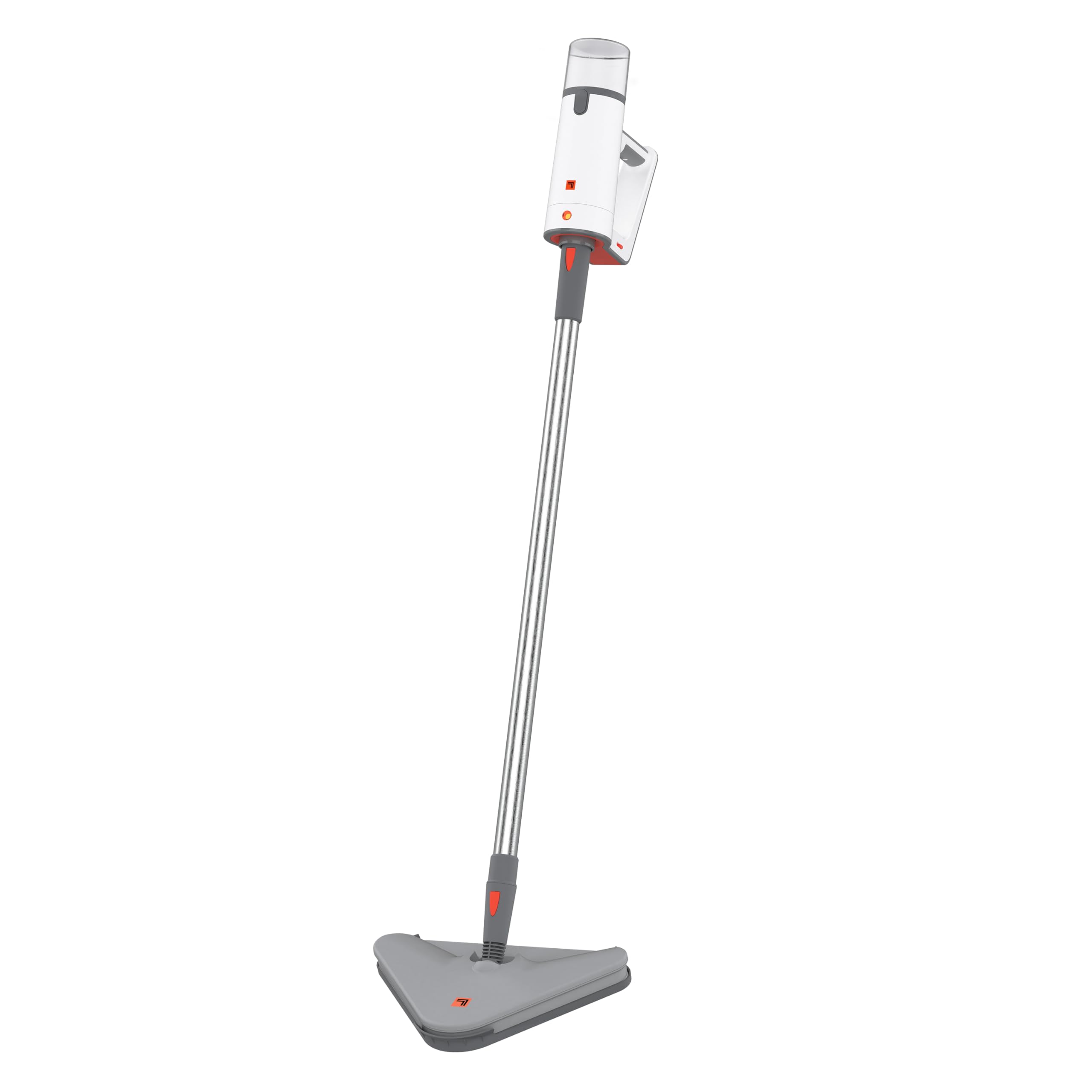
Image: The Sharper Image SI-160 2-in-1 Steam Mop in its upright configuration, ready for use.
اہم حفاظتی معلومات
WARNING: To reduce the risk of fire, electric shock, or injury, always follow basic safety precautions when using an electrical appliance.
- آلے کو استعمال کرنے سے پہلے تمام ہدایات پڑھیں۔
- یہ آلہ صرف گھریلو استعمال کے لیے ڈیزائن کیا گیا ہے۔
- والیوم کو یقینی بنائیںtage rating of the appliance matches your local power supply (120V for U.S. models). Using voltage converters or adapters may void the warranty and cause malfunction.
- آلے کو پانی یا دیگر مائعات میں نہ ڈوبیں۔
- Always unplug the appliance when not in use and before performing any maintenance.
- آپریشن کے دوران بچوں اور پالتو جانوروں کو آلات سے دور رکھیں۔
- Use only manufacturer-recommended accessories and attachments.
- Do not direct steam at people, animals, or electrical outlets. Steam is hot and can cause burns.
- Do not use on unsealed wood floors, unglazed ceramic, or any surface that is sensitive to heat or moisture. Test on an inconspicuous area first.
پیکیج کے مشمولات
Carefully unpack your Sharper Image SI-160 Steam Mop and ensure all items are present. If any parts are missing or damaged, contact customer support.
- SI-160 سٹیم کلینر یونٹ
- توسیع وانڈ
- یموپی سر
- 2 x Microfiber Mop Pads
- قالین گلائیڈر۔
- جیٹ نوزل
- Utility Brushes (various types)
- Owner's Guide (this manual)

Image: An illustration showing the 9 versatile accessories included with the Sharper Image SI-160, including utility brushes, mop pads, and a carpet glider.
اسمبلی
The Sharper Image SI-160 is designed for easy assembly. Most components simply slot into place without the need for tools.
- ایم او پی ہیڈ منسلک کریں: Align the mop head with the bottom of the extension wand and push until it clicks securely into place.
- Connect the Extension Wand: Insert the top of the extension wand into the main steam cleaner unit until it locks.
- Attach a Microfiber Mop Pad: Place a clean microfiber mop pad onto the mop head, ensuring it adheres firmly to the hook-and-loop fasteners.
- پانی کے ٹینک کو بھریں: Open the water tank cap, fill the 8.45 oz tank with distilled water (recommended to prevent mineral buildup), and securely close the cap. Do not overfill.

تصویر: ایک طرف view of the Sharper Image SI-160 highlighting its lightweight design, comfortable grip, and telescopic extension pole for adjustable height.
آپریشن
Mop Mode (Floor Cleaning)
- Ensure the unit is fully assembled with the mop head and a clean microfiber pad attached.
- آبی پانی سے پانی کے ٹینک کو بھریں۔
- Plug the power cord into a grounded electrical outlet. The unit will begin to heat up.
- Wait approximately 25 seconds for the steam mop to reach operating temperature.
- Press and hold the steam trigger on the handle to release steam. Move the mop slowly and steadily across the floor surface.
- The steam flow can be adjusted for different floor types. Use on sealed hardwood, ceramic tile, grout, laminate, and durable stained concrete. Avoid unsealed surfaces.
- The 8.45 oz water tank provides up to 15 minutes of continuous steam. Refill as needed.

Image: The Sharper Image SI-160 Steam Mop in action, cleaning a sealed wooden floor, demonstrating its effectiveness in mop mode.
Handheld Mode (Targeted Cleaning)
- Unplug the unit. Detach the extension wand and mop head from the main steam cleaner unit.
- Select the appropriate accessory (e.g., jet nozzle, utility brush) for your cleaning task and attach it securely to the handheld unit.
- آبی پانی سے پانی کے ٹینک کو بھریں۔
- پاور کورڈ کو گراؤنڈڈ برقی آؤٹ لیٹ میں لگائیں۔
- Wait approximately 25 seconds for the unit to heat up.
- Direct the steam nozzle towards the area to be cleaned and press the steam trigger. Use short bursts of steam for stubborn grime.
- This mode is ideal for cleaning grout, stovetops, sinks, and other hard-to-reach areas.
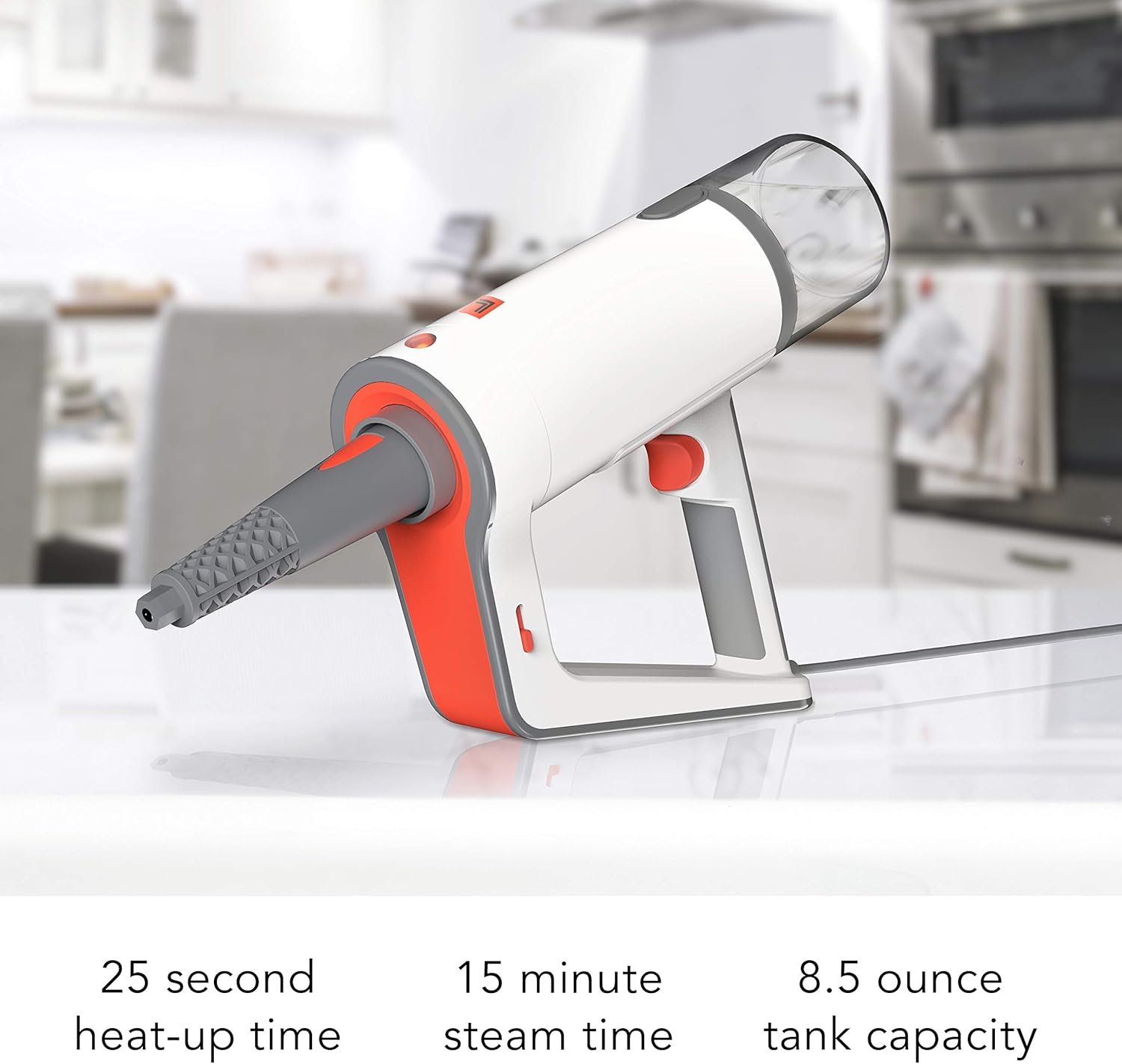
Image: The Sharper Image SI-160 in handheld mode, effectively cleaning a stovetop grate with concentrated steam.

Image: The handheld unit of the Sharper Image SI-160, illustrating its quick 25-second heat-up time, 15-minute continuous steam time, and 8.5-ounce water tank capacity.
دیکھ بھال اور دیکھ بھال
Proper maintenance ensures the longevity and optimal performance of your steam mop.
- ہر استعمال کے بعد: Unplug the unit and allow it to cool completely. Empty any remaining water from the tank.
- یونٹ کی صفائی: اشتہار کے ساتھ اسٹیم کلینر کے بیرونی حصے کو صاف کریں۔amp cloth. Do not use abrasive cleaners or solvents. The manufacturer recommends 'Hand Wipe Clean'.
- Microfiber Mop Pads: Remove and wash microfiber mop pads after each use. They are typically machine washable; refer to the care label on the pads.
- ڈیسکلنگ: Over time, mineral deposits can build up in the water tank and internal components, especially if tap water is used. To descale, fill the tank with a solution of 1 part white vinegar to 2 parts distilled water. Run the unit until half the solution is used, then turn off and let it sit for 30 minutes. Finish running the solution, then rinse the tank thoroughly with fresh distilled water. Perform descaling monthly or as needed based on water hardness.
- ذخیرہ: Store the steam mop in a cool, dry place, out of reach of children. Ensure the unit is completely dry before storing.
خرابی کا سراغ لگانا
If you encounter issues with your Sharper Image SI-160, refer to the following common problems and solutions:
| مسئلہ | ممکنہ وجہ | حل |
|---|---|---|
| کوئی بھاپ یا کم بھاپ آؤٹ پٹ نہیں۔ |
|
|
| یونٹ سے پانی کا اخراج |
|
|
| Mop pad not cleaning effectively |
|
|
If the problem persists after trying these solutions, please contact Sharper Image customer support.
وضاحتیں
| فیچر | تفصیل |
|---|---|
| برانڈ | تیز تصویر |
| ماڈل کا نام | SI-160 |
| خصوصی خصوصیات | Carry Handle, Edge Cleaning, Lightweight, Removable Nozzle |
| سطح کی سفارش | فرش |
| واٹtage | 1350 واٹ |
| فارم فیکٹر | سیدھا |
| رنگ | سفید |
| طاقت کا منبع | AC/DC |
| والیومtage | 120V |
| واٹر ٹینک کی گنجائش | 8.45 اونس |
| زیادہ سے زیادہ درجہ حرارت | 200 ڈگری فارن ہائیٹ |
| مصنوعات کے طول و عرض | 13.7 x 13.3 x 43.8 انچ |
| شے کا وزن | 6.93 پاؤنڈ |
وارنٹی اور سپورٹ
Your Sharper Image SI-160 2-in-1 Steam Mop is covered by a 1 سالہ مینوفیکچرر کی وارنٹی خریداری کی تاریخ سے. یہ وارنٹی عام گھریلو استعمال کے تحت مواد اور کاریگری میں نقائص کا احاطہ کرتی ہے۔
For warranty claims, technical assistance, or any questions regarding your product, please contact Sharper Image customer service. Our dedicated customer service team is based in Andover, KS, and is ready to assist you.
وارنٹی کی توثیق کے لیے براہ کرم اپنی خریداری کا ثبوت اپنے پاس رکھیں۔


