1. تعارف
Thank you for choosing the TOZO NC9 Hybrid Active Noise Cancelling Wireless Earbuds. These earbuds are designed to provide an immersive audio experience with advanced noise cancellation, clear call quality, and comfortable all-day wear. This manual will guide you through the setup, operation, and maintenance of your new earbuds.
2. باکس میں کیا ہے۔
- ٹوزو ہائبرڈ ایکٹیو نوائس کینسلنگ وائرلیس ایئربڈز
- چارجنگ کیس
- USB-C (A to C) کیبل (20cm)
- Eartips (متعدد سائز)
- صارف دستی

Figure 2.1: Contents of the TOZO NC9 package.
3. پروڈکٹ ختمview
The TOZO NC9 earbuds feature a compact design with advanced audio technology. Key components include:
- ہائبرڈ فعال شور منسوخی: Up to 45dB noise reduction for an immersive listening experience.
- 6-Microphone ENC Clear Call: Enhanced environmental noise cancellation for clear voice transmission during calls.
- شفافیت موڈ: ایئربڈز کو ہٹائے بغیر آپ کو اپنے اردگرد کی باتیں سننے کی اجازت دیتا ہے۔
- Stereo Bass Sound: Built-in 10mm drivers with OrigX Acoustic 2.0 technology for rich bass and clear audio.
- ایرگونومک ڈیزائن: Comfortable fit with six replaceable ear tip sizes.
- TOZO App Integration: Customize sound with 32 EQ options and noise cancellation modes.
- توسیعی پلے ٹائم: Up to 59 hours total playtime with the charging case (ANC off).
- IPX8 پانی کی مزاحمت: Protection against sweat, rain, and splashes.
- بلوٹوتھ 5.3 ٹیکنالوجی: Stable connection and low latency.
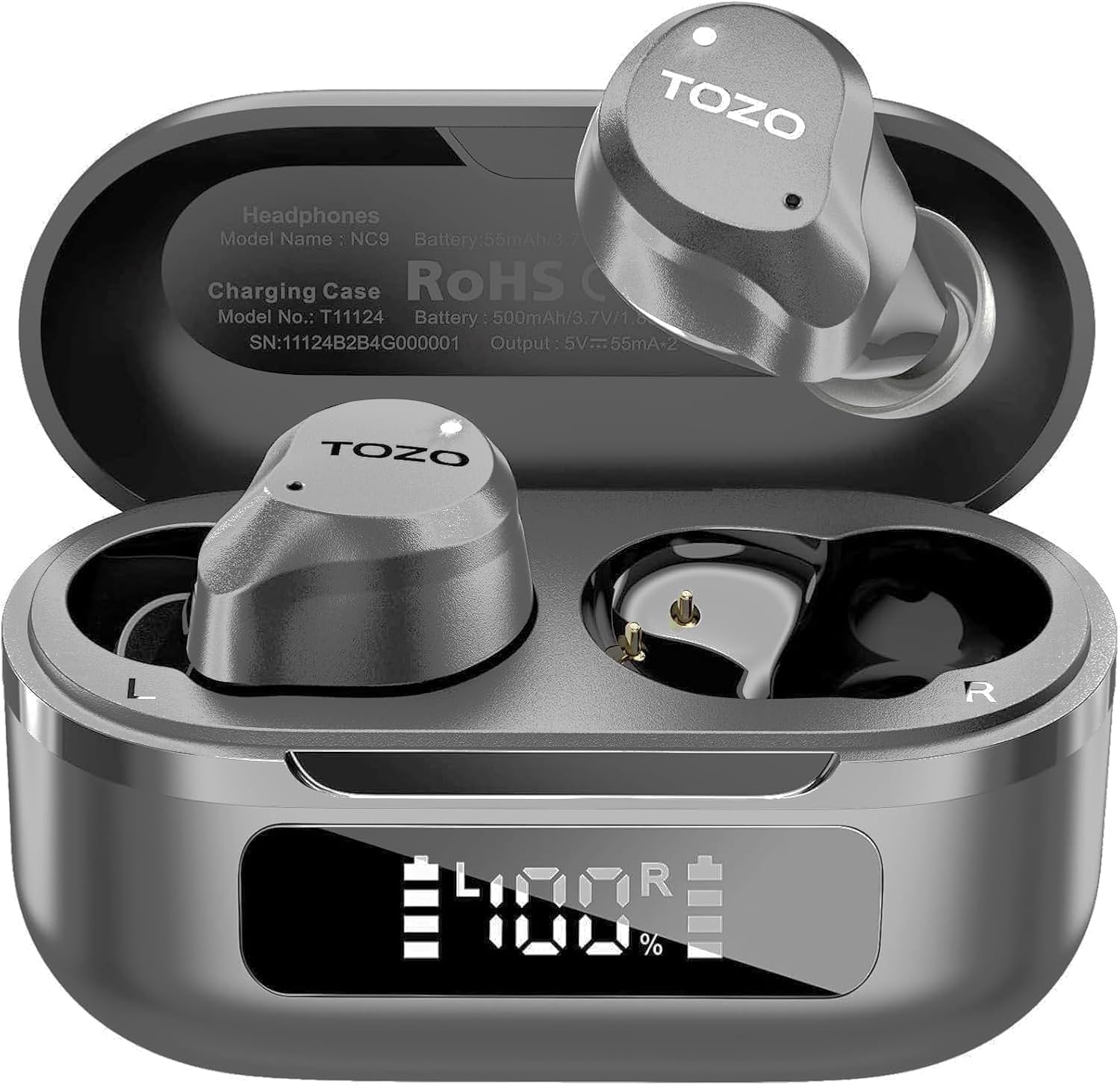
Figure 3.1: TOZO NC9 Earbuds and Charging Case.

Figure 3.2: TOZO OrigX Acoustics Technology for enhanced sound.
4. سیٹ اپ
4.1. ابتدائی جوڑی
- چارجنگ کیس کھولیں۔ ایئربڈز خود بخود پیئرنگ موڈ میں داخل ہو جائیں گے۔
- اپنے آلے پر (اسمارٹ فون، ٹیبلیٹ وغیرہ)، بلوٹوتھ کو فعال کریں۔
- تلاش کریں۔ "TOZO NC9" in the list of available Bluetooth devices and select it to connect.
- ایک بار منسلک ہونے کے بعد، آپ کو ایک آڈیو پرامپٹ سنائی دے گا جو کامیاب جوڑی کی تصدیق کرتا ہے۔
4.2. ایئربڈز پہننا
بہترین آواز کے معیار اور آرام کے لیے، مناسب فٹ کو یقینی بنائیں:
- Choose the ear tips that best fit your ear canal from the provided sizes.
- Insert the earbuds into your ears with the sound hole pointing downwards.
- Gently rotate the earbuds backward to secure them snugly in your ear.

Figure 4.1: Proper wearing of the TOZO NC9 Earbuds.
5. آپریٹنگ ہدایات
5.1. ٹچ کنٹرولز
The TOZO NC9 earbuds feature intuitive touch controls on each earbud:
- Single Tap (Left/Right): موسیقی چلائیں/روکیں، کال کا جواب دیں/ختم کریں۔
- ڈبل تھپتھپائیں (بائیں): پچھلا ٹریک۔
- ڈبل تھپتھپائیں (دائیں): اگلا ٹریک۔
- Triple Tap (Left): Activate/Deactivate Noise Cancellation or Transparency Mode.
- ٹرپل ٹیپ (دائیں): Activate Voice Assistant (Siri, Google Assistant).
- Long Press (Left/Right): کال مسترد کریں۔
5.2. Active Noise Cancellation (ANC) & Transparency Mode
The earbuds offer three sound modes:
- فعال شور منسوخی (ANC): عمیق آڈیو تجربے کے لیے بیرونی شور کو کم کرتا ہے۔
- شفافیت موڈ: آپ کو اپنے اردگرد کے ماحول سے آگاہ رکھتے ہوئے محیطی آوازوں کو گزرنے دیتا ہے۔
- نارمل موڈ: Standard audio with no active noise processing.
Switch between modes by triple-tapping the left earbud.
Figure 5.1: Active Noise Cancellation in action.
5.3. TOZO App Features
Download the TOZO App to unlock advanced customization options:
- 32 EQ Options: Tailor your audio experience with various preset equalizers or create custom sound profiles.
- Noise Cancellation Modes: Fine-tune ANC and Transparency settings.
- EQ Zone: Share and discover custom EQ settings from other users.

Figure 5.2: TOZO App for sound customization.
6. Charging & Battery Life
6.1. کیس اور ایئربڈز کو چارج کرنا
The charging case can be charged via the included USB-C cable. The earbuds charge automatically when placed inside the case.
- چارج کرنے کا وقت: مکمل چارج کے لیے تقریباً 1.5 گھنٹے۔
- بیٹری اشارے: The charging case features an LED display to show the remaining battery percentage.

Figure 6.1: Charging case with LED display.
6.2. Battery Performance
- کل پلے ٹائم (چارجنگ کیس کے ساتھ): Up to 59 hours (ANC off), 42 hours (ANC on).
- Single Use Playback: Up to 14 hours (ANC off), 10 hours (ANC on).

Figure 6.2: Extended playtime capabilities.
7. دیکھ بھال اور دیکھ بھال
7.1. پانی کی مزاحمت
The TOZO NC9 earbuds are IPX8 water-resistant, meaning they can withstand sweat, rain, and accidental splashes. However, they are not designed for swimming or prolonged submersion. Ensure earbuds are dry before placing them back in the charging case.
7.2. صفائی
Regularly clean your earbuds and charging case to maintain optimal performance:
- ایئر بڈز اور چارجنگ کیس کو صاف کرنے کے لیے نرم، خشک، لنٹ فری کپڑا استعمال کریں۔
- کان کے اشارے کو ہٹا دیں اور انہیں ہلکے صابن اور پانی سے صاف کریں، پھر دوبارہ جوڑنے سے پہلے اچھی طرح خشک کریں۔
- کھرچنے والے مواد یا سخت کیمیکل استعمال کرنے سے گریز کریں۔
8 خرابیوں کا سراغ لگانا
- ایئربڈس جوڑا نہیں بن رہے ہیں: Ensure both earbuds are in the charging case, then open the lid to initiate pairing mode. Check your device's Bluetooth settings.
- صرف ایک ایئربڈ کام کر رہا ہے: Place both earbuds back in the charging case, close the lid, then open it again. Re-pair if necessary.
- خراب آواز کا معیار: Ensure ear tips provide a secure seal. Clean earbuds to remove any debris. Check audio source quality.
- چارجنگ کے مسائل: Ensure the charging cable is securely connected and the charging case is clean. Check the LED display for battery status.
- ایئربڈز کو دوبارہ ترتیب دینا: Refer to the full user manual for specific reset instructions if persistent issues occur.
9. وضاحتیں
| فیچر | تفصیلات |
|---|---|
| ماڈل کا نام | ٹوزو این سی 9 |
| شور کنٹرول | ہائبرڈ فعال شور کی منسوخی |
| بلوٹوتھ ورژن | 5.3 |
| بلوٹوتھ رینج | 10 میٹر |
| بیٹری لائف (ایئر بڈز) | 14 گھنٹے (اے این سی آف)، 10 گھنٹے (اے این سی آن) |
| کل پلے ٹائم (کیس کے ساتھ) | 59 گھنٹے (اے این سی آف)، 42 گھنٹے (اے این سی آن) |
| چارج کرنے کا وقت | 1.5 گھنٹے |
| پانی کی مزاحمت کی سطح | IPX8 |
| آڈیو ڈرائیور کا سائز | 10 ملی میٹر |
| کنٹرول کی قسم | ٹچ کنٹرول / اے پی پی |
| شامل اجزاء | Earbuds, Charging Case, USB-C Cable, Eartips, User Manual |
10. وارنٹی اور سپورٹ
Your TOZO NC9 earbuds come with an 18-Month Extended Warranty. For warranty activation and support, please visit the official TOZO webسائٹ یا کسٹمر سروس سے رابطہ کریں۔
مزید مدد کے لیے، براہ کرم ملاحظہ کریں۔ ایمیزون پر ٹوزو اسٹور.
ویڈیو 10.1: ایک اوورview of the TOZO NC9 earbuds, including unboxing and features.
ویڈیو 10.2: ایک دوبارہview highlighting the sound quality, fit, and value of the TOZO NC9 earbuds.
Video 10.3: A demonstration of the noise cancelling capabilities of the TOZO NC9 earbuds.


