1. تعارف
This manual provides essential information for the proper use and care of your Brinno Empower TLC2020 Time Lapse Camera and ATH1000 Waterproof Case. Please read these instructions carefully before operating the device to ensure optimal performance and longevity.
The Brinno TLC2020 is designed for capturing high-quality time-lapse, step video, and stop motion footage, particularly for long-term outdoor projects, thanks to its extended battery life and durable waterproof housing.
2. پروڈکٹ ختمview
2.1. پیکیج کے مشمولات
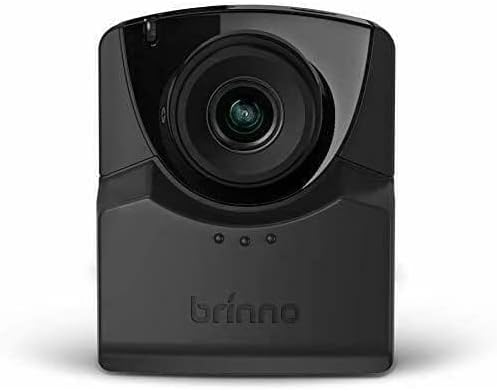
- برنو TLC2020 ٹائم لیپس کیمرہ
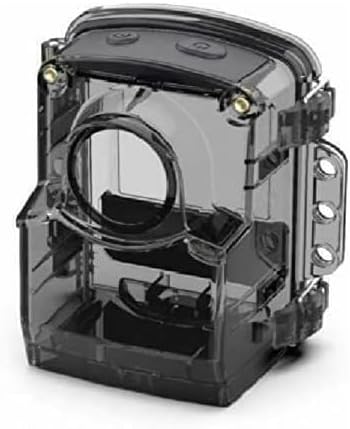
- Brinno ATH1000 Waterproof Case
- AA Batteries (4x)
- صارف دستی (یہ دستاویز)
2.2. کلیدی خصوصیات
- ہائی ریزولوشن کیپچر: 1080P HDR video recording.
- کا وسیع میدان View: 118° lens for comprehensive scene capture.
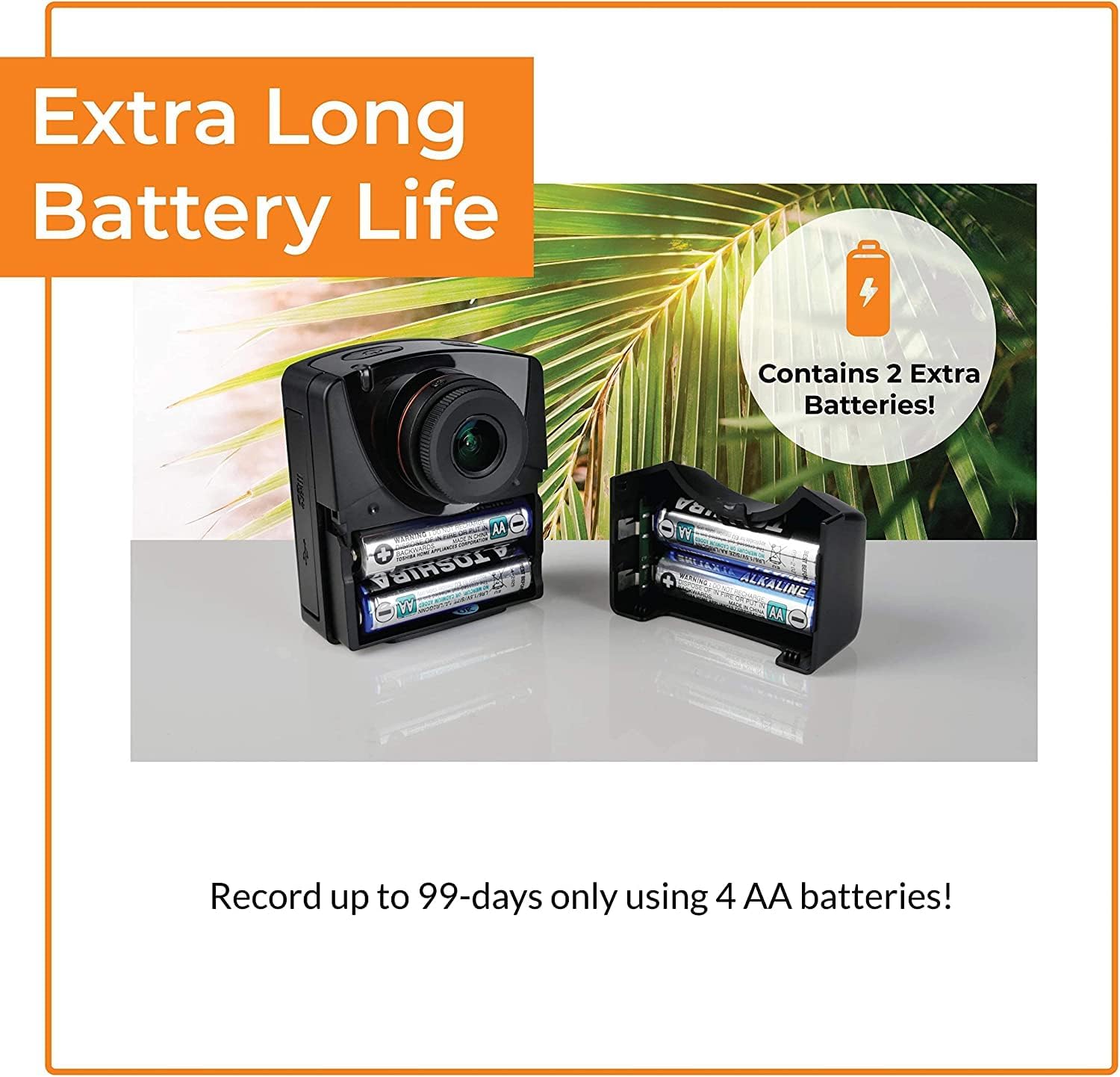
- توسیعی بیٹری کی زندگی: Up to 99 days of recording with 4 AA batteries (5-minute interval).
- ورسٹائل کیپچر موڈز: Time-lapse, Step Video, and Stop Motion.
- پائیدار تحفظ: ATH1000 Waterproof Case for outdoor use.
- لچکدار شیڈولنگ: Daily timer and scheduling features to conserve battery.
- ذخیرہ: 128GB تک مائیکرو ایس ڈی کارڈز کو سپورٹ کرتا ہے۔
- پورٹیبل ڈیزائن: Compact and easy to deploy.
2.3. Camera and Case Components

3. سیٹ اپ
3.1. بیٹری کی تنصیب
- Open the battery compartment cover on the side of the TLC2020 camera.
- درست قطبیت (+/-) کو یقینی بناتے ہوئے چار (4) AA بیٹریاں داخل کریں۔
- بیٹری کے کمپارٹمنٹ کور کو محفوظ طریقے سے بند کریں۔

3.2. مائیکرو ایس ڈی کارڈ کی تنصیب
- Locate the MicroSD card slot, typically near the battery compartment.
- Insert a MicroSD card (up to 128GB supported) into the slot until it clicks into place.
- ہٹانے کے لیے، کارڈ کو آہستہ سے دبائیں جب تک کہ یہ نکل نہ جائے۔

3.3. ATH1000 Waterproof Case Assembly
- Open the latches on the ATH1000 waterproof case.
- Carefully place the TLC2020 camera inside the case, ensuring it fits snugly.
- Close the latches firmly to seal the case. Verify the seal is complete before exposing to water.
3.4. ابتدائی پاور آن اور سیٹنگز
Press the power button to turn on the camera. The 2-inch screen will display the menu. Use the navigation buttons to set the date, time, and desired capture mode. Refer to the on-screen prompts for guidance.
4. آپریٹنگ ہدایات
4.1. کیپچر موڈز
The TLC2020 offers three distinct capture modes:
- وقت گزر جانے کے: Captures a sequence of photos at set intervals, automatically compiling them into a video. Ideal for monitoring construction projects, plant growth, or environmental changes.
- Step Video: Records short video clips at selected intervals. The camera combines these clips into a continuous video, suitable for dynamic storytelling or capturing movement.
- Stop Motion: Allows manual capture of multiple photos, one frame at a time. The camera then combines these into an animated video, perfect for creative projects.


4.2. Flexible Scheduling
Utilize the camera's daily timer and scheduling feature to select specific days and hours for recording. This extends battery life by preventing unnecessary recording during inactive periods.

4.3. Video Output and Sharing
Once recording is complete, the camera automatically processes the footage into an MP4 video file. یہ file is instantly available on the MicroSD card for transfer to a computer or other device for sharing.
5 دیکھ بھال
5.1. بیٹری کی دیکھ بھال
- Always use fresh, high-quality AA batteries.
- بیٹریاں ہٹا دیں اگر کیمرہ ایک طویل مدت تک رساو کو روکنے کے لیے استعمال نہیں کیا جائے گا۔
- Monitor battery levels regularly, especially during long-term projects.
5.2. Waterproof Case and Lens Care
- Regularly inspect the ATH1000 case for cracks or damage to maintain its waterproof integrity.
- Clean the case and camera lens with a soft, lint-free cloth. For stubborn dirt, use a mild cleaning solution and ensure no residue remains.
- Avoid abrasive materials that could scratch the lens or case.
5.3. ذخیرہ
Store the camera and case in a cool, dry place away from direct sunlight and extreme temperatures when not in use.
6 خرابیوں کا سراغ لگانا
6.1 کیمرا آن نہیں ہو رہا ہے۔
- یقینی بنائیں کہ بیٹریاں صحیح طریقے سے ڈالی گئی ہیں اور پوری طرح سے چارج ہیں۔
- Try replacing with new batteries.
- تصدیق کریں کہ پاور بٹن مضبوطی سے دبایا گیا ہے۔
6.2 مختصر بیٹری کی زندگی
- Utilize the flexible scheduling feature to record only during necessary periods.
- Ensure you are using high-quality alkaline or rechargeable AA batteries.
- Extreme cold temperatures can reduce battery performance.
6.3. Condensation Inside Waterproof Case
- Condensation can occur with significant temperature changes and high humidity.
- Place desiccant packets (silica gel) inside the case with the camera to absorb moisture.
- Ensure the camera and case are completely dry before sealing for outdoor use.
6.4 ریکارڈنگ کے مسائل
- Check if the MicroSD card is properly inserted and has sufficient free space.
- Ensure the MicroSD card is formatted correctly (FAT32 or exFAT).
- Verify that the recording schedule and interval settings are configured as desired.
7. وضاحتیں
| فیچر | تفصیلات |
|---|---|
| برانڈ | برنو |
| ماڈل نمبر | ٹی ایل سی 2020 |
| شے کا وزن | 1.34 پاؤنڈ |
| مصنوعات کے طول و عرض | 1.5 x 4.5 x 4.5 انچ |
| بیٹریاں | 4 AA بیٹریاں درکار ہیں |
| رنگ | سیاہ |
| فوٹو سینسر ٹیکنالوجی | CMOS |
| ویڈیو کیپچر ریزولوشن | 1080ص |
| زیادہ سے زیادہ فوکل لینتھ | 19 ملی میٹر |
| زیادہ سے زیادہ یپرچر | 2 f |
| فلیش میموری کی قسم | مائیکرو ایس ڈی (128 جی بی تک) |
| ویڈیو کیپچر فارمیٹ | MP4 |
| تائید شدہ آڈیو فارمیٹ | اے اے سی |
| اسکرین کا سائز | 2 انچ |
| کنیکٹوٹی ٹیکنالوجی | یو ایس بی |
8. وارنٹی اور سپورٹ
Brinno is committed to providing reliable products. For detailed warranty information, please refer to the official Brinno website or the warranty card included with your purchase. For technical support, product inquiries, or service, please visit the Brinno support page or contact their customer service directly.
You can find more information and support resources on the official Brinno webسائٹ: www.brinno.com۔


