1. تعارف
This manual provides detailed instructions for the safe and effective use of your Elecom LBT-TWS05BK True Wireless Bluetooth Earphones. Please read this manual thoroughly before using the product and retain it for future reference.
The Elecom LBT-TWS05BK earphones are designed for stable connectivity, superior comfort, and high usability, delivering rich audio performance. They feature an ergonomic design, advanced communication technology, and convenient smart features.
2. حفاظتی معلومات
محفوظ آپریشن کو یقینی بنانے اور نقصان کو روکنے کے لیے، براہ کرم درج ذیل احتیاطی تدابیر پر عمل کریں:
- ائرفونز یا چارجنگ کیس کو انتہائی درجہ حرارت، نمی یا مائعات کے سامنے نہ رکھیں۔
- آلے کو گرانے یا اسے سخت اثرات کے تابع کرنے سے گریز کریں۔
- مصنوعات کو جدا کرنے یا اس میں ترمیم کرنے کی کوشش نہ کریں۔ اس سے وارنٹی ختم ہو جائے گی۔
- بچوں اور پالتو جانوروں کی پہنچ سے دور رکھیں۔
- سماعت کو پہنچنے والے نقصان کو روکنے کے لیے اعتدال کے حجم کی سطح پر سنیں۔
- Be aware of your surroundings when using the earphones, especially in traffic or dangerous situations.
3. پیکیج کے مشمولات
تصدیق کریں کہ تمام اشیاء آپ کے پروڈکٹ پیکج میں موجود ہیں:
- Elecom LBT-TWS05BK True Wireless Bluetooth Earphones (Left and Right)
- چارجنگ کیس
- USB چارجنگ کیبل (Type-A سے Type-C)
- Ear Caps (XS, S, M, L sizes; M size pre-installed)
- ہدایت نامہ
4. پروڈکٹ ختمview
Familiarize yourself with the components of your Elecom LBT-TWS05BK earphones.

تصویر: کلوز اپ view of the Elecom LBT-TWS05BK true wireless earbuds, showcasing their sleek black design and the ELECOM branding.

Image: The Elecom LBT-TWS05BK earbuds placed inside their compact charging case, ready for storage or charging.
The earphones feature a compact design with a 6.0mm diameter external magnetic dynamic driver for clear sound. The charging case is designed for single-handed operation with a push-button lid.
5. سیٹ اپ
5.1. ائرفون اور کیس چارج کرنا
- Connect the supplied USB Type-A to Type-C cable to the charging case's USB Type-C port and a USB power source.
- The LED indicators on the charging case will show the charging status. Four LEDs indicate a full charge.
- ائرفون چارجنگ کیس میں رکھیں۔ وہ خود بخود چارج ہونے لگیں گے۔
- A 15-minute charge provides approximately 1 hour of music playback. A full charge of the earphones allows for about 5 hours of continuous music playback or 4.5 hours of talk time. The charging case can recharge the earphones up to 2.5 times, providing a total of about 17.5 hours of use.
5.2. ابتدائی جوڑی
The Elecom LBT-TWS05BK supports auto-pairing and Google Fast Pair for compatible Android devices.

Image: An illustration demonstrating the Google Fast Pair feature, where simply opening the charging case near a compatible smartphone prompts a pairing notification. Also shows the one-push open mechanism of the case.
- یقینی بنائیں کہ آپ کے اسمارٹ فون کا بلوٹوتھ فعال ہے۔
- چارجنگ کیس کھولیں۔ ائرفون خود بخود پیئرنگ موڈ میں داخل ہو جائیں گے۔
- For Android devices with Google Fast Pair, a notification will appear on your screen. Tap to connect.
- For other devices, go to your device's Bluetooth settings and select "LBT-TWS05BK" from the list of available devices.
- Once paired, the earphones will automatically connect to the last paired device when removed from the case.
5.3. ایئربڈز کو فٹ کرنا
The earphones feature an ergonomic design for optimal fit and stability.
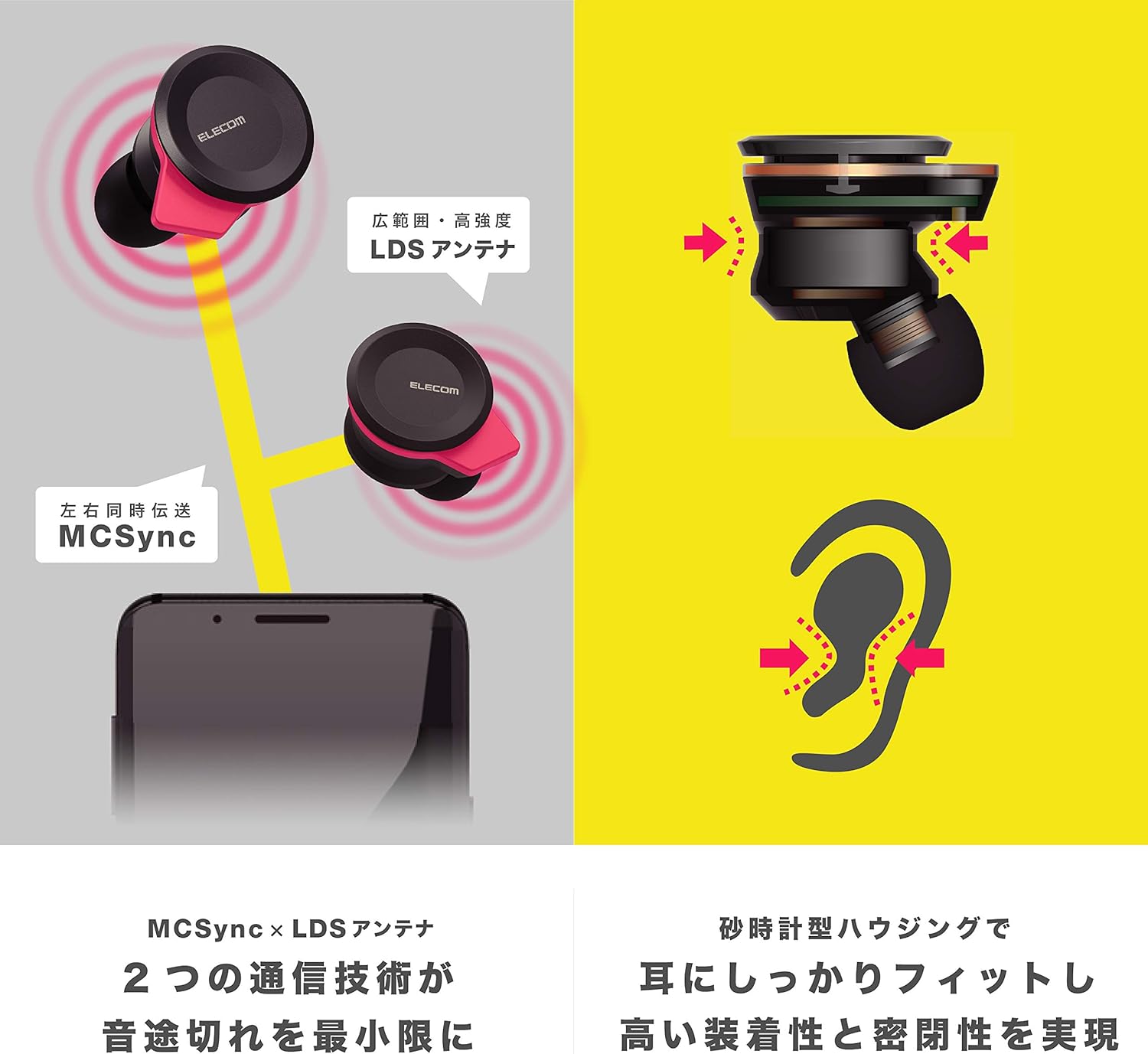
Image: An illustration showing the ergonomic hourglass shape of the earbud designed to fit securely in the ear, alongside a diagram explaining the MCSync and LDS antenna technologies for stable communication.
- Select the ear caps that provide the best seal and comfort from the four included sizes (XS, S, M, L). The M size is pre-installed.
- ائربڈ کو آہستہ سے اپنے کان کی نالی میں داخل کریں۔
- Adjust the earbud so that the hourglass shape is firmly seated between your ear tragus and anti-tragus for a stable fit.
6. آپریٹنگ ہدایات
The Elecom LBT-TWS05BK earphones offer various functions for audio playback, calls, and smart assistant interaction.
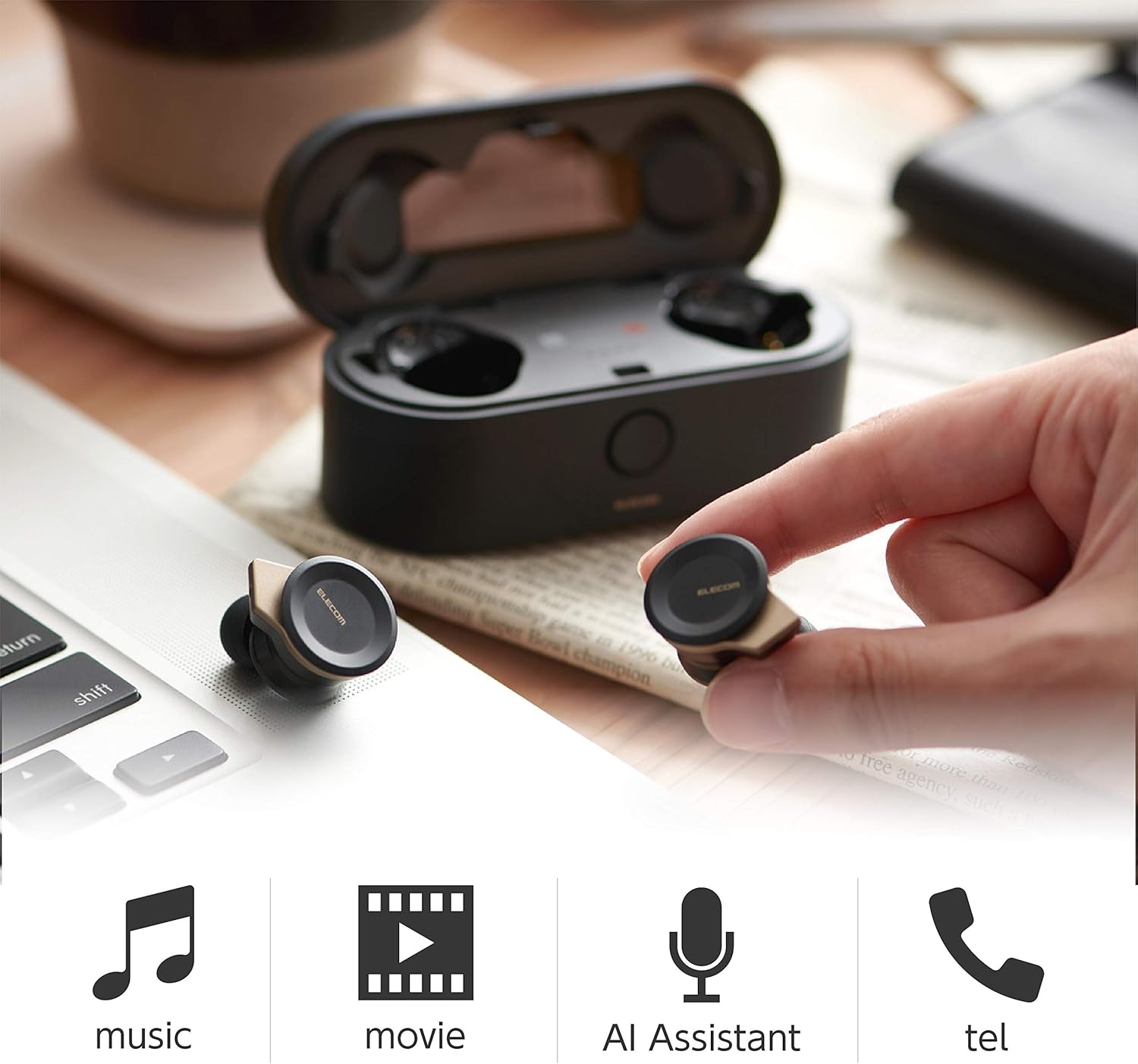
Image: The Elecom LBT-TWS05BK earbuds displayed with icons representing their versatile uses: music playback, movie watching, AI assistant activation, and phone calls.
6.1. پاور آن/آف
- پاور آن: Remove the earphones from the charging case. They will power on automatically.
- بجلی بند: ائرفون کو چارجنگ کیس میں واپس رکھیں۔ وہ خود بخود بند ہوجائیں گے۔
6.2. میوزک پلے بیک۔
Use the buttons on the earphones to control music playback (specific button functions may vary, refer to quick start guide for exact mapping):
- چلائیں/روکیں: دونوں ایئربڈ پر ایک بار دبائیں۔
- اگلا ٹریک: دائیں ایئربڈ پر دو بار دبائیں۔
- پچھلا ٹریک: بائیں ایئربڈ پر دو بار دبائیں۔
- حجم کنٹرول: Adjust via your connected device or voice assistant.
6.3. کال ہینڈلنگ
The right earbud supports calls and voice AI functions.
- جواب / کال ختم کریں: Single press on the right earbud.
- کال مسترد کریں: دائیں ایئربڈ کو 2 سیکنڈ تک دبائے رکھیں۔
6.4. Voice AI Activation
Compatible with voice AI assistants like Siri and Google Assistant.
- Activate Voice AI: Triple press on the right earbud.
6.5. External Sound Capture Function
This function allows you to hear surrounding sounds while wearing the earphones.
- فعال/غیر فعال کریں: 2 سیکنڈ کے لیے بائیں ایئربڈ کو دبائیں اور تھامیں۔
7 دیکھ بھال
Proper maintenance ensures the longevity and performance of your earphones.
- صفائی: ائرفون اور چارجنگ کیس کو صاف کرنے کے لیے نرم، خشک کپڑا استعمال کریں۔ کھرچنے والے کلینر یا سالوینٹس کا استعمال نہ کریں۔
- کان کے ڈھکن: Remove and clean ear caps regularly with water and mild soap. Ensure they are completely dry before reattaching.
- ذخیرہ: جب استعمال میں نہ ہوں تو، ائرفون کو ان کے چارجنگ کیس میں رکھیں تاکہ انہیں دھول اور نقصان سے بچایا جا سکے۔
- بیٹری کی دیکھ بھال: بیٹری کو بار بار مکمل طور پر خارج کرنے سے گریز کریں۔ بیٹری کی صحت کو برقرار رکھنے کے لیے باقاعدگی سے چارج کریں۔
8 خرابیوں کا سراغ لگانا
If you encounter issues with your Elecom LBT-TWS05BK earphones, refer to the following common solutions:
- آواز/کنکشن کا کوئی مسئلہ نہیں:
- Ensure earphones are charged and powered on.
- چیک کریں کہ آیا آپ کے آلے پر بلوٹوتھ فعال ہے۔
- ائرفون کو اپنے آلے کے ساتھ دوبارہ جوڑنے کی کوشش کریں۔
- Ensure earphones are within the 10m transmission distance.
- ائرفون چارج نہیں ہو رہے:
- تصدیق کریں کہ چارجنگ کیبل کیس اور پاور سورس دونوں سے محفوظ طریقے سے منسلک ہے۔
- Check if the charging case has sufficient battery.
- Ensure the earphones are correctly seated in the charging case.
- خراب آواز کا معیار:
- Ensure ear caps provide a good seal in your ear.
- ایئربڈ کی نوزلز سے کوئی بھی ملبہ صاف کریں۔
- سگنل کی طاقت کو بہتر بنانے کے لیے اپنے منسلک آلے کے قریب جائیں۔
- Voice AI/Calls Not Working on Left Earbud:
- Note that calls and voice AI functions are only compatible with the right earbud.
9. وضاحتیں
| فیچر | تفصیلات |
|---|---|
| ماڈل نمبر | LBT-TWS05BK |
| مواصلات کا طریقہ | Bluetooth Standard Version 5.0 |
| آؤٹ پٹ | بلوٹوتھ پاور کلاس 1 |
| ٹرانسمیشن کا زیادہ سے زیادہ فاصلہ | تقریبا. 10 میٹر |
| فریکوئنسی بینڈ | 2.4GHz |
| ماڈیولیشن کا طریقہ | ایف ایچ ایس ایس (فریکوئینسی ہاپنگ اسپریڈ اسپیکٹرم) |
| تائید شدہ بلوٹوتھ پرو۔files | A2DP، AVRCP، HFP، HSP |
| A2DP Compatible Codec | ایس بی سی ، اے اے سی |
| A2DP Compatible Content Protection | ایس سی ایم ایس-ٹی |
| Maximum Registration Capacity | 8 ڈیوائسز |
| Multipoint (Simultaneous Standby) | مطابقت نہیں رکھتا |
| ڈرائیور کی قسم | 6.0mm diameter external magnetic dynamic driver (ETEMDriver) |
| کمیونیکیشن ٹیکنالوجی | MCSync (MultiCast Synchronization), LDS Antenna |
| مائیکروفون | High-quality MEMS microphone with HDVoice |
| مسلسل ٹاک ٹائم | تقریبا 4.5 گھنٹے |
| Continuous Music Playback Time | تقریبا 5 گھنٹے |
| Total Playback Time (with charging case) | تقریبا 17.5 گھنٹے |
| چارجنگ پورٹ | USB ٹائپ سی |
| فاسٹ چارج | 15 min charge for 1 hour playback |
| وزن | 61 گرام (کل پیکیج وزن) |
| مواد | پلاسٹک |
| پانی کی مزاحمت کی سطح | پانی مزاحم |
| ہم آہنگ آلات | Smartphones, Tablets, iOS Devices, Android Devices |
10. وارنٹی اور سپورٹ
For warranty information and customer support, please refer to the official ELECOM webسائٹ یا اپنے مقامی خوردہ فروش سے رابطہ کریں۔ وارنٹی کے دعووں کے لیے اپنی خریداری کا ثبوت رکھیں۔


